Custom AI Software Development for Businesses

Artificial intelligence is becoming more useful for businesses when it is connected directly to real workflows, company data, customer interactions, and internal systems. Instead of relying only on general-purpose AI tools, many companies are now exploring custom AI software development to solve specific operational problems and create software that fits the way their business actually works.

Custom AI software can be designed for customer support, document processing, internal knowledge search, sales assistance, workflow automation, reporting, content processing, recommendations, or other business-specific use cases. The main advantage is flexibility: the software can combine AI with existing databases, APIs, user roles, approval processes, and business rules rather than forcing employees to adapt to a generic tool.

What Is Custom AI Software?

Custom AI software is an application or feature developed around the requirements of a particular business. It may use existing AI models and APIs while adding the company’s own interface, backend logic, permissions, data sources, integrations, and workflows.

For example, a general AI chatbot can answer broad questions, but a custom business assistant could search company documentation, retrieve information from a CRM, summarize a customer history, identify the user’s permissions, and create a support request through the company’s existing system.

The AI is therefore only one part of the complete application. Authentication, databases, APIs, business logic, security, reporting, notifications, and human approvals may all be needed to turn an AI capability into reliable business software.

Where Custom AI Can Create Business Value

The strongest use cases usually appear where employees repeatedly spend time reading, searching, categorizing, summarizing, or interpreting information. AI can reduce some of this manual work and pass structured information into existing business processes.

A customer service platform could automatically summarize long conversations and suggest relevant answers. A sales system could analyze new enquiries, identify customer requirements, and organize leads before follow-up. A document-heavy business could extract information from uploaded files and send the important fields into another system.

Internal AI assistants are another practical use case. Employees may need to search policies, training materials, product documentation, procedures, or historical records throughout the day. A custom knowledge assistant can provide a more conversational way to access approved company information without replacing the original source documents.

  • AI-powered customer support systems
  • Internal company knowledge assistants
  • Document extraction and summarization
  • Lead classification and sales assistance
  • Intelligent search across business information
  • AI-powered reporting and data interpretation
  • Workflow automation connected to existing software

Custom AI Software vs Generic AI Tools

General AI tools can be useful for individual productivity, but businesses often need more control when AI becomes part of an operational process. Employees may need access to specific company information, while customers should only see data connected to their own accounts. Some actions may require approval, and every interaction may need to follow existing business rules.

Custom software allows these requirements to be built into the system. AI can be connected with a CRM, ERP, e-commerce platform, SaaS product, mobile app, customer portal, or internal database through controlled APIs. The application can determine which information is available to each user and what actions can be performed after the AI interprets a request.

This also allows businesses to design the user experience around a specific task. An employee who only needs to summarize customer records does not require a large general-purpose AI interface. A focused tool with a clear workflow may be easier to use, easier to train employees on, and easier to monitor.

AI Should Work With Traditional Business Logic

Custom AI software becomes more dependable when AI is used for tasks that require interpretation while normal application logic remains responsible for predictable actions. AI can understand a message, extract information, categorize a request, or prepare a recommendation. Standard software can then validate permissions, update the database, calculate totals, process payments, or send notifications.

This separation is especially important for important business operations. AI output can vary, so account permissions, financial calculations, payment confirmation, inventory updates, and other sensitive actions should not depend entirely on generated responses.

A well-designed system can also include human review where appropriate. An AI-generated support response may be reviewed by an employee before sending, while a low-risk document classification might happen automatically. The level of automation should match the potential impact of an incorrect result.

How a Custom AI Software Project Is Built

The process should begin with the business problem rather than the AI model. The development team needs to understand what employees or customers currently do, which steps consume the most time, where information comes from, and what result the business wants to improve.

After the workflow is understood, the team can determine which parts need AI and which parts should remain traditional software. This may involve designing the user interface, preparing APIs, connecting business data, defining user permissions, creating backend workflows, and selecting suitable AI services.

Testing is particularly important because the team needs to evaluate more than whether the software runs without errors. AI responses should be useful, permissions should remain secure, important data should be protected, and the system should behave appropriately when the AI cannot produce a reliable result.

Many businesses benefit from starting with one focused feature instead of attempting to automate an entire organization at once. A customer-support assistant, document-processing workflow, or internal search system can provide a practical first project. Once the business understands the value and limitations, additional AI features can be introduced gradually.

Discuss a Custom AI Solution

Building AI Software Around Your Business

The value of custom AI development comes from connecting intelligent capabilities with software that already understands the business. The application can use the company’s own processes, permissions, data sources, integrations, and customer experience rather than operating as a separate tool.

Encoder IT Limited develops custom AI-powered software for businesses, including AI assistants, customer support systems, document-processing solutions, intelligent search, SaaS applications, mobile apps, API integrations, and business workflow automation.

Custom AI software is most effective when it solves a clearly defined problem. Businesses do not need to add AI to every process. A focused system that removes repetitive work, makes information easier to access, or helps employees make faster decisions can often provide more value than a large AI project with no specific operational goal.
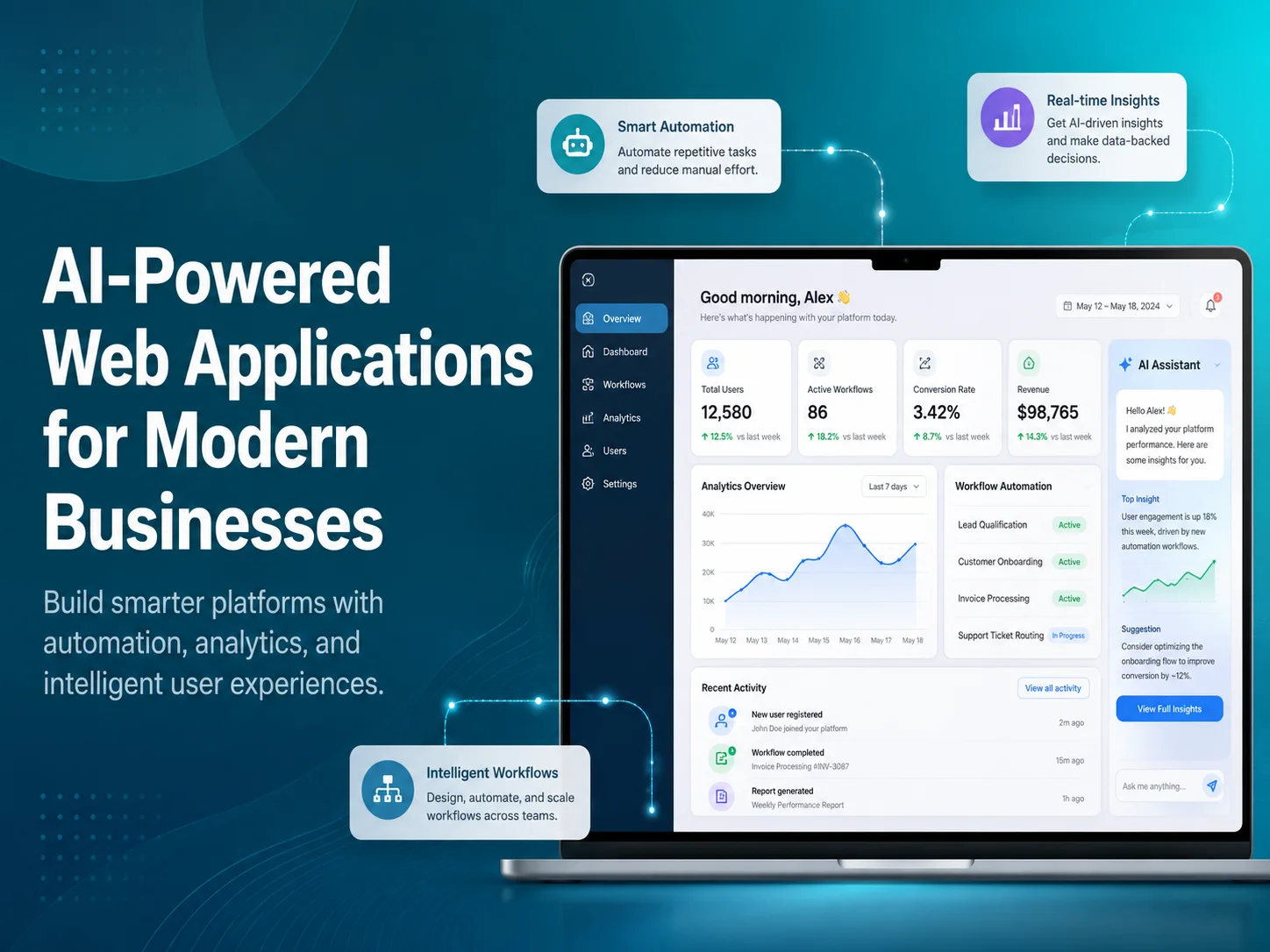
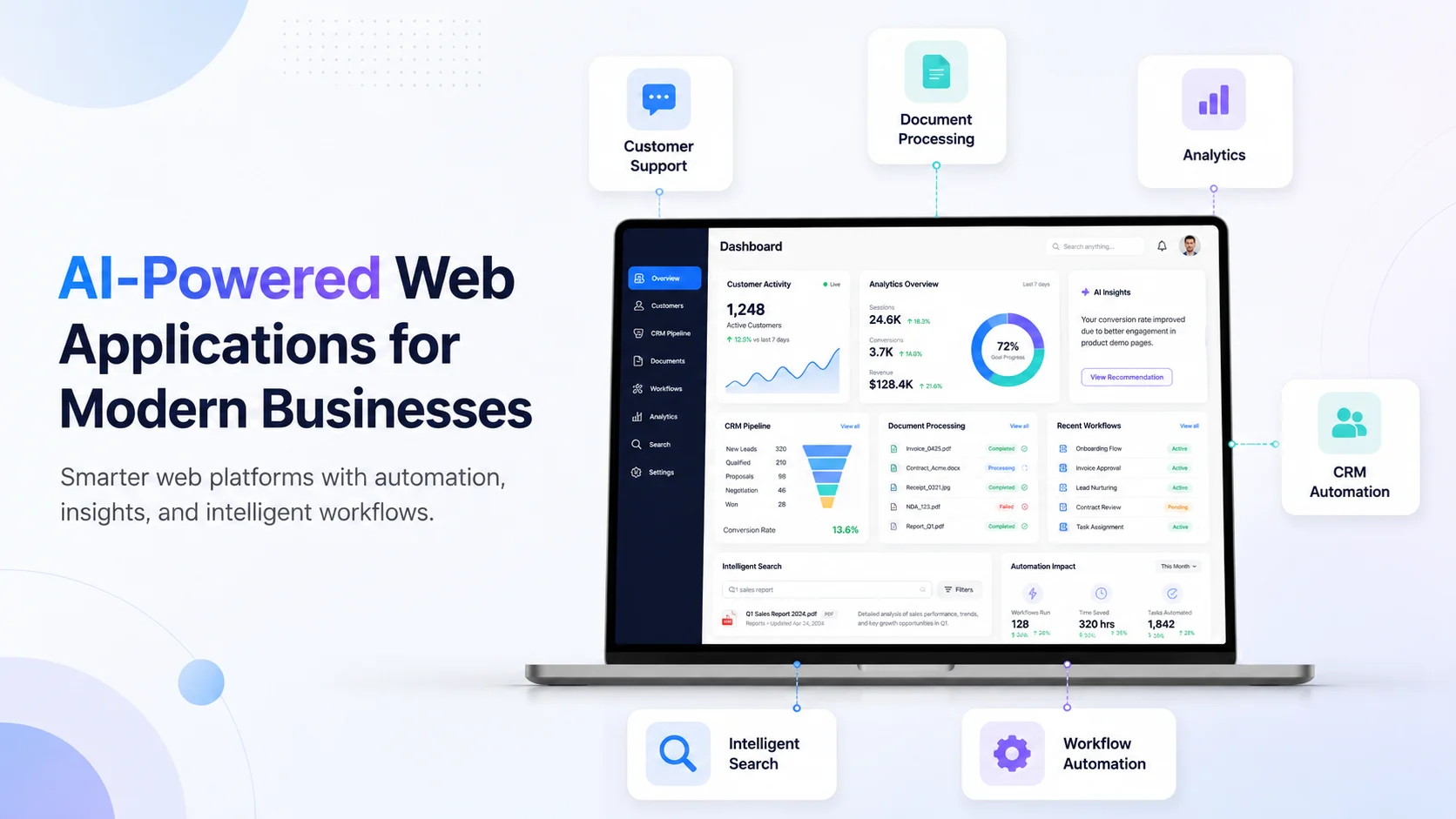
AI-Powered Web Applications for Modern Businesses

Modern businesses rely on web applications for customer management, sales, operations, reporting, communication, inventory, support, and many other daily activities. Artificial intelligence is making these applications more capable by helping them understand language, process documents, search large amounts of information, identify patterns, and assist users with tasks that previously required significant manual effort.

AI-powered web applications combine traditional business software with intelligent features. Instead of replacing the existing application structure, AI can work alongside databases, APIs, user accounts, dashboards, permissions, and business workflows to make the software more useful and efficient.

The strongest AI applications are usually built around a clear business need. A company may want to reduce customer-support workload, help employees find information faster, automate document processing, improve lead management, or create a more personalized customer experience. AI becomes valuable when it improves these real processes rather than simply being added as a feature because it is popular.

What Makes a Web Application AI-Powered?

A traditional web application normally follows predefined rules. Users enter information, click buttons, and the system processes the request according to programmed logic. This approach remains essential for payments, permissions, calculations, database updates, approvals, and other predictable operations.

AI adds another layer. It can help the application work with information that is harder to handle using fixed rules alone. Customers can ask questions using normal language, employees can upload documents for analysis, users can search information without knowing exact keywords, and the system can summarize or categorize large amounts of text.

For example, a customer portal might already contain orders, invoices, subscriptions, and support tickets. Adding AI could allow the customer to ask, “Which invoices are still unpaid?” or “Summarize my last three support requests.” The application retrieves authorized data from the existing system while AI helps interpret the request and present the result naturally.

ai-banner-1

Where AI Can Improve Business Web Applications

Customer support is one of the most visible uses. An AI assistant can answer common questions, search company documentation, collect information before creating a support ticket, or summarize a conversation before transferring it to an employee. This can make support more efficient without removing the option to speak with a real person.

AI can also improve internal business applications. Employees often spend time searching policies, reading reports, reviewing customer histories, or locating information across different systems. An internal AI assistant can make approved business knowledge easier to access and summarize relevant information before an employee begins working on a task.

Document-heavy workflows provide another opportunity. Businesses receive forms, invoices, reports, applications, contracts, and other files that may require employees to identify important details manually. An AI-powered web application can assist with extracting information, classifying documents, preparing summaries, or identifying fields that should be reviewed.

An effective AI-powered web application does more than generate answers. It connects intelligent processing with real business data, permissions, APIs, and workflows so that AI becomes a useful part of the software employees and customers already depend on.

Sales teams can also benefit. AI may summarize enquiries, categorize leads, identify important customer requirements, or prepare information before a salesperson follows up. In an e-commerce system, AI can support product discovery, recommendations, customer questions, and intelligent search. In SaaS products, it can help users understand data, navigate complex features, or find information more quickly.

AI Works Best When Connected With Existing Business Systems

For many companies, building an AI-powered application does not mean replacing existing software. AI functionality can often be integrated into current systems through APIs and added to specific parts of the workflow.

A CRM can gain AI-generated customer summaries. A business dashboard can allow managers to ask questions about available data. A customer portal can provide intelligent search. A support platform can automatically categorize incoming tickets. An existing SaaS product can add an AI assistant without rebuilding its authentication, billing, database, or administrative tools.

This approach is usually more practical because traditional software is still better for many business operations. AI can interpret a customer request, but normal application logic should verify permissions before returning private data. AI can identify information from an invoice, while standard code handles the actual accounting transaction. AI can suggest an action, while the backend controls whether the action is permitted.

Combining these technologies gives businesses flexibility without sacrificing the reliability required for important workflows.

Common Features in AI-Powered Business Applications

  • AI chatbots and customer-support assistants
  • Intelligent search across business information
  • Document extraction and summarization
  • Lead and enquiry classification
  • Personalized recommendations
  • Internal knowledge assistants
  • Automated report and conversation summaries
  • AI-assisted workflow and task management

Not every business needs all of these features. A better strategy is to identify one or two areas where employees or customers currently experience the most friction. A focused AI feature that saves meaningful time or improves an important customer journey can provide more value than adding several AI tools that are rarely used.

Security, Accuracy, and Human Control Still Matter

AI-powered applications may work with customer messages, internal documents, account information, financial records, or other sensitive business data. Access to this information should follow the same authentication and permission rules used throughout the rest of the application.

Businesses should also decide how AI-generated results will be used. A summary or suggested customer response may be appropriate for automatic assistance, while financial decisions, account permissions, legal actions, healthcare decisions, or other high-impact processes may require human review and deterministic validation.

AI can also produce incomplete or incorrect information. Applications should therefore be designed to handle uncertainty instead of presenting every generated response as guaranteed fact. Reliable source data, controlled access, validation, monitoring, and clear escalation paths are important parts of a production-ready AI system.

Build an AI-Powered Web Application

Turning AI Into Practical Business Software

The most successful AI web application projects usually begin by examining the existing process. Which tasks consume employee time? Where do customers repeatedly need assistance? Which documents or messages require manual interpretation? What information is difficult to find quickly?

Once the problem is clear, the application can be designed so AI handles the parts that benefit from interpretation while traditional software continues managing predictable business rules. This creates a solution that is easier to control, test, and maintain.

Encoder IT Limited develops custom AI-powered web applications, SaaS platforms, customer portals, internal business systems, AI assistants, intelligent search solutions, document workflows, API integrations, and business automation software.

AI-powered web applications are becoming valuable because they allow businesses to combine intelligent capabilities with the software they already use to operate. The real opportunity is not simply adding AI to a dashboard—it is building applications that reduce unnecessary work, make business information easier to use, and help customers and employees complete important tasks more efficiently.

How to Add AI Features to a Mobile App

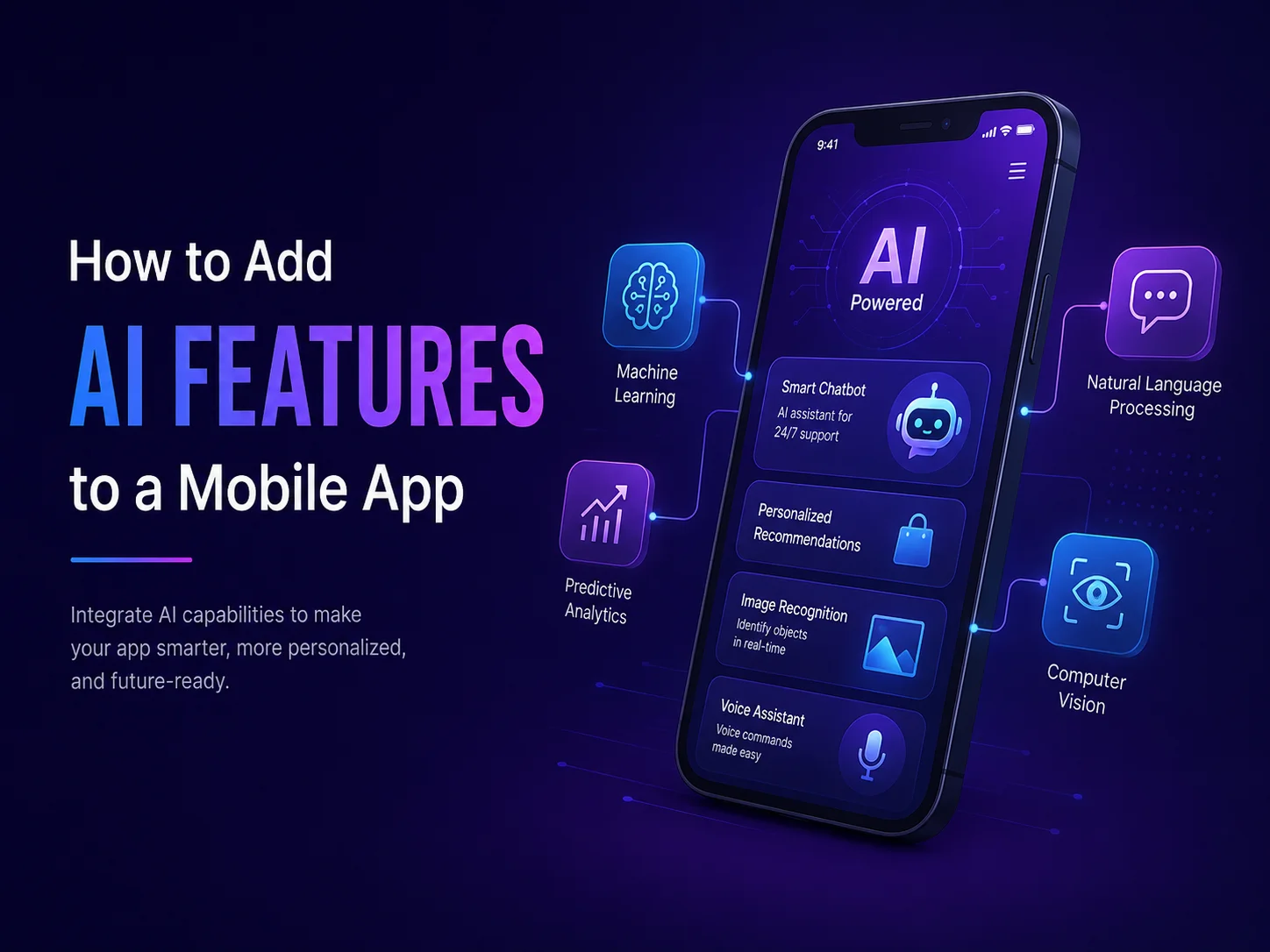
Artificial intelligence can make a mobile application more useful by helping users search information, receive recommendations, communicate with virtual assistants, process documents, analyze images, summarize content, and automate repetitive tasks.

However, adding AI to a mobile app should not begin with the question, “Which AI feature should we add?” A better starting point is identifying where users currently experience friction or where employees spend unnecessary time. The AI feature should solve that specific problem instead of becoming an extra layer of complexity.

Choose an AI Feature That Fits the App

Different mobile applications need different types of intelligence. A customer-facing app may benefit from an AI assistant that answers questions about products or services. An e-commerce application may use AI to improve product discovery and recommendations. A business app could analyze uploaded documents, summarize reports, or help employees search company information.

AI can also support voice transcription, translation, image analysis, customer-support automation, intelligent search, and personalized experiences. The most important point is that the feature should improve something users already need to do.

  • AI chatbots and customer assistants
  • Intelligent search
  • Product or content recommendations
  • Document analysis and summarization
  • Image recognition
  • Voice transcription and translation
  • AI-assisted business workflows

For example, if customers frequently struggle to find information, intelligent search may provide more value than a general chatbot. If employees manually review large numbers of documents, AI-powered document processing may be the stronger feature.

Connect AI Through a Secure Backend

In most production applications, AI services should be connected through the backend rather than exposing private API credentials directly inside the mobile app. The mobile application can send a request to the backend, where authentication, permissions, business logic, and AI communication are handled securely.

This structure also gives the business more control over what information is shared with the AI service. If a customer asks about an order, the backend can first verify the user, retrieve only that customer’s authorized order information, and then use AI to help present the result.

Important actions should still remain under normal application control. AI may understand that a user wants to cancel a booking, but the actual cancellation should pass through the existing booking rules, permissions, database updates, and notifications.

Combine AI With Existing Mobile Features

AI becomes more useful when it works together with functionality already available on smartphones. Camera access can allow users to photograph documents before AI extracts information. Voice input can be transcribed and analyzed. Location information can provide useful context for field-service or delivery applications.

A mobile app can also combine AI with push notifications. For example, a document-processing workflow could notify the user when analysis is complete, while an AI support assistant could send a customer to a human agent when the conversation becomes too complex.

The strongest implementation usually combines three parts: the mobile interface, AI processing, and reliable backend logic. Each part performs the type of work it handles best.

Discuss Your AI Mobile App Idea

Design the Experience Around AI, Not Just the Technology

AI-generated results can be less predictable than traditional app features, so the interface needs to account for uncertainty. Users should understand when they are interacting with AI and what they can do if the answer is incomplete or incorrect.

A chatbot should allow follow-up questions and provide a clear path to human support. A document-processing feature may need a review screen before extracted information is saved. Recommendations should be presented as suggestions rather than guaranteed decisions when accuracy matters.

Loading states are important too. AI requests may take longer than normal API calls, so the app should clearly indicate that processing is happening instead of leaving users with a blank screen.

Start With One Valuable AI Feature

Businesses do not need to introduce AI across the entire app at once. A focused first feature is usually easier to test and improve. Customer support, intelligent search, document analysis, or internal assistance can be a practical starting point.

After launch, monitor how users interact with the feature. Review which requests AI handles well, where users become confused, and when human intervention is still needed. These insights can guide future improvements and help determine whether additional AI features are worth developing.

Encoder IT Limited develops AI-powered mobile applications and integrates AI into existing Android and iOS products. Our services can include Flutter and React Native development, native mobile applications, AI assistants, document processing, intelligent search, backend APIs, and business automation.

Adding AI to a mobile app works best when the technology improves a real workflow. A focused AI feature connected to secure backend systems and a well-designed mobile interface can provide significantly more value than adding artificial intelligence simply because it is popular.

How to Integrate AI into Your Existing Website

Adding artificial intelligence to an existing website does not usually require rebuilding the entire site from the beginning. In many cases, AI can be introduced gradually by connecting specific website features with AI services through APIs and backend logic.

This makes AI integration practical for businesses that already have a working WordPress website, e-commerce store, customer portal, SaaS platform, or custom web application. The goal is to identify where AI can make the current experience better—such as customer support, search, lead handling, document processing, recommendations, or internal business workflows.

Start With a Clear Business Problem

The first step is deciding what AI should actually improve. Businesses often make the mistake of starting with the technology instead of the problem. A chatbot may sound useful, but if customers mainly struggle to find products, intelligent search may create more value. If employees spend hours reading enquiries and manually organizing leads, AI-assisted lead processing may be a better first project.

Review the areas of the website where users or employees perform repetitive work. Look at customer questions, support requests, search behavior, submitted forms, uploaded documents, product discovery, and internal administrative tasks. These are often the strongest opportunities for AI.

Once the problem is defined, the AI feature can be designed around an existing workflow rather than becoming a disconnected tool that users do not really need.

Add AI Without Replacing Your Existing Website

Most websites already have valuable systems in place. User accounts, products, orders, forms, payments, databases, dashboards, and business logic may already be working correctly. AI can often be added on top of these systems instead of replacing them.

For example, an e-commerce website could keep its existing products, checkout, payment gateway, and order-management system while adding an AI assistant that helps customers find products or answers questions about available information.

A customer portal could keep its current authentication and database while adding an AI search feature that helps users find information across documents or support content. A business website could connect form submissions with AI to summarize enquiries before they reach the sales team.

Successful AI website integration is usually not about rebuilding everything around artificial intelligence. It is about adding AI to the parts of an existing website where it can reduce friction, improve access to information, or automate repetitive work while keeping reliable business systems in control.

Connect AI Through a Secure Backend

AI services are commonly connected through APIs, but sensitive API credentials should not normally be exposed directly in browser-side code. A safer architecture is to send requests through the website’s backend, where authentication, permissions, business logic, and API credentials can be controlled.

The backend can decide what information should be sent to the AI system and what the user is allowed to access. This becomes especially important when AI works with customer accounts, private documents, orders, subscriptions, CRM information, or other business data.

For example, if a logged-in customer asks an AI assistant about a recent order, the backend should first confirm the user’s identity and retrieve only that customer’s authorized order information. AI can then help present the result conversationally without being given unrestricted access to the entire database.

Important actions should also remain under normal application control. AI may understand that a customer wants to cancel a booking, but the actual cancellation should still pass through the website’s existing permissions, availability rules, database updates, and notification process.

Useful AI Features You Can Add to an Existing Website

Different websites need different AI features. Businesses should choose functionality based on the current customer experience and operational workload rather than trying to add every available AI capability.

  • AI customer support: answer common questions and help users find relevant support information.
  • Intelligent website search: understand natural-language searches instead of depending only on exact keywords.
  • Lead processing: summarize enquiries, identify requirements, and categorize leads before sales follow-up.
  • Document processing: extract, classify, or summarize information from uploaded documents.
  • Product recommendations: help users discover relevant products or services.
  • Internal AI assistants: help employees search business information from a protected dashboard.

A WordPress website, for example, could add an AI assistant without changing the theme or core content-management workflow. A WooCommerce store could introduce smarter product discovery while keeping its existing checkout and order system. A custom web application could integrate AI into only one module while the rest of the software remains unchanged.

Prepare Your Website Data Before Adding AI

An AI system becomes more useful when it has access to reliable information. If the website contains outdated FAQs, inconsistent product descriptions, duplicate documentation, or poorly organized content, AI may struggle to provide useful answers.

Businesses should therefore review the information they want AI to use. Product details, policies, help documentation, service descriptions, knowledge-base articles, and internal records should be accurate and clearly organized.

Data access also needs boundaries. Public website information may be suitable for general customer questions, while private account records should only be available after authentication. Internal company documents may require employee roles or department-level permissions.

This preparation is often just as important as selecting the AI technology because an intelligent system cannot consistently provide useful results from unreliable or poorly controlled information.

Discuss Your AI Website Integration

Test the AI Experience Before Expanding It

AI features should be tested with the same care as any other important website functionality. Businesses should review how the system handles normal questions, unclear requests, missing information, incorrect assumptions, and situations where it should send the user to a human employee.

The user interface matters too. Customers should understand when they are using an AI-powered feature, how to ask another question, and what to do when the answer does not solve the problem. AI should support the customer journey rather than create another barrier.

It is usually better to launch one focused AI feature and monitor its performance before introducing several others. Real usage can show whether the feature reduces support workload, improves search, increases engagement, or actually saves employees time.

Integrating AI With Your Existing Website

Encoder IT Limited helps businesses add AI capabilities to existing websites, web applications, e-commerce platforms, SaaS products, and customer portals. This can include AI chatbots, intelligent search, document processing, lead automation, custom backend APIs, AI assistants, and integrations with existing business systems.

You do not need to rebuild a successful website simply to start using AI. A better approach is often to preserve the systems that already work, identify one valuable problem, and integrate AI into that specific part of the experience.

When AI is connected with reliable website data, secure backend logic, and clear business workflows, it can become a practical extension of the website rather than an isolated feature.

AI-Powered Chatbots for Better Customer Service

Customer service teams often spend a large part of their day answering the same types of questions about products, orders, appointments, subscriptions, account access, pricing, and company policies. As the number of customers grows, these repetitive conversations can slow response times and increase support costs.

AI-powered chatbots can help businesses handle many of these routine interactions automatically while still keeping human agents available for situations that require judgment, empathy, or deeper problem-solving. Unlike simple rule-based chatbots that depend heavily on predefined buttons and keywords, modern AI chatbots can understand more natural customer questions and respond in a conversational way.

The most effective chatbot is not one that tries to replace an entire customer service team. It should remove repetitive work, help customers reach useful information faster, and make it easy to move to a human employee when automation is no longer appropriate.

How AI Chatbots Improve the Customer Experience

Customers usually contact support because they want an answer quickly. An AI chatbot can provide immediate assistance for common questions without requiring the customer to wait for an available support agent. This can be especially useful outside normal business hours or during periods when support teams receive a large number of requests.

A customer may ask about delivery times, available services, account access, booking procedures, return policies, or product information using their own words. The chatbot can interpret the request and provide an appropriate response based on the information available to it.

This creates a more flexible experience than a basic chatbot that forces customers to choose from a fixed menu. Users can ask follow-up questions, clarify what they mean, and move through a conversation in a way that feels closer to normal communication.

AI chatbots can also help reduce unnecessary navigation. Instead of asking a customer to search through several help pages, the chatbot can locate relevant information and present it directly in the conversation.

Connect the Chatbot With Real Business Information

A chatbot becomes much more valuable when it can use accurate information from the business. This may include FAQs, product documentation, service descriptions, company policies, help articles, troubleshooting guides, or other approved knowledge sources.

More advanced chatbots can also connect with existing systems through secure APIs. After verifying the customer, the chatbot may be able to help with order status, appointments, subscriptions, account information, or support-ticket progress.

For example, if a customer asks, “Has my order shipped yet?” the chatbot should not guess. The application can retrieve the customer’s authorized order information from the backend and use that data to prepare the response.

This connection between AI and business systems is what turns a simple chatbot into a useful customer-service tool. The conversational layer helps understand the customer, while normal application logic continues handling authentication, permissions, database updates, payments, and other important actions.

AI Chatbots Should Know When to Transfer the Conversation

Not every support request should be automated. Complaints, complicated billing issues, account-security problems, unusual technical failures, or emotionally sensitive situations may require a real person.

A well-designed chatbot should recognize when it cannot provide a reliable answer or when the customer asks to speak with an employee. The transition should be simple rather than forcing the customer to repeat the same questions several times.

The chatbot can prepare the handoff by summarizing the conversation, identifying the likely issue, and passing along information already collected. A human support agent can then begin with useful context instead of asking the customer to explain everything again.

This is one of the most important differences between useful automation and frustrating automation. AI should make human support easier to reach when it is needed, not create another barrier between the business and the customer.

Chatbots Can Reduce Work for Support Teams

AI chatbots can provide value even when they do not fully resolve the customer’s request. They can collect account information, categorize the problem, identify the appropriate department, create a support ticket, and prepare a summary for the employee who will handle it.

Support teams can also use AI internally. Instead of communicating directly with customers, an AI assistant can suggest draft responses, summarize long conversations, search internal documentation, or highlight important details from previous support interactions.

  • Answer repetitive customer questions
  • Provide product and service information
  • Search approved support documentation
  • Collect information before human support begins
  • Summarize customer conversations
  • Automatically categorize support requests
  • Route tickets to the appropriate team
  • Assist agents with suggested responses

These features can reduce time spent on repetitive preparation while allowing support employees to focus on conversations where their experience creates more value.

Build an AI Customer Support Chatbot

Build the Chatbot Around Real Customer Problems

Businesses should avoid adding a chatbot simply because AI is becoming popular. The first step should be reviewing the questions customers already ask and identifying where the support team spends the most repetitive time.

If customers frequently ask about orders, the chatbot should be designed around order support. If users struggle to understand a complex SaaS platform, it may need access to product documentation. If a service company receives repeated booking questions, connecting the chatbot to availability and appointment workflows may provide the greatest value.

Accuracy, privacy, and security also need to be considered from the beginning. Customers should only receive information they are authorized to access, sensitive credentials should remain protected on the backend, and the chatbot should avoid presenting uncertain information as guaranteed fact.

Encoder IT Limited develops AI-powered chatbots and customer-support systems for websites, mobile applications, SaaS platforms, customer portals, and custom business software. We can connect AI with knowledge bases, APIs, CRM systems, support workflows, customer accounts, and other existing business tools.

A strong AI chatbot does not need to automate every conversation. Its value comes from answering common questions quickly, reducing repetitive work, connecting customers with useful business information, and involving human employees at the right moment. When those elements work together, AI can improve both customer experience and the efficiency of the support team.

How AI Can Automate Your Business Processes

Many businesses still rely on employees to complete repetitive processes manually—reading emails, entering data, preparing reports, categorizing requests, checking documents, updating systems, and moving information between departments. These tasks are necessary, but they can consume valuable time that employees could spend on customers, strategy, and higher-value work.

AI business automation can reduce this workload by helping software understand information, make recommendations, organize data, and support decisions before traditional automation completes the next action. The best results usually come from combining AI with existing business rules, APIs, databases, and workflows rather than trying to replace an entire process with AI.

Start With Repetitive, Information-Heavy Processes

The first step is identifying where manual work happens most often. Processes that involve repeatedly reading, searching, summarizing, classifying, or copying information are usually strong candidates for AI automation.

Customer support is a simple example. Employees may receive hundreds of questions about orders, services, appointments, pricing, subscriptions, or account problems. AI can understand the incoming message, identify the topic, search approved business information, and prepare a response. If the request requires human assistance, the system can summarize the conversation and route it to the correct employee.

Sales teams can use a similar workflow. Instead of manually reviewing every enquiry, AI can identify what the prospect is interested in, extract relevant details, summarize requirements, and categorize the lead. Existing CRM automation can then create the record, assign a salesperson, and schedule follow-up activities.

AI automation works best when it removes the repetitive interpretation around a business process while reliable software continues controlling important actions such as approvals, payments, permissions, calculations, and database updates.

This distinction matters because many business processes contain both flexible and predictable steps. AI is useful when information needs interpretation, while traditional automation remains better when the outcome must follow an exact rule.

Where AI Can Automate Everyday Business Work

Document processing is one of the strongest use cases. Businesses may receive invoices, applications, forms, reports, contracts, service records, or other documents that employees manually review. AI can help extract important information, summarize content, classify documents, and prepare structured data for another system.

Internal knowledge is another area where automation can save time. Employees often search through policies, manuals, product information, training materials, or historical records before completing a task. An AI-powered internal assistant can make this information easier to find through natural-language questions instead of requiring employees to manually search multiple folders or systems.

AI can also support routine communication. It may prepare first drafts of customer responses, summarize meeting notes, create report summaries, organize feedback, or convert lengthy information into a format employees can review more quickly.

  • Customer support and ticket classification
  • Lead processing and CRM preparation
  • Document extraction and summarization
  • Internal knowledge search
  • Email and communication assistance
  • Report and data summarization
  • Request routing and workflow preparation

Not every business needs all of these applications. The strongest starting point is usually one process that happens frequently, consumes measurable employee time, and has a clear result that can be evaluated after automation is introduced.

Connect AI With the Systems You Already Use

AI automation does not necessarily require replacing your existing CRM, website, mobile app, SaaS platform, ERP, customer portal, or internal software. AI can often be added through APIs and connected with the systems that already manage your business data and workflows.

For example, an AI system can understand an incoming support request, but your existing help-desk software can still create the ticket. AI can extract information from an invoice, while the accounting system remains responsible for storing and processing the financial record. AI can interpret a customer request, while the backend continues checking authentication and permissions before performing an action.

This approach provides more control because businesses can use AI only where interpretation is valuable without changing the systems that already handle predictable operations reliably.

Explore AI Business Automation

Keep Important Decisions Under Reliable Control

AI-generated results can vary, so businesses should decide carefully which actions can happen automatically and which require validation or human review. Low-risk tasks such as summarizing a document may be suitable for greater automation, while payments, financial calculations, account permissions, legal decisions, or other high-impact actions require stronger controls.

Human involvement can also remain part of an automated workflow without removing the benefits. AI might prepare a response, classification, or recommendation while an employee approves it. The employee spends less time preparing the information but still controls the final decision.

Security and privacy should be considered at the same time. AI systems should only receive the information needed for the task, and users should only be able to access data permitted by their role. Sensitive credentials and important business logic should remain protected on backend systems.

Build Automation Around Business Value

The goal of AI automation should not be to automate every task in the company. Some processes are already efficient, some are better handled with simple rule-based automation, and others still benefit strongly from human communication and judgment.

A practical AI automation project begins by measuring the current process. How much time does it take? How often does it happen? Where do delays occur? Which steps require people to interpret information? Once these questions are understood, businesses can automate the parts that create the greatest operational benefit.

Encoder IT Limited develops AI-powered business automation solutions for websites, mobile applications, SaaS platforms, customer portals, and internal software. Our work can include AI assistants, customer-support automation, document processing, workflow automation, intelligent search, API integration, and custom business applications.

AI can make business processes faster and more scalable, but its greatest value comes from using it selectively. When intelligent processing is combined with reliable software workflows and appropriate human oversight, businesses can reduce repetitive work without losing control over the operations that matter most.

How to Integrate Payment Gateways into an E-commerce Website

Payment gateway integration is one of the most important parts of building an e-commerce website. Customers need a simple and trustworthy way to complete purchases, while the business needs reliable transaction records, secure payment processing, refund handling, and accurate order updates.

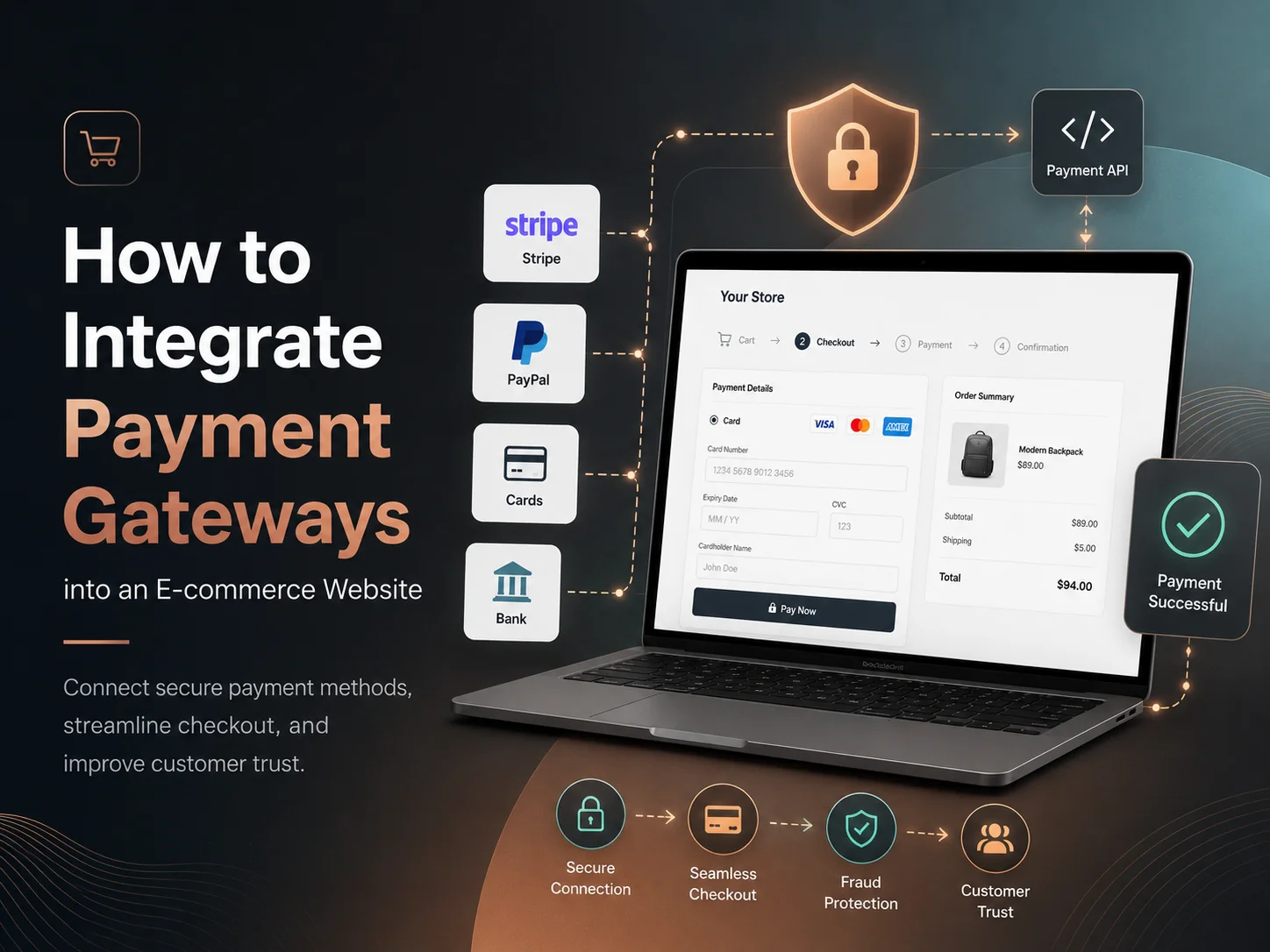
A payment gateway connects the e-commerce website with a payment provider so customers can pay using supported methods such as credit or debit cards, digital wallets, bank-based payments, or other regional options. The website itself should not try to handle sensitive payment information in an unsafe way. Instead, a trusted payment provider manages the sensitive parts of the transaction while the e-commerce system controls the order and customer experience.

Choose a Payment Gateway That Fits Your Business

The first step is selecting a payment provider based on where the business operates, where customers are located, which currencies need to be supported, and what payment methods customers expect.

Popular providers such as Stripe, PayPal, Square, Adyen, and region-specific gateways offer different combinations of payment methods, currencies, settlement options, subscription support, fraud tools, and developer APIs. E-commerce platforms such as WooCommerce and Shopify also support multiple payment providers through built-in integrations or extensions.

Businesses should compare more than transaction fees. Availability in the target country, payout schedules, refund handling, recurring payments, international transactions, fraud protection, reporting, and technical integration requirements can all influence the final choice.

An online store serving one country may only need a few local payment options, while an international e-commerce business may need cards, digital wallets, multiple currencies, and region-specific payment methods.

Understand How the Payment Flow Works

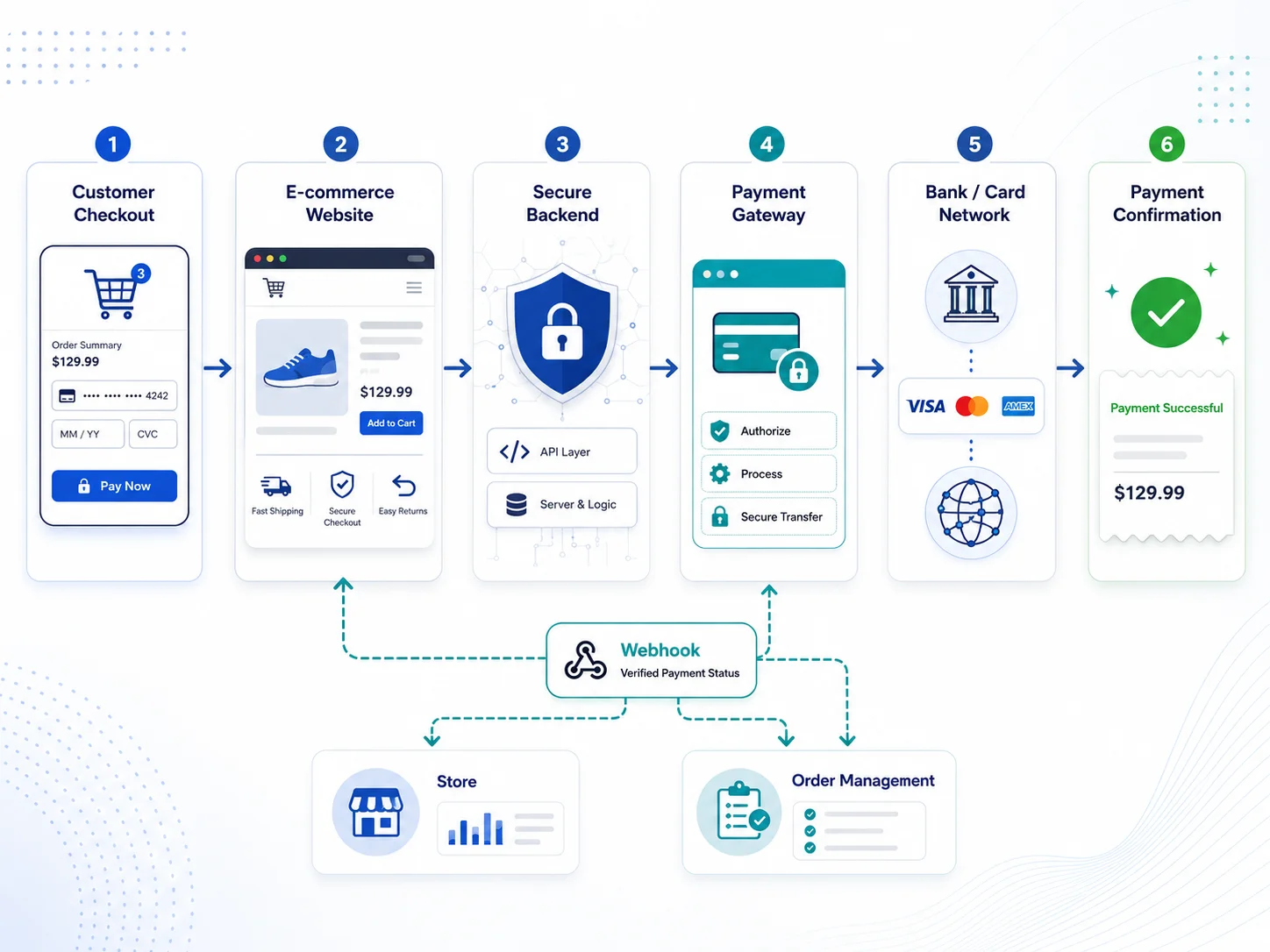
A typical payment begins when the customer completes the cart and moves to checkout. The e-commerce website calculates the order total, including products, discounts, shipping, and applicable taxes. The payment provider then securely collects or processes the customer’s payment details.

After the provider processes the transaction, the website needs to determine whether the payment succeeded, failed, requires additional authentication, or remains pending. The order status should be updated based on verified information from the payment provider rather than simply trusting what the customer’s browser reports.

E-commerce-1-2

Modern payment integrations commonly use server-to-server notifications or webhooks to confirm important transaction events. This is useful because a customer may close the browser immediately after paying or experience a network interruption before the website receives the final result.

The payment provider can still notify the backend that the transaction succeeded, allowing the e-commerce system to update the order and continue fulfillment correctly.

Connect Payments With the Complete Order Process

Payment integration should not be treated as an isolated checkout button. It needs to work with the entire order-management workflow.

When payment succeeds, the system may need to mark the order as paid, update inventory, send confirmation emails, generate an invoice, notify the store administrator, and begin fulfillment. If payment fails, customers should receive a clear message and an opportunity to try again without accidentally creating several duplicate orders.

Refunds also need proper integration. When a business refunds an order through the payment provider, the e-commerce system should keep a corresponding transaction record so administrators can understand what happened later.

  • Payment authorization and confirmation
  • Order-status updates
  • Inventory adjustment
  • Customer confirmation emails
  • Failed-payment handling
  • Refund and cancellation processing
  • Transaction history and reporting
  • Subscription or recurring billing where required

Subscription businesses need additional planning because recurring payments continue after the original checkout. The system needs to track subscription status, renewals, failed recurring payments, cancellations, upgrades, and other billing events over time.

Security Should Be Built Into the Integration

Payment security is one of the most important areas of e-commerce development. Private payment credentials and secret API keys should remain protected on the backend rather than being exposed through public browser code.

The website should use HTTPS, validate important requests on the server, and confirm payment events using trusted information from the payment provider. Sensitive transaction decisions should not depend only on values sent by the customer or frontend application.

Developers should also protect webhook endpoints. A webhook should be verified using the mechanism provided by the payment provider so an attacker cannot simply send a fake “payment successful” request and cause an unpaid order to be marked as completed.

The business should avoid storing card information directly unless there is a genuine need and the necessary compliance controls are in place. Hosted payment forms, secure payment elements, tokenization, and provider-managed checkout experiences can reduce the amount of sensitive payment data handled by the website.

Integrate Payments Into Your E-commerce Website

Test More Than Successful Payments

A payment integration is not ready simply because one test transaction succeeds. Developers should also test declined cards, insufficient funds, expired payment methods, duplicate submissions, network failures, abandoned checkout sessions, refunds, and other situations that real customers may experience.

The checkout experience should remain clear throughout these scenarios. Customers need to understand whether they were charged and whether an order was successfully created. Poor error handling can result in customers retrying payments unnecessarily or contacting support because the transaction status is unclear.

Testing is particularly important when payments trigger other systems. An order may update inventory, send information to accounting software, start shipping workflows, award loyalty points, or create access to a digital service. Developers should confirm that these actions only occur when the payment state actually allows them.

Build the Payment Experience Around Your Store

The best payment gateway integration depends on the type of e-commerce business. A simple online store may only need card payments and a digital wallet, while a marketplace may require seller payouts, commissions, refunds, and more complicated financial workflows. A subscription platform will have different requirements again.

Encoder IT Limited provides payment gateway integration and e-commerce development for WooCommerce, Shopify, and custom online stores. Our work can include Stripe, PayPal, custom payment APIs, checkout development, subscription billing, webhook integration, refunds, order automation, and connections with existing business systems.

A strong payment integration should feel simple to the customer even when the system behind it is complex. Secure checkout, reliable backend verification, accurate order updates, clear error handling, and proper refund support create a payment experience that customers can trust and businesses can manage confidently.

How Good UX Design Increases Website Conversions

A website can attract plenty of visitors and still generate very few inquiries, bookings, registrations, or sales. One common reason is poor user experience. If visitors cannot quickly understand what a business offers or how to take the next step, they are more likely to leave.

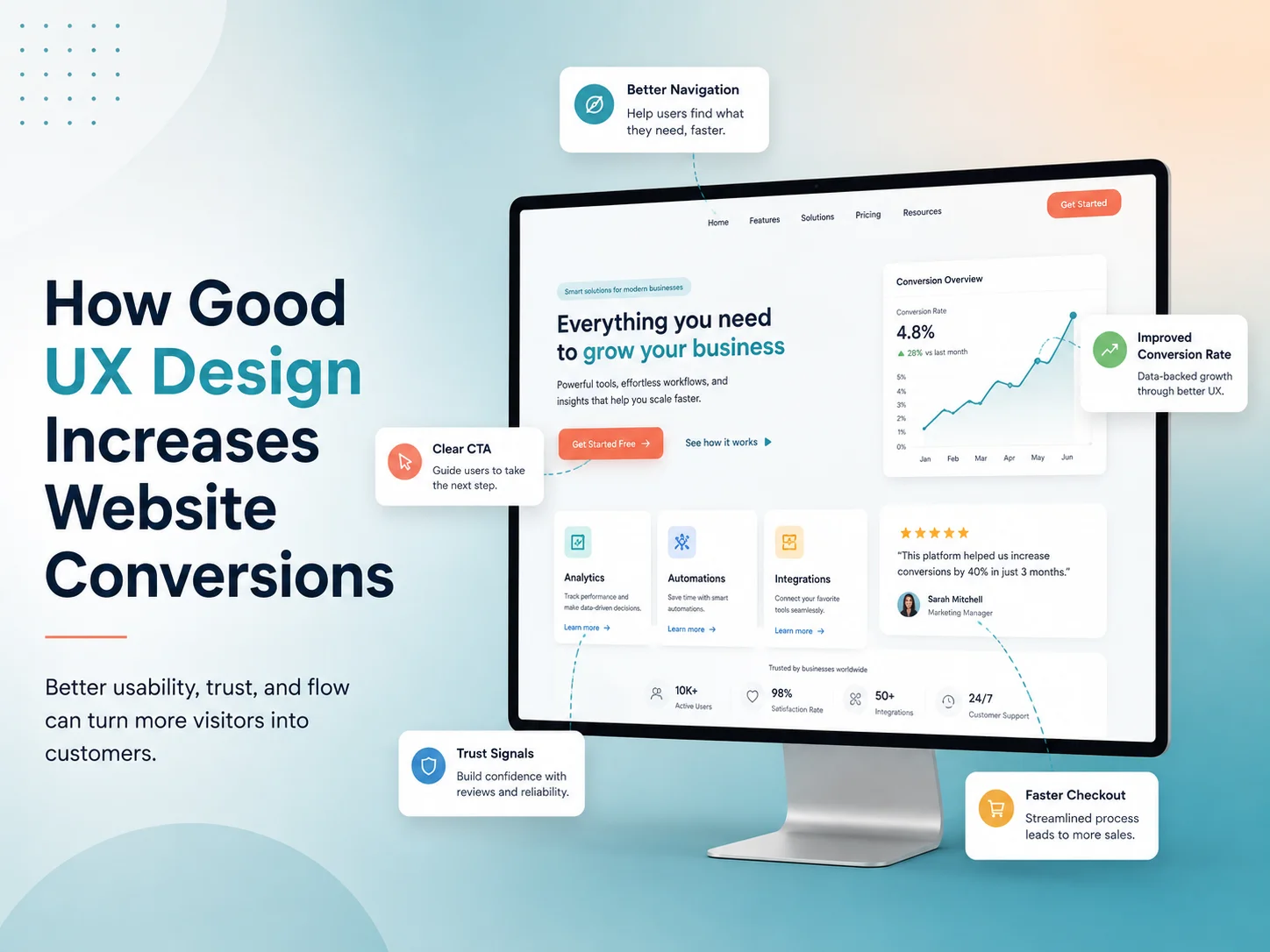
Good UX design can increase website conversions by making the customer journey clearer, faster, and easier to complete. It removes unnecessary friction between a visitor arriving on the website and taking an important business action.

Better UX does not force users to convert. It removes the confusion and friction that can prevent interested visitors from taking action.

What Is a Website Conversion?

A conversion happens when a website visitor completes a valuable action. Depending on the business, this may include purchasing a product, requesting a quote, submitting a contact form, booking an appointment, registering for an account, or starting a free trial.

UX design helps make these actions easier to understand and complete.

Make Navigation Simple and Clear

Visitors should be able to find important information without searching through complicated menus or confusing page structures. Clear navigation helps users move naturally between services, products, pricing, contact information, and other key pages.

When users can find what they need quickly, they are more likely to continue toward a conversion instead of leaving the website.

Use Clear Calls to Action

Calls to action such as “Request a Quote,” “Book a Consultation,” or “Start Free Trial” should be easy to identify and clearly explain what happens next. Too many competing buttons can make users unsure about which action they should take.

Good UX creates a clear visual hierarchy so the primary action receives the right level of attention.

Simplify Forms and Checkout Processes

Long or complicated forms can create unnecessary friction. If a quote form asks for information that is not needed at the first stage, visitors may abandon it before submitting.

UX design helps remove unnecessary fields, organize required information logically, provide useful validation, and make forms easier to complete on both desktop and mobile devices.

Build Trust Through Professional Design

Visitors are more comfortable taking action when a website feels professional, consistent, and reliable. Clear typography, organized layouts, predictable interactions, secure checkout experiences, and accurate information can all support trust.

Confusing layouts, broken pages, inconsistent buttons, or unclear pricing can make potential customers hesitate even when they are interested in the service.

Improve Mobile User Experience

A website should make important actions easy to complete on smartphones and tablets. Buttons should be easy to tap, forms should fit smaller screens, content should remain readable, and menus should be simple to navigate.

A poor mobile experience can create unnecessary barriers between interested users and actions such as calling the business, submitting a form, or completing a purchase.

Improve Website Speed and Responsiveness

User experience also includes how quickly and smoothly the website responds. Slow pages, delayed buttons, layout shifts, or unnecessary loading screens can interrupt the customer journey.

Improving images, scripts, server performance, and frontend code can create a smoother experience and reduce opportunities for users to abandon the website.

Guide Users With Better Content Structure

Visitors usually scan a page before reading it carefully. Clear headings, short paragraphs, useful visuals, and properly organized information make it easier to understand the value of a product or service.

A strong page structure should answer important customer questions and naturally guide visitors toward the next step without overwhelming them with unnecessary information.

Reduce Friction Throughout the User Journey

Every unnecessary step creates another opportunity for a visitor to leave. Good UX design reviews the full journey from landing page to conversion and identifies where users may become confused or frustrated.

  • Complicated navigation
  • Unclear calls to action
  • Long forms
  • Hidden pricing or important information
  • Poor mobile layouts
  • Confusing checkout steps

Removing these barriers can make the conversion process much easier.

Use Data to Improve UX

UX improvements should not depend only on personal preference. Analytics, conversion funnels, user feedback, heatmaps, and testing can help identify where visitors are leaving or struggling.

Businesses can then improve specific pages, forms, calls to action, or workflows based on real user behavior instead of redesigning the entire website without evidence.

How Encoder IT Limited Can Help

Encoder IT Limited provides UI/UX design, website development, web application development, and conversion-focused redesign services for businesses that want more effective digital experiences.

Our services can include UX planning, responsive UI design, website redesign, landing pages, performance improvements, custom WordPress development, and React or Next.js frontend development.

Request a Quote

Final Thoughts

Good UX design can improve website conversions by making it easier for visitors to understand your business, find important information, trust the website, and complete the next action.

Instead of focusing only on how a website looks, businesses should consider the complete customer journey. A clear, fast, responsive, and user-friendly experience can turn more interested visitors into leads and customers.

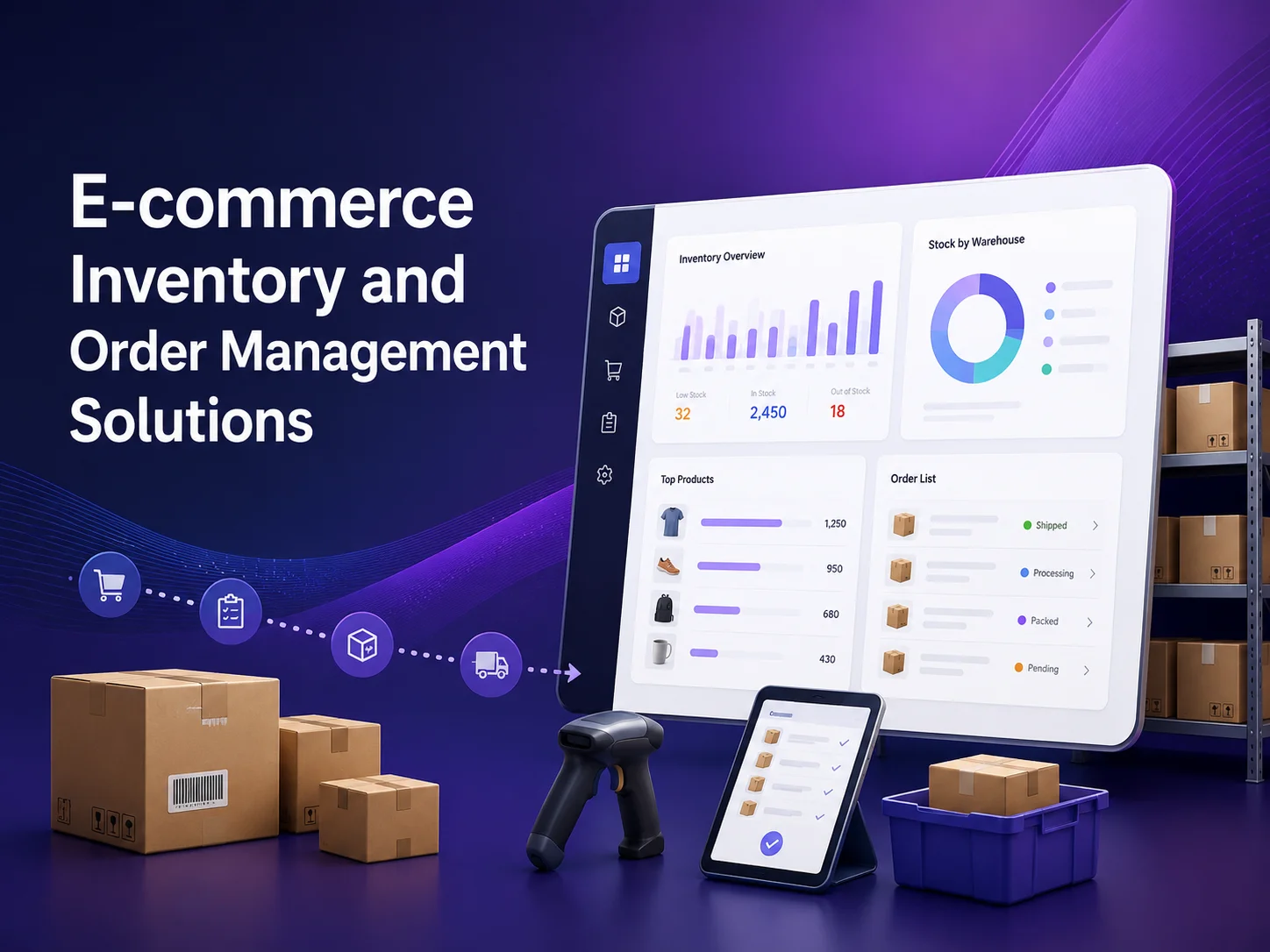
E-commerce Inventory and Order Management Solutions

Managing inventory and customer orders becomes more difficult as an e-commerce business grows. What may begin with a small product catalog and a manageable number of daily orders can eventually involve multiple warehouses, sales channels, suppliers, shipping providers, returns, refunds, and hundreds or thousands of stock movements.

E-commerce inventory and order management solutions help businesses keep these processes organized by connecting product stock, customer orders, fulfillment, payments, shipping, and reporting within a more consistent workflow. Instead of relying on separate spreadsheets or manually updating several systems, businesses can automate many of the repetitive steps that happen between receiving an order and delivering it to the customer.

Why Inventory Management Becomes More Important as You Grow

Accurate inventory information helps prevent two common e-commerce problems: selling products that are no longer available and holding more stock than the business actually needs. Both can affect cash flow and customer experience.

When inventory is updated manually, mistakes become more likely as order volume increases. A product may sell through the website while an employee forgets to update another sales channel. A returned item may never be added back into available stock. Warehouse staff may also have difficulty knowing which quantity is physically available, reserved for existing orders, damaged, or waiting for inspection.

A structured inventory system can track these movements automatically. When a customer places an order, the appropriate quantity can be reserved or deducted. When an order is cancelled, stock can be released. When new products arrive from a supplier, warehouse staff can update the quantity through an administrative system rather than maintaining several separate records.

For businesses selling through multiple channels, inventory synchronization becomes especially important. WooCommerce, Shopify, marketplaces, point-of-sale systems, and physical locations may all need to work with the same stock information so customers see more accurate availability.

Order Management Connects the Complete Customer Journey

An order does not end when the customer clicks the checkout button. The business still needs to verify payment, reserve stock, prepare the items, arrange shipping, notify the customer, handle delivery updates, and sometimes process returns or refunds.

An order management solution keeps these stages connected. Instead of employees manually checking several systems, each order can move through defined statuses such as pending payment, paid, processing, packed, shipped, completed, cancelled, or refunded.

These statuses can also trigger automation. A successful payment may move the order into fulfillment, reduce available inventory, send a confirmation email, and notify warehouse staff. Once a shipping label is created, the tracking number can be saved to the order and sent to the customer automatically.

E-commerce-2

Returns need the same level of coordination. If a customer sends a product back, the system may need to record the return, determine whether the item can be restocked, process a refund, adjust inventory, and update financial records. A connected workflow reduces the chance that one part of this process is completed while another is forgotten.

Useful Features in an Inventory and Order Management System

The exact functionality depends on the size and structure of the business. A small online store may only need reliable stock deduction and order tracking, while a larger operation may need warehouse-level inventory, purchasing, supplier records, fulfillment automation, and detailed reporting.

  • Real-time or near-real-time stock tracking
  • Low-stock and out-of-stock alerts
  • Order status and fulfillment management
  • Multi-location or warehouse inventory
  • SKU, variation, and product-level tracking
  • Returns, cancellations, and refund workflows
  • Shipping and tracking integrations
  • Multi-channel inventory synchronization
  • Sales and inventory reporting
  • Supplier and purchasing workflows where required

Businesses with products that have multiple sizes, colors, or other variations should make sure inventory is tracked at the correct variation level. Knowing that a product has ten units in total is not enough if all ten are one size and customers are attempting to purchase another.

Low-stock alerts can also help purchasing teams act earlier. Instead of discovering that a popular product has sold out, the system can notify employees when available inventory reaches a predefined threshold.

Build an E-commerce Management Solution

Connect Inventory With Payments, Shipping, and Other Business Systems

Inventory and order management becomes more valuable when it is connected with the systems the business already uses. Payment gateways can confirm whether an order is actually paid before fulfillment begins. Shipping providers can generate labels, rates, and tracking information. Accounting systems can receive relevant transaction data without requiring employees to enter every sale manually.

Businesses may also need integration with ERP, CRM, warehouse management, supplier, or point-of-sale systems. The goal is to reduce duplicated data entry and keep the same order or product information consistent across different parts of the company.

API integration is often central to this process. A custom integration can allow one platform to send product, inventory, order, shipping, or customer information to another system while controlling when and how those updates happen.

Reliability matters because automated systems can create larger problems if incorrect data is synchronized. Integrations should include error handling, logs, duplicate protection, and a clear way for administrators to identify transactions that need manual attention.

Automation Can Reduce Fulfillment Errors and Manual Work

A growing e-commerce operation often contains repetitive administrative work that can be automated. Employees may manually copy tracking numbers, update order statuses, prepare customer emails, check stock levels, or move order information into another business application.

An integrated system can automate many of these actions. For example, after a warehouse marks an order as shipped, the system can save the tracking number, change the order status, send the customer a notification, and update another connected platform without requiring several separate steps.

Automation should still include control points for unusual situations. High-value orders, payment disputes, damaged products, unusual returns, or stock discrepancies may need human review instead of following the standard workflow automatically.

Choosing the Right Solution for Your E-commerce Business

Not every store needs custom inventory software. WooCommerce, Shopify, and other platforms already provide core order and inventory functionality, and extensions can cover many common requirements. For a smaller business, using these existing capabilities may be more practical than building an entirely separate management system.

Custom development becomes more valuable when the business has workflows that standard e-commerce tools cannot handle cleanly. This may include multiple warehouses, complex product bundles, specialized fulfillment rules, marketplace operations, supplier automation, custom reporting, or integration with existing internal systems.

The best solution should match the current operation while leaving reasonable room for growth. Overbuilding can increase cost and complexity, but relying on disconnected spreadsheets for too long can create operational problems that become harder to fix as order volume increases.

Encoder IT Limited develops e-commerce inventory and order management solutions for WooCommerce, Shopify, and custom online stores. Our work can include inventory synchronization, order automation, payment and shipping integration, custom dashboards, API development, warehouse workflows, and connections with existing business software.

A strong inventory and order management system creates a clearer flow from the moment a customer places an order until the product is delivered or returned. By connecting stock, payments, fulfillment, shipping, and reporting, businesses can reduce manual work, improve inventory accuracy, and create a more reliable experience as e-commerce operations grow.

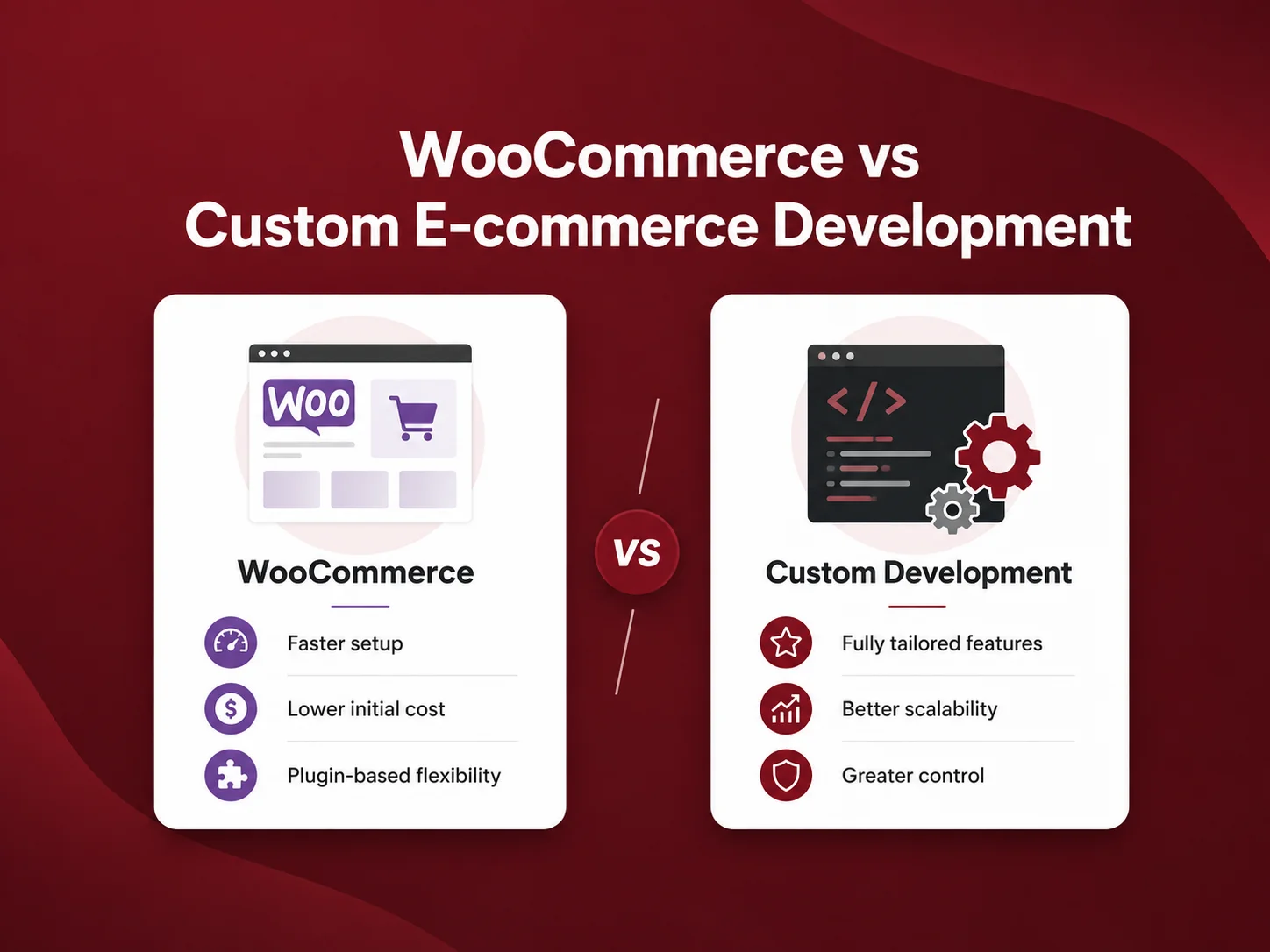
WooCommerce vs Custom E-commerce Development

Choosing between WooCommerce and custom e-commerce development depends on how your business sells, how complex your workflows are, and how much flexibility you need beyond standard online-store functionality. Both approaches can support professional e-commerce businesses, but they solve different types of problems.

WooCommerce can be an efficient choice when a business needs products, categories, checkout, payments, shipping, customer accounts, coupons, and familiar store-management tools. Custom e-commerce development becomes more attractive when the business has unique purchasing workflows, specialized integrations, multiple user roles, marketplace functionality, complex pricing, or operational requirements that do not fit comfortably into a standard platform.

WooCommerce Gives Businesses a Strong Ready-Made Foundation

WooCommerce runs on WordPress and provides much of the functionality required for a traditional online store. Businesses can manage products, variations, inventory, orders, customers, coupons, taxes, and shipping while continuing to use WordPress for pages, blogs, landing pages, and other content.

This can reduce development time because common e-commerce features do not need to be created from the beginning. Payment gateways, shipping providers, subscriptions, product filters, multilingual functionality, and many marketing services can often be added through existing extensions or integrations.

For small and medium-sized stores, this flexibility can be a major advantage. A business can launch with standard functionality, customize the design, and add more features as the store grows. WooCommerce also gives developers significant control over themes, plugins, hooks, APIs, and custom functionality when the standard experience needs to be extended.

The challenge appears when customization becomes excessive. If an online store needs dozens of plugins, complicated workarounds, and repeated modifications to make the platform behave like a completely different type of system, maintaining that setup can become more difficult.

Area WooCommerce Custom E-commerce
Initial Development Usually faster for standard stores Requires more planning and development
Core Store Features Available through WooCommerce and extensions Built around exact requirements
Customization Highly customizable within the WordPress ecosystem Maximum architectural flexibility
Unique Workflows May require custom plugins or workarounds Can be designed specifically around the workflow
Maintenance Includes WordPress, theme and plugin maintenance Depends on the custom architecture and technology stack
Best Fit Traditional and moderately customized online stores Complex or highly specialized commerce platforms

Custom E-commerce Development Removes Platform Limitations

A custom e-commerce platform is designed around the business instead of beginning with the assumptions of an existing store system. Developers can decide how products, customers, pricing, orders, permissions, payments, inventory, and other parts of the platform should work based on actual requirements.

This can be valuable when the business model is more complicated than a standard retailer selling products directly to customers. A B2B platform may have customer-specific pricing and approval processes. A marketplace may need sellers, commissions, payouts, disputes, and different user dashboards. Another company may require complex product configuration, quotation workflows, subscriptions, or integrations with internal systems.

Custom development also gives the technical team greater control over application architecture. Backend services, databases, APIs, frontend technology, caching, search, infrastructure, and administrative tools can be selected around expected traffic and functionality rather than being shaped primarily by a CMS.

That flexibility comes with additional responsibility. Features that WooCommerce already provides may need to be developed, tested, and maintained separately. Custom software therefore tends to require a larger initial investment and a development team capable of supporting the platform over the long term.

Cost Depends on How Far Your Requirements Move Beyond Standard E-commerce

For a straightforward store, building common commerce functionality from scratch usually provides little advantage. WooCommerce can offer a much faster path to products, payments, shipping, order management, and content administration.

The economics change when the business starts paying repeatedly to work around platform limitations. A store may depend on several premium extensions, custom synchronization scripts, complex checkout modifications, and plugins that were never designed to work together. Development time then shifts from building useful features to maintaining compatibility between many separate components.

At that point, businesses should compare the long-term cost of continuing to extend WooCommerce with the cost of building a more purpose-built system. Custom development may cost more initially but can provide a cleaner foundation when specialized functionality is central to how the company operates.

Businesses should also consider the internal team. If employees already know WordPress and WooCommerce, moving to a completely custom administrative system introduces training and maintenance requirements. The technical solution should improve the business rather than create unnecessary complexity.

Discuss Your E-commerce Requirements

When WooCommerce Is Usually the Better Choice

WooCommerce is often the practical option when the business follows a recognizable online-store model and most requirements can be handled cleanly through the platform. This can include retail stores, product catalogs, subscription businesses, service sales, and stores that need some custom functionality but still rely on standard commerce workflows.

It can also be a strong choice when content marketing is important. Because WooCommerce is integrated with WordPress, businesses can manage products alongside service pages, landing pages, articles, guides, and other search-focused content within the same system.

  • Small and medium-sized online stores
  • Stores requiring custom branding and product layouts
  • Businesses already using WordPress
  • Standard checkout, shipping, payments, and customer accounts
  • Stores that can meet most requirements through clean extensions and targeted custom development

When a Custom E-commerce Platform Makes More Sense

Custom development becomes more valuable when the e-commerce system is itself a major piece of business software. If customers, vendors, employees, and administrators all follow different workflows, a traditional store platform may eventually become difficult to adapt.

Examples include multi-vendor marketplaces, B2B ordering platforms, highly customized subscription systems, complex product configurators, specialized fulfillment networks, or e-commerce products that need deep integration with ERP, CRM, warehouse, finance, or other internal systems.

A custom platform also makes sense when the company has reached a scale where it needs deeper control over performance, architecture, data flows, and feature development. This does not mean WooCommerce cannot support successful large stores; the decision depends on whether its architecture continues to match the way the particular business needs to operate.

The Right Choice Is Often Somewhere Between the Two

The decision does not always need to be completely WooCommerce or completely custom. Many businesses use WooCommerce as the commerce foundation while developing custom themes, plugins, APIs, checkout logic, integrations, and administrative tools around it.

This hybrid approach can provide the advantages of an established e-commerce system without limiting every part of the project to standard functionality. It is often more efficient than rebuilding mature features such as product management and order administration while still giving the business control over the areas that make its operation unique.

Encoder IT Limited develops WooCommerce stores as well as fully custom e-commerce platforms. Our work can include custom WordPress and WooCommerce development, payment gateways, inventory and order systems, API integrations, marketplaces, customer portals, custom dashboards, and ongoing e-commerce maintenance.

The best choice depends on how closely your requirements match a standard online-store model. If WooCommerce can support the business cleanly, it can provide a flexible and cost-effective foundation. If the platform needs to support highly specialized workflows and complex operations, custom development may provide greater control and a better long-term fit.