AI-Powered Customer Support Systems: How They Work

Customer support can become difficult to scale as a business grows. More customers usually mean more questions about products, orders, subscriptions, bookings, accounts, technical problems, and company policies. Hiring additional support staff can help, but many of these conversations are repetitive and do not always require a human agent.

AI-powered customer support systems help businesses handle these routine conversations more efficiently. They can understand customer questions, search approved business information, provide relevant answers, collect details, create support tickets, and transfer complex conversations to human employees when necessary.

The goal is not to remove people from customer service. A well-designed AI support system handles the repetitive work while giving human agents more time for complaints, unusual problems, sensitive conversations, and situations that require judgment.

How an AI Customer Support System Actually Works

The process normally begins when a customer sends a message through a website, mobile app, customer portal, or other connected support channel. Instead of depending only on predefined buttons or exact keywords, an AI system can analyze natural-language questions and determine what the customer is trying to accomplish.

For example, a customer might write, “Where is my order?” The system can identify that the question is related to order tracking. If the customer is authenticated and the AI support platform is securely connected to the company’s order-management system, it may retrieve the relevant status and provide an appropriate response.

A question such as “What is your refund policy?” works differently. The AI may search an approved knowledge base containing company policies, frequently asked questions, help articles, and product documentation. It can then use that information to prepare a conversational answer instead of forcing the customer to manually search several pages.

Behind a useful AI support experience, there are usually several connected components working together: the conversational AI model, business knowledge, customer data, backend APIs, support workflows, and human-agent escalation.

Business Knowledge Makes the AI More Useful

A general AI model does not automatically know a company’s current products, policies, pricing, internal procedures, or support documentation. For business use, the system needs access to controlled sources of information that can help it answer questions accurately.

These sources might include FAQs, service descriptions, product documentation, troubleshooting guides, return policies, onboarding information, or internal support procedures. When a customer asks a question, the system can locate relevant information and use it as context for the response.

This approach is particularly valuable when a business has a large amount of documentation. Instead of expecting customers or support agents to remember where every answer is stored, AI can help retrieve the most relevant information from the available knowledge.

The quality of this information matters. Outdated policies or incomplete documentation can lead to poor answers, which is why maintaining the knowledge base should be part of the support process.

AI Can Connect Customer Questions With Real Business Systems

The biggest improvement often happens when AI moves beyond simply answering FAQs. Through secure APIs, the support system can work with existing CRM software, e-commerce platforms, booking systems, SaaS applications, subscription platforms, or other business tools.

This can allow the assistant to provide personalized information such as an order status, upcoming appointment, subscription details, or support-ticket progress. Depending on the workflow, AI may also collect information from the customer before another system performs an action.

For example, an AI assistant could identify that a customer wants to change a booking, collect the required details, and then send the request through the normal booking workflow. The AI handles the conversation, while standard application logic manages availability, permissions, database updates, and confirmation.

  • Answer frequently asked questions
  • Search products, policies, or documentation
  • Provide authenticated account information
  • Collect details before creating a support request
  • Summarize long customer conversations
  • Categorize and route support tickets
  • Suggest responses to human support agents

This combination of AI and traditional automation is important. AI is useful for understanding flexible human language, while predictable business actions should still be controlled by reliable backend rules.

What Happens When AI Cannot Solve the Problem?

A customer support system should never trap customers in an automated conversation. If the AI cannot answer confidently, the customer repeatedly asks for help, or the request involves a sensitive issue, the conversation should be escalated to a human agent.

A good handoff can include the customer’s existing conversation, a short AI-generated summary, the identified issue category, and any information already collected. This prevents the customer from having to explain the same problem again and gives the support employee useful context before joining the conversation.

Human involvement is especially important for complaints, unusual billing problems, account-security issues, complicated technical failures, or other situations where empathy and judgment matter more than response speed.

AI Can Help Support Employees Too

Not every AI customer support feature needs to communicate directly with customers. Some of the most practical applications work behind the scenes to help support teams operate more efficiently.

AI can summarize a conversation containing dozens of messages, search internal documentation while an agent is responding, suggest a draft answer, identify the type of problem, or highlight important customer information. The employee remains responsible for the final response but spends less time searching and organizing information.

This can be a useful starting point for businesses that are not ready to fully automate customer conversations. AI-assisted support allows employees to remain in control while still reducing repetitive work.

Request a Quote

Building AI Support Around the Customer Experience

AI customer support should be designed around real customer problems rather than added simply because AI is popular. Businesses should first identify the questions that consume the most support time, where customers frequently become stuck, and which requests can be safely automated.

Security and privacy also need careful attention when AI systems work with customer information. Users should only be able to access data they are authorized to see, sensitive credentials should remain protected on the backend, and important account actions should continue to use proper validation.

Encoder IT Limited develops AI-powered customer support solutions that can connect conversational AI with websites, mobile applications, SaaS platforms, business APIs, knowledge bases, customer portals, and existing support workflows.

A successful AI support system is therefore much more than a chatbot sitting in the corner of a website. It connects customer conversations with useful business knowledge and reliable software workflows, automates repetitive interactions, and brings human employees into the process when their experience provides greater value.

How Businesses Can Use ChatGPT API Integration

Businesses are increasingly looking for ways to add AI capabilities to their existing websites, mobile apps, SaaS platforms, and internal software. One practical approach is commonly described as ChatGPT API integration—connecting OpenAI’s models with business applications so AI can work alongside existing data, software, and workflows.

This can go far beyond adding a simple chatbot. AI can help answer customer questions, summarize documents, search business knowledge, classify requests, generate structured information, assist employees, and trigger actions through existing systems.

The most useful integrations usually start with a specific business problem. Instead of asking, “Where can we add AI?” a better question is, “Which repetitive or information-heavy process could become faster or easier with AI?”

Use AI to Improve Customer Support

Customer support is one of the most practical applications of AI integration. A business can connect an AI assistant to its website, mobile app, or customer portal and allow customers to ask questions using natural language.

The assistant can use approved information such as FAQs, product documentation, service details, troubleshooting instructions, or company policies when preparing responses. This can reduce the amount of time support teams spend answering the same questions repeatedly.

More advanced integrations can connect AI with existing business systems. An authenticated customer might ask about an order, subscription, booking, or account status. The application can retrieve the appropriate information through secure backend APIs and use AI to present it conversationally.

Human support should still remain available. Complaints, complicated billing problems, sensitive account issues, and situations requiring judgment can be passed to an employee with the conversation history and a useful summary already prepared.

Create an AI Assistant for Employees

AI integration can also be used internally rather than directly with customers. Employees often spend significant time searching documentation, reading long records, preparing summaries, or finding information across multiple systems.

An internal assistant can help staff search policies, product information, training documents, technical documentation, customer records, or other approved company information. Instead of manually opening several documents, an employee could ask a question and receive a focused answer based on the available knowledge.

This can be useful for support teams, sales departments, operations staff, HR teams, managers, and employees working with large amounts of information.

AI can also summarize long customer conversations, meeting notes, reports, support tickets, or documents so employees can understand the important information more quickly. The original records can remain available whenever a person needs to verify the details.

Connect AI With Real Business Workflows

The biggest value often appears when AI can do more than generate text. OpenAI’s function-calling capabilities allow applications to connect models with functions and data provided by the business’s own software.

For example, a customer could ask an AI assistant to check an order. The AI can identify what information is needed, while the application securely calls the existing order system and returns the result. Similar workflows can be created for bookings, customer accounts, support tickets, inventory, CRM records, or internal tools.

AI can also help interpret a request before traditional automation takes over. A customer might describe a problem in several sentences. AI can categorize the request and extract the relevant information, while normal backend logic creates the ticket, assigns the department, saves the record, and sends notifications.

This combination is often more reliable than trying to make AI responsible for the entire workflow. AI handles flexible language and unstructured information, while standard application code continues controlling predictable business rules, permissions, and database changes.

Search Documents and Business Knowledge More Naturally

Businesses often accumulate large amounts of information across documentation, policies, knowledge bases, product descriptions, manuals, and other text. Finding the right information through ordinary keyword search can become difficult as the amount of content grows.

AI-based search can help users find related information even when their wording does not exactly match the words stored in the source documents. OpenAI embeddings are designed to represent text numerically and can support applications such as search, classification, recommendations, and related-information retrieval.

This can support customer help centers, internal knowledge systems, SaaS documentation, product catalogs, employee portals, and other applications where users need to locate information quickly.

Automate Content and Information Processing

Many businesses have repetitive tasks that involve reading, organizing, or preparing text. AI integration can assist with these processes without requiring employees to manually handle every item from the beginning.

  • Summarizing reports, documents, or customer conversations
  • Classifying support requests and incoming messages
  • Extracting important information from submitted content
  • Preparing draft emails, descriptions, or responses
  • Organizing leads according to submitted information
  • Creating structured information for another business workflow

The final workflow should depend on the risk involved. Generating an internal summary may require little supervision, while financial, legal, healthcare, account-security, or other high-impact decisions should include stronger validation and appropriate human review.

Discuss Your AI Integration

Integrate AI Into the Software You Already Use

A business does not necessarily need to rebuild its website or application to start using AI. In many cases, AI functionality can be introduced through the existing backend and added gradually to specific workflows.

A website could receive an AI support assistant. A CRM system could gain automatic conversation summaries. A customer portal could provide intelligent document search. A mobile app could add a conversational interface while continuing to use the same authentication, database, and APIs that already power the application.

This gradual approach makes it easier to measure whether an AI feature is actually useful before expanding it across the business.

Security should remain part of the architecture. API credentials should be protected on the backend, users should only be able to retrieve information they are authorized to access, and sensitive business actions should still be validated by application logic rather than trusting generated text alone.

Encoder IT Limited helps businesses integrate AI into websites, mobile apps, SaaS platforms, customer portals, and internal software. Our work can include AI assistants, customer support automation, OpenAI API integration, knowledge search, backend APIs, document workflows, and custom business automation.

The strongest ChatGPT API integrations are usually not the ones that add AI everywhere. They identify a valuable business workflow, connect AI with the right information and software, and use traditional application logic wherever predictable control is required. That approach can make AI a practical part of business operations instead of simply another feature.

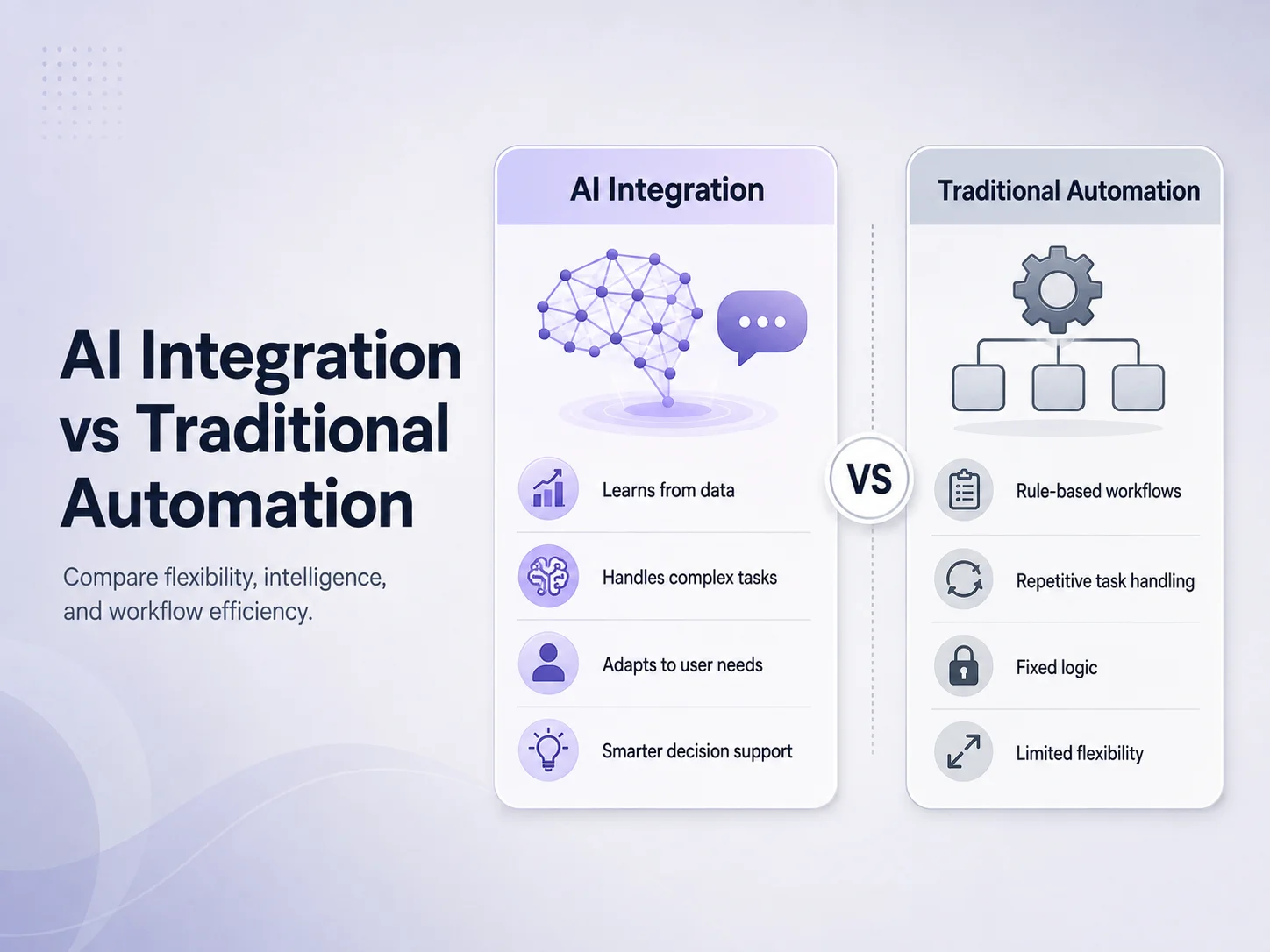
AI Integration vs Traditional Automation

Businesses have used automation for years to reduce repetitive work, improve consistency, and move information between systems. Traditional automation remains extremely useful, but artificial intelligence is expanding what can be automated by helping software work with language, documents, images, and other information that does not always follow predictable rules.

AI integration and traditional automation are not competing technologies. They solve different types of problems, and many of the strongest business systems use both together. Understanding the difference helps businesses choose the right approach instead of adding AI where a simple rule-based workflow would be faster, cheaper, and more reliable.

Traditional Automation Works Best With Clear Rules

Traditional automation follows predefined instructions. When a specific event happens, the system performs a known action. For example, when a customer submits a contact form, software can create a CRM lead, notify the sales team, and send a confirmation email. The workflow is predictable because the input and required actions are already understood.

This approach works especially well for calculations, approvals, notifications, scheduled tasks, data synchronization, invoice generation, status changes, and other processes where the business rules are clear.

Traditional automation is usually easier to test because the expected result can be defined in advance. If an invoice is paid, the system marks it as paid. If stock falls below a specific level, the system sends an alert. There is little need for interpretation.

AI Integration Handles Information That Is Less Predictable

AI becomes useful when software needs to interpret information rather than simply follow a fixed condition. Customer messages, documents, support tickets, images, meeting notes, product descriptions, and natural-language questions can vary significantly even when they represent the same underlying request.

For example, customers may describe the same delivery problem in dozens of different ways. Traditional automation would require developers to anticipate specific keywords or conditions. An AI-powered system can analyze the message, identify that it concerns delivery, summarize the problem, and pass structured information into the next part of the workflow.

AI can also help with document summarization, intelligent search, request classification, conversational assistants, content extraction, recommendations, and other tasks where the input is not completely structured.

Area Traditional Automation AI Integration
Best for Clear and predictable rules Language, documents and complex information
Output Usually deterministic Can vary depending on context
Example Send invoice after order approval Understand and categorize a customer request
Human language Limited unless rules are predefined Can interpret natural-language input
Control Very precise Requires appropriate validation

The Best Business Workflows Often Combine Both

A business does not usually need to choose between AI and traditional automation for an entire system. A better approach is to use each where it provides the most value.

Consider customer support. AI can understand a customer’s message, determine the likely issue, summarize the conversation, and identify important details. Traditional automation can then create the support ticket, assign the correct team, store the information in the database, and send a notification.

The same approach can work for lead management. AI can review an incoming enquiry and extract information such as the requested service, company type, or urgency. Standard business logic can then create the CRM record, assign a salesperson, schedule follow-up tasks, and update the lead status.

  • AI: understand, summarize, classify, extract, recommend
  • Traditional automation: calculate, validate, update, notify, approve, synchronize

This separation is important because AI-generated results are not always perfectly predictable. Financial calculations, access permissions, payment confirmation, account ownership, inventory updates, and other sensitive business rules should generally remain controlled by reliable application logic.

Which Approach Should Your Business Use?

If the workflow can be written as a clear series of conditions—“when this happens, perform these actions”—traditional automation is often the better solution. Adding AI to a simple deterministic workflow can increase cost and complexity without providing meaningful value.

AI integration becomes more valuable when employees spend significant time reading, interpreting, searching, categorizing, or summarizing information before they can take action. These are often the parts of a workflow that traditional automation struggles to handle.

Businesses should also consider accuracy requirements. An AI-generated product summary may tolerate some variation, while payroll calculations, payment processing, regulatory decisions, or account permissions require much stronger deterministic controls. In high-impact workflows, AI can assist employees without being responsible for the final decision.

Explore Business Automation Solutions

Build Automation Around the Process, Not the Technology

The most effective automation projects begin by examining the existing business process. Where are employees spending unnecessary time? Which tasks are repeated every day? Which steps depend on reading or interpreting information? Which actions already follow predictable rules?

Once those questions are answered, businesses can decide where standard automation is sufficient and where AI can provide additional value. This usually produces a more reliable system than attempting to make every workflow “AI-powered.”

Encoder IT Limited develops custom business automation solutions that can combine AI integration with traditional workflow automation. This can include AI assistants, document processing, customer support systems, CRM workflows, API integrations, SaaS platforms, internal business software, and custom process automation.

Traditional automation remains the strongest choice for predictable rules, while AI expands automation into areas that require interpretation and flexible understanding. Used together, they can reduce manual work without sacrificing the control businesses need for important operations.

How AI Can Reduce Manual Work in Your Business

Many businesses still depend on employees to complete repetitive tasks such as reading emails, entering information, preparing summaries, categorizing requests, searching documents, updating records, and responding to similar customer questions every day. These activities may appear small individually, but together they can consume a significant amount of working time.

AI can reduce manual work by helping software understand information that traditional automation cannot easily process. Instead of requiring employees to read every message, document, or request from beginning to end, AI can identify useful information, organize it, prepare a response, or pass structured data into the next stage of a business workflow.

The goal does not need to be complete automation. In many businesses, the most effective approach is to let AI handle repetitive preparation while employees remain responsible for decisions that require experience, approval, or human judgment.

Start With the Work Employees Repeat Every Day

Before introducing AI, businesses should identify where employees spend unnecessary time. A useful starting point is looking for processes that happen frequently and require people to read, copy, organize, summarize, or search for information.

Customer enquiries are a common example. Employees may receive dozens of messages asking about similar products, services, order statuses, appointments, policies, or account information. AI can understand the incoming question, find relevant information, and prepare an answer. If the problem requires a person, the system can collect the important details first and send the conversation to the appropriate employee.

Another example is document processing. Businesses may receive invoices, forms, applications, reports, contracts, or customer documents that employees manually review before entering important details into another system. AI can assist by extracting information, identifying document types, summarizing content, or highlighting details that need attention.

The same principle applies to internal work. Employees frequently search policies, previous reports, product documentation, customer records, or training materials. An AI-powered internal assistant can make this information easier to find without requiring employees to manually search through multiple folders or systems.

AI Can Handle the Information Before Automation Handles the Action

Traditional workflow automation works extremely well when the input is already structured. If an invoice reaches its due date, software can send a reminder. If a customer completes an order, the system can update inventory and send a confirmation. The rules are known in advance.

Manual work often appears before these automated steps because information arrives in an unpredictable form. Customers write messages differently, documents use different layouts, and employees describe the same issue using different words. AI can help interpret this information and transform it into something the existing software can use.

For example, a customer may write a long message explaining that an order arrived damaged. AI can identify the order-related issue, summarize the complaint, extract an order number if available, and classify the request. Traditional automation can then create the support ticket, assign the correct department, update the CRM, and notify an employee.

This combination can be more practical than asking AI to manage the entire process. AI handles interpretation, while normal software continues controlling predictable and sensitive business actions.

Where Businesses Can Reduce Manual Work With AI

The best opportunities vary by company, but several types of work are especially suitable because employees repeatedly process large amounts of text or information.

  • Customer support: answer routine questions, summarize conversations, and categorize support requests.
  • Lead management: review enquiries, extract customer requirements, and organize leads before sales follow-up.
  • Document processing: summarize documents and extract useful information from submitted files.
  • Internal knowledge: help employees search company policies, procedures, documentation, and other business information.
  • Content preparation: prepare first drafts of descriptions, emails, reports, or routine communications.
  • Data organization: convert unstructured information into categories or structured fields that other systems can process.

Consider a sales team that receives enquiries through a website. Without automation, someone may need to read each submission, understand the requested service, determine its priority, create a CRM record, and assign it to a salesperson. AI can assist with the interpretation and classification, while the CRM workflow performs the record creation and assignment automatically.

In another business, employees may spend hours summarizing service reports or customer conversations. AI can prepare a first summary in seconds, allowing the employee to review and correct it rather than starting from an empty page. The employee remains involved, but the repetitive part of the work becomes much smaller.

Connect AI With the Software Your Business Already Uses

AI automation does not necessarily require replacing your current software. It can often be integrated into an existing website, mobile app, CRM, SaaS platform, customer portal, or custom business application through APIs.

An existing support platform can gain AI-assisted ticket categorization. A customer portal can receive an intelligent knowledge assistant. A mobile application can add document processing. A CRM can automatically summarize long conversations before a salesperson opens a lead.

This approach allows businesses to introduce AI gradually. Instead of rebuilding a complete system, the company can choose one high-value workflow, measure whether it reduces employee effort, and expand automation only when the results justify it.

Automate Your Business Processes

Decide What Should Stay Under Human Control

Reducing manual work does not mean every process should run without employees. AI can produce incorrect or incomplete results, especially when information is ambiguous or the system does not have enough context.

Businesses should therefore decide which actions AI can perform automatically and which require review. A draft support response may be safe for an employee to review quickly, while financial approvals, account permissions, legal decisions, healthcare decisions, or other high-impact actions require stronger controls.

Good automation also needs reliable data and clear processes. If employees currently follow several conflicting procedures, adding AI may automate the confusion rather than solve it. Businesses often benefit from simplifying the workflow first and then deciding which stages should use AI, traditional automation, or human approval.

Encoder IT Limited develops AI integration and business automation solutions for websites, mobile applications, SaaS platforms, customer portals, and internal systems. This can include AI assistants, customer-support automation, document processing, workflow automation, API integrations, intelligent search, and custom business software.

The most valuable use of AI is often not replacing an entire job or business process. It is removing the repeated work surrounding that process—reading, searching, categorizing, extracting, summarizing, and preparing information—so employees can spend more time on decisions, customers, and work that genuinely requires human expertise.

Custom AI Software Development for Businesses

Artificial intelligence is becoming more useful for businesses when it is connected directly to real workflows, company data, customer interactions, and internal systems. Instead of relying only on general-purpose AI tools, many companies are now exploring custom AI software development to solve specific operational problems and create software that fits the way their business actually works.

Custom AI software can be designed for customer support, document processing, internal knowledge search, sales assistance, workflow automation, reporting, content processing, recommendations, or other business-specific use cases. The main advantage is flexibility: the software can combine AI with existing databases, APIs, user roles, approval processes, and business rules rather than forcing employees to adapt to a generic tool.

What Is Custom AI Software?

Custom AI software is an application or feature developed around the requirements of a particular business. It may use existing AI models and APIs while adding the company’s own interface, backend logic, permissions, data sources, integrations, and workflows.

For example, a general AI chatbot can answer broad questions, but a custom business assistant could search company documentation, retrieve information from a CRM, summarize a customer history, identify the user’s permissions, and create a support request through the company’s existing system.

The AI is therefore only one part of the complete application. Authentication, databases, APIs, business logic, security, reporting, notifications, and human approvals may all be needed to turn an AI capability into reliable business software.

Where Custom AI Can Create Business Value

The strongest use cases usually appear where employees repeatedly spend time reading, searching, categorizing, summarizing, or interpreting information. AI can reduce some of this manual work and pass structured information into existing business processes.

A customer service platform could automatically summarize long conversations and suggest relevant answers. A sales system could analyze new enquiries, identify customer requirements, and organize leads before follow-up. A document-heavy business could extract information from uploaded files and send the important fields into another system.

Internal AI assistants are another practical use case. Employees may need to search policies, training materials, product documentation, procedures, or historical records throughout the day. A custom knowledge assistant can provide a more conversational way to access approved company information without replacing the original source documents.

  • AI-powered customer support systems
  • Internal company knowledge assistants
  • Document extraction and summarization
  • Lead classification and sales assistance
  • Intelligent search across business information
  • AI-powered reporting and data interpretation
  • Workflow automation connected to existing software

Custom AI Software vs Generic AI Tools

General AI tools can be useful for individual productivity, but businesses often need more control when AI becomes part of an operational process. Employees may need access to specific company information, while customers should only see data connected to their own accounts. Some actions may require approval, and every interaction may need to follow existing business rules.

Custom software allows these requirements to be built into the system. AI can be connected with a CRM, ERP, e-commerce platform, SaaS product, mobile app, customer portal, or internal database through controlled APIs. The application can determine which information is available to each user and what actions can be performed after the AI interprets a request.

This also allows businesses to design the user experience around a specific task. An employee who only needs to summarize customer records does not require a large general-purpose AI interface. A focused tool with a clear workflow may be easier to use, easier to train employees on, and easier to monitor.

AI Should Work With Traditional Business Logic

Custom AI software becomes more dependable when AI is used for tasks that require interpretation while normal application logic remains responsible for predictable actions. AI can understand a message, extract information, categorize a request, or prepare a recommendation. Standard software can then validate permissions, update the database, calculate totals, process payments, or send notifications.

This separation is especially important for important business operations. AI output can vary, so account permissions, financial calculations, payment confirmation, inventory updates, and other sensitive actions should not depend entirely on generated responses.

A well-designed system can also include human review where appropriate. An AI-generated support response may be reviewed by an employee before sending, while a low-risk document classification might happen automatically. The level of automation should match the potential impact of an incorrect result.

How a Custom AI Software Project Is Built

The process should begin with the business problem rather than the AI model. The development team needs to understand what employees or customers currently do, which steps consume the most time, where information comes from, and what result the business wants to improve.

After the workflow is understood, the team can determine which parts need AI and which parts should remain traditional software. This may involve designing the user interface, preparing APIs, connecting business data, defining user permissions, creating backend workflows, and selecting suitable AI services.

Testing is particularly important because the team needs to evaluate more than whether the software runs without errors. AI responses should be useful, permissions should remain secure, important data should be protected, and the system should behave appropriately when the AI cannot produce a reliable result.

Many businesses benefit from starting with one focused feature instead of attempting to automate an entire organization at once. A customer-support assistant, document-processing workflow, or internal search system can provide a practical first project. Once the business understands the value and limitations, additional AI features can be introduced gradually.

Discuss a Custom AI Solution

Building AI Software Around Your Business

The value of custom AI development comes from connecting intelligent capabilities with software that already understands the business. The application can use the company’s own processes, permissions, data sources, integrations, and customer experience rather than operating as a separate tool.

Encoder IT Limited develops custom AI-powered software for businesses, including AI assistants, customer support systems, document-processing solutions, intelligent search, SaaS applications, mobile apps, API integrations, and business workflow automation.

Custom AI software is most effective when it solves a clearly defined problem. Businesses do not need to add AI to every process. A focused system that removes repetitive work, makes information easier to access, or helps employees make faster decisions can often provide more value than a large AI project with no specific operational goal.

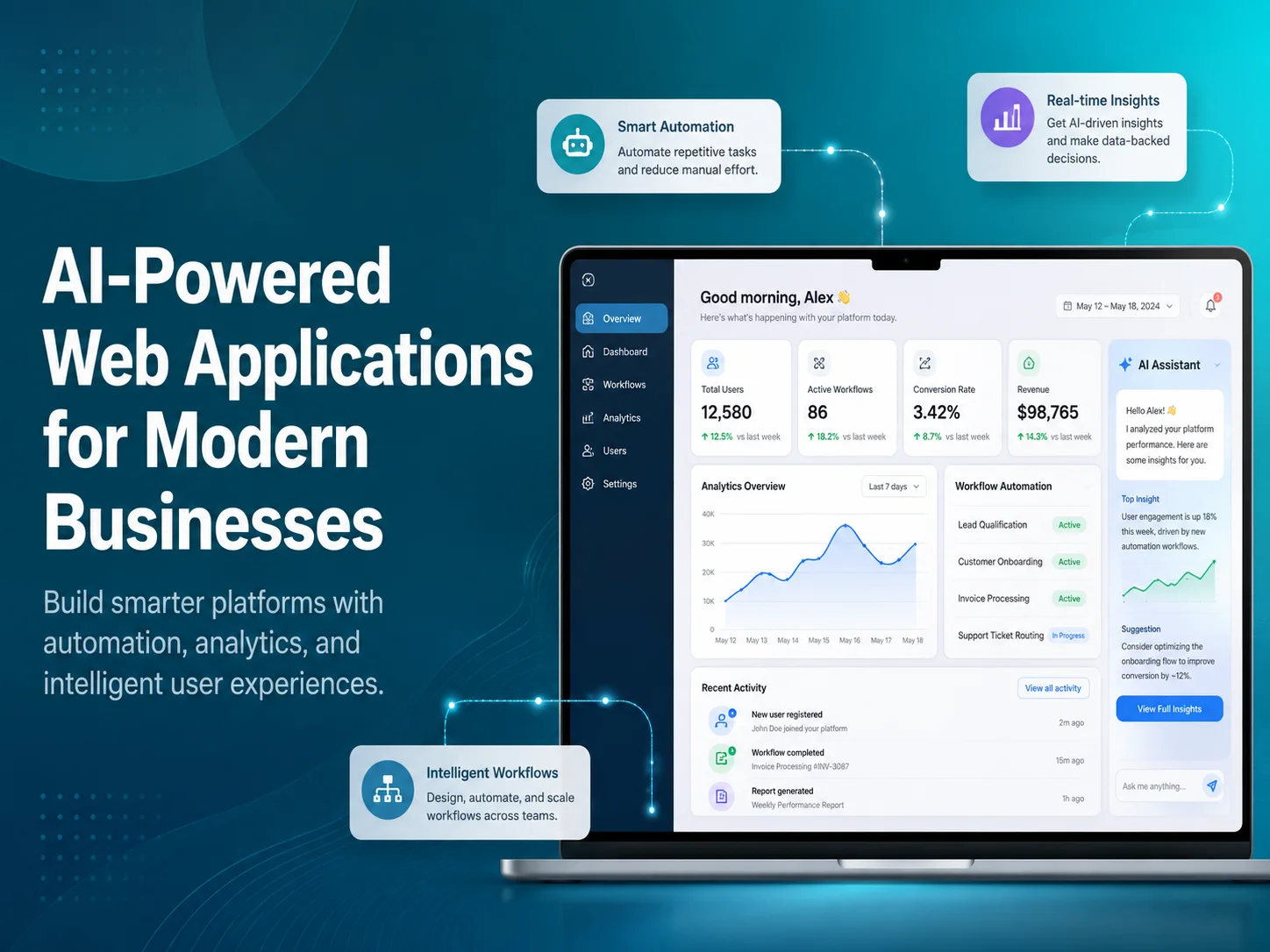
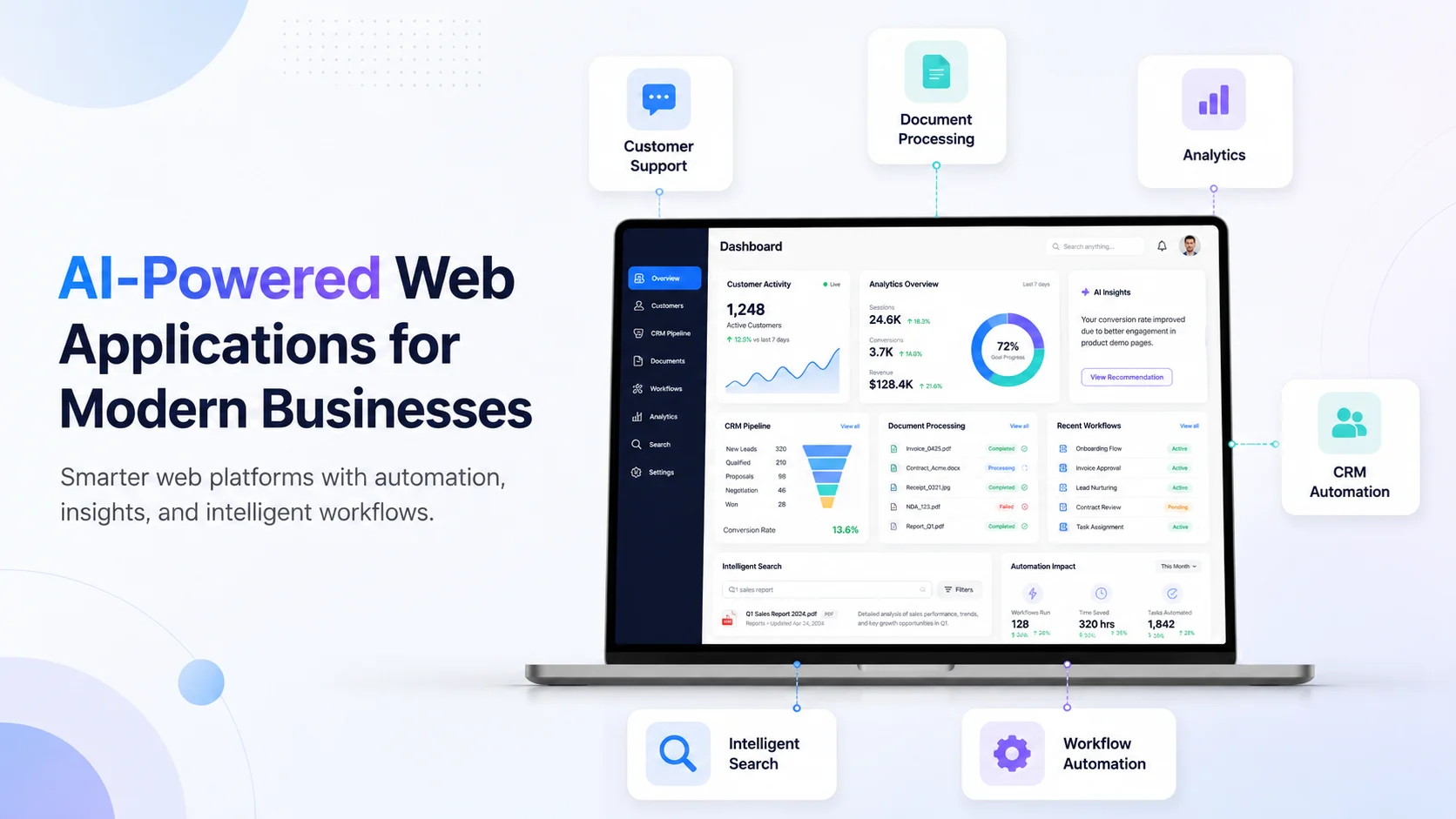
AI-Powered Web Applications for Modern Businesses

Modern businesses rely on web applications for customer management, sales, operations, reporting, communication, inventory, support, and many other daily activities. Artificial intelligence is making these applications more capable by helping them understand language, process documents, search large amounts of information, identify patterns, and assist users with tasks that previously required significant manual effort.

AI-powered web applications combine traditional business software with intelligent features. Instead of replacing the existing application structure, AI can work alongside databases, APIs, user accounts, dashboards, permissions, and business workflows to make the software more useful and efficient.

The strongest AI applications are usually built around a clear business need. A company may want to reduce customer-support workload, help employees find information faster, automate document processing, improve lead management, or create a more personalized customer experience. AI becomes valuable when it improves these real processes rather than simply being added as a feature because it is popular.

What Makes a Web Application AI-Powered?

A traditional web application normally follows predefined rules. Users enter information, click buttons, and the system processes the request according to programmed logic. This approach remains essential for payments, permissions, calculations, database updates, approvals, and other predictable operations.

AI adds another layer. It can help the application work with information that is harder to handle using fixed rules alone. Customers can ask questions using normal language, employees can upload documents for analysis, users can search information without knowing exact keywords, and the system can summarize or categorize large amounts of text.

For example, a customer portal might already contain orders, invoices, subscriptions, and support tickets. Adding AI could allow the customer to ask, “Which invoices are still unpaid?” or “Summarize my last three support requests.” The application retrieves authorized data from the existing system while AI helps interpret the request and present the result naturally.

ai-banner-1

Where AI Can Improve Business Web Applications

Customer support is one of the most visible uses. An AI assistant can answer common questions, search company documentation, collect information before creating a support ticket, or summarize a conversation before transferring it to an employee. This can make support more efficient without removing the option to speak with a real person.

AI can also improve internal business applications. Employees often spend time searching policies, reading reports, reviewing customer histories, or locating information across different systems. An internal AI assistant can make approved business knowledge easier to access and summarize relevant information before an employee begins working on a task.

Document-heavy workflows provide another opportunity. Businesses receive forms, invoices, reports, applications, contracts, and other files that may require employees to identify important details manually. An AI-powered web application can assist with extracting information, classifying documents, preparing summaries, or identifying fields that should be reviewed.

An effective AI-powered web application does more than generate answers. It connects intelligent processing with real business data, permissions, APIs, and workflows so that AI becomes a useful part of the software employees and customers already depend on.

Sales teams can also benefit. AI may summarize enquiries, categorize leads, identify important customer requirements, or prepare information before a salesperson follows up. In an e-commerce system, AI can support product discovery, recommendations, customer questions, and intelligent search. In SaaS products, it can help users understand data, navigate complex features, or find information more quickly.

AI Works Best When Connected With Existing Business Systems

For many companies, building an AI-powered application does not mean replacing existing software. AI functionality can often be integrated into current systems through APIs and added to specific parts of the workflow.

A CRM can gain AI-generated customer summaries. A business dashboard can allow managers to ask questions about available data. A customer portal can provide intelligent search. A support platform can automatically categorize incoming tickets. An existing SaaS product can add an AI assistant without rebuilding its authentication, billing, database, or administrative tools.

This approach is usually more practical because traditional software is still better for many business operations. AI can interpret a customer request, but normal application logic should verify permissions before returning private data. AI can identify information from an invoice, while standard code handles the actual accounting transaction. AI can suggest an action, while the backend controls whether the action is permitted.

Combining these technologies gives businesses flexibility without sacrificing the reliability required for important workflows.

Common Features in AI-Powered Business Applications

  • AI chatbots and customer-support assistants
  • Intelligent search across business information
  • Document extraction and summarization
  • Lead and enquiry classification
  • Personalized recommendations
  • Internal knowledge assistants
  • Automated report and conversation summaries
  • AI-assisted workflow and task management

Not every business needs all of these features. A better strategy is to identify one or two areas where employees or customers currently experience the most friction. A focused AI feature that saves meaningful time or improves an important customer journey can provide more value than adding several AI tools that are rarely used.

Security, Accuracy, and Human Control Still Matter

AI-powered applications may work with customer messages, internal documents, account information, financial records, or other sensitive business data. Access to this information should follow the same authentication and permission rules used throughout the rest of the application.

Businesses should also decide how AI-generated results will be used. A summary or suggested customer response may be appropriate for automatic assistance, while financial decisions, account permissions, legal actions, healthcare decisions, or other high-impact processes may require human review and deterministic validation.

AI can also produce incomplete or incorrect information. Applications should therefore be designed to handle uncertainty instead of presenting every generated response as guaranteed fact. Reliable source data, controlled access, validation, monitoring, and clear escalation paths are important parts of a production-ready AI system.

Build an AI-Powered Web Application

Turning AI Into Practical Business Software

The most successful AI web application projects usually begin by examining the existing process. Which tasks consume employee time? Where do customers repeatedly need assistance? Which documents or messages require manual interpretation? What information is difficult to find quickly?

Once the problem is clear, the application can be designed so AI handles the parts that benefit from interpretation while traditional software continues managing predictable business rules. This creates a solution that is easier to control, test, and maintain.

Encoder IT Limited develops custom AI-powered web applications, SaaS platforms, customer portals, internal business systems, AI assistants, intelligent search solutions, document workflows, API integrations, and business automation software.

AI-powered web applications are becoming valuable because they allow businesses to combine intelligent capabilities with the software they already use to operate. The real opportunity is not simply adding AI to a dashboard—it is building applications that reduce unnecessary work, make business information easier to use, and help customers and employees complete important tasks more efficiently.

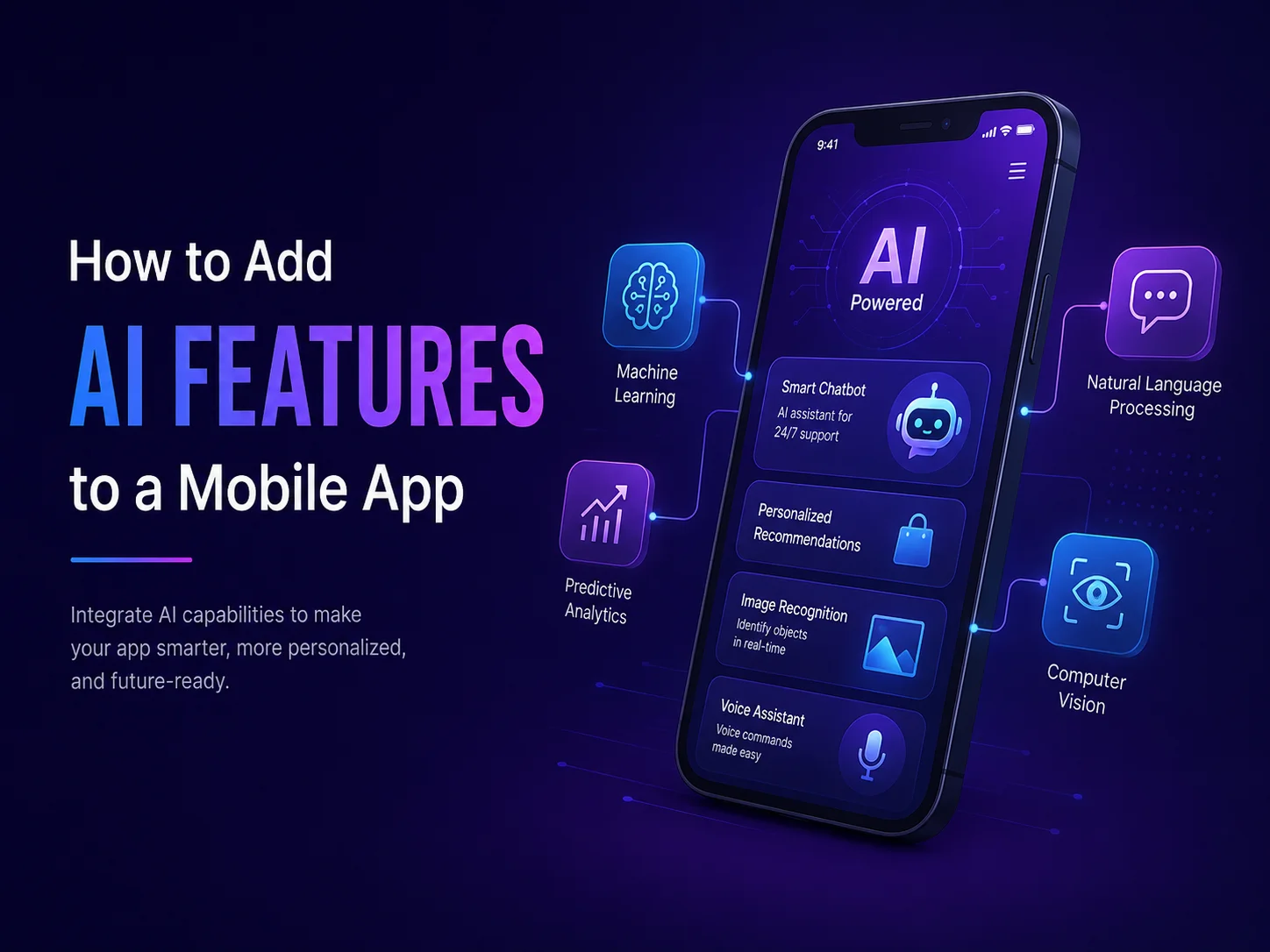
How to Add AI Features to a Mobile App

Artificial intelligence can make a mobile application more useful by helping users search information, receive recommendations, communicate with virtual assistants, process documents, analyze images, summarize content, and automate repetitive tasks.

However, adding AI to a mobile app should not begin with the question, “Which AI feature should we add?” A better starting point is identifying where users currently experience friction or where employees spend unnecessary time. The AI feature should solve that specific problem instead of becoming an extra layer of complexity.

Choose an AI Feature That Fits the App

Different mobile applications need different types of intelligence. A customer-facing app may benefit from an AI assistant that answers questions about products or services. An e-commerce application may use AI to improve product discovery and recommendations. A business app could analyze uploaded documents, summarize reports, or help employees search company information.

AI can also support voice transcription, translation, image analysis, customer-support automation, intelligent search, and personalized experiences. The most important point is that the feature should improve something users already need to do.

  • AI chatbots and customer assistants
  • Intelligent search
  • Product or content recommendations
  • Document analysis and summarization
  • Image recognition
  • Voice transcription and translation
  • AI-assisted business workflows

For example, if customers frequently struggle to find information, intelligent search may provide more value than a general chatbot. If employees manually review large numbers of documents, AI-powered document processing may be the stronger feature.

Connect AI Through a Secure Backend

In most production applications, AI services should be connected through the backend rather than exposing private API credentials directly inside the mobile app. The mobile application can send a request to the backend, where authentication, permissions, business logic, and AI communication are handled securely.

This structure also gives the business more control over what information is shared with the AI service. If a customer asks about an order, the backend can first verify the user, retrieve only that customer’s authorized order information, and then use AI to help present the result.

Important actions should still remain under normal application control. AI may understand that a user wants to cancel a booking, but the actual cancellation should pass through the existing booking rules, permissions, database updates, and notifications.

Combine AI With Existing Mobile Features

AI becomes more useful when it works together with functionality already available on smartphones. Camera access can allow users to photograph documents before AI extracts information. Voice input can be transcribed and analyzed. Location information can provide useful context for field-service or delivery applications.

A mobile app can also combine AI with push notifications. For example, a document-processing workflow could notify the user when analysis is complete, while an AI support assistant could send a customer to a human agent when the conversation becomes too complex.

The strongest implementation usually combines three parts: the mobile interface, AI processing, and reliable backend logic. Each part performs the type of work it handles best.

Discuss Your AI Mobile App Idea

Design the Experience Around AI, Not Just the Technology

AI-generated results can be less predictable than traditional app features, so the interface needs to account for uncertainty. Users should understand when they are interacting with AI and what they can do if the answer is incomplete or incorrect.

A chatbot should allow follow-up questions and provide a clear path to human support. A document-processing feature may need a review screen before extracted information is saved. Recommendations should be presented as suggestions rather than guaranteed decisions when accuracy matters.

Loading states are important too. AI requests may take longer than normal API calls, so the app should clearly indicate that processing is happening instead of leaving users with a blank screen.

Start With One Valuable AI Feature

Businesses do not need to introduce AI across the entire app at once. A focused first feature is usually easier to test and improve. Customer support, intelligent search, document analysis, or internal assistance can be a practical starting point.

After launch, monitor how users interact with the feature. Review which requests AI handles well, where users become confused, and when human intervention is still needed. These insights can guide future improvements and help determine whether additional AI features are worth developing.

Encoder IT Limited develops AI-powered mobile applications and integrates AI into existing Android and iOS products. Our services can include Flutter and React Native development, native mobile applications, AI assistants, document processing, intelligent search, backend APIs, and business automation.

Adding AI to a mobile app works best when the technology improves a real workflow. A focused AI feature connected to secure backend systems and a well-designed mobile interface can provide significantly more value than adding artificial intelligence simply because it is popular.

How to Integrate AI into Your Existing Website

Adding artificial intelligence to an existing website does not usually require rebuilding the entire site from the beginning. In many cases, AI can be introduced gradually by connecting specific website features with AI services through APIs and backend logic.

This makes AI integration practical for businesses that already have a working WordPress website, e-commerce store, customer portal, SaaS platform, or custom web application. The goal is to identify where AI can make the current experience better—such as customer support, search, lead handling, document processing, recommendations, or internal business workflows.

Start With a Clear Business Problem

The first step is deciding what AI should actually improve. Businesses often make the mistake of starting with the technology instead of the problem. A chatbot may sound useful, but if customers mainly struggle to find products, intelligent search may create more value. If employees spend hours reading enquiries and manually organizing leads, AI-assisted lead processing may be a better first project.

Review the areas of the website where users or employees perform repetitive work. Look at customer questions, support requests, search behavior, submitted forms, uploaded documents, product discovery, and internal administrative tasks. These are often the strongest opportunities for AI.

Once the problem is defined, the AI feature can be designed around an existing workflow rather than becoming a disconnected tool that users do not really need.

Add AI Without Replacing Your Existing Website

Most websites already have valuable systems in place. User accounts, products, orders, forms, payments, databases, dashboards, and business logic may already be working correctly. AI can often be added on top of these systems instead of replacing them.

For example, an e-commerce website could keep its existing products, checkout, payment gateway, and order-management system while adding an AI assistant that helps customers find products or answers questions about available information.

A customer portal could keep its current authentication and database while adding an AI search feature that helps users find information across documents or support content. A business website could connect form submissions with AI to summarize enquiries before they reach the sales team.

Successful AI website integration is usually not about rebuilding everything around artificial intelligence. It is about adding AI to the parts of an existing website where it can reduce friction, improve access to information, or automate repetitive work while keeping reliable business systems in control.

Connect AI Through a Secure Backend

AI services are commonly connected through APIs, but sensitive API credentials should not normally be exposed directly in browser-side code. A safer architecture is to send requests through the website’s backend, where authentication, permissions, business logic, and API credentials can be controlled.

The backend can decide what information should be sent to the AI system and what the user is allowed to access. This becomes especially important when AI works with customer accounts, private documents, orders, subscriptions, CRM information, or other business data.

For example, if a logged-in customer asks an AI assistant about a recent order, the backend should first confirm the user’s identity and retrieve only that customer’s authorized order information. AI can then help present the result conversationally without being given unrestricted access to the entire database.

Important actions should also remain under normal application control. AI may understand that a customer wants to cancel a booking, but the actual cancellation should still pass through the website’s existing permissions, availability rules, database updates, and notification process.

Useful AI Features You Can Add to an Existing Website

Different websites need different AI features. Businesses should choose functionality based on the current customer experience and operational workload rather than trying to add every available AI capability.

  • AI customer support: answer common questions and help users find relevant support information.
  • Intelligent website search: understand natural-language searches instead of depending only on exact keywords.
  • Lead processing: summarize enquiries, identify requirements, and categorize leads before sales follow-up.
  • Document processing: extract, classify, or summarize information from uploaded documents.
  • Product recommendations: help users discover relevant products or services.
  • Internal AI assistants: help employees search business information from a protected dashboard.

A WordPress website, for example, could add an AI assistant without changing the theme or core content-management workflow. A WooCommerce store could introduce smarter product discovery while keeping its existing checkout and order system. A custom web application could integrate AI into only one module while the rest of the software remains unchanged.

Prepare Your Website Data Before Adding AI

An AI system becomes more useful when it has access to reliable information. If the website contains outdated FAQs, inconsistent product descriptions, duplicate documentation, or poorly organized content, AI may struggle to provide useful answers.

Businesses should therefore review the information they want AI to use. Product details, policies, help documentation, service descriptions, knowledge-base articles, and internal records should be accurate and clearly organized.

Data access also needs boundaries. Public website information may be suitable for general customer questions, while private account records should only be available after authentication. Internal company documents may require employee roles or department-level permissions.

This preparation is often just as important as selecting the AI technology because an intelligent system cannot consistently provide useful results from unreliable or poorly controlled information.

Discuss Your AI Website Integration

Test the AI Experience Before Expanding It

AI features should be tested with the same care as any other important website functionality. Businesses should review how the system handles normal questions, unclear requests, missing information, incorrect assumptions, and situations where it should send the user to a human employee.

The user interface matters too. Customers should understand when they are using an AI-powered feature, how to ask another question, and what to do when the answer does not solve the problem. AI should support the customer journey rather than create another barrier.

It is usually better to launch one focused AI feature and monitor its performance before introducing several others. Real usage can show whether the feature reduces support workload, improves search, increases engagement, or actually saves employees time.

Integrating AI With Your Existing Website

Encoder IT Limited helps businesses add AI capabilities to existing websites, web applications, e-commerce platforms, SaaS products, and customer portals. This can include AI chatbots, intelligent search, document processing, lead automation, custom backend APIs, AI assistants, and integrations with existing business systems.

You do not need to rebuild a successful website simply to start using AI. A better approach is often to preserve the systems that already work, identify one valuable problem, and integrate AI into that specific part of the experience.

When AI is connected with reliable website data, secure backend logic, and clear business workflows, it can become a practical extension of the website rather than an isolated feature.

AI-Powered Chatbots for Better Customer Service

Customer service teams often spend a large part of their day answering the same types of questions about products, orders, appointments, subscriptions, account access, pricing, and company policies. As the number of customers grows, these repetitive conversations can slow response times and increase support costs.

AI-powered chatbots can help businesses handle many of these routine interactions automatically while still keeping human agents available for situations that require judgment, empathy, or deeper problem-solving. Unlike simple rule-based chatbots that depend heavily on predefined buttons and keywords, modern AI chatbots can understand more natural customer questions and respond in a conversational way.

The most effective chatbot is not one that tries to replace an entire customer service team. It should remove repetitive work, help customers reach useful information faster, and make it easy to move to a human employee when automation is no longer appropriate.

How AI Chatbots Improve the Customer Experience

Customers usually contact support because they want an answer quickly. An AI chatbot can provide immediate assistance for common questions without requiring the customer to wait for an available support agent. This can be especially useful outside normal business hours or during periods when support teams receive a large number of requests.

A customer may ask about delivery times, available services, account access, booking procedures, return policies, or product information using their own words. The chatbot can interpret the request and provide an appropriate response based on the information available to it.

This creates a more flexible experience than a basic chatbot that forces customers to choose from a fixed menu. Users can ask follow-up questions, clarify what they mean, and move through a conversation in a way that feels closer to normal communication.

AI chatbots can also help reduce unnecessary navigation. Instead of asking a customer to search through several help pages, the chatbot can locate relevant information and present it directly in the conversation.

Connect the Chatbot With Real Business Information

A chatbot becomes much more valuable when it can use accurate information from the business. This may include FAQs, product documentation, service descriptions, company policies, help articles, troubleshooting guides, or other approved knowledge sources.

More advanced chatbots can also connect with existing systems through secure APIs. After verifying the customer, the chatbot may be able to help with order status, appointments, subscriptions, account information, or support-ticket progress.

For example, if a customer asks, “Has my order shipped yet?” the chatbot should not guess. The application can retrieve the customer’s authorized order information from the backend and use that data to prepare the response.

This connection between AI and business systems is what turns a simple chatbot into a useful customer-service tool. The conversational layer helps understand the customer, while normal application logic continues handling authentication, permissions, database updates, payments, and other important actions.

AI Chatbots Should Know When to Transfer the Conversation

Not every support request should be automated. Complaints, complicated billing issues, account-security problems, unusual technical failures, or emotionally sensitive situations may require a real person.

A well-designed chatbot should recognize when it cannot provide a reliable answer or when the customer asks to speak with an employee. The transition should be simple rather than forcing the customer to repeat the same questions several times.

The chatbot can prepare the handoff by summarizing the conversation, identifying the likely issue, and passing along information already collected. A human support agent can then begin with useful context instead of asking the customer to explain everything again.

This is one of the most important differences between useful automation and frustrating automation. AI should make human support easier to reach when it is needed, not create another barrier between the business and the customer.

Chatbots Can Reduce Work for Support Teams

AI chatbots can provide value even when they do not fully resolve the customer’s request. They can collect account information, categorize the problem, identify the appropriate department, create a support ticket, and prepare a summary for the employee who will handle it.

Support teams can also use AI internally. Instead of communicating directly with customers, an AI assistant can suggest draft responses, summarize long conversations, search internal documentation, or highlight important details from previous support interactions.

  • Answer repetitive customer questions
  • Provide product and service information
  • Search approved support documentation
  • Collect information before human support begins
  • Summarize customer conversations
  • Automatically categorize support requests
  • Route tickets to the appropriate team
  • Assist agents with suggested responses

These features can reduce time spent on repetitive preparation while allowing support employees to focus on conversations where their experience creates more value.

Build an AI Customer Support Chatbot

Build the Chatbot Around Real Customer Problems

Businesses should avoid adding a chatbot simply because AI is becoming popular. The first step should be reviewing the questions customers already ask and identifying where the support team spends the most repetitive time.

If customers frequently ask about orders, the chatbot should be designed around order support. If users struggle to understand a complex SaaS platform, it may need access to product documentation. If a service company receives repeated booking questions, connecting the chatbot to availability and appointment workflows may provide the greatest value.

Accuracy, privacy, and security also need to be considered from the beginning. Customers should only receive information they are authorized to access, sensitive credentials should remain protected on the backend, and the chatbot should avoid presenting uncertain information as guaranteed fact.

Encoder IT Limited develops AI-powered chatbots and customer-support systems for websites, mobile applications, SaaS platforms, customer portals, and custom business software. We can connect AI with knowledge bases, APIs, CRM systems, support workflows, customer accounts, and other existing business tools.

A strong AI chatbot does not need to automate every conversation. Its value comes from answering common questions quickly, reducing repetitive work, connecting customers with useful business information, and involving human employees at the right moment. When those elements work together, AI can improve both customer experience and the efficiency of the support team.

How AI Can Automate Your Business Processes

Many businesses still rely on employees to complete repetitive processes manually—reading emails, entering data, preparing reports, categorizing requests, checking documents, updating systems, and moving information between departments. These tasks are necessary, but they can consume valuable time that employees could spend on customers, strategy, and higher-value work.

AI business automation can reduce this workload by helping software understand information, make recommendations, organize data, and support decisions before traditional automation completes the next action. The best results usually come from combining AI with existing business rules, APIs, databases, and workflows rather than trying to replace an entire process with AI.

Start With Repetitive, Information-Heavy Processes

The first step is identifying where manual work happens most often. Processes that involve repeatedly reading, searching, summarizing, classifying, or copying information are usually strong candidates for AI automation.

Customer support is a simple example. Employees may receive hundreds of questions about orders, services, appointments, pricing, subscriptions, or account problems. AI can understand the incoming message, identify the topic, search approved business information, and prepare a response. If the request requires human assistance, the system can summarize the conversation and route it to the correct employee.

Sales teams can use a similar workflow. Instead of manually reviewing every enquiry, AI can identify what the prospect is interested in, extract relevant details, summarize requirements, and categorize the lead. Existing CRM automation can then create the record, assign a salesperson, and schedule follow-up activities.

AI automation works best when it removes the repetitive interpretation around a business process while reliable software continues controlling important actions such as approvals, payments, permissions, calculations, and database updates.

This distinction matters because many business processes contain both flexible and predictable steps. AI is useful when information needs interpretation, while traditional automation remains better when the outcome must follow an exact rule.

Where AI Can Automate Everyday Business Work

Document processing is one of the strongest use cases. Businesses may receive invoices, applications, forms, reports, contracts, service records, or other documents that employees manually review. AI can help extract important information, summarize content, classify documents, and prepare structured data for another system.

Internal knowledge is another area where automation can save time. Employees often search through policies, manuals, product information, training materials, or historical records before completing a task. An AI-powered internal assistant can make this information easier to find through natural-language questions instead of requiring employees to manually search multiple folders or systems.

AI can also support routine communication. It may prepare first drafts of customer responses, summarize meeting notes, create report summaries, organize feedback, or convert lengthy information into a format employees can review more quickly.

  • Customer support and ticket classification
  • Lead processing and CRM preparation
  • Document extraction and summarization
  • Internal knowledge search
  • Email and communication assistance
  • Report and data summarization
  • Request routing and workflow preparation

Not every business needs all of these applications. The strongest starting point is usually one process that happens frequently, consumes measurable employee time, and has a clear result that can be evaluated after automation is introduced.

Connect AI With the Systems You Already Use

AI automation does not necessarily require replacing your existing CRM, website, mobile app, SaaS platform, ERP, customer portal, or internal software. AI can often be added through APIs and connected with the systems that already manage your business data and workflows.

For example, an AI system can understand an incoming support request, but your existing help-desk software can still create the ticket. AI can extract information from an invoice, while the accounting system remains responsible for storing and processing the financial record. AI can interpret a customer request, while the backend continues checking authentication and permissions before performing an action.

This approach provides more control because businesses can use AI only where interpretation is valuable without changing the systems that already handle predictable operations reliably.

Explore AI Business Automation

Keep Important Decisions Under Reliable Control

AI-generated results can vary, so businesses should decide carefully which actions can happen automatically and which require validation or human review. Low-risk tasks such as summarizing a document may be suitable for greater automation, while payments, financial calculations, account permissions, legal decisions, or other high-impact actions require stronger controls.

Human involvement can also remain part of an automated workflow without removing the benefits. AI might prepare a response, classification, or recommendation while an employee approves it. The employee spends less time preparing the information but still controls the final decision.

Security and privacy should be considered at the same time. AI systems should only receive the information needed for the task, and users should only be able to access data permitted by their role. Sensitive credentials and important business logic should remain protected on backend systems.

Build Automation Around Business Value

The goal of AI automation should not be to automate every task in the company. Some processes are already efficient, some are better handled with simple rule-based automation, and others still benefit strongly from human communication and judgment.

A practical AI automation project begins by measuring the current process. How much time does it take? How often does it happen? Where do delays occur? Which steps require people to interpret information? Once these questions are understood, businesses can automate the parts that create the greatest operational benefit.

Encoder IT Limited develops AI-powered business automation solutions for websites, mobile applications, SaaS platforms, customer portals, and internal software. Our work can include AI assistants, customer-support automation, document processing, workflow automation, intelligent search, API integration, and custom business applications.

AI can make business processes faster and more scalable, but its greatest value comes from using it selectively. When intelligent processing is combined with reliable software workflows and appropriate human oversight, businesses can reduce repetitive work without losing control over the operations that matter most.