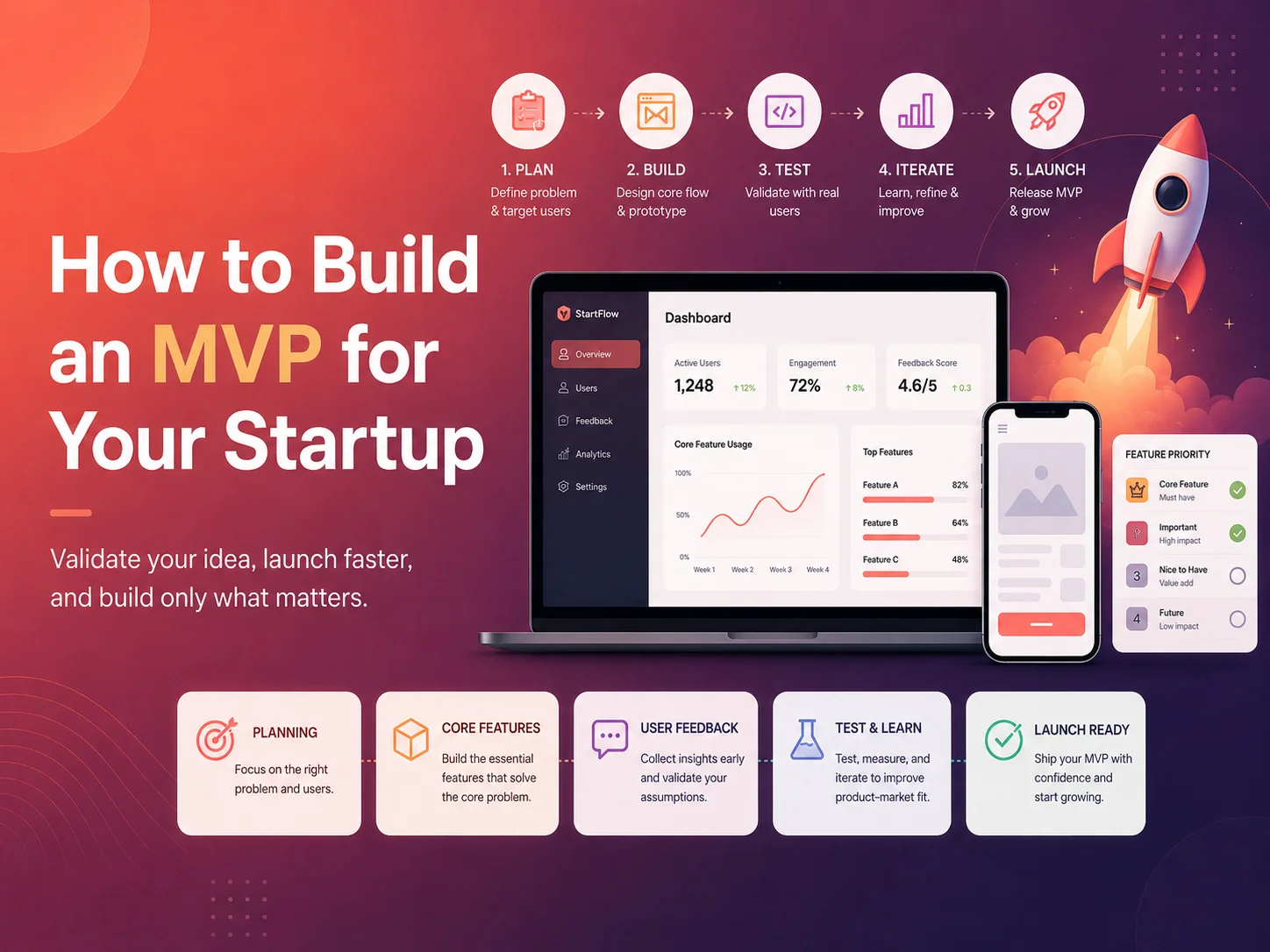
How to Build an MVP for Your Startup

Startups often have more ideas than they can realistically build at once. A new product may eventually need user accounts, subscriptions, dashboards, messaging, reporting, automation, integrations, mobile applications, advanced analytics, and many other features. Trying to build everything before launching can increase cost, delay feedback, and create a product based on assumptions rather than real user behavior.

A Minimum Viable Product, or MVP, is a focused version of a product that includes enough functionality to solve the core customer problem and test whether the idea has real market value. The objective is not to release unfinished or low-quality software. It is to build the smallest useful product that allows the startup to learn from real customers.

For web applications and SaaS startups, a well-planned MVP can help validate demand, demonstrate the product to investors, attract early users, and identify which features deserve further development.

Start With the Problem, Not the Feature List

The first step in MVP development is defining the specific problem the startup wants to solve. A product becomes difficult to prioritize when the idea is described only as a collection of features.

Instead, identify the target user, the problem they experience, and the result the product should help them achieve. A scheduling platform might solve the problem of businesses coordinating employee shifts. A customer portal might reduce repetitive communication between a company and its clients. A SaaS reporting tool might help managers combine information that currently exists across multiple spreadsheets.

Once the primary problem is clear, features can be evaluated based on whether they are required to deliver that core value. If a feature does not help users complete the main workflow or help the startup validate an important assumption, it may belong in a later phase.

An MVP should not be the smallest product you can technically release. It should be the smallest version that gives real users enough value to test whether the business idea is worth developing further.

Define the Core User Journey

Before designing individual screens, map the main path a user needs to complete. This makes it easier to identify essential functionality and remove features that do not contribute to the first useful experience.

For example, an MVP for a service marketplace may need users to register, browse services, submit a request, receive an offer, and complete a transaction. Advanced analytics, referral programs, loyalty systems, multiple subscription tiers, and complex automation may be useful later but are not necessarily required to validate the marketplace.

A SaaS application might need a different flow: create an organization, invite users, configure one important workflow, complete the primary task, and review the result. If those steps successfully demonstrate the value of the product, the MVP can begin collecting meaningful feedback.

User roles should also be included only where necessary. If the product fundamentally depends on administrators and customers having different permissions, those roles belong in the MVP. If five additional internal roles are only expected in a future enterprise version, building them immediately may introduce unnecessary complexity.

Separate Must-Have Features From Future Features

Feature prioritization is one of the hardest parts of MVP planning because every feature can appear important when viewed individually. A useful approach is to divide requirements into what the first release must have, what would be useful later, and what can wait until the product has stronger evidence of demand.

  • Include features required to solve the primary customer problem
  • Include authentication and permissions necessary for the core workflow
  • Include essential payment or subscription functionality if monetization must be tested
  • Keep administration simple but sufficient to operate the product
  • Delay advanced reporting unless it is central to the value proposition
  • Delay secondary integrations that can initially be handled manually
  • Avoid building multiple versions of the same feature before users validate the basic one

Some manual work behind the scenes can be acceptable during the earliest stage. If ten initial customers can be onboarded manually, building a sophisticated automated onboarding engine may not be necessary before launch. Once the process becomes repetitive and demand is proven, automation can be added with greater confidence.

However, shortcuts should not compromise essential security, data integrity, or payment reliability. An MVP can have fewer features, but the features it includes should work properly.

Design the MVP for Usability, Not Perfection

A startup MVP does not require an enormous design system or dozens of polished marketing animations. It does need a clear interface that allows users to understand the product and complete the main workflow without confusion.

Wireframes can help establish navigation, page structure, forms, dashboards, and user flows before development begins. This reduces the risk of spending development time on screens that later need significant restructuring.

The visual design should establish enough consistency for the product to feel professional. Typography, spacing, buttons, forms, alerts, navigation, and basic components should follow reusable patterns. A simple design system also makes later development easier because new features can reuse existing interface elements.

Mobile responsiveness should be considered according to actual usage. Some B2B SaaS products are primarily used on desktop, while consumer applications may depend heavily on smartphones. The MVP should prioritize the devices and workflows most important to its target users.

Build Your Startup MVP

Choose Technology That Supports Fast Development and Future Growth

The technology stack should match the product rather than simply following current development trends. A startup typically needs a stack that allows the team to develop quickly, maintain the application reliably, and add features without rebuilding the entire platform after early validation.

Modern web applications can be built using technologies such as React, Next.js, Laravel, Node.js, relational databases, cloud infrastructure, and third-party services. Existing platforms for authentication, payments, email, storage, analytics, or notifications can also reduce the amount of functionality that needs to be developed from scratch.

Architecture still matters even in an MVP. Database relationships, user permissions, tenant structure, APIs, and core business logic should be designed carefully enough that the application can evolve. Building quickly does not require creating a codebase that becomes impossible to maintain after the first release.

At the same time, startups should avoid designing infrastructure for millions of users before proving that hundreds will use the product. The first architecture should be scalable enough for realistic growth without introducing unnecessary complexity.

Launch Early Enough to Learn From Real Users

The main purpose of an MVP is learning. Keeping the product in development until every planned feature is complete removes much of the benefit of the MVP approach.

Early users can reveal whether the problem is important enough, whether the workflow makes sense, whether the pricing feels reasonable, and which features they actually need. Their behavior may be very different from what the founders originally expected.

Analytics can show which parts of the product receive attention and where users stop. Customer interviews, support requests, onboarding calls, and direct observation can provide additional context about why those behaviors occur.

Startups should look for patterns rather than reacting immediately to every individual feature request. One customer asking for a feature may represent a special case. Several target customers experiencing the same problem may indicate a stronger product opportunity.

Use the MVP to Decide What Comes Next

After launch, the startup should use evidence to prioritize the next development phase. If users understand the product but abandon onboarding, improve onboarding. If they consistently request the same integration, that integration may deserve priority. If a feature that founders considered essential receives almost no usage, it may not need further investment.

The MVP can also help clarify pricing and business models. A startup may learn that customers are willing to pay for a different feature than expected, prefer subscriptions over one-time payments, or need different plans based on team size or usage.

Encoder IT Limited develops MVPs, custom web applications, and SaaS platforms for startups and growing businesses. Our work can include product planning, UI/UX design, frontend and backend development, multi-tenant architecture, subscriptions, payment integration, dashboards, APIs, and ongoing product development.

A successful MVP is focused enough to launch without unnecessary complexity but strong enough to demonstrate real value. By identifying the core problem, prioritizing essential features, designing the main user journey carefully, and collecting feedback early, startups can make better product decisions before committing significant resources to a full-scale platform.
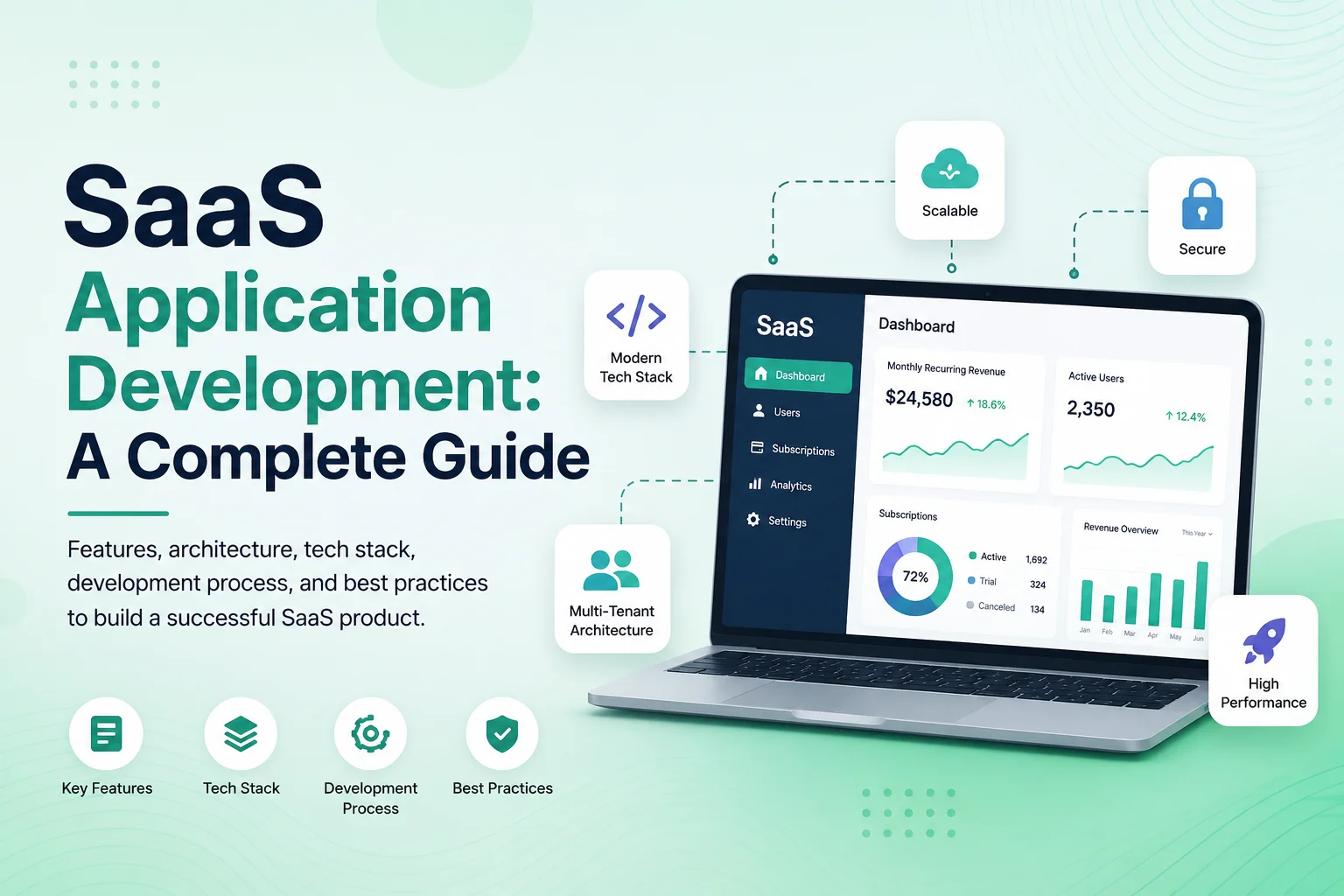
SaaS Application Development: A Complete Guide

Software as a Service, or SaaS, has become a common model for delivering business software through the web. Instead of installing software separately on every customer’s computer, users access a centralized application through a browser and typically pay through a subscription or usage-based model.

SaaS application development involves much more than building a standard website. A complete SaaS platform may need organizations, user accounts, subscriptions, billing, permissions, dashboards, notifications, reporting, integrations, data isolation, security, administration, and infrastructure that can support many customers at the same time.

Successful SaaS development therefore begins with the business model and user workflow before technology choices are finalized. The product needs to solve a clear problem, make onboarding simple, protect customer data, support recurring operations, and remain maintainable as the number of users and features grows.

Start With the SaaS Product and Business Model

Before development begins, define who the product is for and what problem it solves. A SaaS application built for accounting firms will have very different workflows from one built for scheduling employees, managing construction projects, running customer support, or tracking healthcare operations.

The first version should focus on the core workflow customers are expected to pay for. Founders often begin with a long feature list, but building every possible module before validating the product can increase cost and delay launch.

The pricing model also affects architecture. Some SaaS products charge per organization, while others charge per user, location, transaction, storage amount, or feature tier. Subscription rules may determine how many employees can be added, which modules are available, or how much usage is included.

These decisions should be clarified early because billing, permissions, usage tracking, and account management often depend on them.

Web-applications-banner-2

Design the Core SaaS Architecture

Many SaaS products are multi-tenant, meaning one application serves multiple companies or customers while keeping their data and settings separated. The system needs a reliable tenant model that determines which organization each user belongs to and which information they can access.

Tenant isolation should be enforced through trusted backend logic. A user’s browser should not be able to access another company’s information simply by changing an ID in a URL or API request.

The application may use a shared database with tenant identifiers, separate schemas, separate databases, or a hybrid architecture. The right choice depends on the number and size of customers, security requirements, operational complexity, and infrastructure strategy.

The backend also needs clear architecture for authentication, permissions, business logic, APIs, database access, background processing, caching, file storage, notifications, and external integrations. Designing these foundations carefully makes future development significantly easier.

SaaS Component Primary Purpose
Tenant Management Creates and manages customer organizations or workspaces
Authentication Controls secure login and account access
Roles & Permissions Defines what each user can view or manage
Subscription Billing Handles plans, renewals, upgrades, cancellations, and payment status
Application Modules Provides the core functionality customers are paying for
Notifications Sends important email, in-app, SMS, or push updates
Reporting Turns operational data into useful business information
Platform Administration Allows SaaS operators to manage tenants, plans, support, and system activity

Create Roles, Permissions, and Account Management

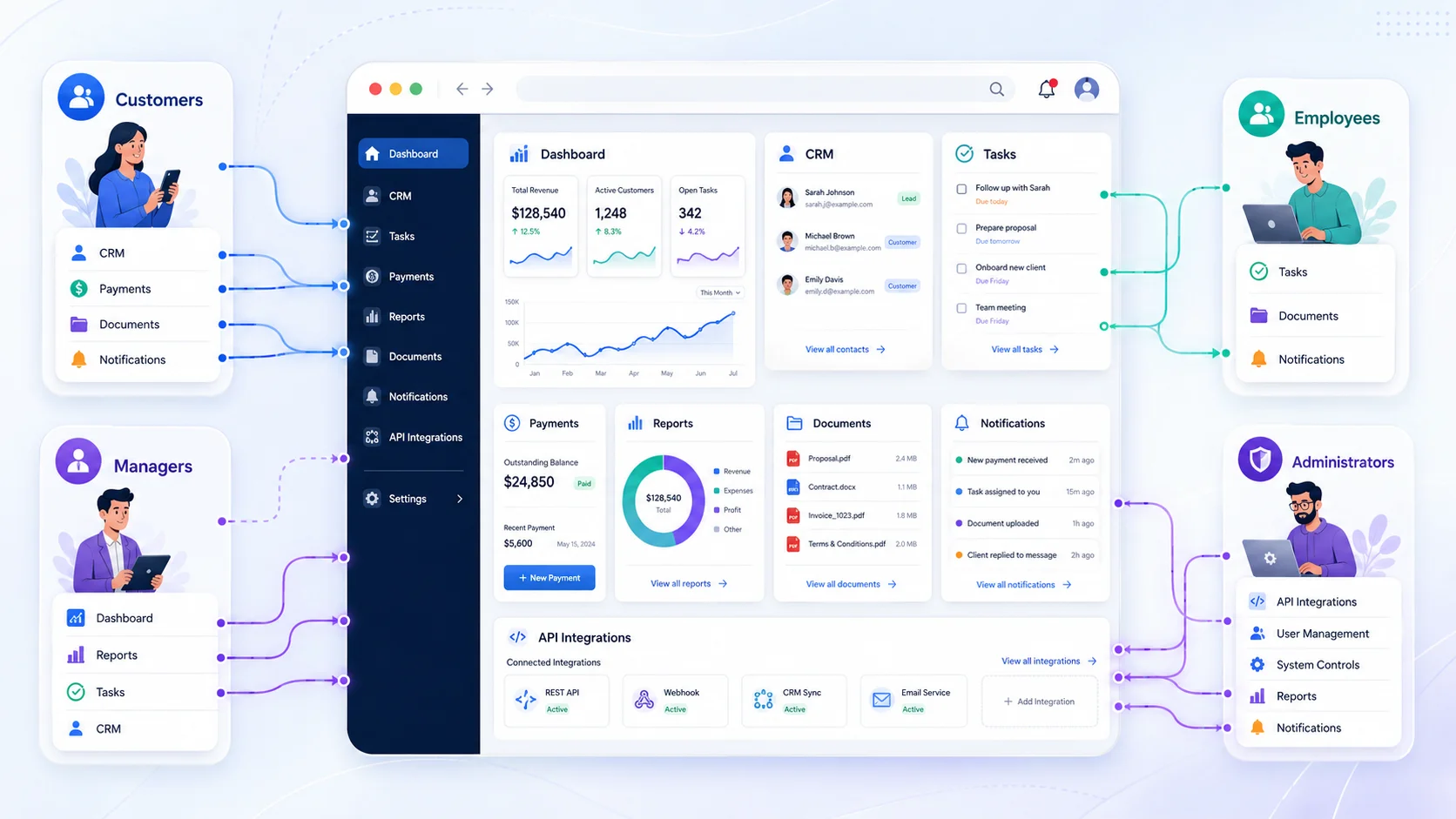
Most SaaS applications need several levels of access. A company owner may control billing and users, managers may manage operational workflows, and employees may only access the tasks or information relevant to their responsibilities.

Role-based access control helps keep the interface simpler and protects sensitive information. Permissions may control whether a user can view, create, edit, delete, approve, export, or configure different parts of the application.

Some products also need more detailed access boundaries. A manager might only see employees from one location, a project lead may only access assigned projects, or a regional administrator may oversee several branches without receiving access to the entire organization.

Account management should also cover invitations, password recovery, profile updates, account suspension, user removal, and ownership transfer where appropriate. These workflows become especially important once organizations depend on the platform for daily operations.

Build Subscription and Billing Into the Product

Subscriptions are one of the defining parts of many SaaS businesses. The application needs to know which plan a tenant has, whether the subscription is active, and which features or limits apply.

Billing workflows may include free trials, monthly or annual subscriptions, upgrades, downgrades, cancellations, payment retries, invoices, refunds, and failed recurring payments.

Feature access should be enforced on the backend rather than only hiding buttons in the interface. If a plan does not include an advanced reporting module, the corresponding backend endpoints should also prevent unauthorized access.

SaaS products that charge according to usage need additional tracking. The application may count users, API calls, transactions, storage, locations, projects, or other measurable resources and compare them with the limits included in the subscription.

Focus the UI/UX on Onboarding and Daily Work

A powerful SaaS application can still struggle if users cannot understand it. New customers should be able to reach the product’s main value without completing a long and confusing setup process.

Onboarding may include creating an organization, inviting team members, selecting settings, importing existing data, connecting an integration, or completing the first important workflow. The exact process should depend on what users need before the product becomes useful.

Dashboards should prioritize actionable information. Instead of filling the first screen with decorative charts, show pending tasks, recent activity, important metrics, alerts, or the next actions most relevant to the user.

As the platform grows, a design system can help maintain consistency across navigation, forms, tables, cards, modals, status indicators, buttons, and other components. This makes the application easier to learn and helps development teams add new modules without creating a different interface pattern every time.

Plan Your SaaS Application

Connect the SaaS Platform With Other Business Systems

Modern SaaS products rarely operate completely independently. Customers may need connections with payment gateways, accounting platforms, CRM systems, calendars, e-commerce stores, cloud storage, communication tools, shipping services, or other software.

APIs allow the SaaS platform to exchange data with these services and automate workflows. A completed transaction could update an invoice, trigger a notification, create a task, and update a connected reporting platform automatically.

Integrations need proper error handling because external services can become temporarily unavailable. Failed API requests should be logged, important operations may need retry mechanisms, and administrators should be able to identify integrations that require attention.

For products that provide their own public API, authentication, permissions, rate limits, documentation, and version management should be considered from the beginning.

Plan for Background Jobs, Notifications, and Automation

Some application processes should not happen during a normal browser request. Generating large reports, sending thousands of emails, importing files, processing images, synchronizing external data, or running recurring automation can take longer than users should wait.

Background queues allow these operations to run separately while the main application remains responsive. Scheduled jobs can also perform recurring actions such as sending reminders, checking expired subscriptions, preparing reports, or creating recurring tasks.

Notifications can be triggered by important events inside these workflows. A manager might receive an alert when approval is required, a customer can receive confirmation after payment, or an administrator can be notified when an integration fails.

Automation should still allow human review for exceptions. High-value transactions, unusual account activity, failed data imports, or sensitive approval decisions may need to be routed to an authorized person instead of being processed automatically.

Security, Reliability, and Data Protection Need Early Attention

SaaS applications store information for many customers, making security a core product requirement. Authentication, password handling, permissions, secure sessions, encrypted connections, protected APIs, and tenant isolation should be built into the architecture rather than added shortly before launch.

Critical administrative actions may require additional controls such as multi-factor authentication or confirmation. Audit logs can record important changes to permissions, billing, account settings, approvals, or sensitive records.

Backups and recovery procedures are equally important. The team should understand how application data, uploaded files, and configuration can be recovered if an infrastructure failure, deployment problem, or accidental change causes damage.

Monitoring should track application errors, slow requests, database performance, queue failures, integration problems, and other operational signals. SaaS providers need to know when the platform is experiencing problems before large numbers of customers are affected.

Develop the SaaS Product in Practical Phases

A complete SaaS platform does not need every possible feature in its first release. Building in phases allows the business to launch sooner, collect real customer feedback, and invest further development in features that users actually need.

An early MVP may include tenant registration, authentication, core business functionality, user management, basic roles, subscriptions, billing, and a simple administration panel. Later phases can introduce advanced reporting, automation, integrations, mobile applications, enterprise security, custom roles, AI functionality, or other specialized modules.

Architecture should leave reasonable room for growth without overengineering the first version. Designing infrastructure for millions of customers before validating the product can add unnecessary complexity, while ignoring tenant structure and permissions entirely can make later scaling significantly harder.

Launch, Measure, and Continue Improving the Product

SaaS development continues after the first release. Analytics can show where users abandon onboarding, which features receive the most usage, and where customers experience friction. Support requests and customer interviews can explain problems that analytics alone cannot reveal.

Product teams should also track operational signals such as subscription cancellations, failed payments, support volume, feature adoption, and account activity. These insights can help determine whether the next investment should be a new feature, better onboarding, performance improvements, additional integrations, or simplification of an existing workflow.

Encoder IT Limited develops custom SaaS applications and multi-tenant web platforms with UI/UX design, tenant management, subscriptions, payment integration, role-based permissions, dashboards, workflow automation, APIs, reporting, and scalable backend systems.

SaaS application development succeeds when product strategy, user experience, software architecture, billing, security, and operations are planned as parts of the same platform. By starting with a clear problem, building the core workflow carefully, and expanding based on real customer needs, businesses can create SaaS products that are easier to operate, maintain, and grow over the long term.

How Much Does Custom Web Application Development Cost?

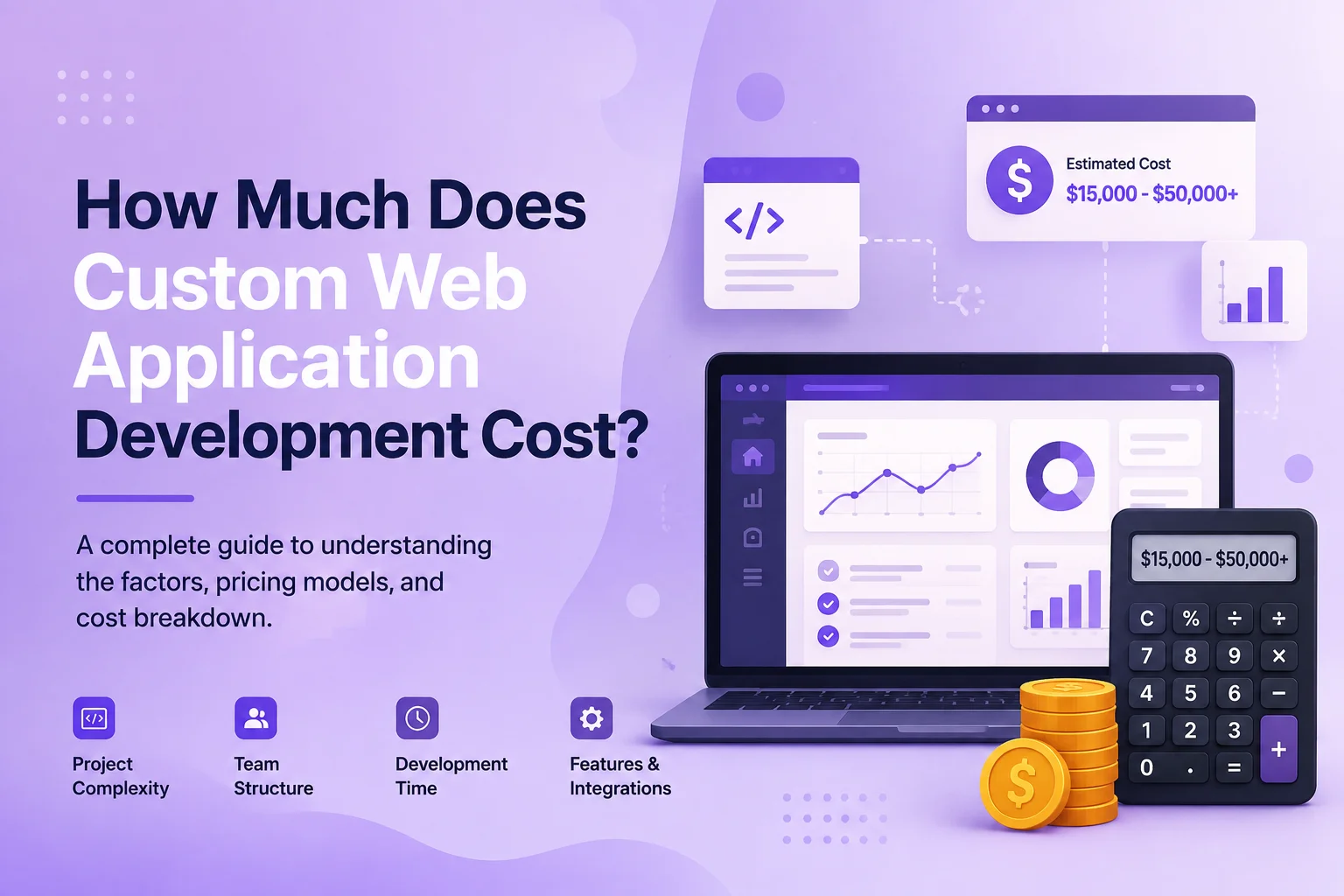
One of the first questions businesses ask when planning custom software is: How much does custom web application development cost? Unlike a standard website, there is rarely one fixed price because web applications can range from relatively simple internal management tools to large SaaS platforms supporting thousands of users, complex workflows, subscriptions, integrations, and automation.

For initial planning, a focused MVP or small application may begin around $10,000–$30,000+, while more complete business applications often move into the $30,000–$100,000+ range. Large platforms with complex workflows, integrations, security requirements, and multiple modules can reach $100,000–$200,000+, while enterprise systems may exceed $200,000.

These numbers should be treated as broad planning ranges rather than quotations. The real cost depends on what the application needs to do, how many users and roles it supports, how complex the business logic is, and how much design, testing, integration, and infrastructure work is required.

Typical Custom Web Application Cost Ranges

Project Type Planning Cost Range Typical Scope
Focused MVP $10,000–$30,000+ Core workflow, basic accounts, limited administration, essential features
Small Business Web Application $20,000–$50,000+ Dashboards, customer records, workflows, roles, reporting, basic integrations
Mid-Sized Custom Application $50,000–$100,000+ Multiple modules, advanced permissions, automation, APIs, payments, reporting
Large Web Application or SaaS Platform $100,000–$200,000+ Complex workflows, multi-tenancy, subscriptions, extensive integrations, scalability
Enterprise Platform $200,000+ Large user base, advanced security, multiple systems, complex infrastructure and integrations

A smaller application does not necessarily mean a simple-looking interface. Even a relatively focused platform may require frontend development, backend APIs, database architecture, authentication, administration, testing, deployment, and security.

Similarly, two applications with the same number of screens can have very different development costs. A dashboard displaying basic database records is much easier to build than a dashboard calculating financial data, communicating with external APIs, processing real-time events, and applying complex permissions.

Features and Business Logic Usually Have the Biggest Impact

The number of features matters, but the complexity behind those features is often more important. A simple customer-management module may allow employees to create, edit, and search customers. A more advanced version might include customer-specific pricing, contracts, invoices, documents, communications, automatic reminders, permissions, reporting, and integration with another CRM.

User roles can add similar complexity. An application with one administrator and one standard user is very different from a system containing platform administrators, company owners, managers, employees, customers, finance teams, and other roles with detailed permissions.

Other functionality that can significantly affect development scope includes subscriptions, recurring billing, multi-tenant architecture, marketplaces, real-time messaging, advanced search, document generation, workflow automation, reporting, AI functionality, and complex approval systems.

  • User registration, authentication, and permissions
  • Admin and management dashboards
  • Customer or employee portals
  • Subscription and payment functionality
  • Workflow and approval automation
  • Reporting and analytics
  • Third-party API integrations
  • Real-time notifications or communication
  • Document and file management
  • Multi-tenant SaaS functionality

UI/UX Design and Frontend Complexity Affect the Budget

Custom web application development normally includes more than backend programming. The product needs screens, navigation, forms, tables, dashboards, mobile-responsive layouts, loading states, errors, empty states, and other interface elements that users interact with every day.

A straightforward internal business tool may use a relatively simple design system with reusable components. A customer-facing SaaS product may require more extensive UX research, user flows, wireframes, prototypes, detailed responsive designs, and a larger component system.

Complex interfaces also require additional frontend development. Interactive charts, large data tables, drag-and-drop interfaces, scheduling calendars, advanced filters, real-time updates, and highly customized dashboards can increase the amount of development and testing required.

Investing in UX can be particularly important for software employees or customers use repeatedly. A workflow that requires unnecessary steps may create operational costs every day after the application launches.

Estimate Your Web Application Project

Integrations Can Change the Scope Significantly

Modern web applications often need to communicate with payment gateways, accounting platforms, CRM systems, cloud storage, calendars, email services, shipping providers, e-commerce systems, AI services, or other third-party platforms.

A basic API connection may be relatively straightforward. A deeper integration that synchronizes large amounts of data in both directions, handles webhooks, retries failed transactions, prevents duplicates, and maintains accurate records can require considerably more engineering.

The quality of the third-party API also matters. Clear documentation and reliable APIs can make integration faster, while older systems with limited documentation or unusual authentication may require additional development and testing.

Businesses should identify important integrations during planning rather than adding them near the end of development. They may influence database architecture, user workflows, permissions, and other parts of the platform.

Development Team Location and Structure Also Affect Cost

Custom software development rates vary significantly by region and by the experience of the development team. Working with developers in different global markets can therefore produce very different estimates for applications with similar requirements.

Team composition matters as well. A complete project may involve a business analyst or project manager, UI/UX designer, frontend developer, backend developer, QA engineer, and DevOps specialist. Smaller projects may combine several responsibilities, while large applications may require multiple specialists in each area.

The cheapest hourly rate does not automatically produce the lowest total project cost. Architecture mistakes, unclear requirements, limited testing, or poor-quality code can create additional development and maintenance costs later.

Businesses should compare proposed scope, development process, technical experience, communication, testing, documentation, and long-term support rather than comparing hourly rates alone.

Do Not Forget the Cost After Launch

Launching the application is not the end of the software lifecycle. Hosting, monitoring, backups, security updates, bug fixes, third-party services, infrastructure, and ongoing feature development should also be included in long-term budgeting.

A SaaS product may require continuous development because customer feedback introduces new features and integrations. An internal application may need fewer changes but still require framework updates, security maintenance, infrastructure monitoring, and support when business processes change.

Third-party services can introduce separate recurring expenses. Cloud hosting, email delivery, SMS, file storage, payment processing, maps, AI APIs, monitoring tools, and other external services may each have their own pricing model.

These operating expenses are different from the initial development budget and should be estimated separately according to expected usage.

How to Get a More Accurate Web Application Estimate

The most reliable way to estimate a custom application is to define the core workflows before requesting development quotes. Businesses do not necessarily need a complete technical specification, but they should understand who will use the software and what those users need to accomplish.

Identify the main user roles, core modules, essential integrations, payment requirements, reporting needs, and the processes that must be included in the first version. Separate essential functionality from features that can be introduced later.

For startups, developing an MVP first can reduce initial investment while providing an opportunity to validate the product. For established businesses, development can also be divided into phases so that the highest-value operational workflows are implemented before secondary modules.

Encoder IT Limited develops custom web applications, SaaS platforms, customer portals, dashboards, workflow automation systems, API integrations, and business management software using technologies such as React, Next.js, Laravel, and Node.js.

The cost of custom web application development depends primarily on complexity rather than the number of pages. A clearly defined MVP may be achievable with a relatively focused budget, while a multi-tenant SaaS or enterprise platform can require a much larger investment. Defining the business problem, core workflow, users, integrations, and development phases before coding begins is one of the best ways to create a realistic budget and avoid unnecessary development costs.

Website vs Web Application: What’s the Difference?

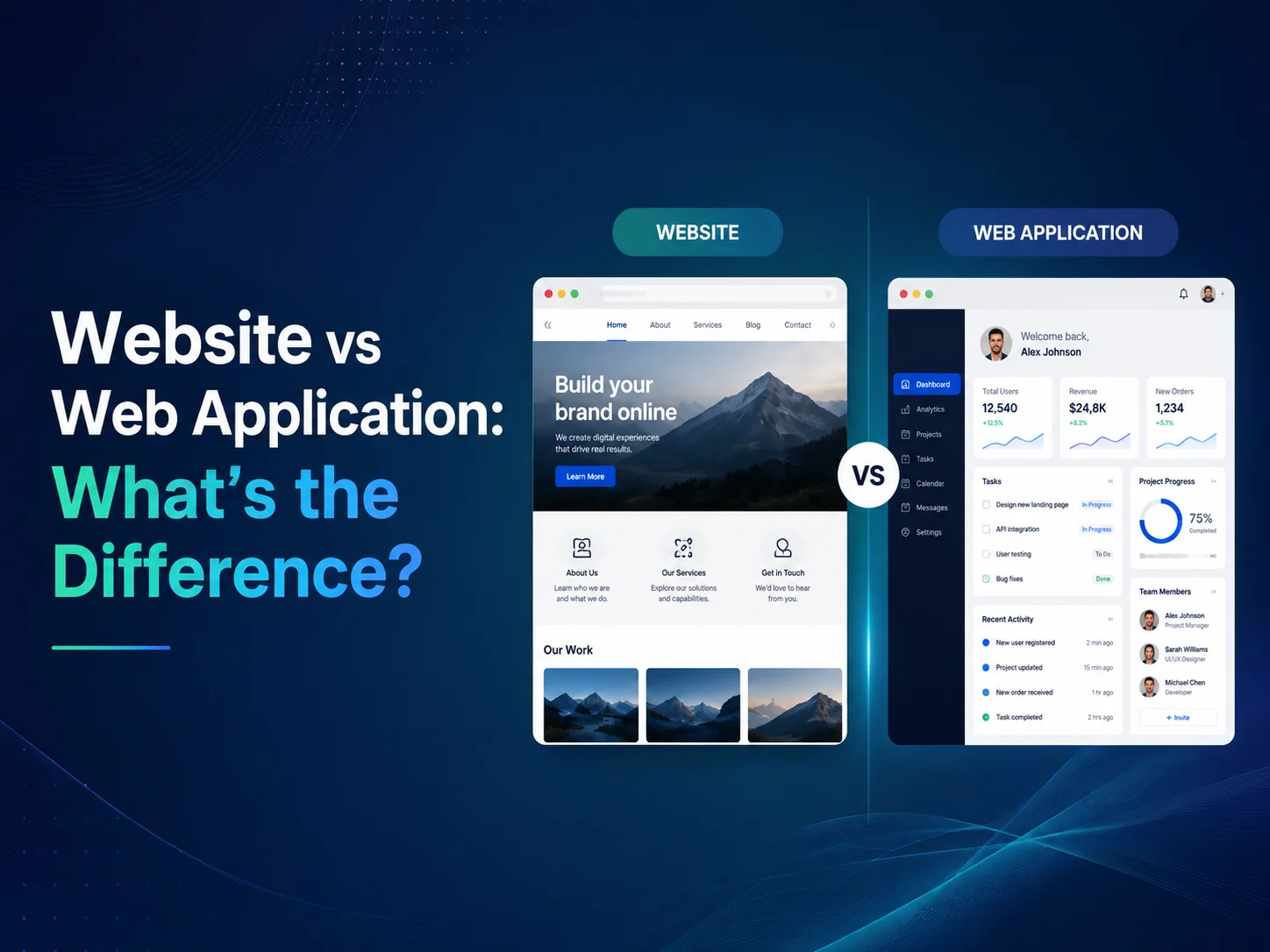
Websites and web applications are both accessed through a browser, which is why the terms are often used interchangeably. However, they usually serve different purposes. A website is primarily designed to present information and guide visitors toward actions, while a web application allows users to interact with data, complete workflows, manage accounts, and perform ongoing tasks.

Understanding the difference between a website and a web application is important when planning a digital project because the choice affects design, development time, technology, security, database requirements, integrations, and overall cost.

A business may only need a professional website to explain its services and generate enquiries. Another company may need a custom web application where customers, employees, or administrators log in and manage complex processes. Some projects combine both.

What Is a Website?

A website mainly delivers information to visitors. It may include a homepage, service pages, product information, company details, blog content, case studies, contact forms, and landing pages.

Visitors typically browse content and complete relatively simple interactions such as submitting an enquiry, subscribing to a newsletter, downloading a document, or clicking a call-to-action button.

Business websites are often built using platforms such as WordPress or custom frontend technologies depending on the project. Content management is usually an important requirement because marketing teams need to update pages, publish articles, change images, or create new landing pages without rebuilding the entire site.

The primary goals are generally communication, branding, search visibility, lead generation, and helping potential customers understand the business.

What Is a Web Application?

A web application is more interactive and usually performs specific business functions. Users often log in, create or update records, manage data, complete workflows, receive notifications, generate reports, or interact with other users.

Examples include CRM systems, project management platforms, customer portals, booking applications, SaaS products, employee management systems, marketplaces, financial dashboards, and inventory platforms.

Unlike a traditional informational website, a web application normally depends heavily on backend logic and databases. The system must understand who the user is, what they are allowed to access, and how their actions affect other parts of the application.

For example, an employee scheduling application may need different permissions for administrators, managers, and employees. Managers might create shifts, employees can view assigned schedules, and administrators may manage locations, roles, and reporting.

Area Website Web Application
Primary Purpose Present information and generate engagement Allow users to complete tasks and workflows
User Interaction Usually limited or content-focused Highly interactive
User Accounts Often optional Commonly required
Database Usage Usually supports content and basic data Often central to application functionality
Business Logic Generally limited Can be complex and highly customized
Permissions Usually simple May include detailed roles and access control
Typical Examples Corporate site, portfolio, blog, marketing site SaaS platform, CRM, portal, dashboard, management system

The Biggest Difference Is What Users Can Do

The easiest way to distinguish the two is to look at the user’s primary activity. On a website, visitors mainly consume information. On a web application, users actively work with the system.

A real estate company’s public website may allow visitors to browse properties, read about services, and submit an enquiry. If customers can log in, save properties, upload documents, communicate with agents, manage payments, and track transactions, those features move the project toward a web application.

Similarly, a restaurant website may display menus, opening hours, and contact details. A restaurant management web application may allow staff to manage reservations, inventory, employees, orders, and reports.

The distinction is not always absolute. Modern websites often contain application-like features, while many web applications also include informational pages. It is better to think of them as different levels of interaction and business logic rather than two completely separate categories.

Web Applications Require More Backend and Security Planning

Because web applications manage user actions and business data, backend architecture becomes significantly more important. Authentication, authorization, database design, APIs, file storage, notifications, background jobs, and integrations may all form part of the application.

Security also becomes more complex. The system may contain customer records, employee information, financial data, documents, subscriptions, or other sensitive information. Users should only access the information and actions appropriate to their role.

A customer should not be able to open another customer’s account by changing a URL, and an employee should not receive administrator permissions simply because a button is hidden on the frontend. Important access rules must be enforced by trusted backend logic.

Web applications also require more detailed testing because developers need to verify complete workflows rather than only checking that pages display correctly.

Discuss Your Website or Web Application

Development Cost and Timeline Are Usually Different

A standard business website can often be planned around a relatively clear set of pages and content requirements. Custom design, responsive development, CMS setup, forms, SEO structure, and integrations may still require significant work, but the functionality is usually easier to define.

Web application development can vary much more because each feature may introduce new business logic. User roles, subscriptions, payments, reporting, automation, dashboards, integrations, real-time communication, or multi-tenant architecture can all increase scope.

The number of screens alone is therefore not a reliable way to estimate a web application. One screen containing a complex scheduling system may require more development than several informational website pages.

For this reason, web application projects usually benefit from requirements planning, user-flow definition, database architecture, UI/UX design, and phased development before full implementation begins.

When Does Your Business Need a Website?

A website is usually the right choice when the main objective is marketing, communication, or lead generation. Businesses that need to present services, build credibility, publish content, showcase work, and receive customer enquiries may not need a full web application.

A well-designed website can still include useful functionality such as contact forms, quote requests, appointment requests, search, multilingual content, payment links, or integration with external systems.

There is little benefit in building complex custom software when a professional website already solves the business problem effectively.

When Do You Need a Web Application?

A web application becomes appropriate when users need to perform ongoing activities inside the platform rather than simply consume information.

This may include managing customers, assigning tasks, processing orders, tracking projects, approving requests, generating reports, managing subscriptions, communicating with teams, or automating internal workflows.

Web applications are also useful when a business relies heavily on spreadsheets or several disconnected systems to manage one process. A custom application can centralize those workflows and provide different users with the tools relevant to their responsibilities.

  • Customers need secure accounts or portals
  • Employees need dashboards and workflow tools
  • The business needs role-based permissions
  • Data must be created, updated, and reported regularly
  • Several systems need API integration
  • Manual processes need automation
  • The software itself is part of the company’s service or SaaS product

Many Businesses Need Both

A common solution is to have a public marketing website connected with a separate web application. The website attracts visitors, explains the product, supports SEO, and generates registrations, while the application provides the actual software experience after login.

A SaaS company, for example, may have a public site containing features, pricing, case studies, and blog content. Customers then sign in to a secure application where they manage their organization, users, subscriptions, workflows, and data.

Encoder IT Limited develops both business websites and custom web applications, including WordPress websites, SaaS platforms, dashboards, customer portals, workflow automation systems, API integrations, and custom business software.

The right solution depends on what users need to accomplish. If the main goal is presenting information and generating business enquiries, a professional website may be enough. If users need accounts, data management, automation, permissions, dashboards, and ongoing workflows, a web application is usually the better fit. In many modern businesses, combining both creates the strongest overall digital platform.

What Is Custom Web Application Development?

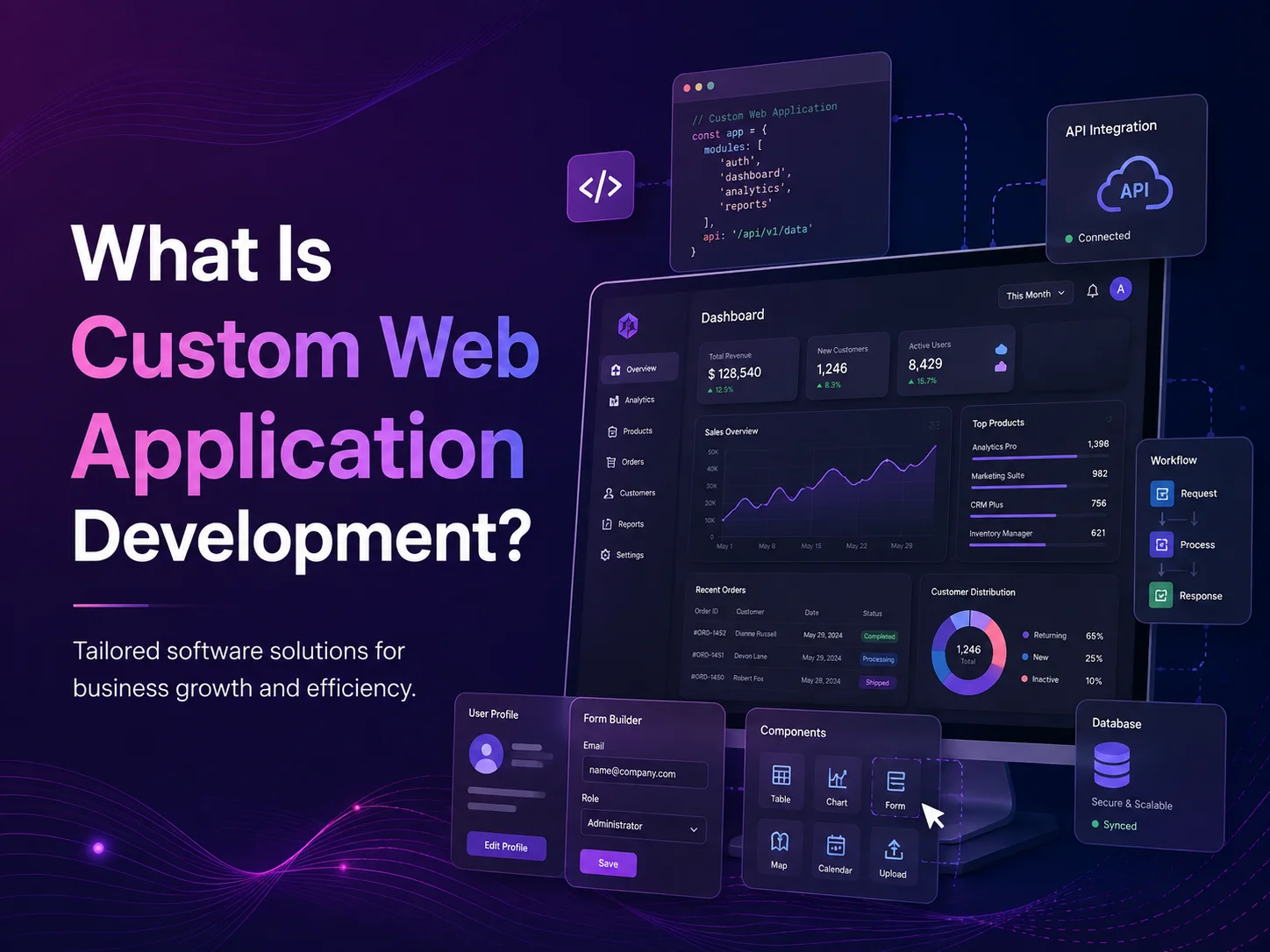
Custom web application development is the process of designing and building browser-based software around the specific requirements of a business, organization, or product. Unlike a standard website that mainly presents information, a web application allows users to log in, manage data, complete tasks, communicate, generate reports, process transactions, or perform other business activities through an interactive system.

Custom web applications can be developed for customers, employees, managers, partners, or entire organizations. Examples include SaaS platforms, customer portals, business management systems, booking applications, marketplaces, CRM systems, inventory platforms, dashboards, workflow tools, and internal administration software.

The main advantage of custom development is that the software can be designed around the way the business actually operates rather than forcing the organization to adapt every process to the limitations of an existing product.

How Is a Custom Web Application Different From a Website?

A traditional business website usually focuses on communication. Visitors browse pages, learn about services, read articles, view products or projects, and complete relatively simple actions such as submitting a contact form or requesting a quote.

A web application is more interactive. Users may have accounts, dashboards, permissions, saved information, workflows, notifications, payment functionality, reports, or other features that depend on backend business logic and a database.

For example, a recruitment website may display available jobs and company information. A recruitment web application could allow employers to create positions, candidates to submit applications, recruiters to update statuses, managers to review candidates, and administrators to generate reports.

The application is therefore not simply displaying information—it is actively managing processes and data.

Web-applications-banner-3

What Can a Custom Web Application Do?

The functionality depends entirely on the business problem being solved. A small internal application may manage a few important workflows, while a larger platform may contain dozens of interconnected modules and serve thousands of users.

Common functionality includes user accounts, role-based permissions, dashboards, customer records, employee management, task assignment, approval workflows, subscriptions, payment processing, scheduling, document management, reporting, notifications, and third-party integrations.

A custom system can also automate actions that employees previously handled manually. When a customer submits a request, for example, the application might create a record, assign it to the appropriate employee, send a confirmation message, schedule a follow-up, and update a management dashboard automatically.

  • User registration and secure authentication
  • Role-based dashboards and permissions
  • Customer and employee management
  • Task, workflow, and approval automation
  • Subscription and payment processing
  • Reporting and analytics
  • Document and file management
  • Notifications and communication
  • API and third-party software integrations
  • Multi-tenant SaaS functionality

These features do not need to be built into every application. Good custom development begins with the most important workflows and introduces additional functionality only when it creates real business value.

Why Businesses Choose Custom Development

Many businesses initially manage operations through spreadsheets, email, shared documents, and several separate software products. This can work well during the early stages of growth, but problems often appear when the amount of data, employees, customers, or transactions increases.

Employees may start entering the same information into multiple systems. Managers may spend time collecting updates manually. Reports may depend on several spreadsheets, while customers may need to contact employees simply to check the status of a request.

A custom web application can bring these processes into one connected platform. Information entered once can be used across relevant workflows, while automation can reduce repetitive administrative tasks.

Custom development is also valuable when existing software almost fits the business but requires too many workarounds. If employees continuously adapt their processes around software limitations, a purpose-built application may eventually provide a cleaner solution.

Discuss Your Custom Web Application

How Custom Web Application Development Works

The development process usually begins with requirements and workflow planning. Before selecting technologies or designing screens, the team needs to understand who will use the application, what those users need to accomplish, and how information moves through the business.

User flows and wireframes can then define how people move through the application. UI/UX design establishes the visual interface, navigation, forms, dashboards, tables, responsive behavior, and reusable components.

Frontend development creates the interface users interact with, while backend development handles application logic, authentication, permissions, databases, APIs, automation, and integrations. The exact technology stack depends on the application requirements.

Testing should cover both individual features and complete workflows. A payment system, for example, needs testing for successful payments, failures, cancellations, duplicate requests, refunds, and the way those events affect related orders or accounts.

After deployment, the application normally continues to evolve. New workflows, reports, integrations, user roles, and automation can be introduced as the business grows.

Custom Web Applications Can Integrate With Existing Systems

Building custom software does not necessarily mean replacing every tool the company already uses. In many cases, a custom application works best as a central platform connected to specialized external services.

APIs can connect the application with payment gateways, accounting platforms, CRM systems, e-commerce stores, calendars, email services, cloud storage, shipping providers, AI services, and other software.

For example, an internal order-management application could receive orders from an e-commerce store, confirm payment information, send requests to a fulfillment provider, update inventory, and display the complete process inside one administrative dashboard.

This allows the business to keep reliable third-party tools while creating custom workflows around the areas that make its operation unique.

Security and Scalability Should Be Part of the Foundation

Custom web applications often contain customer, employee, financial, operational, or other important business information. Authentication, authorization, secure sessions, protected APIs, encrypted connections, backups, and proper data access controls should therefore be considered during development.

Role-based permissions are particularly important. A customer should only access their own records, while employees and managers should receive functionality appropriate to their responsibilities. Important access rules should be enforced on the backend rather than relying only on what is visible in the interface.

Scalability also needs practical planning. A new application does not necessarily need infrastructure designed for millions of users, but its database, code structure, background jobs, APIs, and deployment approach should leave reasonable room for future growth.

Monitoring and logging can help developers identify application errors, failed integrations, slow processes, and other operational problems after launch.

When Does Custom Web Application Development Make Sense?

Custom software is not always necessary. If an established SaaS product already solves the business problem effectively, using that platform may be faster and more economical than developing a new application.

Custom development becomes more attractive when the software needs to support unique workflows, detailed permissions, specialized calculations, multiple user types, extensive automation, or deep integration with existing business systems.

It may also be appropriate when software itself is part of the company’s product. SaaS startups, marketplaces, customer platforms, specialized booking systems, and industry-specific management applications often need functionality that cannot be created cleanly with generic software alone.

Encoder IT Limited develops custom web applications and SaaS platforms using technologies such as React, Next.js, Laravel, Node.js, APIs, databases, payment systems, and modern cloud infrastructure. Our work can include UI/UX design, dashboards, workflow automation, customer portals, multi-tenant platforms, integrations, and ongoing application development.

Custom web application development is ultimately about turning a specific business process or product idea into software that people can use through the web. When the application is designed around real users, clear workflows, reliable architecture, security, and future growth, it can become much more than a digital tool—it can become a central part of how the business operates.

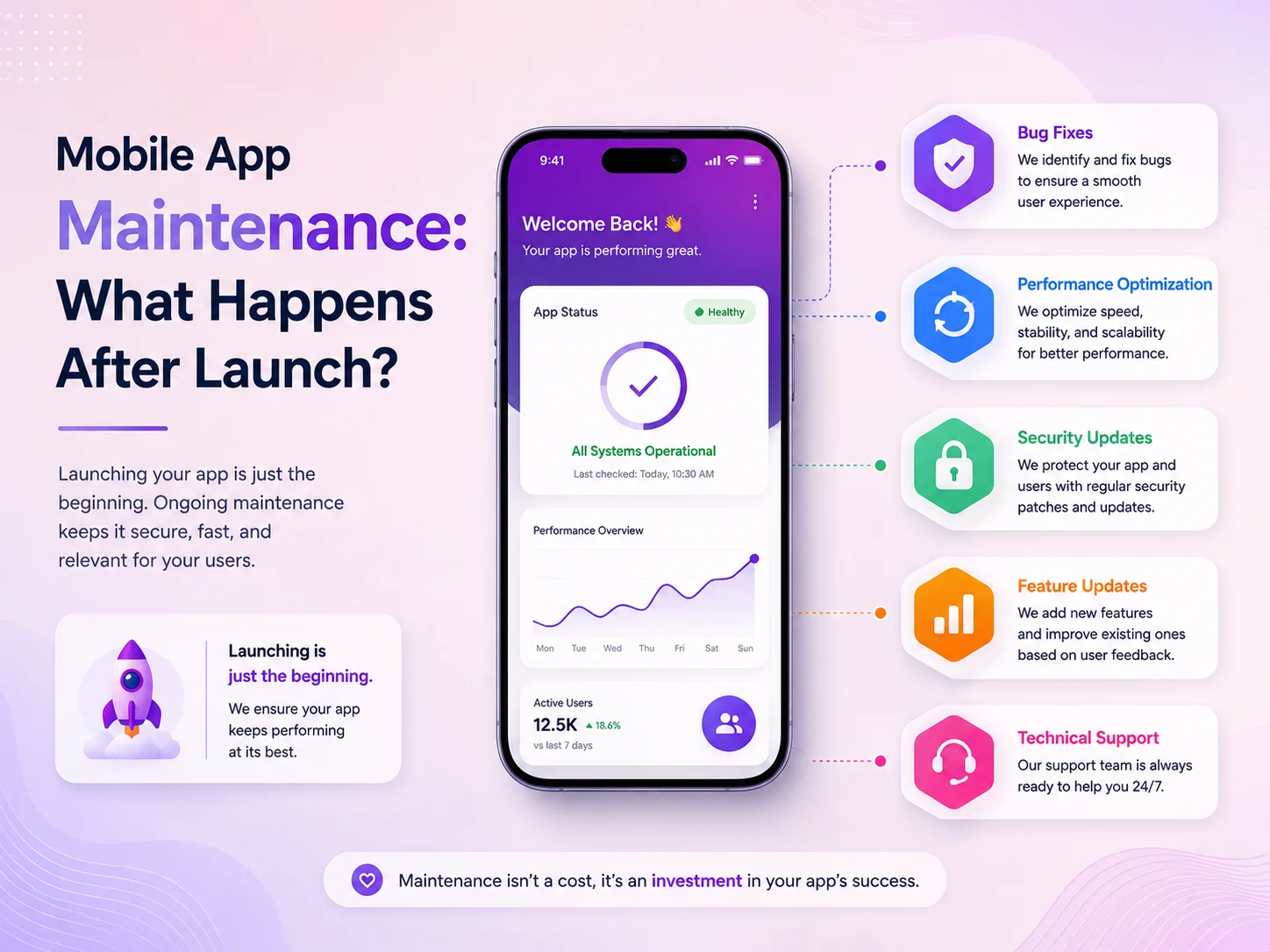
Mobile App Maintenance: What Happens After Launch?

Launching a mobile application is a major milestone, but it is not the end of the development process. Once real users begin using the app, new requirements, technical issues, operating-system updates, security concerns, and performance challenges start appearing. This is why businesses should consider mobile app maintenance as part of the complete product lifecycle rather than an optional service after launch.

An application that works perfectly during release can still develop problems later. Users may install it on newer Android or iOS versions, third-party services may change their APIs, application data may grow, or customers may discover workflows that were not fully covered during testing. Regular maintenance helps keep the app stable while allowing the product to improve as the business grows.

What Happens Immediately After an App Is Launched?

The first period after launch is usually focused on monitoring real-world usage. Development teams watch for crashes, login problems, slow API responses, failed payments, notification issues, and unexpected behavior on different devices. Even a well-tested application can behave differently when hundreds or thousands of people start using it under different network conditions and device configurations.

Customer feedback also becomes much more valuable after launch. Businesses can see which features are used most often, which screens create confusion, and where users leave important processes such as registration, checkout, booking, or subscription. Instead of making decisions only from assumptions, the team can begin improving the application based on actual behavior.

Some problems may require an immediate update, while others can be grouped into planned releases. A payment failure or authentication issue usually needs faster attention than a small visual inconsistency. A good maintenance process helps the business prioritize these problems according to their effect on customers and operations.

Mobile-app-banner-1

Maintenance Is More Than Fixing Bugs

Many businesses think mobile app maintenance only means fixing errors, but it covers much more. Android and iOS continue changing, and new versions may introduce different permission rules, background-processing behavior, notification requirements, security controls, or device compatibility issues. Applications need to be reviewed and updated so they continue working correctly as the mobile platforms evolve.

Third-party services also require attention. A mobile app may depend on payment gateways, maps, social login, analytics, cloud storage, push notifications, AI services, or other APIs. These providers can update their SDKs, authentication methods, or technical requirements. If an app continues using outdated integrations, an important feature can eventually become unreliable or stop working completely.

A mobile app should be treated as a continuously evolving digital product. Maintenance is not only about repairing something when it breaks; it is about keeping the application secure, compatible, fast, and useful while adapting it to changing technology, customer expectations, and business requirements.

Security is another important part of long-term maintenance. Dependencies and third-party libraries may receive security updates, backend authentication may need improvement, and new risks can appear as the application grows. Regular reviews help ensure sensitive information, account permissions, APIs, and business workflows continue to be protected.

Performance and User Experience Need Continuous Attention

Application performance can change as the number of users and the amount of stored data increase. An API that was fast during the first few months may become slower as the database grows. Larger images, additional features, background services, and poorly optimized requests can gradually make the application feel less responsive.

Maintenance can involve optimizing database queries, reducing unnecessary API calls, improving image handling, managing caching, updating backend infrastructure, and reviewing application code. These improvements are especially important for e-commerce apps, SaaS products, marketplaces, booking systems, and business applications where users expect fast and reliable access.

User experience also needs to evolve. Analytics and support requests may show that users struggle with a particular form, navigation flow, or feature. Rather than completely redesigning the application, businesses can make smaller targeted improvements that reduce friction. Simplifying a checkout process, improving search, reorganizing navigation, or shortening a registration flow can sometimes create more value than adding a large new feature.

Regular maintenance also gives businesses an opportunity to remove features or technical components that are no longer useful. Keeping the application focused can improve both performance and maintainability.

New Features and Business Requirements After Launch

As a business grows, the original version of the app may no longer cover every requirement. Customers may ask for additional payment methods, subscriptions, loyalty programs, messaging, advanced search, location services, reporting, or AI-powered functionality. Internal teams may need new dashboards, approval workflows, or integrations with CRM and accounting systems.

New features should be added carefully because every change can affect existing functionality. A new payment option may require changes to the backend, database, checkout flow, notifications, and reporting. A new user role may affect permissions across several areas of the application. Maintenance therefore includes both technical development and planning how new functionality fits into the existing product.

  • Bug fixes and crash resolution
  • Android and iOS compatibility updates
  • Security and dependency updates
  • API and third-party integration maintenance
  • Performance and database optimization
  • UI/UX improvements based on real user behavior
  • New features and business workflow updates
  • Backend, notification, and infrastructure maintenance

The amount of maintenance required depends on the type of application. A relatively simple app with limited functionality may need fewer updates, while a business-critical application with payments, thousands of users, third-party integrations, and complex workflows usually requires more regular monitoring and development.

Why Maintenance Should Be Planned Before Launch

The easiest applications to maintain are usually the ones designed with long-term support in mind. Clean architecture, reusable components, documented APIs, organized database structures, automated testing, staging environments, and proper error logging can make future updates significantly easier.

Businesses should also decide who will be responsible for monitoring the app after release. There should be a clear process for reporting bugs, prioritizing issues, deploying updates, reviewing security concerns, and planning new features. Waiting until a serious problem appears can turn a manageable maintenance task into a more expensive emergency.

Budgeting for maintenance is equally important. Mobile applications are active software products, so businesses should expect ongoing costs for technical support, infrastructure, platform compatibility, security updates, and future improvements. The exact amount will depend on the complexity and importance of the application.

Keeping Your Mobile App Reliable With Encoder IT Limited

Encoder IT Limited provides ongoing mobile app development and maintenance services for businesses, startups, and SaaS platforms. We can support existing applications or continue maintaining products developed by our own team.

Our mobile app maintenance services can include Flutter and React Native updates, native Android and iOS support, bug fixing, performance optimization, backend and API maintenance, security improvements, third-party integration updates, feature development, and application modernization.

We focus on maintaining the complete application ecosystem rather than only the visible mobile interface. This can include mobile apps, backend APIs, databases, administrative systems, integrations, and the workflows connecting them together.

Request a Quote

A mobile app should continue improving after it reaches users. Regular monitoring, security updates, performance improvements, and carefully planned feature development help businesses protect their investment and keep the application useful over the long term.

Planning maintenance from the beginning creates a stronger foundation for future growth and helps prevent small technical issues from becoming larger problems later.

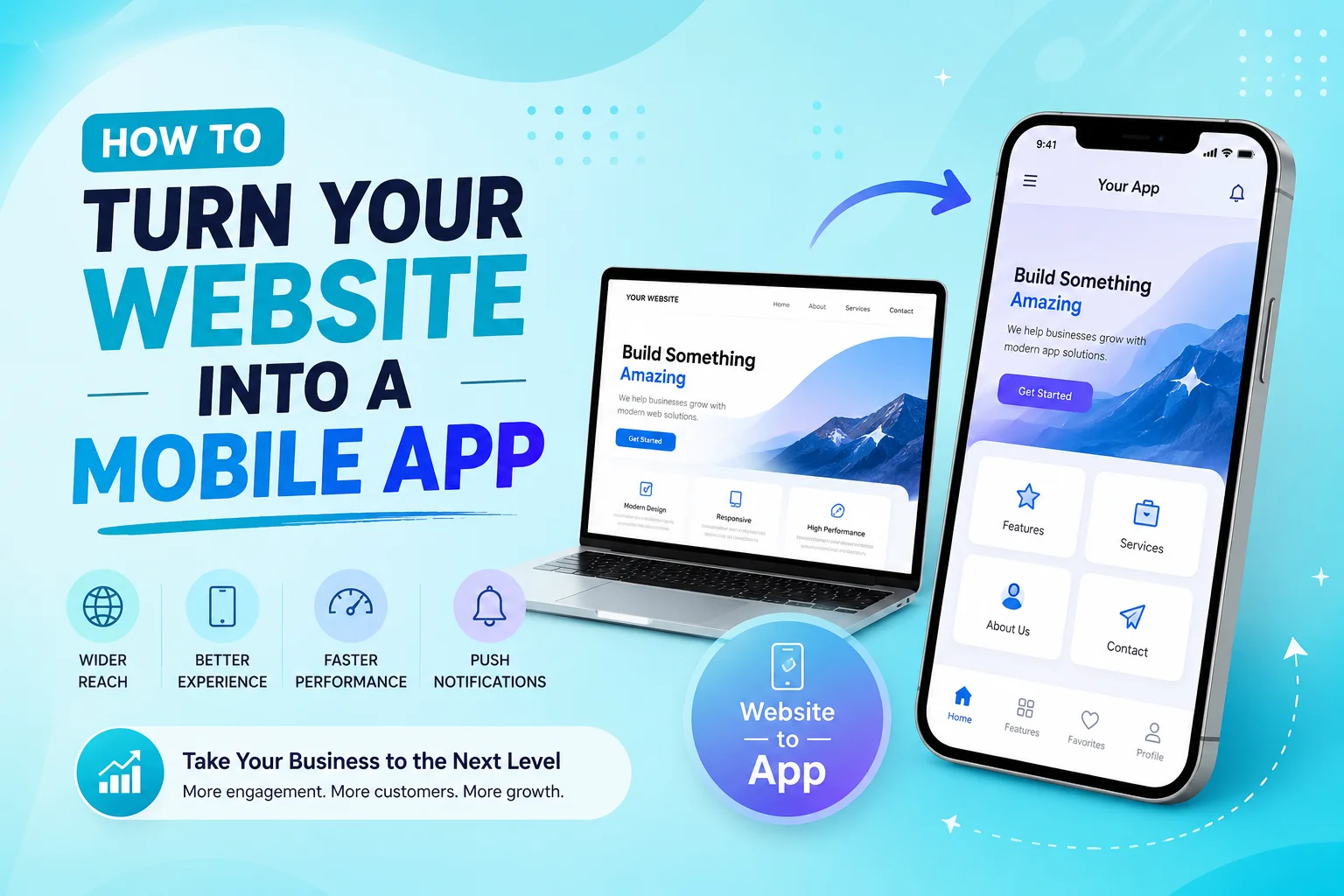
How to Turn Your Website into a Mobile App

Turning an existing website into a mobile app can be a smart way to improve customer access, increase engagement, and create a more convenient experience for mobile users. Instead of asking customers to open a browser every time they want to use your service, a mobile application gives them direct access from their home screen and can introduce features that are difficult to provide through a traditional website.

However, turning a website into a mobile app should involve more than placing the existing website inside an application. The best results usually come from reusing the website’s existing backend and business logic while redesigning important user journeys specifically for Android and iOS devices.

Start by Reviewing Your Existing Website

The first step is understanding what already exists. A responsive website with a well-organized backend, customer accounts, database, and APIs provides a stronger foundation for mobile app development. Features such as registration, login, products, bookings, subscriptions, payments, dashboards, or customer profiles may already have business logic that can be reused instead of rebuilt.

The development team should also identify which parts of the website work well on mobile and which parts need improvement. A desktop navigation menu, large pricing table, complicated form, or dashboard with many columns may work well in a browser but become difficult to use on a smartphone.

This review helps determine whether the project requires a simple web-based application, a cross-platform app, or a more customized native mobile experience.

Choose the Right Way to Convert Your Website

There is no single method that works for every business. A simple website with mostly informational content may be suitable for a lightweight WebView-based application. This approach can be faster to develop, but the mobile experience often remains very close to the website and provides limited access to advanced device functionality.

Businesses that need a stronger mobile experience can use technologies such as Flutter or React Native. These frameworks allow developers to create Android and iOS applications while sharing a significant portion of the codebase. The app can still connect to the same backend used by the website while providing mobile-specific navigation, layouts, notifications, and device integrations.

Native Android and iOS development may be appropriate when the application requires deeper platform integration, specialized performance, or extensive use of device-specific capabilities. The best choice depends on the existing website, required features, budget, timeline, and long-term product plans.

Reuse Your Backend but Redesign the Mobile Experience

One of the biggest advantages of an existing website is that businesses may not need to rebuild the entire platform. The mobile app can often connect to the same backend through APIs and share customer accounts, products, services, bookings, orders, subscriptions, and other data with the website.

This creates a connected experience. A customer might create an account on the website, later log in through the mobile app, and continue using the same profile and information. Orders placed through the app can appear in the same administrative system used by the website, reducing unnecessary duplication.

Converting a website into a successful mobile app is not simply about making the website fit inside a smaller screen. The goal is to preserve the useful backend, data, and business processes you already have while redesigning the customer experience around how people actually use smartphones.

The interface itself should be redesigned around mobile behavior. Important actions should be easy to reach with a thumb, navigation should remain simple, forms should avoid unnecessary fields, and content should be prioritized for smaller screens. Long website pages may need to become several focused app screens so users can complete tasks more comfortably.

This is also a good opportunity to improve workflows that may have become complicated on the existing website. Registration, checkout, appointment booking, account management, and customer support can often be simplified when they are redesigned specifically for mobile users.

Add Features That Make the Mobile App Worth Using

If the application provides exactly the same experience as the website, customers may have little reason to install it. Mobile apps become more valuable when they take advantage of smartphone capabilities and make frequent activities faster.

Push notifications can inform users about new messages, order updates, appointments, promotions, or important account activity. Camera access can support document uploads, profile photos, barcode scanning, or image-based workflows. GPS can help with delivery tracking, nearby services, field operations, or location-based functionality.

  • Push notifications
  • Camera and photo uploads
  • GPS and location services
  • Biometric login
  • Mobile payments
  • File and document uploads
  • Deep links and mobile sharing
  • Offline or limited-connectivity features where needed

These features should be added because they solve a real customer or business problem rather than simply because the device supports them. A focused application with a few valuable mobile capabilities often provides a better experience than an app overloaded with unnecessary features.

Test the Complete Website and App Ecosystem

Testing becomes especially important when the website and mobile app share the same backend. A change made through one platform should appear correctly on the other. Customer accounts, orders, bookings, subscriptions, inventory, notifications, and payment information need to remain synchronized.

The mobile app should also be tested on different Android and iOS devices, screen sizes, operating-system versions, and network conditions. Developers should verify authentication, forms, API requests, payments, notifications, error messages, and the most important customer journeys.

Performance also matters. A mobile app should feel responsive even when it depends heavily on online APIs. Slow requests, oversized images, unnecessary data loading, and poorly optimized screens can make an otherwise useful application frustrating to use.

Plan for App Store Launch and Long-Term Maintenance

Once development and testing are complete, the application needs to be prepared for distribution through Google Play and the Apple App Store. This typically involves app icons, screenshots, descriptions, privacy information, release configuration, and testing the production build before submission.

Launching the app is not the final step. Android and iOS continue evolving, third-party SDKs change, APIs require updates, and customer feedback creates new improvement opportunities. Businesses should plan for bug fixes, security maintenance, performance optimization, and future feature development from the beginning.

A well-maintained mobile app can gradually become an important customer channel rather than simply an additional version of the website.

Turn Your Existing Website Into a Mobile App With Encoder IT Limited

Encoder IT Limited helps businesses transform existing websites, customer portals, e-commerce platforms, and web applications into modern Android and iOS applications. We can work with an existing backend or help improve the API architecture when necessary.

Our mobile development services include Flutter and React Native development, native Android and iOS development, mobile UI/UX design, API integration, authentication, payments, push notifications, third-party integrations, and ongoing maintenance.

We focus on preserving the useful parts of your existing system while creating a mobile experience that feels natural, fast, and valuable to users.

Request a Quote

Turning a website into a mobile app can be significantly more efficient than rebuilding an entire digital platform from the beginning. The right approach is to reuse your existing data and business logic where possible, redesign important workflows for mobile users, and introduce device-specific features that create a genuine reason to install the application.

With proper planning, a mobile app can work alongside your website as part of the same connected platform while giving customers a faster and more convenient way to interact with your business.

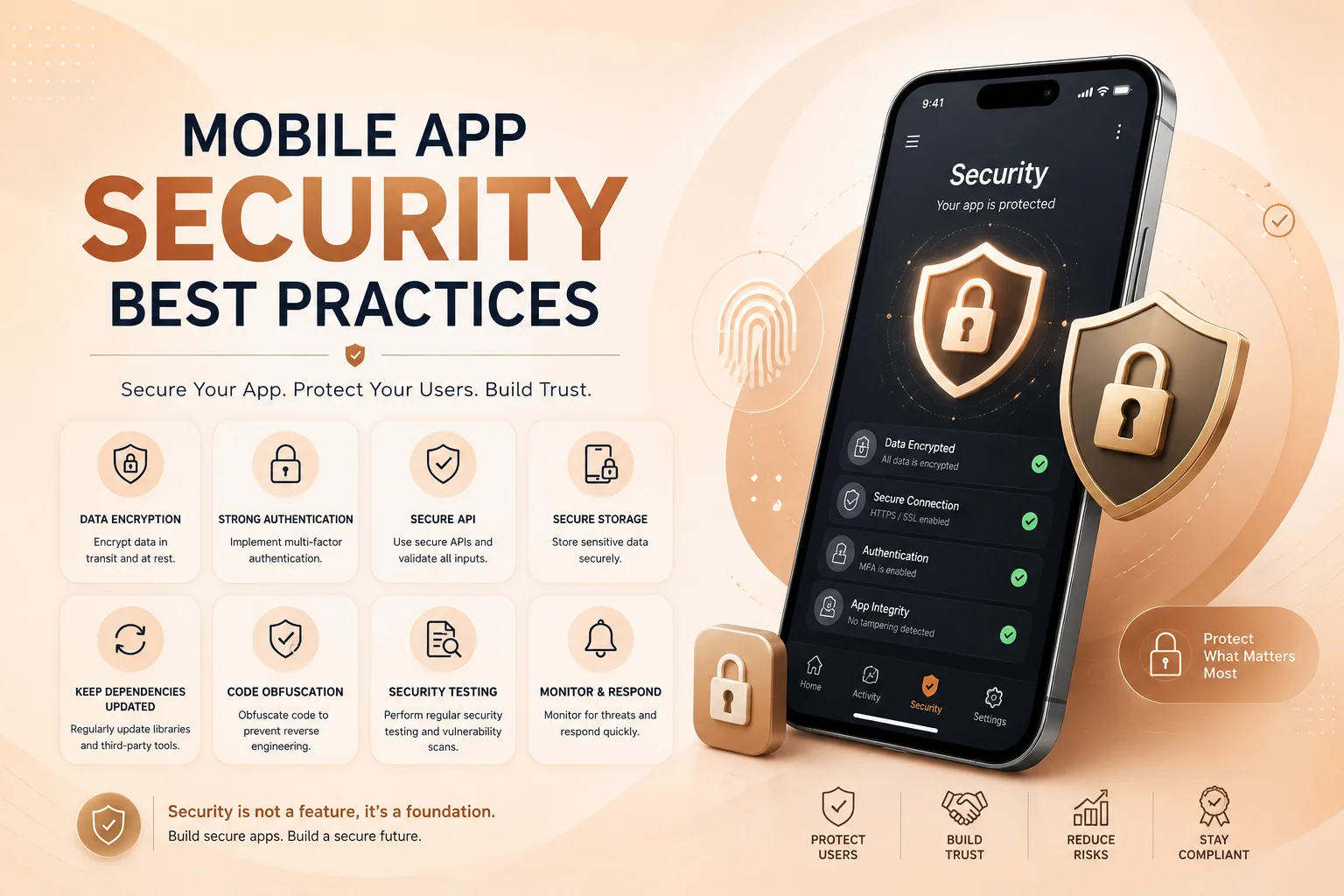
Mobile App Security Best Practices

Mobile applications often handle sensitive information such as user accounts, personal details, payments, business data, documents, location information, and authentication credentials. That makes security an important part of mobile app development from the beginning, not something that should be added only before launch.

A secure mobile app needs protection across the complete system. The mobile interface, backend APIs, database, authentication process, third-party integrations, local device storage, and network communication all work together. A weakness in any one of these areas can affect the security of the entire application.

Protect Authentication and User Access

Strong authentication is one of the first layers of mobile app security. Applications that contain private customer or business information should use reliable login systems, secure password recovery, session management, and additional verification where the risk justifies it. Modern platforms also support stronger authentication approaches such as passkeys and device-based authentication.

Authentication, however, only confirms who the user is. The application must also determine what that user is allowed to do. A normal customer should not be able to access administrator records simply by changing an API request, and one customer should never be able to retrieve another customer’s information by modifying an identifier. OWASP’s mobile security standard treats authentication and authorization as core security areas for exactly this reason.

Important authorization decisions should therefore be enforced by the backend rather than relying on buttons, screens, or restrictions inside the mobile application itself.

Secure APIs, Data, and Network Communication

Most mobile applications communicate with a backend through APIs. Login requests, customer profiles, orders, bookings, subscriptions, payments, and business records may all travel between the app and the server. These connections should use secure encrypted communication, and sensitive requests should be authenticated and validated before information is returned.

Android’s current security guidance recommends secure network communication and careful handling of sensitive data. On Apple platforms, App Transport Security is designed to enforce secure network connections using modern transport-security requirements.

Local storage also deserves attention. Passwords, private API credentials, authentication tokens, or other sensitive information should not simply be written into ordinary files or unprotected preferences. Mobile platforms provide protected storage mechanisms for information that genuinely needs to remain on the device; Apple, for example, provides Keychain services for securely storing small pieces of sensitive data.

Mobile app security is strongest when protection exists across every layer of the product. Secure login alone is not enough—the application also needs protected APIs, controlled permissions, safe data storage, reliable backend authorization, maintained dependencies, and continuous security reviews after launch.

Request Only the Permissions the App Actually Needs

Mobile applications can request access to powerful device features such as the camera, microphone, contacts, files, notifications, Bluetooth, and location services. Every additional permission increases the amount of information or functionality available to the application, so permissions should have a clear purpose.

If location is only required when a customer searches for nearby stores, the app should not collect location continuously without a genuine business reason. If camera access is needed only to upload a document, the request should appear when the user starts that action instead of unnecessarily asking for access during registration.

Android’s permission guidance emphasizes user control, transparency, and data minimization—using only the data required for the specific task the user is performing. This principle also improves customer trust because users can more easily understand why an application needs access to their device.

Never Put Sensitive Business Logic Only Inside the App

A mobile application runs on a device that the business does not control. Application packages can be inspected, traffic can be analyzed, and attackers can attempt to communicate directly with backend APIs. For that reason, important business decisions should not depend entirely on values sent from the app.

Prices, discounts, subscription status, payment confirmation, user roles, account ownership, administrative permissions, and other sensitive rules should be verified on the server. Hiding an administrator button or disabling a field in the interface does not prevent someone from manually sending a modified request.

The same principle applies to API keys and credentials. Secrets that provide privileged access to payment providers, databases, AI services, or internal systems should generally remain on a secure backend rather than being embedded directly in a downloadable mobile application.

Keep Libraries, Integrations, and the App Updated

Modern mobile apps usually depend on third-party libraries and SDKs for payments, analytics, notifications, authentication, maps, social login, cloud services, and many other functions. These dependencies make development faster, but they also need maintenance.

Development teams should regularly review dependencies, remove packages that are no longer needed, apply relevant security updates, and test new versions before releasing them. Backend systems and APIs require the same attention because mobile security does not stop at the application interface.

Security testing should also be part of the release process. Authentication, permissions, sensitive storage, API authorization, network communication, payment workflows, and important business actions should be checked before major releases. OWASP’s MASVS and Mobile Application Security Testing Guide provide established frameworks for evaluating these areas.

Build Security Into the Development Process

The easiest time to address many security problems is while the application architecture is still being designed. Planning authentication, API permissions, data access, storage, user roles, logging, and third-party integrations early can prevent expensive changes later.

Developers should also avoid exposing sensitive information through debugging logs or overly detailed error messages. Production logs can still provide useful information for diagnosing failures, but passwords, access tokens, payment details, and unnecessary personal information should not be written into them.

Security also continues after launch. Operating systems change, dependencies receive updates, new vulnerabilities are discovered, and business functionality evolves. Applications that process payments, private customer information, healthcare data, or important business operations may require particularly careful monitoring and maintenance.

Secure Mobile App Development With Encoder IT Limited

Encoder IT Limited develops Android and iOS applications with security considered across the mobile interface, backend APIs, authentication, permissions, integrations, and business workflows.

Our mobile development services include Flutter and React Native applications, native Android and iOS development, secure backend and API development, authentication systems, role-based permissions, payment integrations, third-party services, application modernization, and ongoing maintenance.

We focus on building mobile applications that are not only functional and user-friendly but also structured for reliable long-term operation and secure access to business and customer information.

Request a Quote

Mobile app security cannot be handled by one feature or one development task. It comes from combining secure authentication, backend authorization, encrypted communication, protected data, minimal permissions, maintained dependencies, careful testing, and ongoing updates.

When these practices are considered throughout the application’s lifecycle, businesses can reduce security risks while creating a more dependable mobile experience for their users.

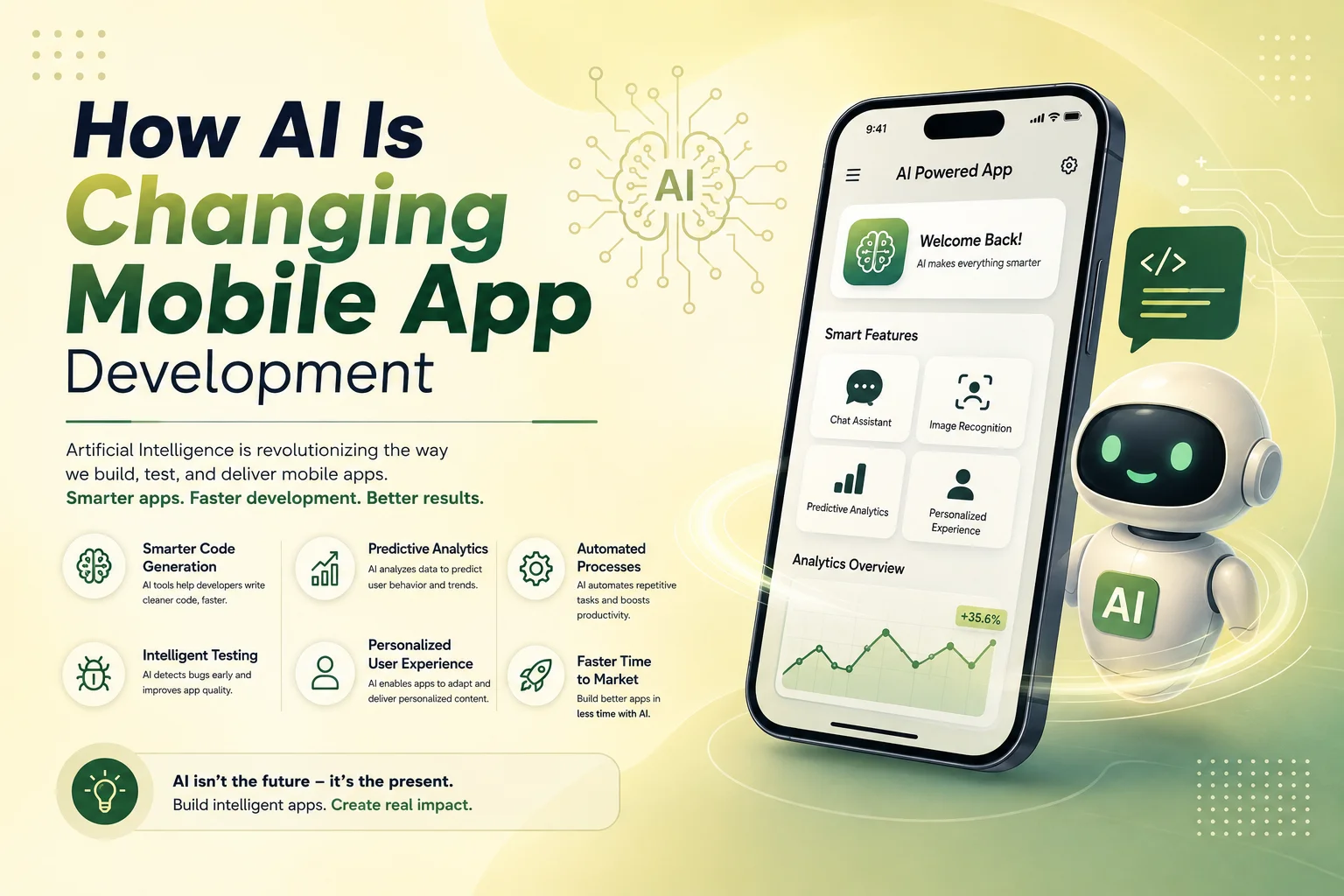
How AI Is Changing Mobile App Development

Artificial intelligence is changing mobile app development in two important ways. First, development teams are using AI tools to speed up parts of design, coding, testing, and debugging. Second, businesses are adding AI-powered features directly into mobile applications to create smarter and more personalized user experiences.

For businesses planning a new app, this does not mean every feature needs AI. The real opportunity is identifying where artificial intelligence can solve a practical problem, reduce manual work, improve customer interaction, or make an existing mobile workflow easier to use.

Mobile Apps Are Becoming More Intelligent

Traditional mobile applications mainly follow predefined rules. A user taps a button, the application performs an action, and the backend returns a predictable result. AI allows applications to handle information that is less structured, such as natural-language questions, images, documents, voice input, or user behavior.

This makes it possible to build features that feel more flexible. A customer can ask a question in normal language instead of navigating through several menus. An employee can upload a document and allow the app to extract useful information. An e-commerce application can recommend products based on activity rather than showing the same options to every customer.

Some of the most common AI features being added to mobile applications include conversational assistants, intelligent search, recommendation systems, document analysis, image recognition, transcription, translation, and automated content generation.

AI Is Changing the Way Users Interact With Apps

One of the biggest changes is moving from traditional menus and forms toward more conversational experiences. Instead of searching manually through an app, users may be able to describe what they need and receive relevant results directly.

For example, a travel app could allow a user to describe the type of trip they want rather than selecting multiple filters. A customer-service app could understand a support question and find an answer from company documentation. A business-management app could allow employees to search internal records using natural language instead of navigating through complicated dashboards.

AI can also make mobile experiences more personalized. Recommendations, notifications, content, and product suggestions can be adjusted based on user activity when appropriate. The goal should be to make the experience more useful without making it intrusive or unnecessarily complicated.

AI Can Reduce Manual Work Inside Business Apps

AI is particularly useful in mobile applications that support business operations. Employees often spend time reading documents, entering information, categorizing requests, preparing summaries, or searching through records. Some of these tasks can be assisted by AI directly from a mobile device.

A field employee might photograph a document and have important information extracted automatically. A sales representative could receive a summary of previous customer conversations before a meeting. A support employee could use AI to summarize a long ticket or prepare a suggested response.

  • Document and data extraction
  • Customer support assistance
  • Automatic request categorization
  • Voice-to-text and transcription
  • Smart search across business information
  • Summaries and recommended next actions

In these cases, AI usually works best alongside traditional software automation. AI can interpret the information, while normal application logic handles permissions, approvals, notifications, database updates, and other actions that need predictable rules.

AI Is Also Changing the Development Process

Artificial intelligence is not only changing the finished mobile app. It is also becoming part of the development workflow. Developers can use AI-assisted tools for code suggestions, debugging, test preparation, documentation, and repetitive programming tasks.

Design teams may also use AI during research, content preparation, early interface exploration, or prototyping. This can reduce time spent on some repetitive tasks and allow teams to focus more attention on application architecture, user experience, performance, and business requirements.

However, AI-generated code or design decisions still need professional review. Mobile applications must work across different devices, communicate securely with backend systems, handle user permissions correctly, and remain maintainable after launch. AI can assist the development team, but it does not remove the need for experienced developers and proper testing.

Adding AI Does Not Mean Rebuilding the Entire App

Businesses with an existing mobile application often assume they need to rebuild the product to introduce AI. In many cases, AI features can be added gradually through backend APIs and integrated into specific workflows.

An existing customer-support section could receive an AI assistant. Search could be improved without replacing the rest of the application. A document upload workflow could gain automatic data extraction while the existing database and user-management system remain unchanged.

This approach allows businesses to start with one useful AI feature, measure its value, and expand later instead of making the application unnecessarily complex from the beginning.

Request a Quote

Where AI Fits Into a Successful Mobile App

AI should support the application rather than become the entire product without a clear reason. Authentication, payments, data management, permissions, API security, navigation, performance, and reliable business logic still need to be handled using established mobile development practices.

Businesses should also consider privacy and accuracy when AI processes customer messages, documents, images, or other sensitive information. High-impact actions should not rely entirely on an AI-generated answer without appropriate validation or human review.

Encoder IT Limited helps businesses develop mobile applications and integrate practical AI functionality into existing or new digital products. Our work can include Flutter and React Native development, native Android and iOS applications, AI assistants, intelligent search, AI API integration, backend development, and business workflow automation.

AI is changing mobile app development by making applications more conversational, personalized, and capable of handling information that traditional rule-based software struggles with. The businesses that benefit most will likely be those that use AI selectively—adding it where it creates a clear improvement for users or reduces meaningful operational work.

Common Mobile App Development Mistakes to Avoid

Mobile app development can become expensive and difficult when important decisions are made too quickly. Many problems that appear after launch actually begin much earlier—during planning, design, technology selection, backend development, or testing.

A successful mobile app does not need every possible feature. It needs a clear purpose, reliable functionality, a smooth user experience, and a technical foundation that can support future growth. Avoiding a few common mistakes can save development time and reduce the cost of rebuilding major parts of the application later.

Starting Development Without a Clear Product Plan

One of the most common mistakes is beginning development before the core requirements are properly defined. If the business has not decided who the users are, what problem the app solves, which features are essential, and how important workflows should work, the project can quickly become difficult to manage.

Requirements do not need to describe every small detail before development starts, but the main user journeys should be clear. Registration, login, payments, subscriptions, bookings, dashboards, notifications, user roles, or other important features should be discussed before developers begin building them.

Without this planning, teams often change direction during development. Screens get redesigned repeatedly, backend structures need to be modified, and features that were already completed may need to be rebuilt.

Trying to Build Too Much in the First Version

Adding too many features is another common problem. Businesses sometimes try to include every future idea in the first release because they believe a larger feature list will make the application more competitive. In reality, this can make the app harder to use, increase the development budget, and delay the launch.

A better approach is to identify the features that solve the main customer problem and build those well. Features that are useful but not essential can be introduced later after the business has real feedback from users.

This is especially important for startups and new digital products. The first version should help validate whether customers actually want the product before a large amount of time is invested in secondary functionality.

Ignoring the Mobile User Experience

A mobile app should not feel like a desktop website compressed into a smaller screen. Users interact with smartphones differently, so navigation, buttons, forms, spacing, content, and common actions should be designed specifically for touch screens.

Long forms, complicated menus, small buttons, excessive text, and too many steps can make simple tasks frustrating. Important actions should be easy to find, and users should understand what happens after they tap a button or submit information.

Another mistake is focusing too much on visual design while ignoring the workflow itself. An attractive interface cannot compensate for a confusing registration process, difficult checkout, or poorly organized dashboard. Good UI and good UX need to work together.

Choosing Technology Without Considering Long-Term Needs

Flutter, React Native, native Android, and native iOS development can all be appropriate choices. The mistake is selecting a technology only because it is currently popular or because it appears cheaper at the beginning.

The decision should consider performance requirements, device features, third-party integrations, development team experience, expected user volume, maintenance, and how often the product will need new features.

For many business applications, cross-platform technologies such as Flutter or React Native can provide an efficient way to support Android and iOS. Other applications may need native development because of specialized hardware, platform-specific features, or performance requirements.

Forgetting That the Backend Is Part of the Mobile App

Many mobile applications depend heavily on backend systems. User accounts, permissions, payments, orders, bookings, subscriptions, notifications, reports, and other business data usually come from APIs and databases.

If the backend is poorly planned, the mobile app may eventually become slow or difficult to maintain even when the interface itself is well designed. APIs should have clear structures, authentication should be secure, and permissions should be checked on the server rather than relying only on what the mobile interface displays.

It is also important to think about future integrations. A business may later need to connect the app with a CRM, payment gateway, accounting platform, AI service, or internal business system. A clean API architecture can make these changes much easier.

  • Define the main user journeys before development
  • Prioritize essential features for the first release
  • Design specifically for mobile users
  • Choose technology based on the project, not trends
  • Plan the backend, APIs, and permissions carefully
  • Test important workflows on real devices

Testing Too Late or Only on One Device

An app can work perfectly on a developer’s device and still fail for customers. Android and iOS devices have different screen sizes, operating-system versions, hardware capabilities, and network conditions.

Testing should happen throughout development rather than only before launch. Teams should test registration, login, forms, notifications, payments, file uploads, API errors, and other important workflows. Slow internet connections and failed requests should also be considered because real users do not always have perfect connectivity.

Real-device testing is particularly valuable for features that depend on the camera, GPS, notifications, biometrics, Bluetooth, or other hardware capabilities.

Ignoring Security, Performance, and Maintenance

Some development teams focus almost entirely on getting the first version published. This can result in security and performance problems appearing later. Sensitive credentials should not be exposed inside the application, backend APIs should verify permissions, and customer information should be handled carefully.

Performance also needs attention. Large images, unnecessary API requests, inefficient database operations, and heavy background processes can make an app feel slow. These problems become more noticeable as the number of users and the amount of data increase.

Maintenance should be considered before launch as well. Android and iOS change over time, third-party SDKs receive updates, bugs are discovered, and businesses need new features. An app built with maintainable code and a clear architecture is easier to improve after release.

Request a Quote

Build Around Real Users, Not Assumptions

Once the app is launched, analytics, reviews, customer support requests, and direct feedback can show how people actually use it. Businesses may discover that customers struggle with a particular screen, ignore a feature that seemed important, or frequently request something that was not included in the first version.

This information should guide future development. Instead of continuously adding features based on assumptions, businesses can focus on the improvements that make existing workflows easier and provide more value to users.

Encoder IT Limited provides mobile app design and development services for startups and businesses, including Flutter, React Native, native Android and iOS development, backend APIs, integrations, testing, modernization, and ongoing maintenance.

The best way to avoid mobile app development mistakes is to make thoughtful decisions early and continue improving the product after launch. Clear requirements, focused features, strong mobile UX, reliable backend architecture, testing, security, and realistic maintenance planning can make the difference between an app that becomes difficult to manage and one that can grow with the business.