Turning an existing website into a mobile app can be a smart way to improve customer access, increase engagement, and create a more convenient experience for mobile users. Instead of asking customers to open a browser every time they want to use your service, a mobile application gives them direct access from their home screen and can introduce features that are difficult to provide through a traditional website.
However, turning a website into a mobile app should involve more than placing the existing website inside an application. The best results usually come from reusing the website’s existing backend and business logic while redesigning important user journeys specifically for Android and iOS devices.
Start by Reviewing Your Existing Website
The first step is understanding what already exists. A responsive website with a well-organized backend, customer accounts, database, and APIs provides a stronger foundation for mobile app development. Features such as registration, login, products, bookings, subscriptions, payments, dashboards, or customer profiles may already have business logic that can be reused instead of rebuilt.
The development team should also identify which parts of the website work well on mobile and which parts need improvement. A desktop navigation menu, large pricing table, complicated form, or dashboard with many columns may work well in a browser but become difficult to use on a smartphone.
This review helps determine whether the project requires a simple web-based application, a cross-platform app, or a more customized native mobile experience.
Choose the Right Way to Convert Your Website
There is no single method that works for every business. A simple website with mostly informational content may be suitable for a lightweight WebView-based application. This approach can be faster to develop, but the mobile experience often remains very close to the website and provides limited access to advanced device functionality.
Businesses that need a stronger mobile experience can use technologies such as Flutter or React Native. These frameworks allow developers to create Android and iOS applications while sharing a significant portion of the codebase. The app can still connect to the same backend used by the website while providing mobile-specific navigation, layouts, notifications, and device integrations.
Native Android and iOS development may be appropriate when the application requires deeper platform integration, specialized performance, or extensive use of device-specific capabilities. The best choice depends on the existing website, required features, budget, timeline, and long-term product plans.
Reuse Your Backend but Redesign the Mobile Experience
One of the biggest advantages of an existing website is that businesses may not need to rebuild the entire platform. The mobile app can often connect to the same backend through APIs and share customer accounts, products, services, bookings, orders, subscriptions, and other data with the website.
This creates a connected experience. A customer might create an account on the website, later log in through the mobile app, and continue using the same profile and information. Orders placed through the app can appear in the same administrative system used by the website, reducing unnecessary duplication.
Converting a website into a successful mobile app is not simply about making the website fit inside a smaller screen. The goal is to preserve the useful backend, data, and business processes you already have while redesigning the customer experience around how people actually use smartphones.
The interface itself should be redesigned around mobile behavior. Important actions should be easy to reach with a thumb, navigation should remain simple, forms should avoid unnecessary fields, and content should be prioritized for smaller screens. Long website pages may need to become several focused app screens so users can complete tasks more comfortably.
This is also a good opportunity to improve workflows that may have become complicated on the existing website. Registration, checkout, appointment booking, account management, and customer support can often be simplified when they are redesigned specifically for mobile users.
Add Features That Make the Mobile App Worth Using
If the application provides exactly the same experience as the website, customers may have little reason to install it. Mobile apps become more valuable when they take advantage of smartphone capabilities and make frequent activities faster.
Push notifications can inform users about new messages, order updates, appointments, promotions, or important account activity. Camera access can support document uploads, profile photos, barcode scanning, or image-based workflows. GPS can help with delivery tracking, nearby services, field operations, or location-based functionality.
- Push notifications
- Camera and photo uploads
- GPS and location services
- Biometric login
- Mobile payments
- File and document uploads
- Deep links and mobile sharing
- Offline or limited-connectivity features where needed
These features should be added because they solve a real customer or business problem rather than simply because the device supports them. A focused application with a few valuable mobile capabilities often provides a better experience than an app overloaded with unnecessary features.
Test the Complete Website and App Ecosystem
Testing becomes especially important when the website and mobile app share the same backend. A change made through one platform should appear correctly on the other. Customer accounts, orders, bookings, subscriptions, inventory, notifications, and payment information need to remain synchronized.
The mobile app should also be tested on different Android and iOS devices, screen sizes, operating-system versions, and network conditions. Developers should verify authentication, forms, API requests, payments, notifications, error messages, and the most important customer journeys.
Performance also matters. A mobile app should feel responsive even when it depends heavily on online APIs. Slow requests, oversized images, unnecessary data loading, and poorly optimized screens can make an otherwise useful application frustrating to use.
Plan for App Store Launch and Long-Term Maintenance
Once development and testing are complete, the application needs to be prepared for distribution through Google Play and the Apple App Store. This typically involves app icons, screenshots, descriptions, privacy information, release configuration, and testing the production build before submission.
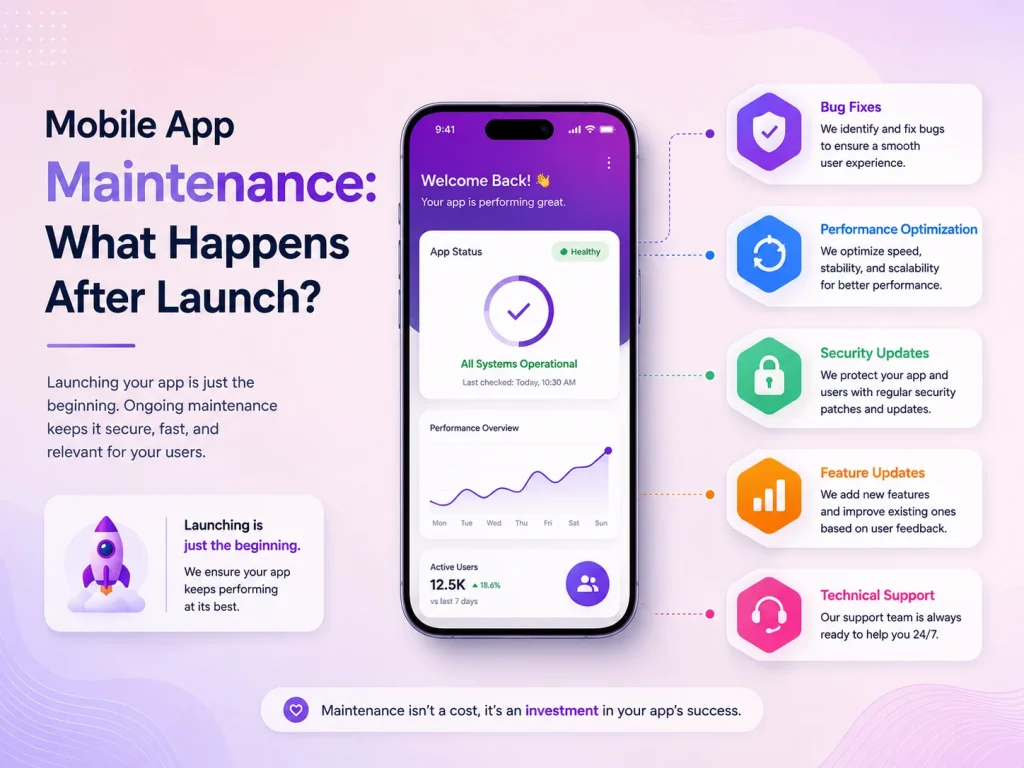
Launching the app is not the final step. Android and iOS continue evolving, third-party SDKs change, APIs require updates, and customer feedback creates new improvement opportunities. Businesses should plan for bug fixes, security maintenance, performance optimization, and future feature development from the beginning.
A well-maintained mobile app can gradually become an important customer channel rather than simply an additional version of the website.
Turn Your Existing Website Into a Mobile App With Encoder IT Limited
Encoder IT Limited helps businesses transform existing websites, customer portals, e-commerce platforms, and web applications into modern Android and iOS applications. We can work with an existing backend or help improve the API architecture when necessary.
Our mobile development services include Flutter and React Native development, native Android and iOS development, mobile UI/UX design, API integration, authentication, payments, push notifications, third-party integrations, and ongoing maintenance.
We focus on preserving the useful parts of your existing system while creating a mobile experience that feels natural, fast, and valuable to users.
Request a Quote
Turning a website into a mobile app can be significantly more efficient than rebuilding an entire digital platform from the beginning. The right approach is to reuse your existing data and business logic where possible, redesign important workflows for mobile users, and introduce device-specific features that create a genuine reason to install the application.
With proper planning, a mobile app can work alongside your website as part of the same connected platform while giving customers a faster and more convenient way to interact with your business.