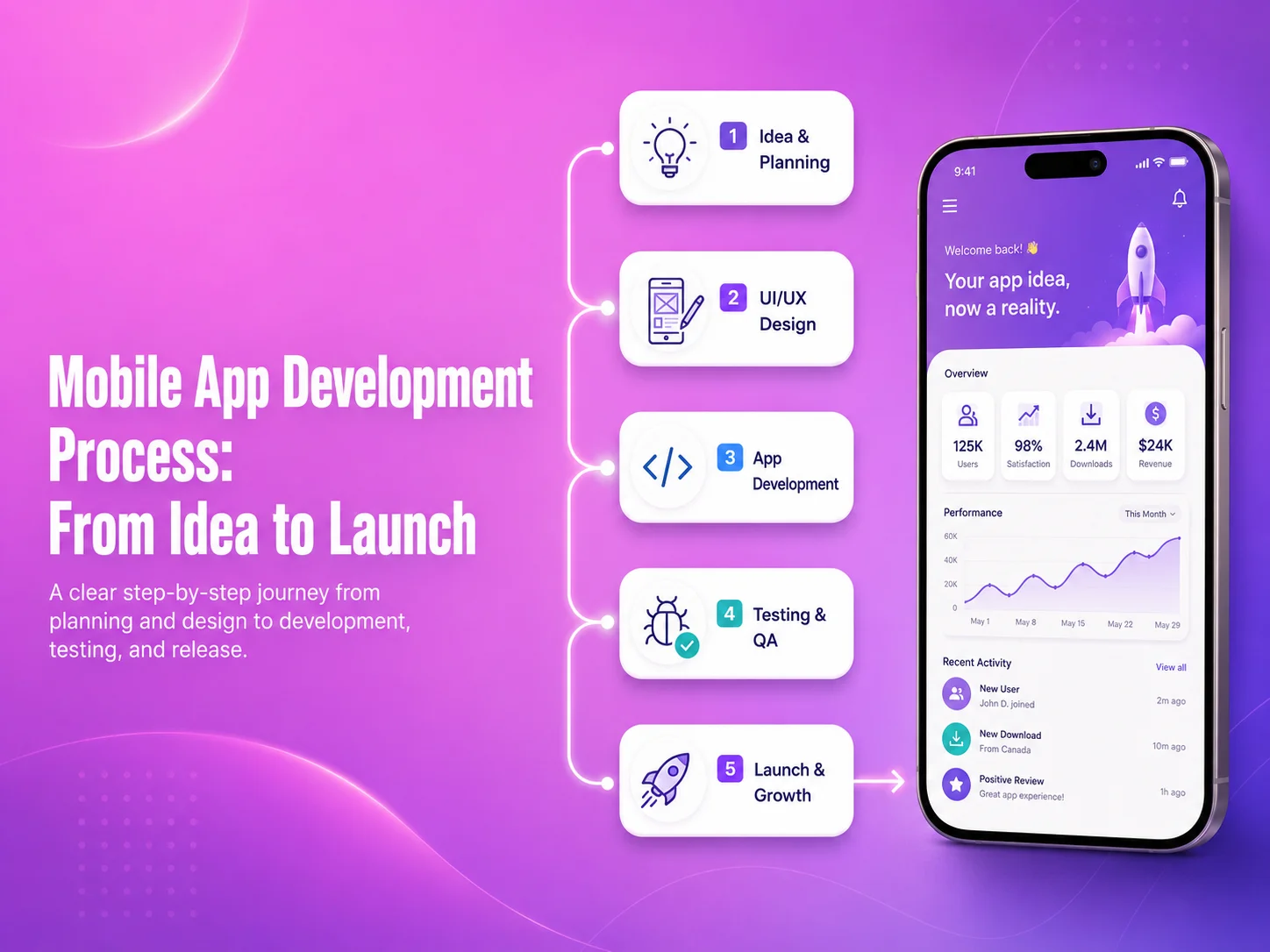
Mobile App Development Process: From Idea to Launch

Building a mobile app usually starts with an idea, but turning that idea into a reliable product requires much more than development alone. A successful application needs planning, research, design, technical decisions, backend development, testing, launch preparation, and ongoing improvement after real users begin using it.

The mobile app development process helps businesses move from an initial concept to a structured product without making expensive decisions too early. Each stage supports the next one, which is why skipping planning or testing often creates problems later in the project.

Start With the Problem, Users, and Business Goals

The first step is defining what the application is supposed to achieve. Instead of beginning with a large list of features, businesses should identify the main problem, target users, and the actions users need to complete inside the app.

For example, an e-commerce app may focus on product discovery, checkout, order tracking, and customer accounts. A business-management app may need employee roles, task management, reporting, notifications, and approvals. A marketplace may require buyer and seller accounts, payments, messaging, reviews, and transaction management.

At this stage, it is also useful to define what belongs in the first release and what can be added later. Keeping the initial scope focused can reduce development time and make it easier to test the product with real users before investing in secondary features.

Plan the User Flow Before Designing Screens

Once the main requirements are understood, the next step is mapping how users move through the application. This includes registration, login, navigation, search, forms, payments, bookings, dashboards, profile management, and other important workflows.

User-flow planning helps identify unnecessary steps before visual design begins. If completing a simple task requires too many screens, the process can be simplified early rather than after development has already started.

Wireframes are often created at this stage to show the structure of each screen without focusing heavily on colors or visual details. They help the business and development team confirm where content, buttons, navigation, and important actions should appear.
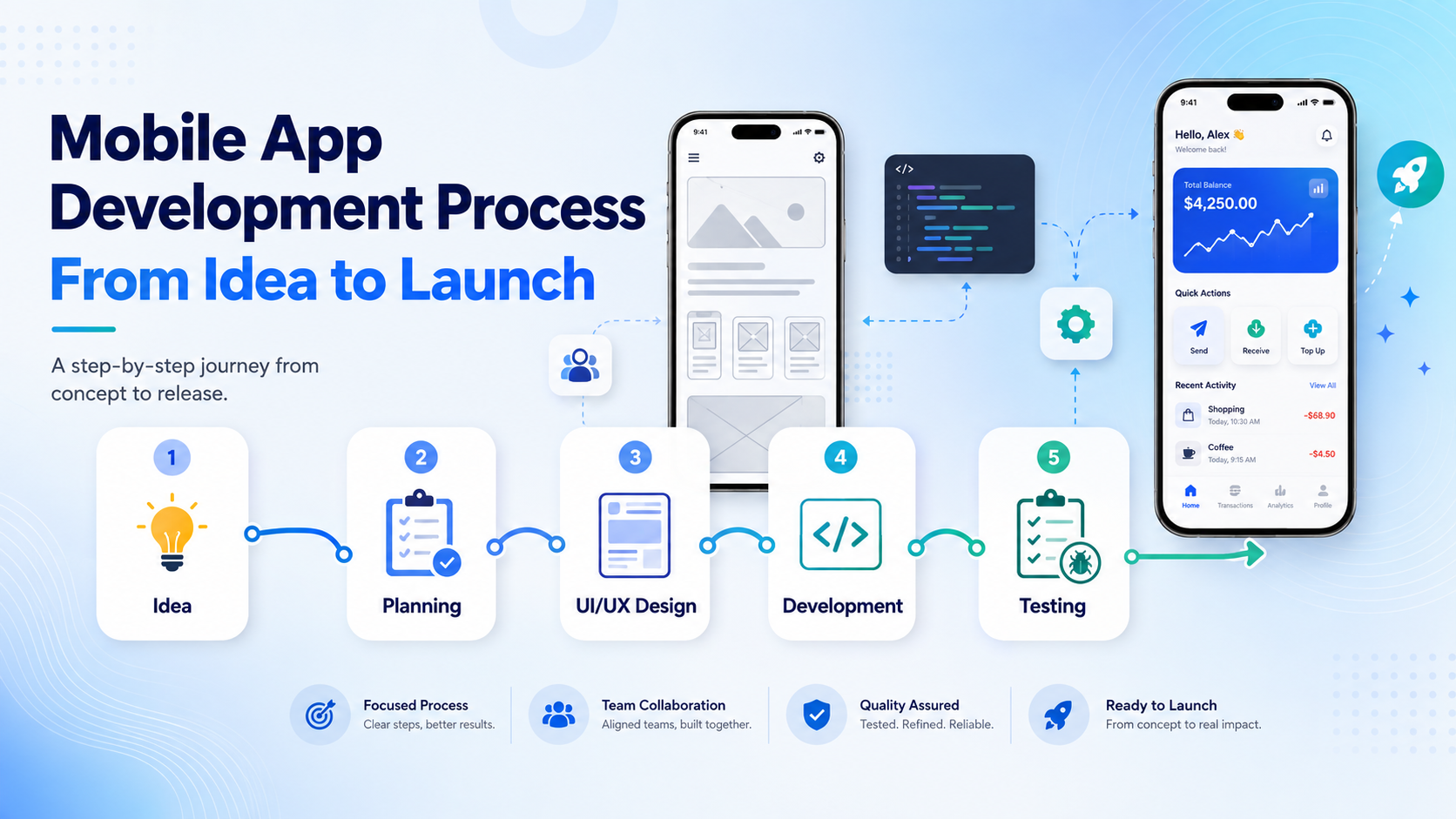
Mobile-app-banner-2

Design the Mobile Experience

After the user flow is clear, UI/UX design turns the structure into a complete mobile experience. Designers define typography, colors, spacing, components, buttons, forms, navigation, states, and interactions while keeping the interface consistent across the application.

Mobile design should consider how people actually use smartphones. Important actions need to be easy to reach, forms should avoid unnecessary fields, text should remain readable, and navigation should be predictable. The goal is not simply to make the screens look attractive but to help users complete important tasks with as little friction as possible.

A design system can also make future development easier by defining reusable components and visual rules that remain consistent as new screens and features are added.

Choose the Technology and Build the Application

The development approach depends on the project’s requirements. Businesses may choose Flutter, React Native, native Android, native iOS, or another suitable technology depending on performance needs, device features, budget, integrations, and long-term maintenance plans.

Development usually includes both the visible mobile application and the systems behind it. Many apps require backend APIs, databases, user authentication, role permissions, file storage, notifications, payment gateways, admin dashboards, and third-party integrations.

Frontend and backend development should remain coordinated. For example, a checkout screen cannot work reliably unless the payment process, order creation, inventory updates, and transaction validation are also handled correctly on the backend.

For larger applications, development is often divided into smaller milestones. Core modules can be completed and tested before the next set of features is introduced, making it easier to identify issues and manage changes.

Test the App Before Real Users Depend on It

Testing should happen throughout development rather than only during the final week. Each important feature should be checked as it is completed, while full application testing should confirm that separate modules work correctly together.

Teams should test different devices, screen sizes, Android and iOS versions, network conditions, permissions, notifications, forms, authentication, payments, API errors, and other important workflows. Real-device testing is especially useful for features involving cameras, GPS, biometrics, push notifications, file uploads, or hardware integrations.

  • Functional and workflow testing
  • UI and responsive screen testing
  • API and backend testing
  • Payment and authentication testing
  • Performance and loading checks
  • Security and permission reviews
  • Real Android and iOS device testing

Testing should also include failure scenarios. The application needs to respond clearly when an internet connection is lost, an API request fails, payment is unsuccessful, or information cannot be loaded. Good error handling makes the app feel more reliable and prevents users from becoming stuck.

Prepare the App for Launch

Once development and testing are complete, the application needs to be prepared for distribution. This includes production configuration, app icons, screenshots, descriptions, privacy information, release builds, and the required store information for Google Play and the Apple App Store.

The production backend should also be ready for real traffic. Monitoring, backups, error logging, email or notification services, databases, APIs, and payment systems should be reviewed before customers begin using the application.

Launch does not always need to mean releasing the app to everyone immediately. Some businesses begin with a smaller group of users or a limited market so they can collect feedback and identify problems before expanding.

Discuss Your Mobile App Project

What Happens After the App Goes Live?

Launching the app creates a new source of information: real user behavior. Analytics, customer reviews, support requests, and application monitoring can show which features people use most, where users experience problems, and which improvements should be prioritized.

Bug fixes, security updates, Android and iOS compatibility, third-party SDK updates, performance improvements, and new features become part of ongoing mobile app maintenance. Businesses should therefore think of launch as the beginning of the product’s next stage rather than the end of development.

Encoder IT Limited provides complete mobile app development services from product planning and UI/UX design through Flutter, React Native, native Android and iOS development, backend APIs, integrations, testing, launch, and ongoing maintenance.

A structured development process helps reduce unnecessary rework and gives businesses clearer control over scope, quality, and future growth. The strongest mobile products usually begin with a clear problem, move through thoughtful design and development, and continue improving long after the first version reaches users.
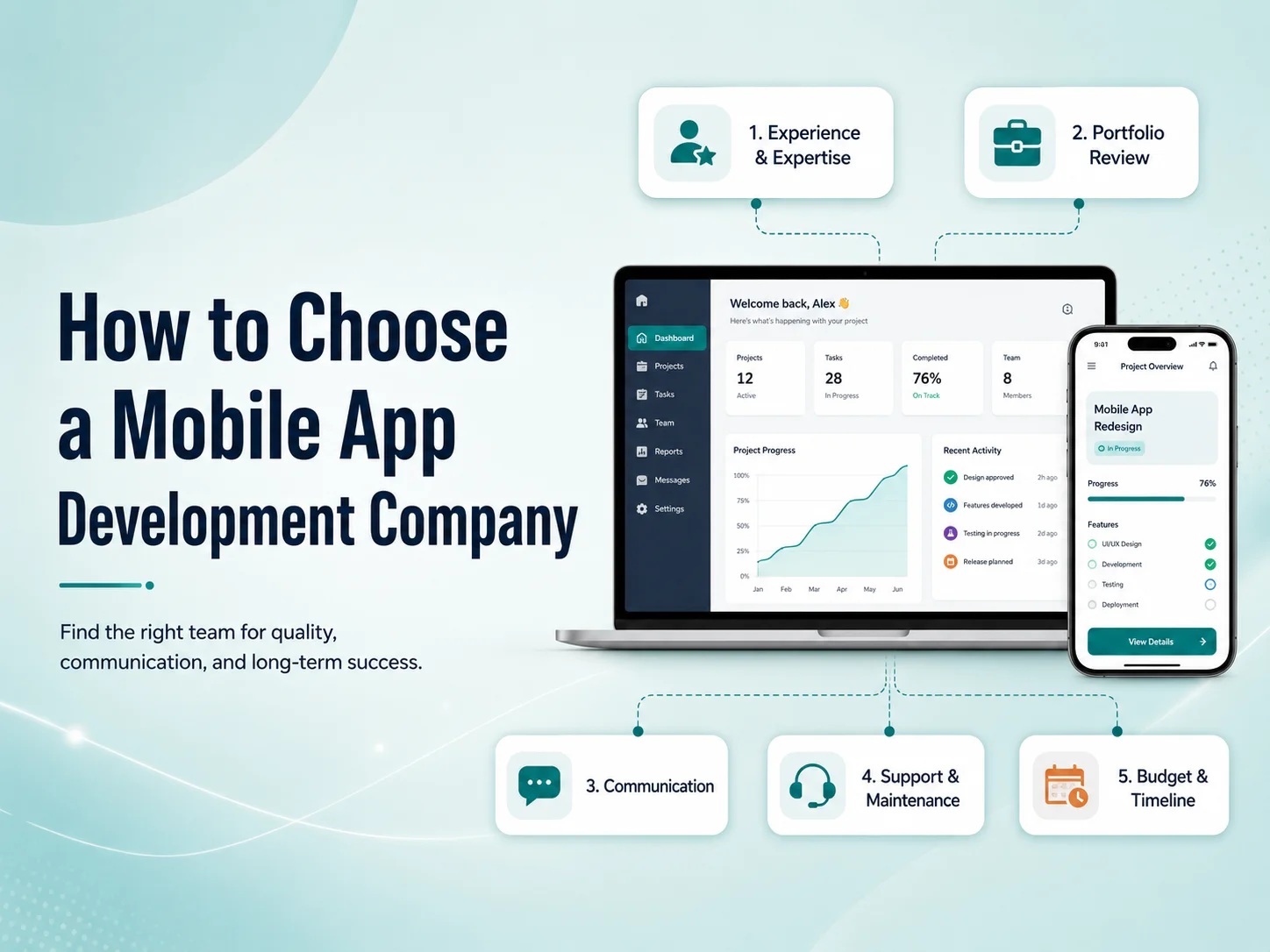
How to Choose a Mobile App Development Company

Choosing a mobile app development company is an important business decision because the quality of the development partner can affect the app’s performance, usability, security, scalability, and long-term maintenance. A low-cost proposal may look attractive initially, but poor planning or weak technical decisions can create much higher costs later.

The right company should understand more than how to write code. It should be able to understand your business requirements, recommend an appropriate technical approach, design a user-friendly experience, build the backend correctly, test the product, and continue supporting it after launch.

Look at Relevant Mobile App Experience

Start by reviewing the company’s previous mobile app projects. A strong portfolio can show whether the team has experience with applications similar to what you want to build, such as e-commerce apps, marketplaces, SaaS platforms, booking systems, customer portals, healthcare apps, or internal business applications.

Do not judge a portfolio only by visual appearance. Try to understand the complexity behind the applications. Features such as payments, real-time notifications, user roles, subscriptions, maps, file uploads, chat, dashboards, API integrations, and third-party services usually require more technical experience than a simple informational app.

It is also useful to ask whether the company worked on the complete application or only one part of it. A team that can handle UI/UX design, mobile development, backend APIs, integrations, testing, and deployment may provide a more coordinated development process.

Make Sure They Understand Your Business Before Discussing Technology

A good mobile app development company should first understand what the application needs to achieve. Before recommending Flutter, React Native, native Android, native iOS, or any other technology, the team should understand your users, workflows, business model, integrations, expected growth, and important features.

If a development company immediately recommends a technology without discussing these requirements, the decision may be based more on what the team prefers to build than what the project actually needs.

For example, a relatively standard business application may benefit from cross-platform development because Android and iOS can share much of the same codebase. A highly specialized application using advanced device capabilities may require a different approach. The technology should support the product rather than define it.

Evaluate Communication and Development Process

Technical ability is important, but communication often determines whether a project runs smoothly. Mobile applications involve many decisions during planning, design, development, testing, and launch. If communication is unclear, small misunderstandings can eventually become expensive development changes.

Ask how the company handles requirements, design approvals, development milestones, testing, feedback, and project updates. You should know who will communicate with you, how progress will be reviewed, and how changes to the original scope will be managed.

A structured process does not mean the project cannot change. Mobile products often evolve during development. The important point is that changes should be discussed clearly so everyone understands their effect on budget, timeline, and existing functionality.

Check Their Backend, API, and Security Capabilities

The mobile interface is only one part of many applications. User accounts, payments, subscriptions, bookings, notifications, dashboards, reports, permissions, and business data often depend on backend APIs and databases.

A development company should understand how to design secure authentication, user permissions, API communication, databases, file storage, payment workflows, and third-party integrations. Important business rules should be protected on the backend rather than relying only on restrictions inside the mobile application.

  • Mobile UI/UX design
  • Android and iOS development
  • Backend and API development
  • Authentication and user permissions
  • Payment and third-party integrations
  • Testing and performance optimization
  • App Store and Google Play deployment
  • Post-launch maintenance

If several of these areas are required, working with a team that can manage them together can reduce coordination problems between separate designers, developers, and backend teams.

Request a Quote

Do Not Choose Based on Price Alone

Price is naturally an important part of choosing a development company, but the cheapest proposal is not always the least expensive option over the life of the product. Poor architecture, weak testing, undocumented code, or rushed development can make future updates much harder.

When comparing proposals, look at what is included. One company may provide only mobile development, while another may include planning, UI/UX design, backend development, testing, deployment, and initial support. Two prices can therefore represent very different levels of work.

You should also understand how future changes will be handled. Mobile applications normally continue evolving after launch, so code quality and maintainability can be more valuable than saving a small amount during the first development phase.

Ask What Happens After Launch

A reliable development partner should have a clear answer about post-launch support. Real users may discover bugs, operating systems will continue changing, SDKs require updates, and new features may become necessary as the business grows.

Ask whether the company offers maintenance, how urgent bugs are handled, whether they can continue developing new features, and how application ownership and source code are managed after completion.

A company that understands the long-term lifecycle of mobile software is generally better prepared to build an application that can be maintained rather than one designed only to reach the first launch date.

Choosing the Right Development Partner

The best mobile app development company is not necessarily the largest team or the one with the longest feature list. Look for a company that asks useful questions, understands your business goals, communicates clearly, explains technical decisions, and has experience delivering the type of product you need.

Encoder IT Limited provides mobile app design and development services for businesses and startups, including Flutter, React Native, native Android and iOS development, backend APIs, payment integrations, third-party services, testing, deployment, and ongoing maintenance.

Before choosing any development partner, compare experience, communication, technical capability, development process, long-term support, and overall value together. A strong team should help you make better product decisions—not simply turn a feature list into code.

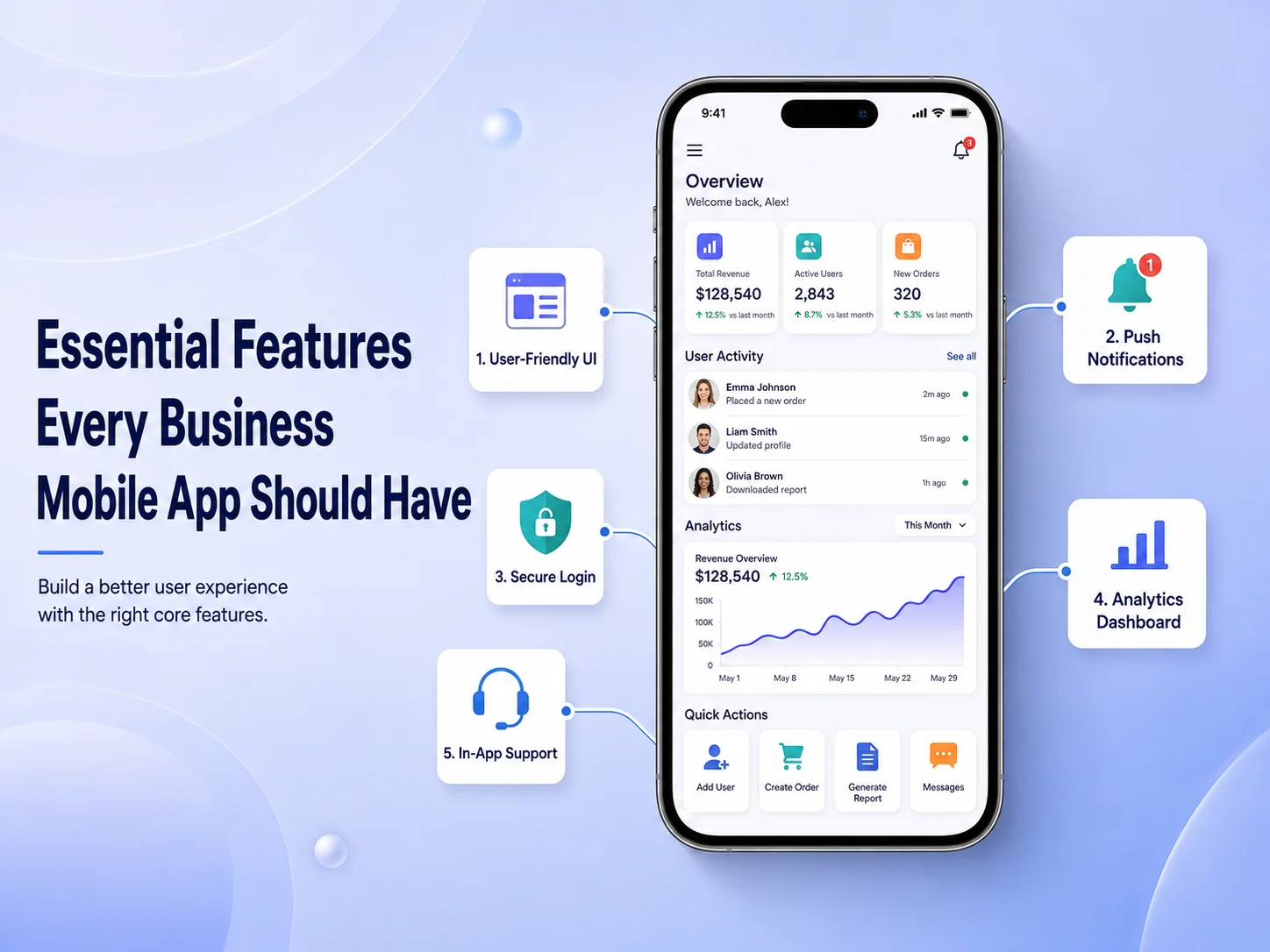
Essential Features Every Business Mobile App Should Have

A business mobile app should do more than reproduce information from a website. It should make important customer or employee actions faster, easier, and more convenient from a smartphone. The exact feature set will depend on the business, but some capabilities consistently provide value across e-commerce apps, booking platforms, customer portals, service businesses, SaaS products, and internal business applications.

The most useful features are not necessarily the most advanced ones. A successful app usually combines simple navigation, secure user access, reliable performance, communication tools, and functionality that supports the main reason people installed the application in the first place.

Simple Navigation and a Clear Mobile Experience

Users should be able to understand the application quickly. Important areas such as products, services, bookings, orders, account settings, support, or dashboards should be easy to reach without moving through several unnecessary screens.

Mobile interfaces also need to be designed specifically for touch interaction. Buttons should be easy to tap, text should remain readable, forms should avoid unnecessary fields, and the most important actions should receive the strongest visual emphasis. A visually impressive application can still perform poorly if customers struggle to complete basic tasks.

Search and filtering become particularly important when an app contains many products, services, documents, or records. Helping users reach the right information quickly can have a greater impact than adding several secondary features.

User Accounts, Personalization, and Secure Access

Many business apps need user accounts so customers can manage information across multiple sessions and devices. Depending on the product, accounts may store addresses, order history, appointments, saved items, subscriptions, preferences, documents, or other personalized information.

Registration and login should remain simple while still providing appropriate security. Features such as password recovery, biometric login, multi-factor authentication, or social authentication may be useful depending on the sensitivity of the application.

Personalization can make the app more useful after login. Instead of showing every user the same information, businesses can display relevant orders, recommendations, upcoming appointments, account activity, or frequently used features. However, personalization should be based on a clear benefit rather than unnecessary collection of customer data.

Features That Keep Users Connected to the Business

One of the strongest advantages of a mobile app is the ability to maintain direct communication with users. Push notifications can provide order updates, appointment reminders, new messages, payment alerts, service changes, or other timely information without requiring customers to repeatedly check the app.

Notifications need to be useful and controlled carefully. Sending too many promotional messages can cause users to disable notifications or uninstall the application. Businesses should give customers appropriate control over which notifications they receive whenever possible.

Customer support should also be easy to access. Depending on the business, this might include live chat, an AI assistant, support tickets, FAQs, contact forms, or direct communication with a support team. Customers should not have to leave the application and search elsewhere when they need help.

  • Push notifications and important alerts
  • Search and filtering
  • Customer accounts and profile management
  • Secure authentication
  • In-app customer support
  • Payments or booking functionality where relevant
  • Order, request, or activity tracking
  • Analytics and error monitoring

Payments, Bookings, and Core Business Actions

The most important feature of a business mobile app is usually the action that directly connects the customer with the service. For an e-commerce business, that may be purchasing products. For a healthcare or service company, it may be booking appointments. A SaaS product may focus on completing tasks, reviewing data, or managing subscriptions.

These core workflows should receive the most development and testing attention. A checkout process should be clear, a booking flow should show availability accurately, and users should receive confirmation when an important action is completed. Payment status, subscription access, inventory, and other critical business information should be validated through the backend rather than trusting information stored only in the mobile application.

The app may also benefit from mobile-specific capabilities such as camera access for document uploads, GPS for delivery or field services, biometric authentication, QR or barcode scanning, and file sharing. These features should be included when they make an existing business process easier—not simply because smartphones provide access to them.

Request a Quote

Performance, Security, and Reliability Are Features Too

Users may not see performance and security as menu options, but both have a major influence on whether they continue using an app. Screens should load quickly, API requests should be efficient, and the application should respond clearly when the internet connection is weak or an external service is temporarily unavailable.

Security needs to protect authentication, customer information, payments, API communication, and local device data. Sensitive credentials should not be exposed inside the application, and the backend should verify that each user has permission to access the requested information or action.

Analytics, crash reporting, and error monitoring are also valuable business features because they help development teams understand how the app performs after launch. Businesses can identify frequently used features, discover where customers experience problems, and prioritize future improvements using real usage information.

Build Around Your Business, Not a Generic Feature List

No business mobile app needs every feature available. A restaurant, marketplace, healthcare platform, field-service company, and SaaS business will have very different priorities. The best approach is to identify the actions users perform most frequently and make those processes exceptionally easy.

Encoder IT Limited develops custom mobile applications for businesses using technologies such as Flutter, React Native, native Android, and native iOS. Our work can include mobile UI/UX design, backend APIs, payments, push notifications, customer portals, third-party integrations, authentication, and ongoing application maintenance.

A strong business mobile app combines useful functionality with simplicity. Clear navigation, secure accounts, communication features, reliable core workflows, good performance, and ongoing monitoring provide a much stronger foundation than adding a large number of features that customers rarely use.

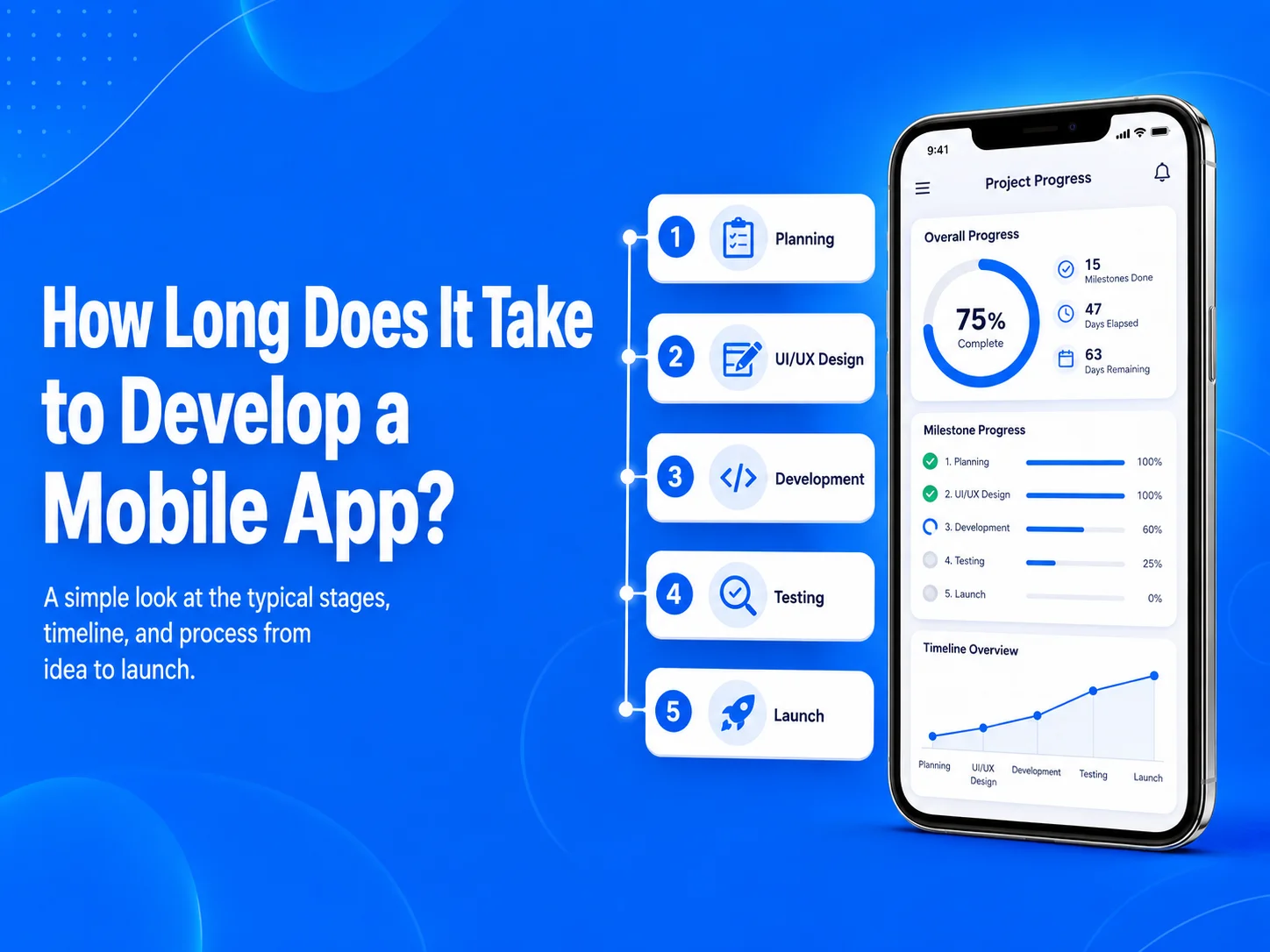
How Long Does It Take to Develop a Mobile App?

One of the first questions businesses ask before starting a mobile app project is how long development will take. There is no single timeline that applies to every application because development time depends on the number of features, design complexity, backend requirements, integrations, platforms, testing, and how clearly the project is defined before development begins.

A relatively simple mobile application may be completed within a few months, while a more advanced marketplace, SaaS platform, healthcare application, e-commerce system, or business-management app can require significantly more time. The most useful way to estimate a project is to break it into stages rather than trying to choose one launch date before the requirements are understood.

Typical Mobile App Development Timelines

For planning purposes, a simple application with a limited number of screens and straightforward functionality may take around 2–3 months. A medium-sized business application with user accounts, APIs, payments, notifications, dashboards, or other integrations may require approximately 3–6 months.

More complex applications can take 6 months or longer, particularly when they include multiple user roles, real-time communication, marketplaces, advanced reporting, subscriptions, location features, complex backend workflows, or extensive third-party integrations.

These are general planning ranges rather than fixed promises. Two applications with the same number of screens can have very different timelines if one requires simple content while the other depends on complicated business rules and integrations.

Planning and UI/UX Design Affect the Timeline

Development usually begins before developers write production code. The team first needs to understand the business goals, target users, main features, user roles, integrations, and important workflows. Projects with clear requirements generally move faster because fewer major decisions need to be changed during development.

After planning, wireframes and UI/UX designs are created for important screens. A small app may have a relatively short design phase, while a larger application may require detailed dashboards, onboarding flows, account settings, payments, messaging, or multiple user experiences.

Trying to skip planning or design to save time can sometimes have the opposite effect. If developers begin building before important workflows are agreed upon, completed screens or backend functionality may need to be redesigned later.

Features Usually Have the Biggest Impact on Development Time

The number of screens is only one part of estimating a mobile app. The functionality behind those screens often has a much greater effect on the schedule. A simple profile screen may take relatively little time, while a payment screen can involve payment-provider integration, backend validation, transaction records, failed-payment handling, notifications, and testing.

Features such as user authentication, social login, subscriptions, maps, GPS tracking, push notifications, chat, video calls, file uploads, booking calendars, offline functionality, AI integration, and role-based permissions can all increase development effort.

  • Simple apps: Basic content, forms, authentication, and limited backend functionality
  • Medium apps: Payments, notifications, dashboards, APIs, bookings, or customer accounts
  • Complex apps: Marketplaces, SaaS systems, real-time features, multiple user roles, advanced integrations, or large business workflows

The backend also needs to be included in the timeline. Many mobile applications require APIs, databases, admin panels, authentication systems, payment processing, notifications, reporting, and integrations with existing business software. These systems may require as much development attention as the visible Android or iOS application.

Discuss Your Mobile App Timeline

Does Flutter or React Native Make Development Faster?

Cross-platform technologies such as Flutter and React Native can reduce development effort for many projects because Android and iOS can share much of the same application code. Businesses may therefore avoid maintaining two completely separate implementations for common functionality.

However, cross-platform development does not automatically make every project fast. Complex backend systems, custom animations, third-party SDKs, device-specific functionality, testing, and business rules still require development time.

Native Android and iOS development can be a better fit for some projects that require specialized platform capabilities or deeper device integration. The development approach should be selected based on the application requirements rather than simply choosing whichever option appears fastest initially.

Testing and App Launch Need Their Own Time

Testing should not be treated as something that happens only after development is finished. Features should be tested as they are built, followed by broader testing of complete user journeys such as registration, login, checkout, booking, subscriptions, notifications, and account management.

The app also needs to be checked across different screen sizes, devices, network conditions, and supported operating-system versions. Bugs discovered during this stage may require changes to both the mobile application and backend.

After testing, the team needs to prepare production builds, app icons, screenshots, store descriptions, privacy information, and release configuration for Google Play and the Apple App Store. Businesses should include this launch preparation in the overall project schedule instead of treating development completion and public release as the same date.

How to Reduce Mobile App Development Time

The most effective way to shorten a timeline is usually not to make developers work faster. It is to reduce uncertainty and unnecessary scope. Businesses can begin with a focused first version containing the features required to solve the main customer problem, then expand the product after launch.

Clear requirements, timely feedback, approved designs, well-defined integrations, and realistic priorities can prevent delays caused by repeated changes. Reusing an existing backend or API can also reduce development time when the current system is suitable for mobile integration.

Encoder IT Limited helps businesses plan and develop mobile applications using Flutter, React Native, native Android, and native iOS technologies. We can handle the complete process, including requirements planning, UI/UX design, backend APIs, third-party integrations, testing, deployment, and ongoing development.

Instead of estimating an app only by the number of screens, a realistic timeline should consider the complete product: design, mobile development, backend systems, integrations, testing, and launch. A well-planned project may take slightly more time at the beginning, but it usually reduces rework and creates a more reliable path from idea to release.

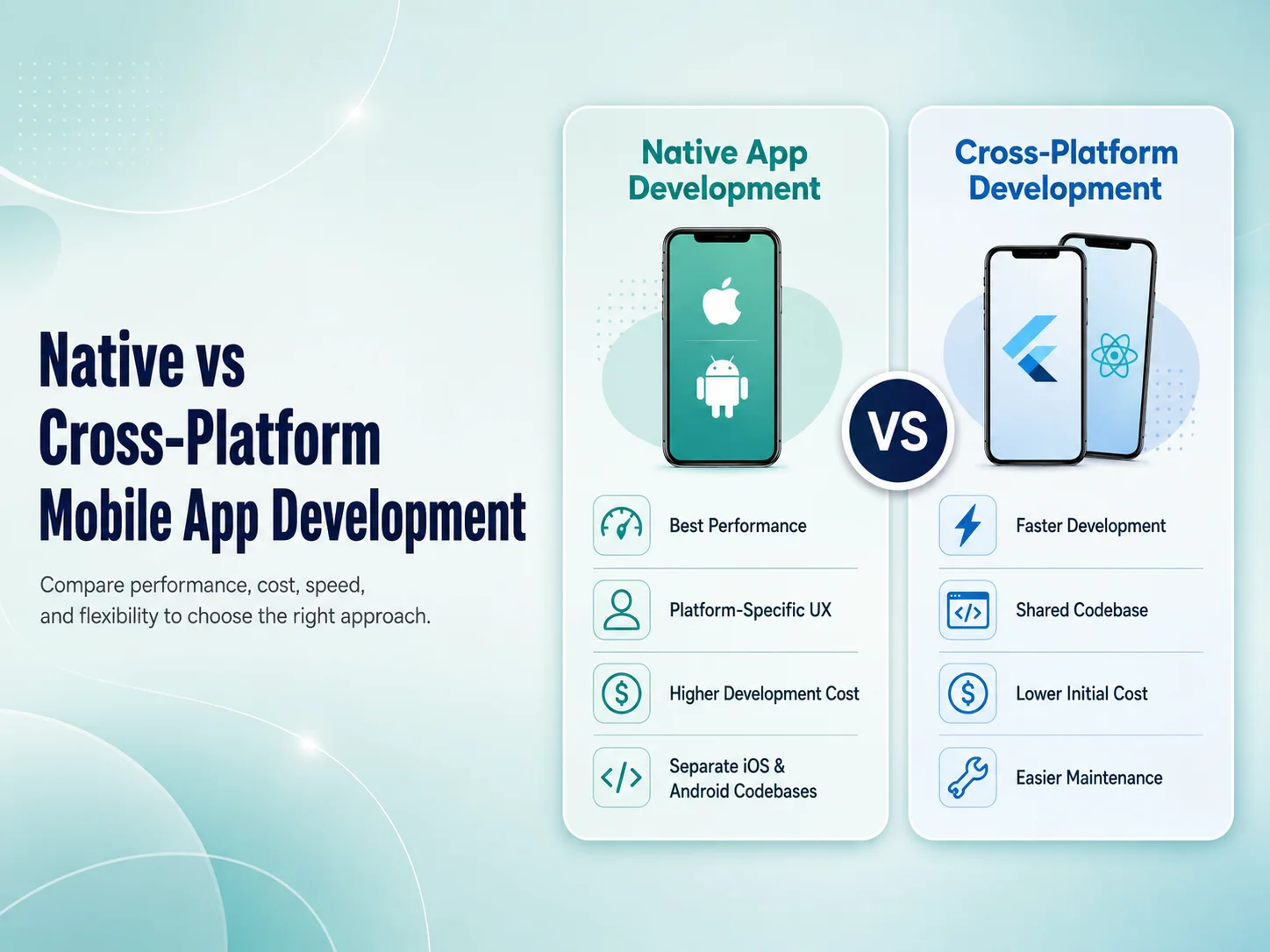
Native vs Cross-Platform Mobile App Development

One of the most important technical decisions in a mobile app project is whether to build the application using native development or a cross-platform framework. Both approaches can produce high-quality Android and iOS applications, but they differ in development process, codebase, performance, platform access, maintenance, and cost.

There is no universal winner. The right choice depends on what the app needs to do, how quickly it needs to launch, the available budget, required device features, expected performance, and how the product will be maintained over time.

What Is Native Mobile App Development?

Native development means building an application specifically for each operating system using technologies designed for that platform. Android applications are commonly developed with Kotlin, while iOS applications are commonly developed with Swift.

Because each app is built directly for its platform, developers can work closely with Android and iOS APIs, interface components, hardware capabilities, and operating-system features. This makes native development especially suitable for applications that require deep device integration, highly specialized functionality, or extensive platform-specific behavior.

The tradeoff is that Android and iOS usually require separate development work. Features, fixes, and updates may need to be implemented in two codebases, which can increase development effort and long-term maintenance for businesses supporting both platforms.

How Cross-Platform Development Is Different

Cross-platform development allows teams to build Android and iOS applications while sharing much of the same codebase. Technologies such as Flutter and React Native are widely used for this approach.

Instead of developing every common feature twice, developers can reuse application logic, components, API integrations, authentication flows, and many user-interface elements across platforms. This can make cross-platform development particularly attractive for startups, SaaS products, e-commerce apps, customer portals, booking platforms, and many business applications.

Cross-platform does not mean the app is simply a website inside a mobile wrapper. Modern frameworks can create full mobile applications with access to cameras, notifications, location services, biometrics, files, payments, and other device capabilities. Platform-specific code can also be added when a particular feature requires it.

Performance, User Experience, and Device Features

Native development generally provides the most direct access to each mobile platform. For applications involving advanced graphics, complex animations, intensive background processing, specialized Bluetooth hardware, advanced camera functionality, or unusual device integrations, that direct access can be valuable.

For many normal business applications, however, cross-platform performance can be more than sufficient. Product catalogs, dashboards, booking systems, marketplaces, customer accounts, payment flows, notifications, and API-driven applications can often be developed effectively with Flutter or React Native.

User experience depends on more than the framework. Poor architecture, slow backend APIs, oversized assets, unnecessary network requests, or weak UI/UX design can make either a native or cross-platform application feel slow. A well-built cross-platform application can provide a much better experience than a poorly implemented native one.

The best technology is not simply the one that promises the highest performance or the lowest development cost. It is the approach that supports the application’s real features, user experience, maintenance needs, budget, and long-term business goals with the least unnecessary complexity.

Development Cost and Time

Cross-platform development can reduce duplicated work when a business wants to launch on both Android and iOS. One development team can work on much of the shared application while still making platform-specific adjustments where necessary. This can reduce development time and simplify future updates.

Native development may require separate Android and iOS implementation, testing, and maintenance. For a product with substantial platform-specific functionality, that additional effort may be justified. For a relatively standard business application, maintaining two separate implementations may provide limited additional value.

The initial development price should not be the only consideration. Businesses should also think about future feature development, bug fixes, operating-system updates, dependency maintenance, testing, and how easily new developers can work with the codebase.

Discuss the Right Approach for Your App

When Native Development May Be the Better Choice

Native development becomes more attractive when the application relies heavily on functionality that is specific to Android or iOS, requires maximum control over platform behavior, or depends on advanced hardware integrations.

It can also make sense when Android and iOS versions are expected to provide significantly different experiences or when an organization already has established native development teams and infrastructure.

Examples may include highly specialized media applications, advanced hardware-control systems, certain high-performance applications, or products where immediate access to the newest platform-specific APIs is especially important.

When Cross-Platform Development Makes More Sense

For many businesses, cross-platform development offers a practical balance between development speed, cost, user experience, and maintainability. It is often a strong option when the Android and iOS versions share the same core features and business workflows.

  • E-commerce and marketplace applications
  • SaaS and business management apps
  • Customer and employee portals
  • Booking and service applications
  • Subscription-based products
  • Apps connected primarily to backend APIs

Businesses can launch on both major platforms while maintaining a more unified development process. If a specific feature later requires native functionality, developers can usually integrate platform-specific code without rebuilding the entire product.

Choosing Between Native and Cross-Platform

Before making the decision, consider the application’s most demanding features. Does it need specialized hardware? Are Android and iOS expected to behave differently? Is fast development across both platforms important? How frequently will the app receive updates? What development resources are available for long-term maintenance?

If the application is primarily driven by APIs, forms, customer accounts, payments, dashboards, content, and standard mobile features, cross-platform development may provide an efficient solution. If it requires unusually deep platform integration or highly specialized performance, native development may provide greater control.

Encoder IT Limited develops mobile applications using Flutter, React Native, native Android, and native iOS technologies. We evaluate the requirements of each product before recommending a development approach rather than applying the same technology to every project.

Native and cross-platform development are both capable approaches. The important decision is not which one is generally “better,” but which one fits the particular application. Choosing based on real requirements can reduce unnecessary development work while creating a stronger technical foundation for the product’s future growth.

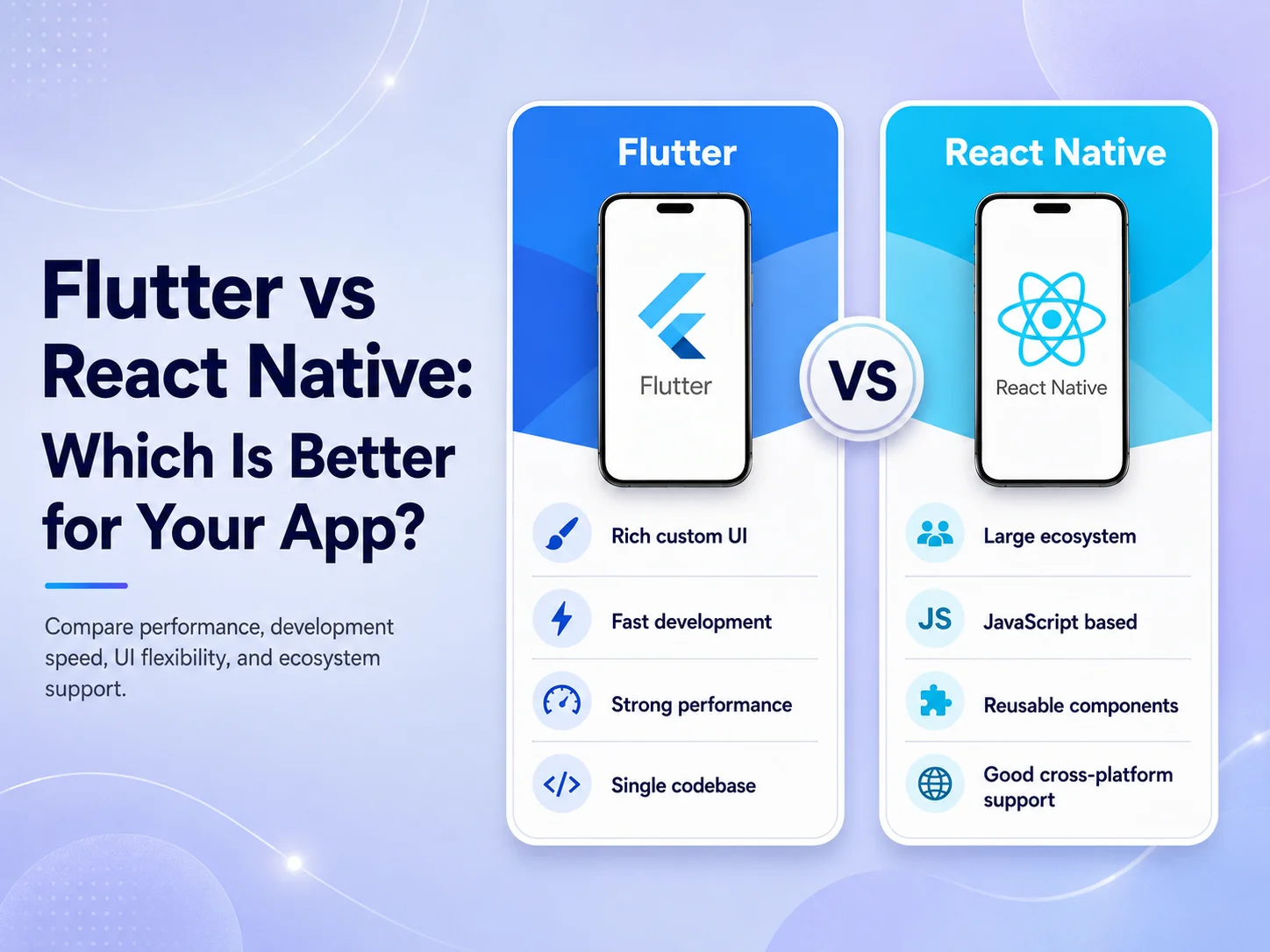
Flutter vs React Native: Which Is Better for Your App?

Flutter and React Native are two popular choices for businesses that want to build Android and iOS applications without maintaining two completely separate mobile codebases. Both can be used for customer apps, e-commerce platforms, SaaS products, marketplaces, booking systems, employee applications, and many other types of mobile software.

The question is not simply whether Flutter or React Native is technically better. The more useful question is which framework fits your app, development team, existing technology, design requirements, and long-term maintenance plans better. Both approaches have strengths, and choosing correctly can make future development significantly easier.

Flutter and React Native Take Different Approaches

Flutter is an open-source framework designed for building multi-platform applications from a shared codebase. Flutter applications are developed using Dart, and the framework provides its own extensive widget system for building application interfaces. This gives development teams strong control over how screens, components, animations, and interactions appear across platforms.

React Native takes a different approach. It uses React and JavaScript or TypeScript concepts to build mobile applications for platforms such as Android and iOS. This can be particularly attractive to companies that already use React for websites or web applications because part of the development knowledge and programming ecosystem may already be familiar to the team.

Both frameworks can also communicate with platform-specific Android and iOS functionality when an application needs something beyond the standard cross-platform layer. This means choosing cross-platform development does not necessarily prevent a team from using native functionality for a specialized feature.

Which One Gives You the Better User Experience?

For normal business applications, both Flutter and React Native can provide polished mobile experiences when the application is designed and developed correctly. Framework choice alone does not determine whether an app feels fast or professional.

Flutter can be especially attractive when a product requires a highly consistent custom interface across Android and iOS. Its widget-based approach gives developers extensive control over the visual experience, which can be useful for applications with custom components, branded interfaces, dashboards, or more complex animations.

React Native can be a strong option when a business wants an application that fits naturally into a React-based technology environment. Development teams with strong React and TypeScript experience may find it easier to share knowledge, coding patterns, and some development practices between web and mobile projects.

Performance also depends heavily on factors outside the framework. Backend response times, API design, image optimization, database queries, unnecessary network requests, application architecture, and poor state management can make either type of application feel slow. A well-designed architecture usually matters more than choosing a framework based only on performance claims.

Development Time, Team Skills, and Maintenance

One of the main reasons businesses choose either Flutter or React Native is the ability to support Android and iOS while sharing a significant amount of development work. Instead of implementing the same business workflow independently for each operating system, much of the application can be developed and maintained together.

The team’s existing skills can make a major difference. A company with experienced React developers may naturally lean toward React Native because the programming model is more familiar. A team already experienced with Dart and Flutter may deliver a Flutter application more efficiently and maintain it more confidently.

The wider product architecture should also influence the choice. If the mobile app is part of a larger React or Next.js ecosystem, React Native may align well with the team’s existing knowledge. If the business wants strong visual consistency and intends to use Flutter across several supported platforms, Flutter may be attractive.

Neither framework completely removes platform-specific work. Payments, notifications, maps, cameras, Bluetooth devices, authentication SDKs, background processes, or specialized hardware can sometimes require additional Android or iOS configuration. Development estimates should therefore consider the actual features rather than assuming that a shared codebase automatically makes every app simple.

When Flutter or React Native May Make More Sense

Flutter may be a good fit when the application needs a strongly customized and consistent interface, the development team is comfortable with Dart, or the product strategy benefits from Flutter’s broader multi-platform capabilities.

React Native may be a good fit when the organization already has strong React or TypeScript expertise, wants closer alignment between its web and mobile development teams, or prefers to remain within the wider React ecosystem.

  • Choose based on your team: existing experience can significantly affect development efficiency and maintainability.
  • Choose based on features: review payments, maps, notifications, hardware access, real-time functionality, and other integrations before deciding.
  • Choose based on the product: a standard business app and a highly specialized mobile product may need different approaches.
  • Think beyond launch: consider who will maintain, update, test, and extend the application over the next several years.

For many business applications, there may not be one technical requirement that clearly forces the decision in either direction. In those situations, team expertise, architecture, maintenance, and development workflow often become more important factors.

Request a Quote

So, Which Is Better for Your App?

If you are building a typical e-commerce app, booking system, customer portal, SaaS mobile application, marketplace, or internal business app, both Flutter and React Native can be strong choices. Choosing one only because it appears to be more popular can be less useful than evaluating the actual requirements of the product.

Before deciding, identify the most technically demanding parts of the app. Consider whether you need extensive device integration, highly customized interfaces, existing React compatibility, specialized SDKs, complex animations, or future support beyond Android and iOS. Then compare those requirements with the skills of the team that will build and maintain the application.

Encoder IT Limited develops cross-platform mobile applications using both Flutter and React Native, along with native Android and iOS solutions when a project requires them. We evaluate the product requirements, backend architecture, integrations, UI/UX, and long-term development needs before recommending a technology.

Flutter and React Native are both capable of powering serious mobile products. The better choice is the one that allows your team to build the required features reliably, maintain the application efficiently, and continue developing the product as your business grows.

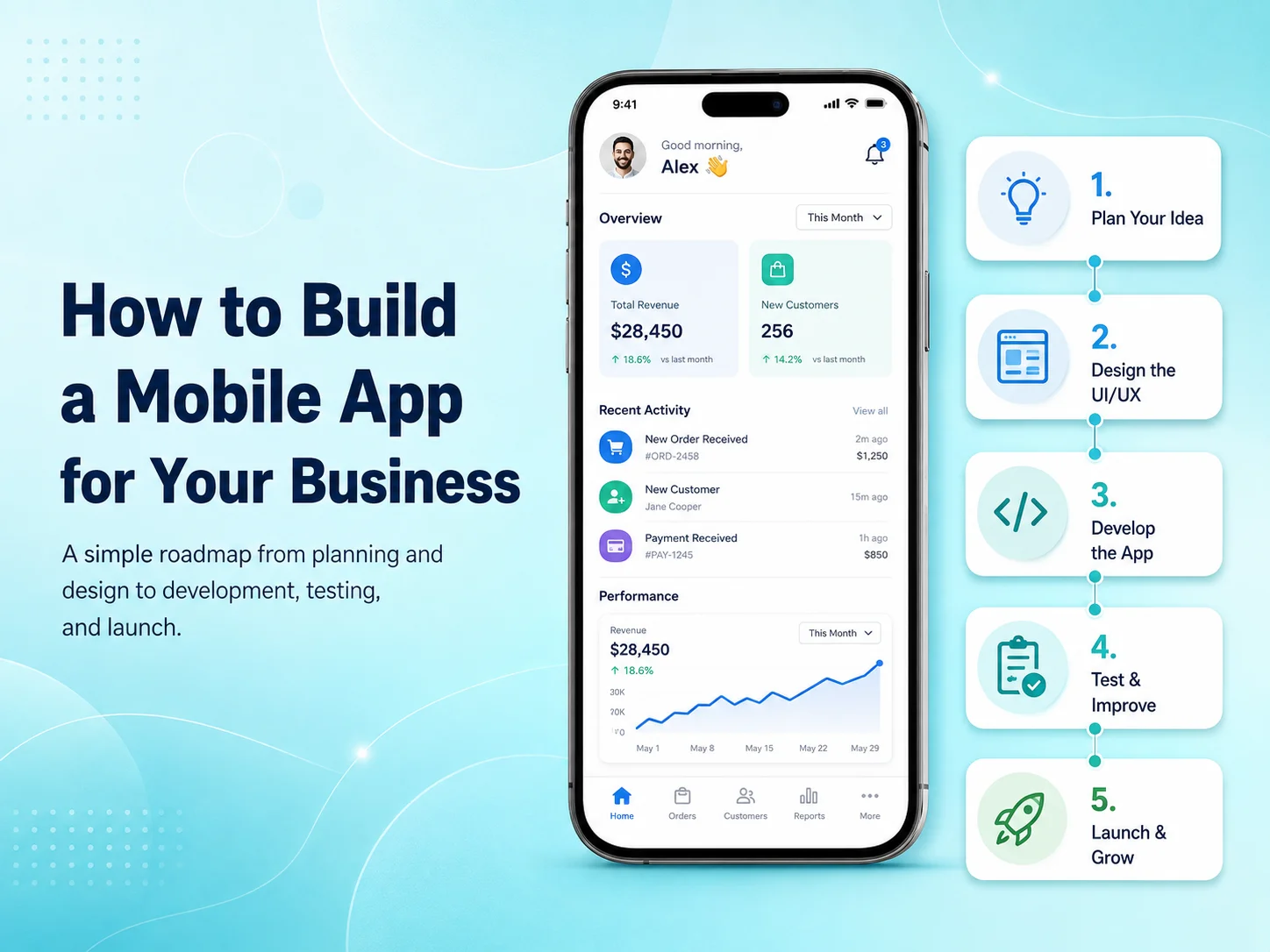
How to Build a Mobile App for Your Business

Building a mobile app for your business can create a faster and more convenient way for customers, employees, or partners to interact with your services. A mobile application can support sales, bookings, customer accounts, payments, communication, internal workflows, or other business processes that are difficult to manage efficiently through a website alone.

The most important step is not choosing a programming language or designing screens. It is first understanding why your business needs a mobile app, who will use it, and what problem the application should solve. Clear answers to these questions make every later decision—from design and features to development technology and budget—much easier.

Define What the App Needs to Achieve

Start by identifying the main purpose of the application. An e-commerce business may want customers to browse products, place orders, receive notifications, and track deliveries. A service company may need appointment booking, payments, customer profiles, and reminders. An internal business app could focus on employee attendance, tasks, reports, inventory, or approvals.

Once the main goal is clear, define the users who will interact with the app. Some applications have only customers, while others include administrators, employees, vendors, drivers, managers, or multiple user roles. Each type of user may need different screens, permissions, and workflows.

It is also useful to separate essential features from future ideas. Trying to build every possible feature in the first version can increase cost and delay launch. A focused first release can solve the core problem well and provide real customer feedback before the business invests in additional functionality.

Turn Business Requirements Into a Mobile Experience

After the core requirements are understood, the next step is planning how users will move through the application. Important flows might include registration, login, browsing, searching, booking, checkout, payment, account management, notifications, or customer support.

Wireframes can be created before detailed visual design to show where information, buttons, forms, and navigation will appear. This helps identify complicated workflows before development begins. For example, if booking a service requires six screens when it could be completed in three, simplifying it during planning is much easier than changing it after coding is complete.

The UI/UX design should then be created specifically for mobile users. A mobile app should not feel like a desktop website compressed into a smaller screen. Buttons need comfortable touch areas, important actions should be easy to reach, forms should remain simple, and navigation should be predictable.

Businesses should also think about features that make an app more valuable than simply using a mobile website. Push notifications, camera access, GPS, biometric authentication, document uploads, QR scanning, or offline functionality can be useful when they directly improve the customer or employee experience.

Choose the Right Development Approach

The technical approach should be selected after the requirements are clear. Businesses can choose native Android and iOS development or cross-platform frameworks such as Flutter and React Native.

Cross-platform development can be efficient when Android and iOS versions share the same core features. A significant portion of the code can be maintained together, which can reduce duplicated development and make future updates easier. Native development may make more sense when the application requires specialized platform features, advanced hardware integration, or extensive Android- or iOS-specific behavior.

The mobile interface is only part of the system. Many business apps also require a backend, APIs, database, authentication, user permissions, file storage, payment processing, notifications, and an administrative dashboard. These components should be planned together so the app does not depend on an unstable or poorly structured backend.

  • User registration and secure login
  • Customer or employee profiles
  • Backend APIs and database
  • Payments or subscriptions where required
  • Push notifications
  • Role-based permissions
  • Third-party integrations
  • Admin or management dashboard

Not every application needs all of these features. A useful feature list should come from business requirements rather than from copying functionality found in other apps.

Develop and Test the App in Manageable Stages

For larger applications, development is usually easier to manage when divided into smaller milestones. Authentication and core account functionality might be completed first, followed by products or services, payments, notifications, reporting, and other modules.

Testing should happen throughout development. Developers need to check not only whether buttons and screens work but also whether the complete business process works correctly. A payment flow, for example, may involve the mobile screen, payment provider, backend validation, database records, confirmation messages, and notifications.

The application should also be tested on different Android and iOS devices, screen sizes, operating-system versions, and network conditions. Real users may experience slow internet, failed API requests, interrupted payments, or denied device permissions, so the app needs to handle these situations clearly rather than showing blank screens or technical errors.

Security and performance should be reviewed before launch as well. Sensitive information should be protected, permissions should be validated on the backend, API communication should be secure, and important screens should load efficiently.

Launch the First Version and Learn From Real Users

Once the app has been tested, it can be prepared for distribution through Google Play and the Apple App Store. This involves production builds, application icons, screenshots, store descriptions, privacy information, and other release requirements.

However, launch should not be treated as the end of the project. The first release gives the business something that planning documents cannot provide: real user behavior. Analytics, reviews, customer support requests, crash reports, and direct feedback can show which features work well and where improvements are needed.

Instead of immediately adding a large number of new features, businesses can use this information to improve important workflows first. A small change to registration, checkout, search, or booking may sometimes have more impact than a completely new module.

Plan for Growth From the Beginning

A business mobile app may start with a relatively simple feature set and later expand into a much larger platform. New requirements might include subscriptions, customer messaging, loyalty programs, AI functionality, advanced reporting, additional user roles, or integrations with CRM and accounting systems.

Planning for growth does not mean building all of these features immediately. It means creating a technical foundation that can support them when they become necessary. Clean APIs, structured databases, reusable components, secure authentication, and maintainable code can significantly reduce future development problems.

Encoder IT Limited helps businesses plan, design, develop, and maintain custom mobile applications. Our services include Flutter and React Native development, native Android and iOS applications, mobile UI/UX design, backend APIs, payment integrations, third-party services, testing, deployment, and ongoing support.

Start Your Mobile App Project

Building a successful business mobile app is less about adding as many features as possible and more about solving the right problem with a reliable product. Start with clear business goals, design around real users, choose technology based on actual requirements, and launch a focused version that can continue improving over time.

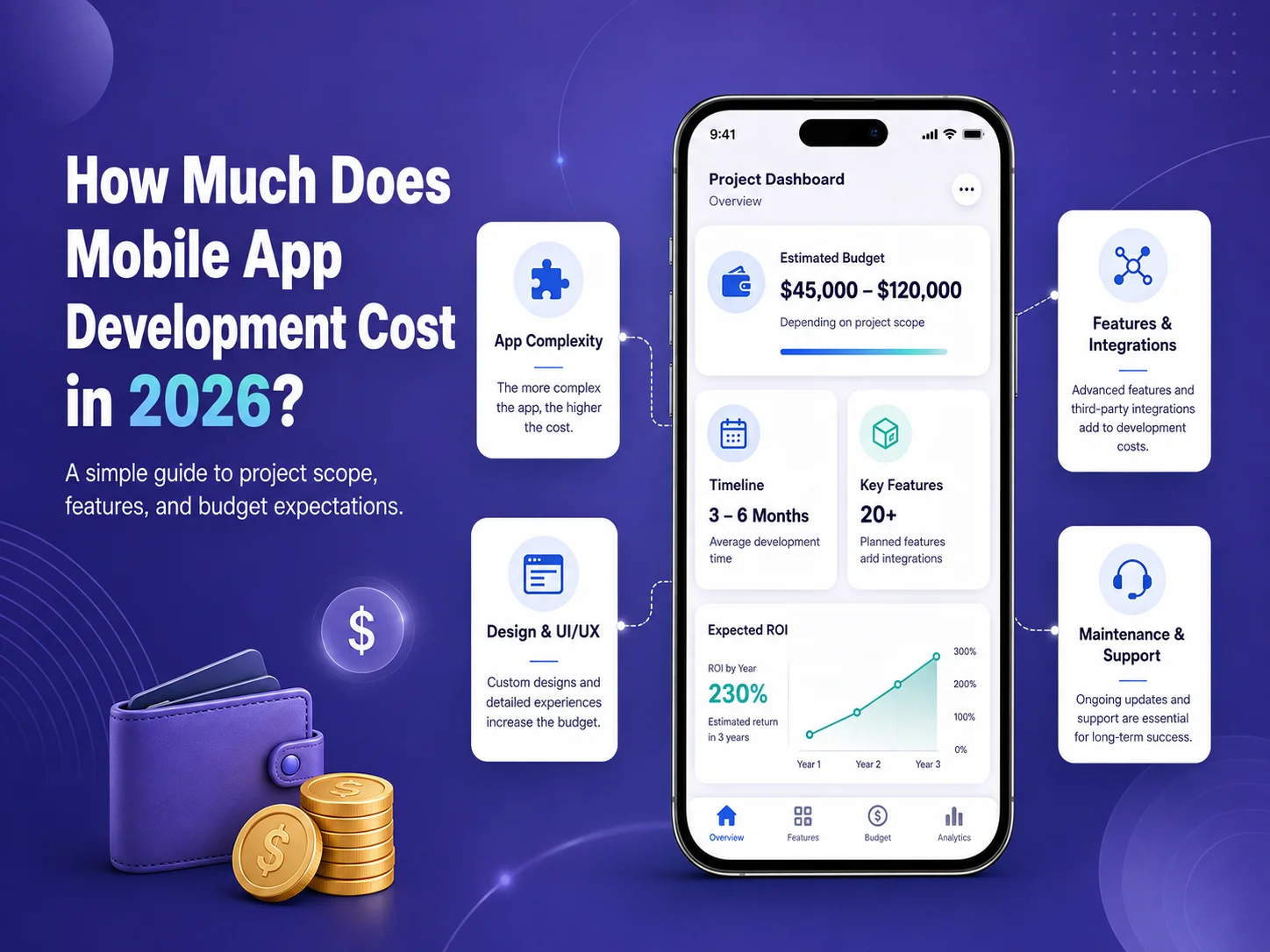
How Much Does Mobile App Development Cost in 2026?

How much does it cost to build a mobile app in 2026? The answer can range from a relatively modest budget for a focused MVP to hundreds of thousands of dollars for a large marketplace, SaaS platform, healthcare system, or enterprise application.

The price depends much more on what the app needs to do than on the number of screens it contains. User accounts, payments, subscriptions, real-time communication, maps, AI features, admin dashboards, backend APIs, third-party integrations, security requirements, and multiple user roles can all significantly change the amount of development work required.

Typical Mobile App Development Costs in 2026

Published industry estimates vary because development companies work in different countries, at different hourly rates, and on very different types of applications. Instead of treating one number as the standard price of an app, businesses should use broad ranges for early budgeting and request a project-specific estimate once the requirements are clear.

App Type Typical Scope Planning Range
Simple App / MVP Basic accounts, content, forms, limited APIs and straightforward workflows $10,000–$30,000+
Medium Business App Payments, notifications, dashboards, bookings, APIs and customer accounts $30,000–$100,000+
Advanced App Marketplace features, real-time functions, multiple roles, complex backend or AI $100,000–$250,000+
Enterprise Platform Large-scale architecture, advanced security, extensive integrations and complex workflows $250,000–$500,000+

These figures should be treated as planning ranges rather than fixed prices. A focused application built by an experienced offshore team may cost considerably less than the same project developed by a large agency in a high-cost market. At the same time, a seemingly simple app can become expensive if it requires a complicated backend, specialized compliance, or numerous external systems.

What Actually Determines the Cost?

Features and business logic usually have the greatest impact. A basic login screen is relatively straightforward, but a complete authentication system may also include email verification, password recovery, social login, biometric access, multi-factor authentication, session management, permissions, and administrative controls.

The same is true for payments. Adding a button that says “Pay” is only the visible part. A production payment workflow may require payment-provider integration, backend verification, transaction records, failed-payment handling, refunds, subscriptions, notifications, and administrative reporting.

Backend requirements can therefore account for a large part of the project. Many business apps need APIs, databases, admin dashboards, file storage, notifications, reporting, user roles, and integrations with existing systems such as CRM, ERP, accounting, or e-commerce platforms.

UI/UX design also affects the budget. A small application using a straightforward design system requires less work than a large consumer product with extensive custom interactions, animations, onboarding, dashboards, and multiple user experiences.

Does Building for Android and iOS Cost More?

Building separate native applications for Android and iOS can require more development and maintenance because each platform has its own implementation. Native development can still be the right decision when an app needs specialized hardware access, advanced platform-specific behavior, or unusually demanding performance.

For many business applications, technologies such as Flutter and React Native can reduce duplicated work by allowing Android and iOS to share much of the same codebase. This can make cross-platform development attractive for e-commerce apps, booking platforms, customer portals, marketplaces, SaaS applications, and internal business systems.

However, cross-platform development does not remove the cost of backend development, UI/UX design, testing, integrations, security, or project management. It mainly helps reduce the amount of mobile code that needs to be implemented independently for each platform.

Features That Can Increase Your App Budget Quickly

Some requirements naturally involve more development, testing, and infrastructure than standard application features. Businesses should identify these early so they do not receive a low initial estimate followed by major scope increases during development.

  • Real-time chat, calling, or live tracking
  • Payment processing and subscriptions
  • Multiple user roles and complex permissions
  • GPS, maps, routes, and location tracking
  • AI chatbots, document processing, or intelligent search
  • Advanced dashboards and reporting
  • Marketplace buyer and seller workflows
  • Offline synchronization
  • Third-party business system integrations
  • Specialized security or regulatory requirements

For example, an app with customer and administrator accounts is very different from a marketplace with customers, vendors, delivery partners, administrators, payments, commissions, refunds, messaging, reviews, and order tracking. Both may be described simply as a “mobile app,” but their development budgets will be very different.

Estimate Your Mobile App Project

Do Not Forget the Costs After Launch

The initial development budget is not the complete lifetime cost of a mobile application. After launch, businesses may need hosting, monitoring, bug fixes, security updates, operating-system compatibility work, third-party service fees, app improvements, and new feature development.

Applications that rely on cloud infrastructure, SMS, email, maps, AI APIs, video services, payment providers, or other external platforms may also have usage-based costs. Those services should be identified during planning so the business understands both development cost and ongoing operating cost.

Maintenance needs vary significantly. A simple application with limited traffic may require occasional updates, while an app processing payments or supporting thousands of active users may require continuous monitoring and more regular development.

How to Keep Mobile App Development Costs Under Control

The best way to reduce costs is usually to control scope rather than reduce development quality. Start by defining the problem the app needs to solve and identify the features required for the first usable version. Features that are valuable but not essential can be moved into later phases.

A clear specification and approved UI/UX design can also prevent expensive changes after development has started. Businesses should clarify user roles, integrations, payment flows, dashboards, and important business rules before those systems are implemented.

It is also useful to request a feature-based estimate instead of receiving only one total price. This makes it easier to understand which modules consume the largest portion of the budget and which features could be postponed if necessary.

Encoder IT Limited develops custom mobile applications for startups and businesses using Flutter, React Native, native Android, and native iOS technologies. Our work can include product planning, UI/UX design, backend APIs, payments, subscriptions, third-party integrations, testing, deployment, and ongoing maintenance.

There is no meaningful fixed price for “a mobile app” in 2026. A realistic estimate comes from understanding the users, features, platforms, backend, integrations, design, security, and expected scale of the product. Businesses that define those requirements before development begins are much more likely to receive an accurate budget and avoid expensive scope changes later.

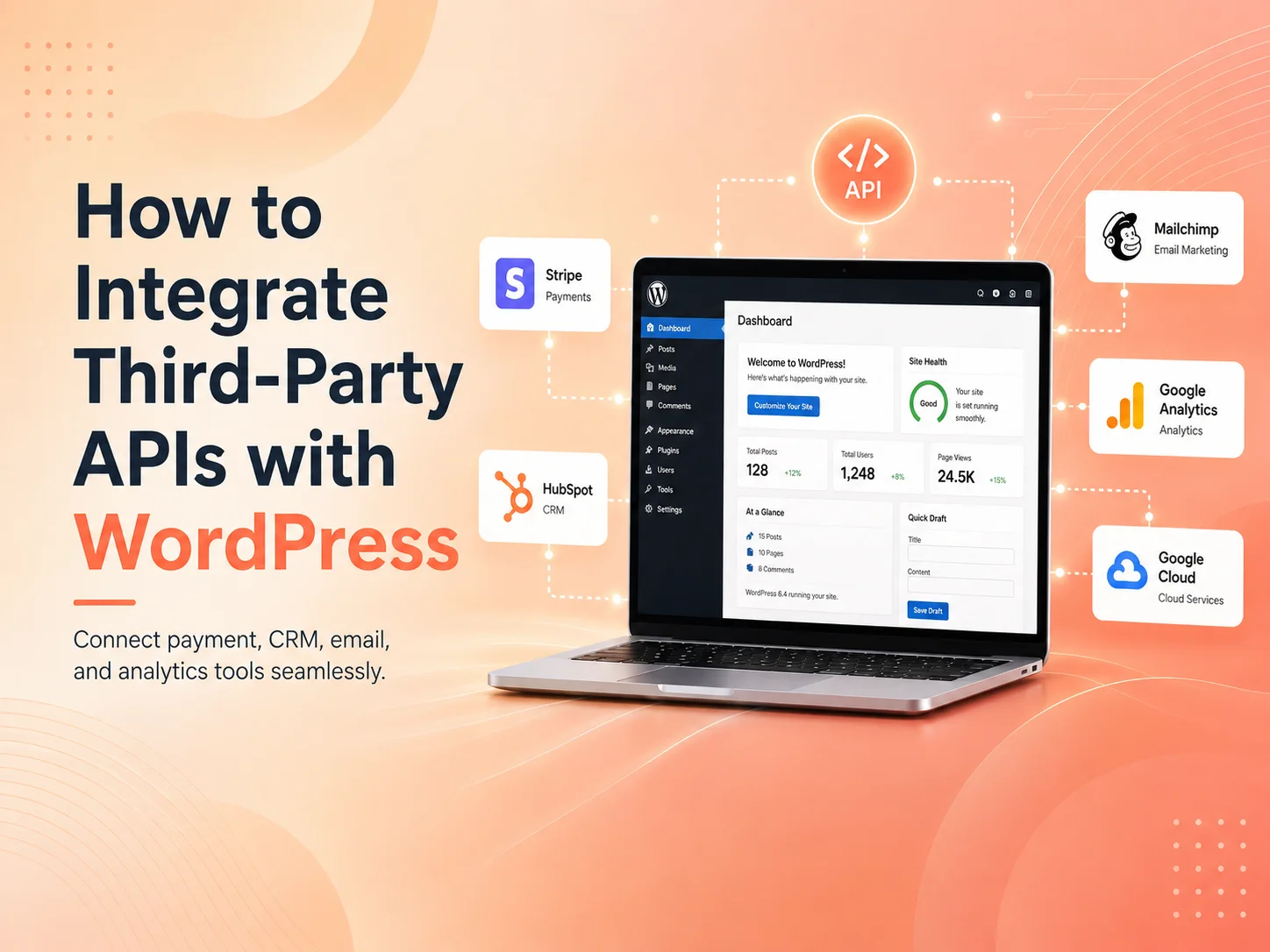
How to Integrate Third-Party APIs with WordPress

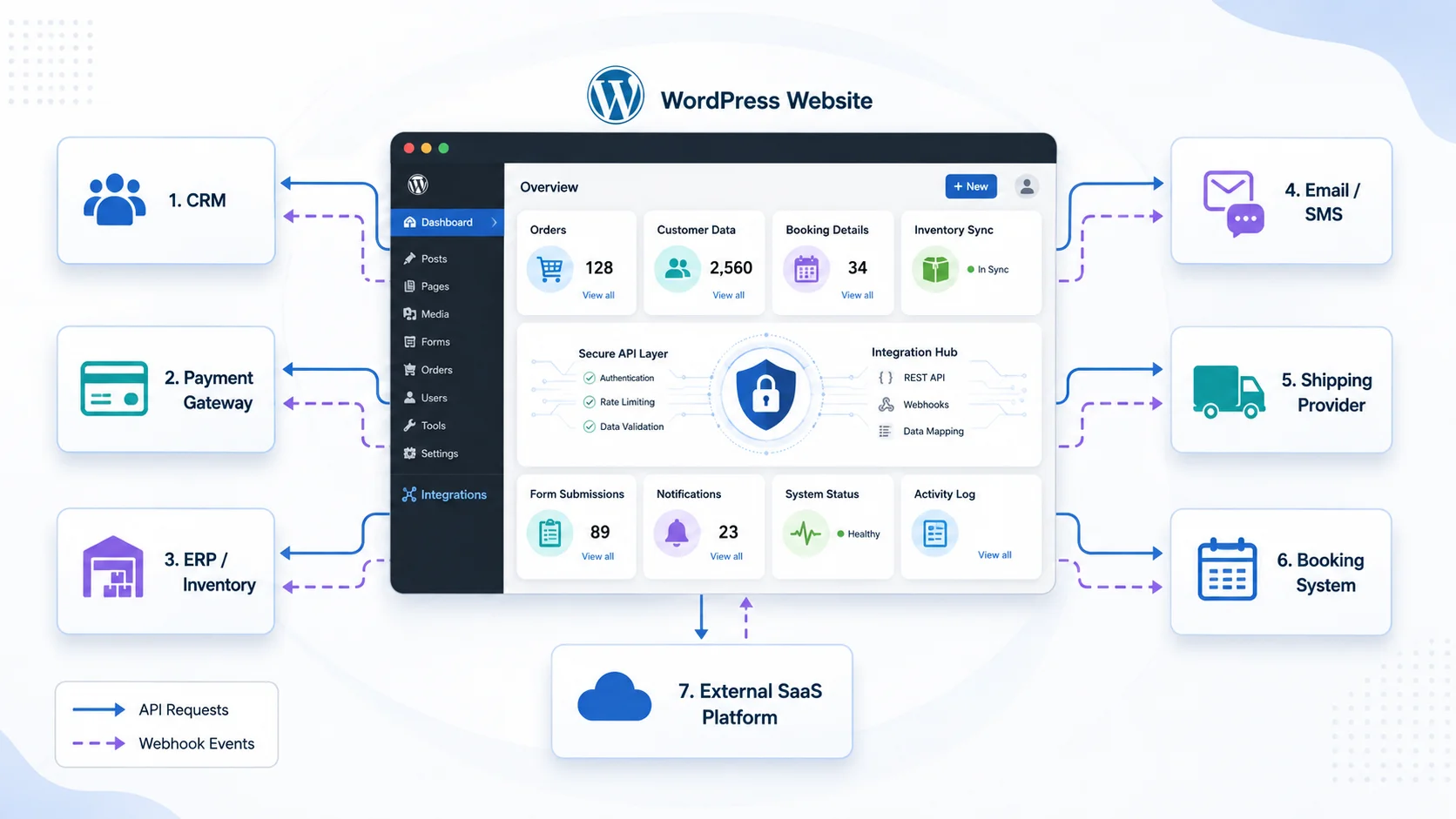
Modern WordPress websites often need to communicate with software outside WordPress. A business may need to send leads to a CRM, process payments through a payment provider, display information from another platform, synchronize products, connect a booking system, send SMS notifications, or automate internal workflows.

Third-party API integration with WordPress allows these systems to exchange information automatically. Instead of employees copying data manually between different platforms, WordPress can send requests, receive responses, process events, and update website data as part of a connected workflow.

A reliable integration requires more than simply calling an API URL. Authentication, error handling, security, data validation, caching, webhooks, logging, and performance all need to be considered, particularly when the integration affects payments, customer information, orders, or other important business processes.

Understand What the API Needs to Do

Before writing code, define exactly what information needs to move between WordPress and the external platform. Some integrations only retrieve information, while others send data or synchronize information in both directions.

For example, a WordPress website might retrieve product availability from an external inventory platform. A contact form might send new leads to a CRM. WooCommerce could send order information to a fulfillment provider, while the provider sends shipment updates back to WordPress.

The third-party API documentation should explain available endpoints, request methods, authentication requirements, required parameters, response formats, rate limits, and possible errors. Understanding these requirements first helps avoid unnecessary development later.

WordPress-development-banner-1

Use the WordPress HTTP API for External Requests

WordPress provides its own HTTP API for communicating with external services. Developers can use functions such as wp_remote_get() to retrieve data, wp_remote_post() to send POST requests, and wp_remote_request() when another HTTP method or more customized request behavior is required.

Using WordPress’s built-in HTTP functions is generally preferable to creating separate low-level request logic because they integrate with the WordPress environment and provide consistent response and error handling.

A typical integration may need to send authentication headers, specify the expected content type, encode request data as JSON, and then inspect the response status before processing the returned information.

Developers should also account for network failures and invalid responses. An external API can become temporarily unavailable, return an error, or respond with unexpected data. WordPress should not assume every request succeeds simply because it was sent.

Keep API Credentials and Sensitive Logic Secure

Many third-party services require API keys, access tokens, client secrets, or other credentials. These credentials should never be exposed unnecessarily in frontend JavaScript or public HTML where website visitors can inspect them.

Requests involving private credentials should normally be handled through trusted server-side WordPress code. Depending on the project, credentials may be stored using secure configuration practices rather than being hardcoded throughout theme files.

Permission checks are equally important when WordPress users can trigger an integration. If only administrators should synchronize customer records or modify an external account, the backend needs to verify that permission rather than simply hiding the button from other users.

WordPress nonces can help protect authenticated forms, AJAX actions, and REST requests against certain types of request misuse. However, a nonce does not replace authorization. The application should still verify whether the current user has permission to perform the requested operation.

  • Keep private API credentials on trusted server-side code
  • Validate and sanitize data before sending it
  • Validate important information returned by external services
  • Check WordPress user permissions for protected actions
  • Use nonces where appropriate for authenticated requests
  • Handle API failures instead of assuming every request succeeds
  • Record useful integration errors without exposing sensitive credentials

Use Webhooks When WordPress Needs External Updates

Not every integration should require WordPress to continuously ask an external platform whether something has changed. When supported by the provider, webhooks can allow the external service to notify WordPress after an important event occurs.

A payment provider might send a webhook after a payment succeeds or is refunded. A shipping service could notify the website when a parcel status changes. A CRM might send an event after a customer record is updated.

WordPress can expose a custom REST API endpoint to receive these events. The endpoint can validate the incoming request, process the payload, and then update the appropriate WordPress post, user, WooCommerce order, custom table, or other record.

Webhook security deserves special attention. Providers commonly offer signatures, secrets, or another verification mechanism that should be checked before trusting the event. The integration should also be prepared for duplicate events because some providers may retry delivery when they do not receive the expected response.

For important workflows, processing should be designed to be idempotent where practical. Receiving the same payment event twice, for example, should not create two payments or repeat another action that was intended to happen only once.

Integrate Your WordPress Website With Third-Party APIs

Cache External Data When Real-Time Requests Are Not Necessary

Calling an external API every time a visitor opens a page can create unnecessary delays and increase dependency on another service. It may also consume API usage limits more quickly.

If the information does not need to change every second, WordPress can temporarily cache API results and reuse them for a defined period. The WordPress Transients API is one option for storing temporary data that can expire automatically.

For example, exchange rates, external product information, event listings, or other relatively stable data might be cached for several minutes or hours depending on the business requirement. The next visitor can then receive the cached information without waiting for another external request.

Real-time information should be treated differently. Payment confirmation, critical inventory updates, authentication, or other transactional operations may need direct verification rather than relying on previously cached data.

Keep Complex Integrations Outside the Theme

A small presentation-related integration may occasionally belong close to theme functionality, but important business integrations are usually easier to maintain when placed in a custom plugin or another structured application layer.

If payment processing, CRM synchronization, order automation, or another business workflow is placed entirely inside a theme, changing the website design can become unnecessarily connected to critical business functionality.

A custom WordPress plugin can organize API clients, authentication, webhooks, scheduled synchronization, administrative settings, logs, and business logic independently from the website’s visual design.

This also makes future maintenance easier. Developers can update the theme without changing the integration, and the integration can evolve without requiring unnecessary modifications to templates.

Plan for Synchronization Errors and API Downtime

External systems will not always respond successfully. APIs may experience outages, credentials can expire, requests may hit usage limits, or network connections can fail. A professional integration needs a strategy for these situations.

For non-critical synchronization, failed requests may be queued and attempted again later. For important transactions, administrators may need a visible error status and a way to retry the operation manually.

Logging can record useful information such as the integration involved, time of the request, response status, related WordPress record, and error message. Sensitive information such as API secrets, passwords, or complete payment details should not be unnecessarily written into logs.

Scheduled synchronization can also be appropriate when real-time communication is unnecessary. WordPress can periodically retrieve or send information instead of performing expensive synchronization every time a page loads.

Test the Complete Integration, Not Only a Successful API Call

A developer may confirm that the API returns a successful response and assume the integration is complete. Real business workflows require more testing.

Test invalid credentials, missing information, unavailable APIs, timeouts, duplicate webhook events, unexpected response formats, and permission failures. If the integration processes payments or orders, test failed payments, cancellations, refunds, and other relevant transaction states as well.

It is also important to confirm what happens when only part of a multi-step process succeeds. If WordPress creates an order but the fulfillment API fails, the system should clearly identify that the fulfillment step still requires attention rather than reporting the entire workflow as complete.

Testing these situations before launch helps prevent integrations from silently creating incorrect or incomplete business data.

Build API Integrations Around Real Business Workflows

Third-party integration is most valuable when it removes repeated work or creates functionality that would otherwise require employees to use several disconnected systems. Businesses should begin by identifying where information currently needs to be copied manually and which processes would benefit most from automation.

Encoder IT Limited develops custom WordPress API integrations for CRM platforms, payment gateways, WooCommerce, inventory systems, shipping providers, booking platforms, SaaS applications, AI services, and other third-party software. Our work can include custom plugins, REST APIs, webhooks, data synchronization, workflow automation, and integration maintenance.

A well-designed WordPress API integration turns the website into part of a larger business ecosystem. By using secure server-side requests, reliable authentication, webhooks, caching, structured error handling, and maintainable custom development, WordPress can exchange information with external systems while reducing manual work and supporting more connected business processes.

Headless WordPress: Is It Right for Your Business?

WordPress is traditionally used as both a content management system and the technology responsible for displaying the website. Editors manage content inside the WordPress dashboard, while themes and plugins control how that content appears to visitors.

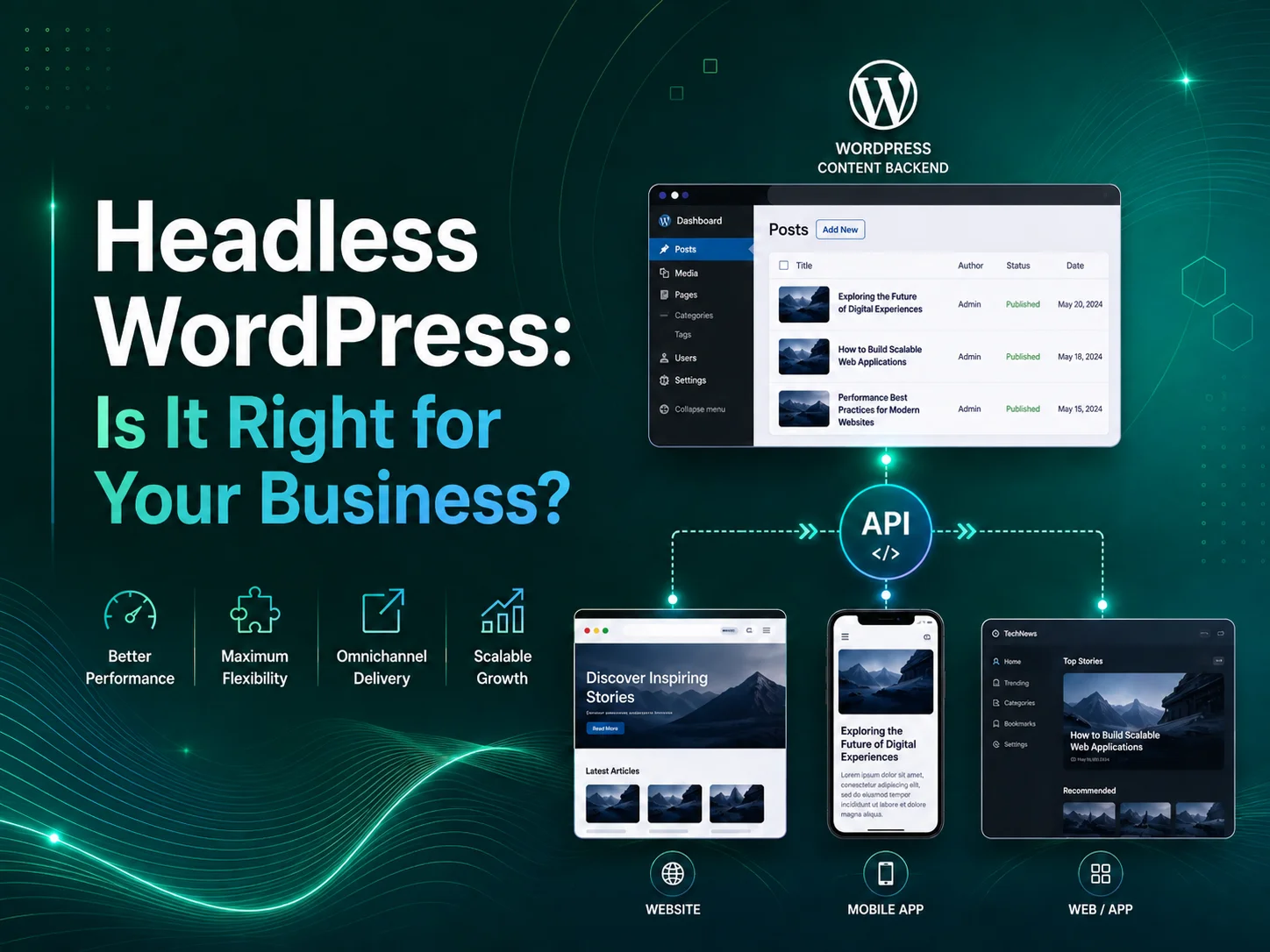
Headless WordPress separates those responsibilities. WordPress remains the backend where content is created and managed, but a separate frontend application retrieves that content and displays the public website. Technologies such as React or Next.js can then be used to create the customer-facing experience.

This architecture can provide businesses with more frontend flexibility, but it also introduces additional development, hosting, integration, preview, and maintenance requirements. Headless WordPress is therefore not automatically better than traditional WordPress. Whether it makes sense depends on what the business is trying to build.

How Does Headless WordPress Work?

In a traditional WordPress website, a visitor requests a page and WordPress uses PHP, the database, plugins, and the active theme to generate the response. Content management and frontend presentation are part of the same overall platform.

With a headless approach, WordPress primarily manages content. The frontend becomes a separate application that requests posts, pages, categories, media, custom post types, or other required information through an API.

For example, an editor could continue creating articles inside the familiar WordPress administration area while a Next.js frontend displays those articles through a completely custom interface. The same WordPress content could potentially also be used by a mobile application, customer portal, or another digital channel.

Headless WordPress is most valuable when separating content management from frontend development solves a real product or technical requirement. Using a modern JavaScript frontend alone is not a sufficient reason to make a website architecture more complicated.

Traditional WordPress vs Headless WordPress

Area Traditional WordPress Headless WordPress
Content Management Managed in WordPress Managed in WordPress
Frontend WordPress theme Separate frontend application
Development Complexity Generally simpler Requires separate frontend architecture and integration
Frontend Flexibility Highly customizable within WordPress Greater freedom to use a separate frontend technology stack
Plugin Frontend Features Often work directly with the theme May require custom frontend implementation
Content Preview Usually straightforward May require a custom preview workflow
Maintenance One main application environment WordPress backend plus separate frontend and deployment workflow

The main difference is not the content editor. WordPress can still provide the familiar administration experience in both models. The major change is how the public-facing website is built and how it receives information from WordPress.

When Headless WordPress Can Be a Strong Choice

Headless WordPress becomes particularly useful when the frontend needs to behave more like a custom web application than a conventional content website. A business may want highly interactive interfaces, application-style navigation, sophisticated filtering, personalized experiences, or frontend functionality that is easier to build within an existing React-based product.

It can also be valuable when the company already has a frontend application and wants WordPress to serve primarily as the content-management layer. Instead of rebuilding editorial functionality inside the application, the business can allow marketing teams to continue working in WordPress while developers consume that content through APIs.

Another possible use case is multi-channel publishing. If the same articles, guides, product information, or other content need to appear across a website, mobile application, digital display, or another service, separating the content from one specific WordPress theme can provide a cleaner architecture.

Organizations with established frontend engineering teams may also prefer this approach because they can manage the customer-facing experience using the same component system, development practices, testing tools, and deployment processes used across their other digital products.

Headless Does Not Automatically Mean a Faster Website

Performance is one of the most common reasons businesses consider headless WordPress. A carefully developed frontend can certainly provide an excellent experience, particularly when pages are generated or cached efficiently and unnecessary client-side JavaScript is avoided.

However, simply replacing a WordPress theme with a JavaScript framework does not guarantee better performance. A headless frontend can still become slow because of oversized scripts, inefficient data requests, large images, excessive third-party tools, poor caching, or unnecessarily complex rendering.

Traditional WordPress can also perform very well when themes, plugins, hosting, caching, images, database queries, and frontend assets are optimized properly.

Performance should therefore be evaluated as an architectural and development problem rather than assuming that one approach is always faster.

Plugins and WordPress Features Need More Careful Planning

The WordPress plugin ecosystem is one of the platform’s major advantages, but headless architecture changes how some plugins can be used. Plugins that operate entirely within the WordPress administration area or expose suitable data may continue to fit naturally.

Plugins that depend heavily on rendering frontend HTML, theme templates, shortcodes, forms, or browser-side WordPress functionality may require additional development because the public frontend is no longer being rendered by the WordPress theme.

This becomes particularly important for e-commerce. A headless WooCommerce project may need custom implementation for product browsing, cart behavior, customer accounts, checkout-related workflows, payments, and other customer-facing functionality rather than assuming every existing WooCommerce extension will automatically appear inside the new frontend.

SEO features need similar attention. Page titles, descriptions, canonical information, structured data, sitemaps, redirects, social metadata, and other search-related output need to reach the frontend correctly. Traditional WordPress plugins may manage the data, while the separate frontend still needs to render that information properly.

Discuss Your WordPress Architecture

Consider the Content Editing Experience

A headless website should not make life unnecessarily difficult for the people creating content. Developers may appreciate a separate frontend architecture, but marketing teams still need to publish pages, preview changes, manage media, and understand how content will appear to visitors.

Content preview can require additional work because WordPress is no longer directly rendering the public page. Draft and preview functionality may need to communicate securely with the separate frontend so editors can review unpublished changes before releasing them.

Flexible WordPress page builders can also become more complicated in a fully headless environment. If the marketing team expects complete drag-and-drop control over page layouts, a traditional WordPress implementation may sometimes provide a simpler editing experience.

Headless architecture tends to work particularly well when the design system is structured around predefined content components. Editors manage content while developers maintain control over how those components are rendered on the frontend.

Security Changes, but It Does Not Disappear

Separating the public frontend from WordPress can change the website’s security surface, but headless WordPress should not be considered automatically secure.

The WordPress backend still requires updates, secure administrator accounts, appropriate permissions, protected APIs, backups, and monitoring. The separate frontend introduces its own dependencies, hosting environment, deployment process, and security responsibilities.

If authenticated users or external applications need to modify WordPress information, authentication and authorization must also be implemented correctly. Sensitive administrative operations should not become publicly accessible simply because WordPress is being used through an API.

The overall architecture may provide useful separation, but both sides of the system still require maintenance.

When Traditional WordPress Is Probably the Better Option

Many business websites do not need headless architecture. A corporate website, service business site, blog, portfolio, or relatively standard WooCommerce store can often achieve its goals more efficiently with a well-developed custom WordPress theme.

Traditional WordPress may be preferable when the marketing team wants extensive control over page building, the website depends heavily on frontend plugin functionality, the development budget is limited, or the business wants a simpler hosting and maintenance environment.

There is little value in maintaining two application layers when one well-built WordPress implementation already provides the required performance, flexibility, SEO, and editing experience.

Businesses should also consider long-term support. A headless platform normally requires developers familiar with both WordPress and the separate frontend technology. Updates may need coordination across two codebases and potentially two hosting environments.

Choose Headless WordPress for a Business Reason

The decision should start with requirements rather than technology trends. Ask whether the business needs a highly custom frontend, whether WordPress content must be delivered to multiple applications, whether the organization already maintains a React-based product, and whether the expected flexibility justifies the additional development and maintenance.

If those requirements exist, headless WordPress can provide a powerful combination: WordPress remains a mature content-management platform while developers gain greater control over how that content is presented.

If those requirements do not exist, traditional WordPress can often deliver the same business outcome with fewer architectural layers and a simpler editorial workflow.

Encoder IT Limited provides custom WordPress development for both traditional and headless architectures. Our work can include custom themes and plugins, WordPress REST API development, React and Next.js frontends, WooCommerce customization, third-party integrations, performance optimization, and ongoing WordPress maintenance.

Headless WordPress is not a replacement for traditional WordPress—it is another architectural option. The right choice is the one that gives your business the frontend flexibility, content-management experience, performance, integrations, and maintainability it actually needs without introducing unnecessary complexity.