Customer support can become difficult to scale as a business grows. More customers usually mean more questions about products, orders, subscriptions, bookings, accounts, technical problems, and company policies. Hiring additional support staff can help, but many of these conversations are repetitive and do not always require a human agent.
AI-powered customer support systems help businesses handle these routine conversations more efficiently. They can understand customer questions, search approved business information, provide relevant answers, collect details, create support tickets, and transfer complex conversations to human employees when necessary.
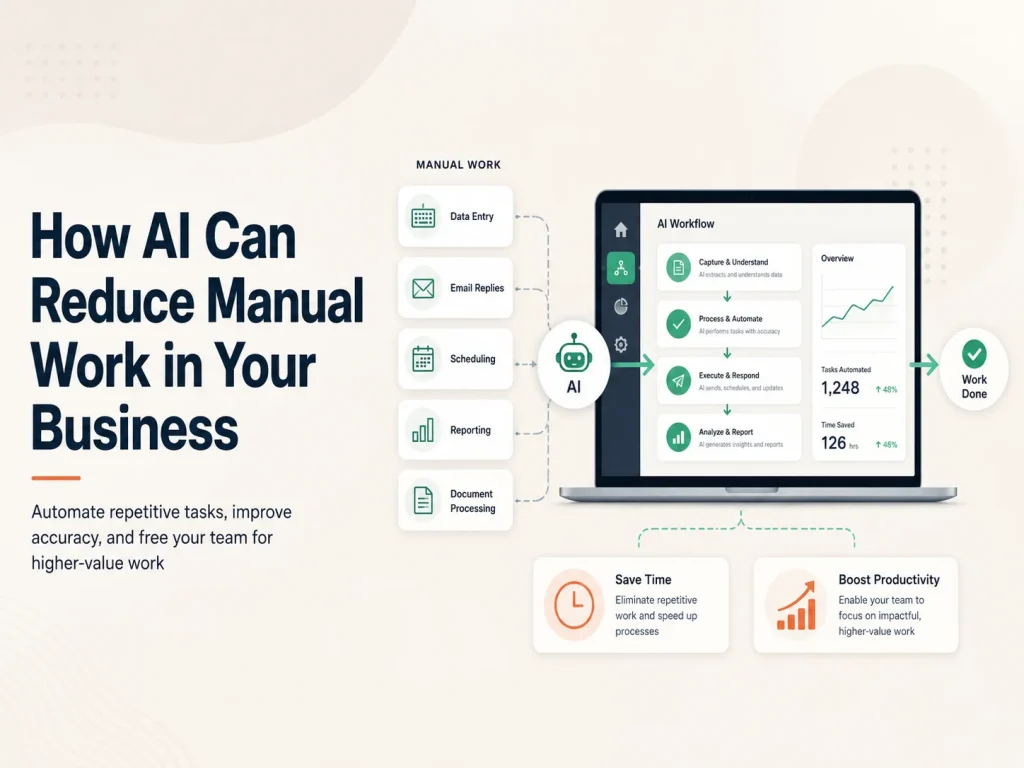
The goal is not to remove people from customer service. A well-designed AI support system handles the repetitive work while giving human agents more time for complaints, unusual problems, sensitive conversations, and situations that require judgment.
How an AI Customer Support System Actually Works
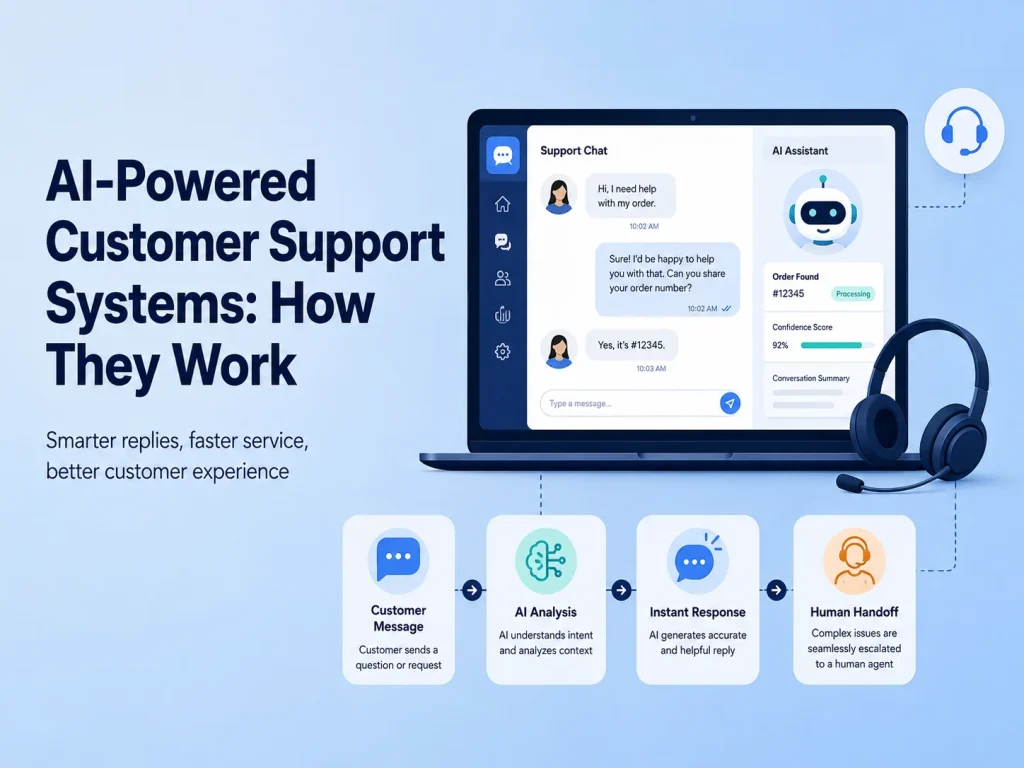
The process normally begins when a customer sends a message through a website, mobile app, customer portal, or other connected support channel. Instead of depending only on predefined buttons or exact keywords, an AI system can analyze natural-language questions and determine what the customer is trying to accomplish.
For example, a customer might write, “Where is my order?” The system can identify that the question is related to order tracking. If the customer is authenticated and the AI support platform is securely connected to the company’s order-management system, it may retrieve the relevant status and provide an appropriate response.
A question such as “What is your refund policy?” works differently. The AI may search an approved knowledge base containing company policies, frequently asked questions, help articles, and product documentation. It can then use that information to prepare a conversational answer instead of forcing the customer to manually search several pages.
Behind a useful AI support experience, there are usually several connected components working together: the conversational AI model, business knowledge, customer data, backend APIs, support workflows, and human-agent escalation.
Business Knowledge Makes the AI More Useful
A general AI model does not automatically know a company’s current products, policies, pricing, internal procedures, or support documentation. For business use, the system needs access to controlled sources of information that can help it answer questions accurately.
These sources might include FAQs, service descriptions, product documentation, troubleshooting guides, return policies, onboarding information, or internal support procedures. When a customer asks a question, the system can locate relevant information and use it as context for the response.
This approach is particularly valuable when a business has a large amount of documentation. Instead of expecting customers or support agents to remember where every answer is stored, AI can help retrieve the most relevant information from the available knowledge.
The quality of this information matters. Outdated policies or incomplete documentation can lead to poor answers, which is why maintaining the knowledge base should be part of the support process.
AI Can Connect Customer Questions With Real Business Systems
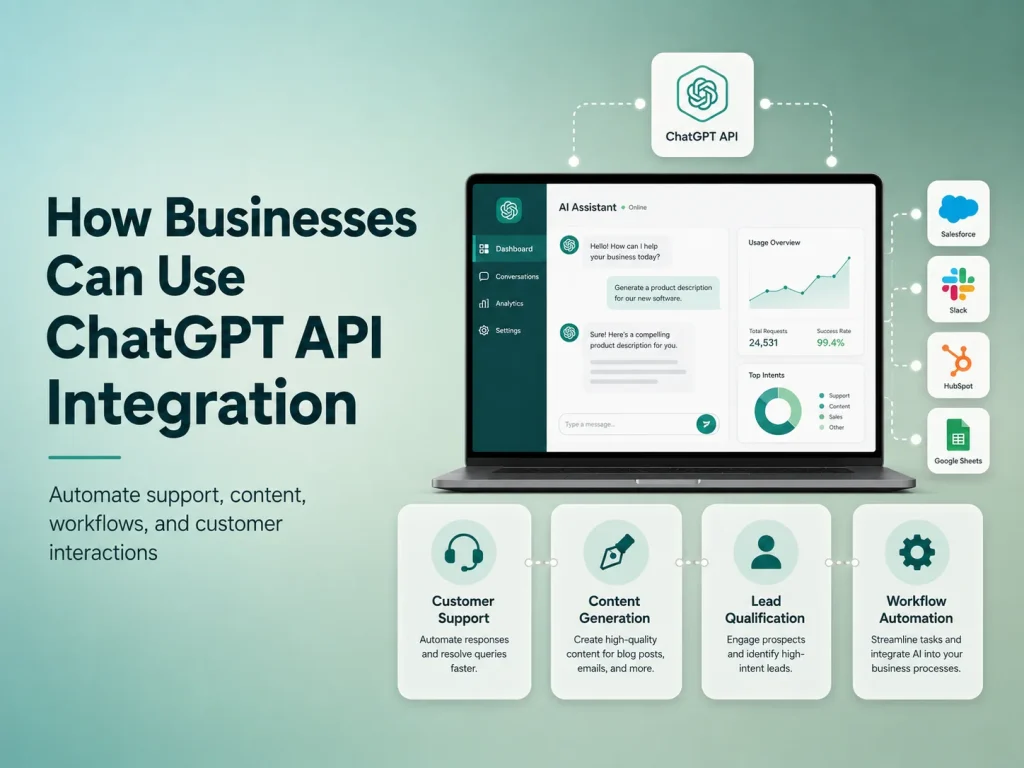
The biggest improvement often happens when AI moves beyond simply answering FAQs. Through secure APIs, the support system can work with existing CRM software, e-commerce platforms, booking systems, SaaS applications, subscription platforms, or other business tools.
This can allow the assistant to provide personalized information such as an order status, upcoming appointment, subscription details, or support-ticket progress. Depending on the workflow, AI may also collect information from the customer before another system performs an action.
For example, an AI assistant could identify that a customer wants to change a booking, collect the required details, and then send the request through the normal booking workflow. The AI handles the conversation, while standard application logic manages availability, permissions, database updates, and confirmation.
- Answer frequently asked questions
- Search products, policies, or documentation
- Provide authenticated account information
- Collect details before creating a support request
- Summarize long customer conversations
- Categorize and route support tickets
- Suggest responses to human support agents
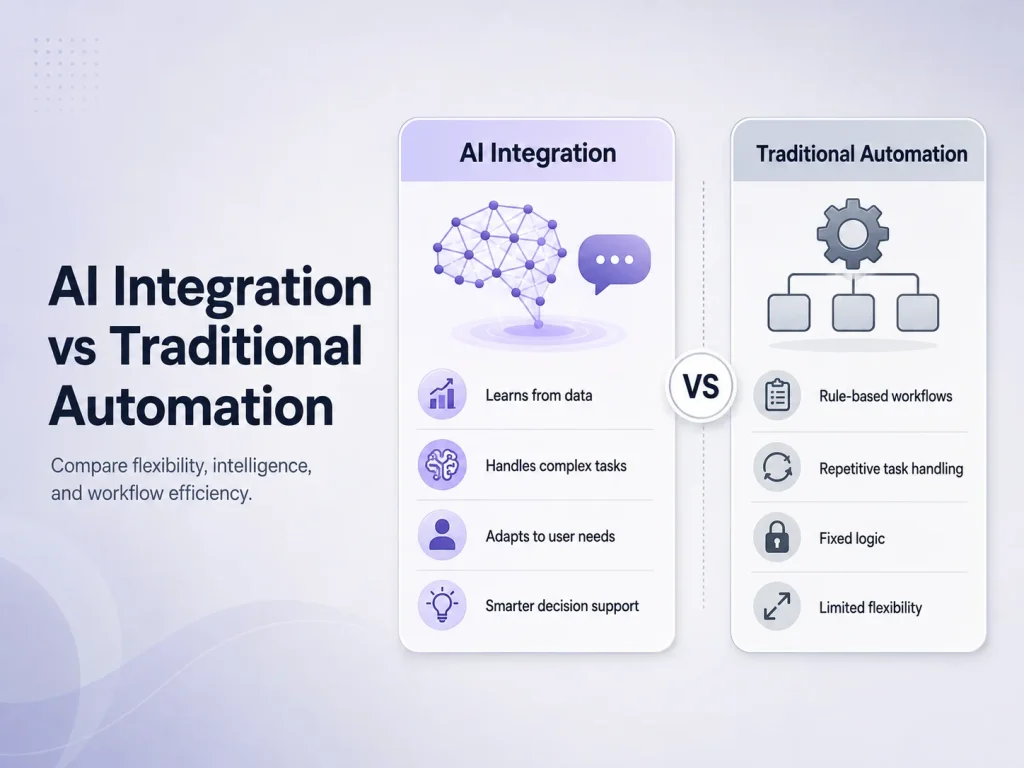
This combination of AI and traditional automation is important. AI is useful for understanding flexible human language, while predictable business actions should still be controlled by reliable backend rules.
What Happens When AI Cannot Solve the Problem?
A customer support system should never trap customers in an automated conversation. If the AI cannot answer confidently, the customer repeatedly asks for help, or the request involves a sensitive issue, the conversation should be escalated to a human agent.
A good handoff can include the customer’s existing conversation, a short AI-generated summary, the identified issue category, and any information already collected. This prevents the customer from having to explain the same problem again and gives the support employee useful context before joining the conversation.
Human involvement is especially important for complaints, unusual billing problems, account-security issues, complicated technical failures, or other situations where empathy and judgment matter more than response speed.
AI Can Help Support Employees Too
Not every AI customer support feature needs to communicate directly with customers. Some of the most practical applications work behind the scenes to help support teams operate more efficiently.
AI can summarize a conversation containing dozens of messages, search internal documentation while an agent is responding, suggest a draft answer, identify the type of problem, or highlight important customer information. The employee remains responsible for the final response but spends less time searching and organizing information.
This can be a useful starting point for businesses that are not ready to fully automate customer conversations. AI-assisted support allows employees to remain in control while still reducing repetitive work.
Request a Quote
Building AI Support Around the Customer Experience
AI customer support should be designed around real customer problems rather than added simply because AI is popular. Businesses should first identify the questions that consume the most support time, where customers frequently become stuck, and which requests can be safely automated.
Security and privacy also need careful attention when AI systems work with customer information. Users should only be able to access data they are authorized to see, sensitive credentials should remain protected on the backend, and important account actions should continue to use proper validation.
Encoder IT Limited develops AI-powered customer support solutions that can connect conversational AI with websites, mobile applications, SaaS platforms, business APIs, knowledge bases, customer portals, and existing support workflows.
A successful AI support system is therefore much more than a chatbot sitting in the corner of a website. It connects customer conversations with useful business knowledge and reliable software workflows, automates repetitive interactions, and brings human employees into the process when their experience provides greater value.