WordPress Website Maintenance Checklist

Launching a WordPress website is only the beginning. Over time, WordPress core, themes, plugins, hosting environments, third-party integrations, and business content all change. Without regular maintenance, a website can gradually become slower, less secure, more difficult to manage, or vulnerable to compatibility problems.

A structured WordPress website maintenance checklist helps businesses keep their websites stable, secure, fast, and up to date. Maintenance should include more than installing updates. Backups, performance, security, forms, database health, broken links, integrations, content, and monitoring all deserve regular attention.

The frequency depends on the website. A small company website may need less frequent attention than a WooCommerce store, membership platform, or high-traffic business website where problems can directly affect orders and customers.

Essential WordPress Maintenance Checklist

  • Back up the website regularly. Maintain reliable copies of the database and website files, and make sure backups are stored separately from the live website.
  • Update WordPress core. Keep WordPress itself current while reviewing compatibility before major updates.
  • Update plugins and themes. Remove outdated software and test important functionality after updates.
  • Review website security. Check administrator accounts, suspicious login activity, permissions, and security alerts.
  • Test forms and enquiries. Confirm contact forms, quote requests, registration forms, and email notifications are reaching the correct recipients.
  • Check website performance. Review loading speed, large images, scripts, caching, and unnecessary plugins.
  • Test mobile responsiveness. Make sure important pages, menus, forms, and buttons continue working properly on smaller screens.
  • Check broken links and missing pages. Repair outdated internal links, deleted resources, and unexpected 404 errors.
  • Review integrations. Test payment gateways, CRM connections, email services, APIs, shipping tools, and other third-party systems.
  • Clean unnecessary data. Review spam comments, expired transients, unused plugins, old revisions, and other data that may no longer be required.
  • Review users and permissions. Remove accounts that are no longer needed and avoid giving unnecessary administrator access.
  • Monitor uptime and errors. Identify downtime, PHP errors, failed scheduled tasks, and other technical problems before they affect visitors for long periods.

Backups Should Be Tested, Not Just Created

Backups are one of the most important parts of WordPress maintenance because updates, server failures, accidental changes, malware, or database problems can damage a website unexpectedly.

A good backup strategy should include both WordPress files and the database. The database contains posts, pages, settings, users, orders, and other dynamic information, while the file system contains themes, plugins, uploads, and custom code.

Backup frequency should reflect how frequently the website changes. A company website that receives occasional content updates may need a different schedule from a WooCommerce store processing orders throughout the day.

Businesses should also verify that backups can actually be restored. A backup system that has been running for months but produces unusable files provides little protection when a real problem occurs.

Website maintenance is not simply about preventing problems. It is about making sure the business can recover quickly when updates, integrations, hosting, or unexpected technical issues do not behave as planned.

Update WordPress, Plugins, and Themes Carefully

WordPress websites commonly depend on multiple components maintained by different developers. Keeping those components updated helps address security issues, compatibility problems, and bugs.

However, important business websites should not treat every update as a blind one-click process. Major changes can occasionally conflict with custom themes, plugins, page builders, or third-party integrations.

Before significant updates, make sure a recent backup exists. For larger or more complex websites, testing updates in a staging environment can reduce the risk of introducing problems directly into production.

After updating, check important functionality such as navigation, contact forms, account login, search, checkout, payment processing, and any custom features that are central to the business.

Security Needs Ongoing Attention

WordPress security is not a one-time configuration. Administrator accounts change, plugins become outdated, credentials may be reused, and new vulnerabilities can appear over time.

Businesses should regularly review user accounts and remove access for employees, contractors, or developers who no longer need it. Administrator privileges should be limited to people who genuinely require complete control of the website.

Strong passwords and additional authentication can help protect sensitive accounts. Hosting, WordPress, themes, and plugins should also remain supported and maintained rather than depending indefinitely on abandoned software.

Security monitoring should focus on unusual activity such as repeated failed logins, unexpected administrator accounts, modified files, unusual redirects, or sudden changes in website behavior.

Maintain and Protect Your WordPress Website

Check Performance Before Visitors Complain

WordPress websites can become slower gradually. New plugins are installed, tracking scripts accumulate, images become larger, databases grow, and marketing tools add more third-party requests.

Regular maintenance should review page speed across important areas of the website rather than only testing the homepage. Service pages, landing pages, blog posts, product pages, cart, and checkout may behave differently.

Large images should be optimized, unnecessary scripts and plugins should be reviewed, caching should work correctly, and hosting resources should remain appropriate for current traffic.

A website that has grown significantly since launch may also benefit from database optimization, CDN usage, improved caching, or infrastructure changes rather than repeatedly trying to solve every performance problem with another plugin.

Test Forms, Email, and Business Integrations

A website may appear completely normal while important business functionality has quietly stopped working. Contact forms can fail to send email, API credentials can expire, payment providers can reject requests, or third-party services may change their requirements.

Important forms should therefore be tested regularly from beginning to end. Do not only check whether the form displays correctly; confirm that the submission is stored or delivered and that the intended employee actually receives the notification.

WooCommerce stores should test key customer journeys such as adding products to the cart, applying discounts, selecting shipping, completing payment, and receiving order confirmation.

Custom integrations deserve similar attention. CRM synchronization, external APIs, booking systems, payment gateways, email marketing platforms, and other connected services should be monitored for authentication failures and synchronization errors.

Review Content and User Experience

Technical maintenance is only part of keeping a website healthy. Business information can become outdated even when the software is working perfectly.

Review service descriptions, pricing references, team information, office details, policies, opening hours, testimonials, contact information, and other content that may have changed since publication.

Navigation should also remain appropriate as new pages are added. Over time, menus can become crowded and related information may become spread across several areas of the website.

Mobile testing is particularly important after design changes. Buttons, menus, popups, forms, tables, and new content blocks should remain usable on smaller screens rather than simply looking correct on desktop.

Monthly, Quarterly, and Annual Maintenance

Not every maintenance task needs to happen at the same frequency. A practical schedule can separate frequent operational checks from deeper reviews.

Weekly or frequent checks may include backups, uptime, security alerts, important forms, WooCommerce transactions, and critical updates. High-traffic or transactional websites may require even more frequent monitoring.

Monthly maintenance can include plugin and theme updates, performance checks, broken links, database cleanup, user-account review, and testing important integrations.

Quarterly reviews can focus on content accuracy, mobile UX, navigation, analytics, unused plugins, conversion journeys, and broader performance improvements.

Annual maintenance is a good opportunity to review hosting, domains, SSL certificates, licenses, backup strategy, overall architecture, security policies, and whether the website still meets the current needs of the business.

Remove What the Website No Longer Needs

WordPress websites often accumulate unnecessary software over several years. Old plugins remain inactive, unused themes stay installed, temporary integrations are never removed, and custom code continues running long after the related feature has disappeared.

Reducing unnecessary components can make the website easier to maintain and reduce potential compatibility and security concerns. Before removing anything, confirm whether another part of the website still depends on it and maintain a current backup.

Encoder IT Limited provides ongoing WordPress maintenance and support for business websites, WooCommerce stores, custom themes, plugins, and API integrations. Our services can include updates, backups, security reviews, performance optimization, troubleshooting, integration maintenance, and ongoing development.

A reliable WordPress maintenance process protects the investment already made in the website. Regular backups, controlled updates, security monitoring, performance checks, integration testing, and content reviews can prevent small issues from becoming expensive problems while keeping the website dependable for both customers and employees.
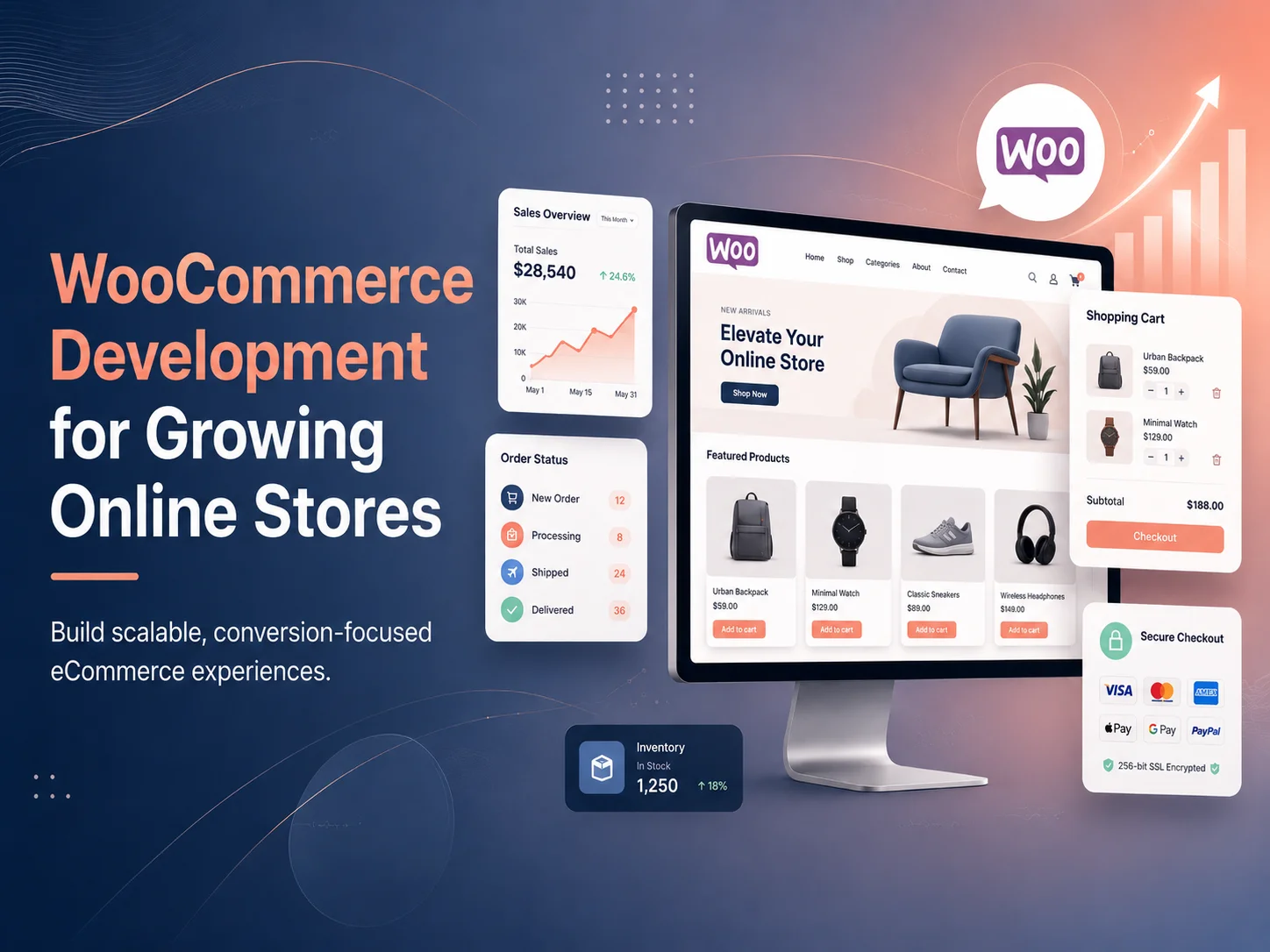
WooCommerce Development for Growing Online Stores

WooCommerce gives businesses a flexible way to build and manage an online store with WordPress. A store can begin with a relatively simple catalog, basic shipping, and a few payment methods, then gradually expand as products, customers, orders, and operational requirements increase.

Growth, however, often introduces new challenges. The store may need better product filtering, faster checkout, more advanced inventory management, custom pricing, additional payment gateways, shipping integrations, customer accounts, subscription functionality, or connections with external business systems.

WooCommerce development for growing online stores focuses on extending the platform without allowing the website to become unnecessarily complicated. The goal is to keep the store fast, reliable, manageable, and flexible enough to support increasing sales and changing business requirements.

Growing Stores Usually Need More Than Standard WooCommerce

A new WooCommerce store can often operate successfully with the platform’s standard product, cart, checkout, order, and customer functionality. As the business grows, requirements usually become more specific.

A retailer may introduce hundreds or thousands of product variations. Another business may need different pricing for wholesale customers. A store selling internationally may require multiple currencies, regional shipping methods, tax handling, or localized content. Subscription businesses need recurring payment and account-management workflows that are different from one-time purchases.

These requirements do not necessarily mean WooCommerce needs to be replaced. Many can be handled through carefully selected extensions, custom plugin development, API integrations, and improvements to the existing theme and checkout experience.

The important part is avoiding a situation where every new requirement is solved by installing another unrelated plugin. Too many overlapping extensions can make troubleshooting, updates, performance optimization, and long-term maintenance more difficult.

Growth Stage Common WooCommerce Needs
Early Store Product setup, payments, shipping, basic checkout, responsive design
Growing Store Better search and filtering, conversion improvements, automation, reporting
Multi-Channel Business Inventory synchronization, marketplace connections, ERP or CRM integration
Advanced Store Custom pricing, subscriptions, complex fulfillment, customer portals, APIs
High-Volume Operation Performance architecture, scalable infrastructure, monitoring, optimized workflows

Customize the Shopping Experience Around Your Customers

As competition increases, relying entirely on a generic WooCommerce theme can make it difficult for a store to create a distinctive shopping experience. Custom development allows product discovery, category pages, product pages, cart, and checkout to be adapted around the products and customer journey.

A clothing store may need prominent size and color filtering, variation swatches, sizing information, and product galleries. A technical product store may need detailed specifications, comparison tools, compatibility information, and advanced search.

The same principle applies to checkout. Customers should be able to understand shipping costs, select appropriate payment methods, enter necessary information, and complete the purchase without unnecessary steps.

Custom WooCommerce development can improve these experiences while maintaining the underlying store-management functionality that employees already use.

Connect WooCommerce With Inventory, Shipping, and Business Systems

Manual administration becomes harder as order volume increases. Employees may need to update inventory in multiple systems, copy tracking numbers, create invoices, notify customers, or transfer order information into accounting or fulfillment software.

API integrations can automate much of this work. WooCommerce can exchange information with inventory systems, ERP software, CRM platforms, shipping providers, accounting tools, payment gateways, marketplaces, and other business applications.

For example, after a customer completes an order, the store could send the order to a fulfillment system, update inventory, create the appropriate internal record, and later receive shipment tracking information automatically.

Reliable integrations should include error handling and logging. If an external service becomes unavailable or synchronization fails, administrators should be able to identify the affected order rather than discovering the problem only after a customer complains.

  • Inventory and warehouse synchronization
  • Shipping rates, labels, and tracking integration
  • CRM and customer-data synchronization
  • Accounting and invoicing connections
  • Marketplace and multi-channel integrations
  • Custom payment gateway integration
  • Email, SMS, and customer notification automation

Scale Your WooCommerce Store

Performance Becomes More Important as the Store Expands

A WooCommerce store can gradually become slower as products, orders, customers, images, plugins, scripts, and database records increase. Marketing tools, tracking services, recommendation systems, reviews, page builders, and other extensions can add additional processing and frontend resources.

Performance optimization should therefore be treated as an ongoing part of store development. Product images should be optimized, unnecessary plugins and scripts should be reviewed, database queries should remain efficient, and caching should be configured appropriately.

Hosting also needs to match the scale of the business. Infrastructure that works well for a new store may not be sufficient during large campaigns or periods of significantly higher order volume.

Performance testing should cover product listings, search, filters, product pages, cart, checkout, and customer-account areas rather than focusing only on the homepage.

Custom Plugins Can Be Better Than Repeated Workarounds

WooCommerce provides a large extension ecosystem, and existing plugins are often the fastest solution for standard functionality. Custom development becomes more valuable when the store has requirements that are unique to the business.

For example, a business may need a specialized pricing calculation, custom order approval process, unusual shipping workflow, customer-specific product catalog, or integration with an internal system that has no suitable existing extension.

Building this functionality as a structured custom plugin can keep important business logic separate from the WordPress theme. The website design can then change without risking functionality that is critical to orders, pricing, or operations.

Custom development should still use WooCommerce’s existing capabilities where possible rather than rebuilding stable functionality unnecessarily. The objective is to extend the platform cleanly rather than create a completely separate commerce system inside WordPress.

Security and Maintenance Need to Grow With the Store

A growing online store depends on WordPress core, WooCommerce, themes, plugins, payment integrations, hosting, and custom code. These components need regular maintenance to remain compatible and reliable.

Updates should be managed carefully, particularly when the store contains significant custom functionality. Important changes can be tested in a staging environment before being applied to the live website.

Backups should include both website files and the database, which contains products, customers, orders, settings, and other important store information. High-volume stores may need more frequent database backups because transaction data changes continuously.

Administrator access should also be controlled carefully. Employees should receive only the permissions required for their responsibilities, while critical accounts can use additional authentication and stronger access controls.

Know When to Optimize and When to Rebuild

A growing WooCommerce store does not need to be redesigned every time the business introduces a new requirement. Many stores can continue scaling through targeted improvements to performance, checkout, integrations, architecture, and custom functionality.

However, businesses should periodically review whether the existing theme, plugin structure, and custom code are still maintainable. A store that has been modified repeatedly for many years may eventually contain outdated extensions, duplicated functionality, and workarounds that make every new feature harder to develop.

In that situation, rebuilding selected parts of the store—or creating a cleaner custom theme and plugin architecture—can sometimes be more efficient than continuing to patch the existing implementation.

Encoder IT Limited provides WooCommerce development for growing online stores, including custom theme development, plugin development, checkout customization, payment integration, inventory and order automation, third-party API integrations, performance optimization, and ongoing maintenance.

WooCommerce can remain a strong e-commerce foundation as a business grows when the store is developed with scalability and maintainability in mind. By improving customer experience, automating operational workflows, controlling plugin complexity, optimizing performance, and extending the platform through clean custom development, businesses can continue growing without turning the store into an increasingly difficult system to manage.

WordPress Security Best Practices for Business Websites

A business website may contain customer enquiries, employee accounts, e-commerce orders, payment integrations, customer information, documents, and connections with other business systems. Protecting that website therefore involves much more than installing a security plugin and assuming the job is finished.

WordPress security best practices combine software updates, secure hosting, controlled administrator access, backups, monitoring, safe development practices, and careful management of themes, plugins, and third-party integrations. No website can be made completely risk-free, but a layered security approach can significantly reduce unnecessary exposure and make recovery easier when something goes wrong.

Security should also be treated as an ongoing business responsibility. A WordPress installation that was properly configured at launch can become less secure over time if plugins become abandoned, employees retain unnecessary access, updates are ignored, or new integrations are added without proper review.

Keep WordPress, Themes, and Plugins Up to Date

One of the most important WordPress security practices is keeping the software stack current. This includes WordPress core, active themes, plugins, and relevant server software managed by the hosting environment.

Updates frequently include bug fixes, compatibility improvements, and security corrections. Leaving outdated software running for long periods can expose the website to vulnerabilities that have already been identified and addressed in newer releases.

Businesses should also review whether installed plugins and themes are still actively maintained. An extension that has not received meaningful updates for a long time may eventually become incompatible with newer WordPress versions or create unnecessary security concerns.

For important business websites, updates should be handled through a controlled process. Maintain a current backup before significant changes and consider testing larger updates on a staging environment before deploying them to the live website.

Control Administrator Access Carefully

Not every person who works on a WordPress website needs administrator privileges. WordPress includes different user roles that can be used to limit what employees, editors, authors, and other users are allowed to do.

Administrator accounts should generally be limited to people who genuinely need access to plugins, themes, users, configuration, or other high-level settings. Marketing employees who only publish content may need editing permissions but not the ability to install software or change critical website configuration.

Strong, unique passwords should be used for WordPress accounts, hosting accounts, domain management, databases, and connected business services. Reusing the same password across several systems increases the potential impact if one credential is compromised.

Additional authentication can provide another layer of protection for sensitive accounts. Businesses should also review user accounts regularly and remove access for employees, contractors, agencies, or developers who no longer require it.

WordPress security is strongest when access is limited by responsibility. Every unnecessary administrator account, abandoned plugin, outdated integration, or unused credential creates another element the business must protect and maintain.

Use a Layered WordPress Security Checklist

  • Keep WordPress core, plugins, and themes updated
  • Remove plugins and themes that are no longer required
  • Use strong, unique passwords for important accounts
  • Limit administrator access to necessary users
  • Use additional authentication for sensitive accounts where appropriate
  • Maintain reliable off-site backups
  • Use HTTPS across the website
  • Monitor suspicious login and website activity
  • Protect API credentials and other secrets
  • Review custom code and integrations carefully
  • Use secure hosting with maintained server software
  • Test important website functionality after security or software updates

A checklist helps create consistency, but security controls should still reflect the website’s actual risk. A basic company website and a WooCommerce store processing orders every day may require different levels of monitoring, backup frequency, access control, and recovery planning.

Backups Are Part of Security, Not Just Maintenance

Security is not only about preventing an incident. Businesses also need to consider how quickly the website can recover after malware, an accidental change, a failed update, server problems, or damaged data.

Backups should include both the WordPress database and website files. The database may contain pages, settings, user information, orders, and other dynamic records, while website files include uploads, themes, plugins, and custom development.

Backup frequency should reflect how quickly information changes. A relatively static business website may have different requirements from an e-commerce store where new orders and customer activity occur throughout the day.

Copies should also be stored separately from the production website. If the live hosting environment becomes unavailable or compromised, the organization should still have access to recovery data elsewhere.

Businesses should periodically confirm that their backups can actually be restored. Creating backup files is useful only when those files can be used successfully during a real recovery.

Secure Your WordPress Website

Protect Forms, Custom Code, APIs, and Integrations

Business WordPress websites frequently include custom functionality such as enquiry forms, customer portals, AJAX features, WooCommerce modifications, payment gateways, CRM integrations, and REST API endpoints. These areas need the same security attention as WordPress itself.

Data received from users or external systems should not automatically be trusted. Custom development should validate expected values, sanitize data where appropriate, and properly escape information before it is displayed.

Permissions should also be checked on the backend. Hiding an administrator button from ordinary users does not prevent someone from attempting to call the related endpoint directly. Sensitive actions should verify that the authenticated user has the required capability before processing the request.

WordPress nonces can help protect relevant forms and requests against certain types of misuse, but they should be used together with authorization rather than treated as a replacement for permission checks.

Third-party API keys, payment secrets, access tokens, and similar credentials should not be exposed unnecessarily in frontend code. Important integrations should use secure server-side processes and limit credentials to the access required for that specific service.

Choose Plugins Carefully and Remove What You Do Not Need

The WordPress plugin ecosystem makes it possible to add sophisticated functionality quickly, but every installed extension becomes another piece of software that needs to be maintained.

Before adding a plugin, businesses should consider whether the feature is actually required, whether the plugin is actively supported, and whether its functionality overlaps with software already installed.

Unused plugins should not remain installed indefinitely simply because they might be useful again one day. The same applies to unused themes, abandoned integrations, temporary migration tools, and old development utilities.

Reducing unnecessary components can make the website easier to maintain and gives the technical team fewer dependencies to monitor during future WordPress updates.

Secure Hosting and HTTPS Provide an Important Foundation

WordPress security does not stop at the application level. The hosting environment, PHP version, web server, database, firewall configuration, SSL certificate, file permissions, and backup infrastructure can all influence the overall security of the website.

A business hosting provider should keep its server software maintained and provide appropriate mechanisms for backup and recovery. Businesses should also understand who is responsible for server-level monitoring and security rather than assuming every responsibility belongs automatically to WordPress.

HTTPS should be used throughout the website so information transmitted between visitors and the server is encrypted during transport. This is particularly important for login pages, forms, checkout, account areas, and other locations where users submit information.

Businesses with more demanding security requirements may also use additional network-level protections, monitoring, or a web application firewall as part of a broader layered strategy.

Monitor the Website for Unusual Activity

Preventive controls are important, but businesses also need visibility when unexpected activity occurs. Repeated failed login attempts, new administrator accounts, unexpected file changes, unusual redirects, modified pages, or unexplained performance problems can all deserve investigation.

Monitoring should be configured so important alerts reach someone who is responsible for acting on them. Collecting security notifications provides limited value if nobody reviews them.

Operational monitoring is useful as well. A website may not be compromised but can still experience failed scheduled jobs, broken payment integrations, API errors, unavailable forms, or unexpected downtime that affects customers.

For WooCommerce and other transactional sites, monitoring payment, order, email, and integration workflows can be especially important because a website may appear operational while a critical business process has stopped working behind the scenes.

Create a Security and Recovery Process Before You Need It

Businesses should know what to do if suspicious activity is discovered. The process may include taking a recent backup, preserving relevant logs, restricting access, identifying affected accounts or files, changing compromised credentials, removing malicious code, updating vulnerable software, and testing the website before normal operation resumes.

Responsibility should also be clear. Business owners should know whether security incidents are handled by an internal technical team, hosting provider, WordPress maintenance company, or another specialist.

Encoder IT Limited provides WordPress development, maintenance, security improvements, troubleshooting, performance optimization, custom plugin development, WooCommerce support, and third-party API integration for business websites.

WordPress security is most effective when it becomes part of regular website management rather than an emergency task. Keeping software updated, minimizing unnecessary access, maintaining recoverable backups, securing custom development, monitoring important activity, and reviewing the website continuously can create a much stronger foundation for protecting a business website and the operations connected to it.

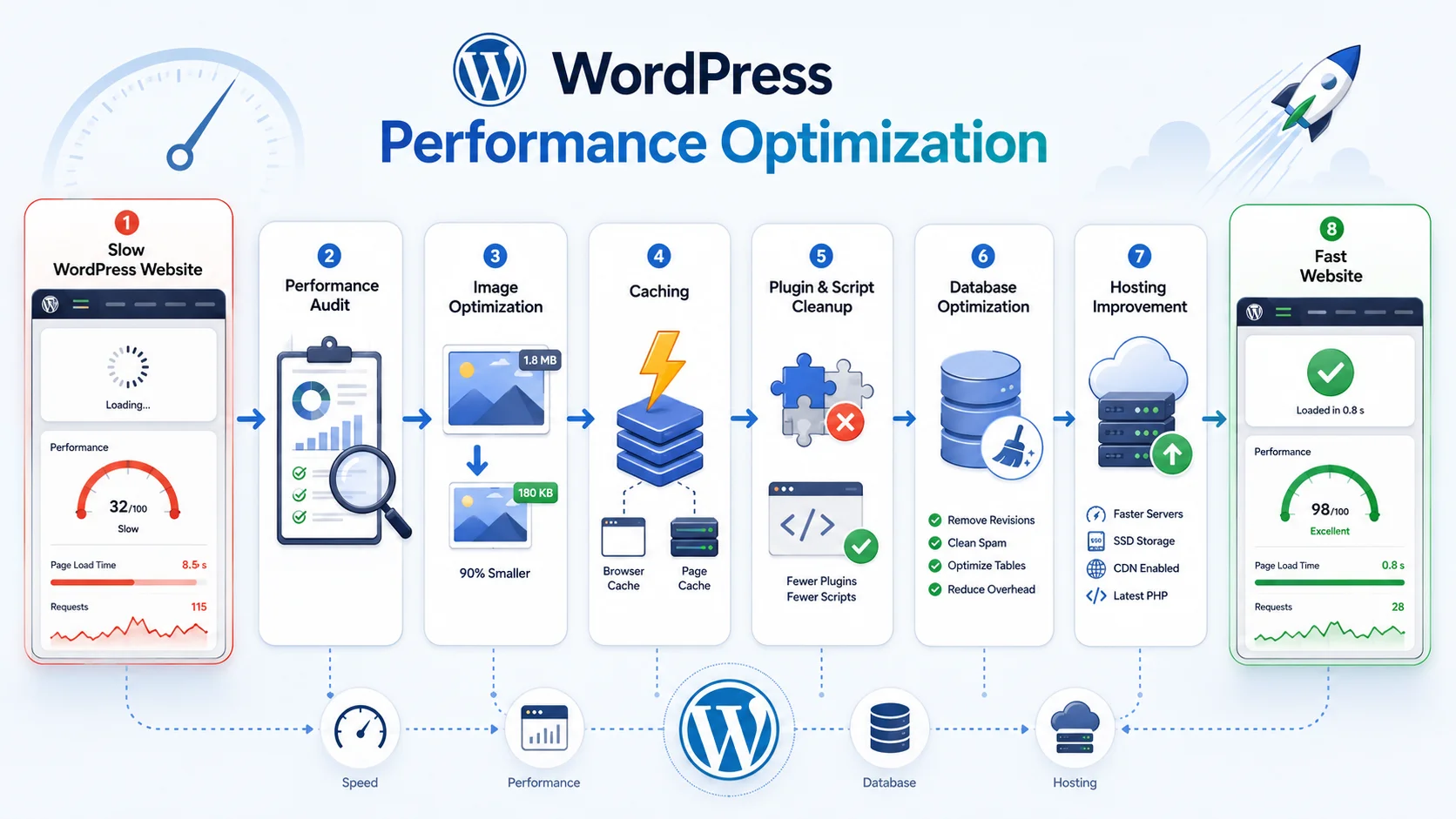
How to Speed Up a Slow WordPress Website

A slow WordPress website can affect more than visitor convenience. Customers may abandon pages before reading about a service, leave an online store while browsing products, or give up on a form when each interaction takes too long. Slow administration can also make everyday website management frustrating for employees.

Speeding up a slow WordPress website usually requires identifying what is causing the delay rather than installing several optimization plugins and hoping for an improvement. Hosting, themes, plugins, images, JavaScript, database queries, caching, external services, and custom code can all affect performance.

The best approach is to measure the website first, identify the largest bottlenecks, make targeted improvements, and test again. This creates a more reliable result than applying every available optimization technique without understanding the underlying problem.

Start With a WordPress Performance Audit

Before changing the website, determine where it is actually slow. The homepage is only one part of the user experience. Service pages, landing pages, blog posts, search, product categories, product pages, cart, checkout, and logged-in areas can behave very differently.

Businesses should test several representative pages and consider both frontend and backend performance. A page may appear slowly because the server takes too long to generate it, because the browser downloads too many large resources, or because third-party JavaScript delays important content.

The WordPress Site Health area can also reveal useful technical information, including caching-related recommendations and other configuration issues. For more advanced troubleshooting, developers can profile database queries, API requests, PHP execution, plugins, and custom functionality to identify where processing time is being spent.

A good audit creates a baseline. Without knowing the current performance, it becomes difficult to determine whether a new caching configuration, hosting change, or plugin removal actually improved the website.

WordPress-development-banner-2

Optimize Images and Frontend Assets

Images are often among the largest resources on a business website. High-resolution photographs may be uploaded directly from cameras or design tools even though the website displays them at much smaller dimensions.

Images should be resized appropriately and compressed while maintaining acceptable visual quality. Modern image formats can also reduce file size when they are suitable for the website and supported by the chosen workflow.

Responsive image handling helps browsers download an image size appropriate for the visitor’s device rather than forcing every smartphone to download the same large image intended for a desktop screen.

Lazy loading can reduce unnecessary initial downloads for images and other content that appears farther down the page. However, content immediately visible when the page loads should be handled carefully so important visual elements are not unnecessarily delayed.

CSS and JavaScript deserve similar attention. A WordPress website can gradually collect scripts from themes, page builders, analytics systems, advertising platforms, chat tools, popups, sliders, social widgets, and plugins. Each additional resource can introduce more network requests and browser processing.

Developers should determine which assets are actually required on each page. A plugin used only on the contact page does not necessarily need to load its scripts throughout the entire website.

Use Caching to Reduce Repeated WordPress Processing

Without appropriate caching, WordPress may need to process PHP, query the database, load plugin functionality, and build a page repeatedly even when the resulting content is nearly identical for many visitors.

Page caching can store a generated version of a page and serve it without repeating all of that work for every request. This can significantly reduce server processing for pages that do not need to be generated uniquely for each visitor.

Browser caching can also allow visitors to reuse static resources such as images, stylesheets, and scripts instead of downloading unchanged files every time they visit another page.

Persistent object caching can be useful for database-heavy websites by allowing frequently requested data to be retrieved from a faster caching layer rather than repeatedly executing the same database operations.

However, caching needs to reflect the type of website. A company service page can often be cached aggressively, while WooCommerce cart, checkout, account pages, personalized dashboards, and other dynamic areas require more careful rules.

Review Plugins Before Adding More Optimization Plugins

Plugins are one of WordPress’s biggest advantages, but they can also become a source of performance problems when a website accumulates too many extensions or poorly optimized functionality.

The total number of plugins alone does not determine performance. A small number of inefficient plugins can cause more problems than a larger group of lightweight, well-developed ones. What matters is what each plugin does and how often it performs database queries, external requests, background tasks, or frontend processing.

  • Remove plugins that are no longer used
  • Look for multiple plugins providing overlapping functionality
  • Review plugins that load scripts across every page
  • Investigate slow database queries and external API requests
  • Replace abandoned or inefficient plugins when appropriate
  • Avoid installing several optimization plugins that perform the same tasks
  • Keep important functionality separated from unnecessary theme features

Complex plugins may still be completely justified when they provide important business functionality. The objective is not to create the smallest possible plugin count but to remove unnecessary processing and avoid duplicated functionality.

Custom development can sometimes provide a cleaner solution when a business uses several plugins and workarounds to achieve one relatively specific workflow.

Speed Up Your WordPress Website

Check the WordPress Database and Backend Workload

As a WordPress website grows, the database can accumulate content revisions, plugin settings, metadata, scheduled tasks, WooCommerce information, transient data, and records from software that may no longer be active.

A large database is not automatically a slow database. Problems occur when WordPress repeatedly performs expensive or poorly structured queries, loads unnecessary data during every request, or depends on inefficient custom code.

Developers can investigate slow queries and review the amount of automatically loaded option data. Unnecessary autoloaded settings can increase the amount of information WordPress loads into memory across many requests.

Database cleanup should be performed carefully. Randomly deleting tables, options, revisions, or metadata can damage plugins or remove information that the business still needs. Always maintain a reliable backup before performing significant database optimization.

WP-Cron activity also deserves attention on websites with many scheduled processes. Backups, email queues, product synchronization, recurring subscriptions, scheduled publishing, imports, and other plugins may all create recurring background work. A large amount of poorly scheduled activity can increase server load.

Hosting Can Become a Bottleneck as the Website Grows

A WordPress website can only perform within the resources and configuration available from its hosting environment. A small shared-hosting plan may work adequately for a simple business website but become limiting when traffic, WooCommerce orders, logged-in users, database activity, or background processing increases.

Server processing capacity, memory, storage performance, database configuration, PHP configuration, caching capabilities, and network infrastructure can all influence website speed.

Before upgrading hosting, businesses should still investigate the application itself. Moving inefficient code to a more powerful server may improve performance temporarily without correcting the underlying problem.

However, if the website has been properly optimized and consistently reaches infrastructure limits, moving to an environment better suited to current traffic and workload can provide a meaningful improvement.

A content delivery network can also help distribute static assets closer to visitors in different geographic locations. This can be particularly useful when a website serves customers across several countries.

Pay Attention to Third-Party Services

Not every slowdown originates inside WordPress. Websites frequently depend on external services for analytics, advertising, chat, fonts, videos, maps, reviews, marketing automation, payment functionality, social media, and other features.

These services can add scripts and network requests that WordPress itself cannot fully control. If a third-party resource responds slowly, part of the page may also appear or become interactive later than expected.

Businesses should periodically review whether every third-party service is still providing enough value to justify its performance cost. Old marketing tags and abandoned tracking systems are particularly easy to forget because they may continue loading long after the related campaign has ended.

Server-side API integrations can cause similar problems when they are executed during normal page loads. When external information does not need to be retrieved in real time, caching the result or processing synchronization through background jobs can help keep visitor requests faster.

WooCommerce Requires Additional Performance Planning

WooCommerce websites are more dynamic than many standard WordPress sites. Product filtering, inventory, carts, sessions, customer accounts, checkout, payments, orders, and personalized content can require database and server processing that cannot always be handled through simple full-page caching.

A growing WooCommerce store should monitor product queries, variations, search and filtering, database size, background tasks, checkout performance, and integrations with payment, shipping, inventory, or ERP systems.

Product images should be optimized carefully because catalog and product pages may display many images at once. Stores should also avoid loading unnecessary marketing and plugin scripts throughout the complete customer journey.

Performance testing should include actual shopping flows—not only a cached homepage. A fast homepage provides little value if customers experience delays while filtering products or completing checkout.

Do Not Optimize Based Only on a Performance Score

Performance testing tools are useful for identifying problems, but achieving a perfect score should not become more important than creating a fast and reliable experience for real visitors.

Some websites need functionality that introduces legitimate performance costs. E-commerce tracking, customer support, analytics, video, interactive interfaces, and other tools may provide real business value.

The better objective is to understand the tradeoff. Remove unnecessary costs, optimize the functionality the website genuinely needs, and focus on important user journeys.

Changes should also be tested after implementation. Minifying or delaying scripts aggressively can occasionally break menus, forms, sliders, checkout functionality, or third-party integrations. Performance improvements should never come at the cost of core website functionality.

Keep WordPress Fast as the Website Changes

Performance optimization is not a one-time project. New pages, plugins, marketing scripts, images, integrations, and custom features can gradually change how the website behaves.

Regular maintenance should include performance checks so new bottlenecks can be identified before the website becomes noticeably slow. Large design changes, plugin installations, WooCommerce updates, and new integrations are good reasons to test again.

Encoder IT Limited provides WordPress performance optimization, custom theme and plugin development, WooCommerce optimization, database troubleshooting, API integration, hosting consultation, and ongoing WordPress maintenance for business websites.

A faster WordPress website usually comes from improving several connected areas rather than relying on one optimization setting. By measuring performance first, reducing unnecessary frontend resources, using caching appropriately, reviewing plugins and database activity, improving hosting where necessary, and continuing to monitor the website after launch, businesses can create a faster and more dependable experience for their visitors.

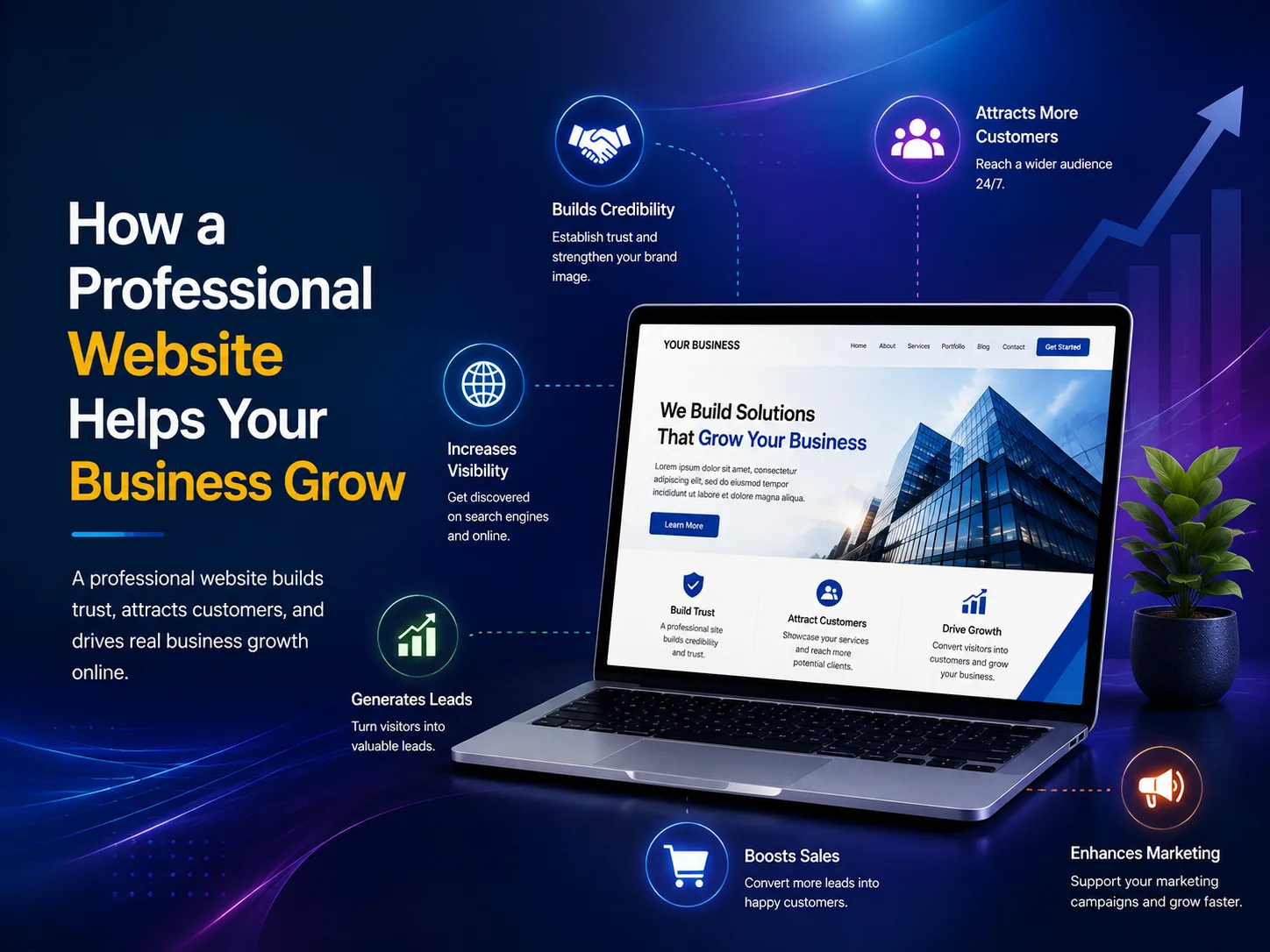
How a Professional Website Helps Your Business Grow

A professional website is often one of the first places potential customers interact with a business. Before making a call, requesting a quote, booking a service, or visiting a physical location, many people first look online to understand what the company offers and whether it appears trustworthy.

A well-designed business website does more than provide contact information. It can help attract new customers, explain services clearly, generate enquiries, support sales, strengthen credibility, and give a growing company a digital platform that remains available around the clock.

A Strong Website Builds Trust Before the First Conversation

Customers often form an impression of a company within a short time after visiting its website. A clean design, clear navigation, professional images, accurate information, and consistent branding can make the business feel established and reliable.

The opposite can also happen. Broken pages, outdated information, poor mobile layouts, confusing menus, or a website that looks significantly older than competitors may cause visitors to question whether the business is active or dependable.

Trust becomes particularly important when customers are comparing several companies offering similar services. A professional website can communicate experience through case studies, testimonials, completed projects, service information, certifications, team details, and other proof that helps potential customers make a decision.

Good design alone is not enough, however. Visitors should quickly understand who the company serves, what problems it solves, and what they should do next. Clear communication and professional presentation need to work together.

Your Website Can Become a Consistent Source of Leads

A business website should make it easy for interested visitors to take the next step. Depending on the company, that could mean requesting a quote, booking an appointment, calling the sales team, purchasing a product, scheduling a consultation, or submitting an enquiry.

Effective calls to action should appear naturally throughout important pages rather than forcing visitors to search for contact information. Service pages can guide people toward enquiries, product pages can lead toward checkout, and educational blog content can introduce potential customers to services they may not have previously considered.

A professional website can also support organic search visibility by providing useful pages around the services and questions potential customers are already searching for. Instead of depending entirely on referrals, social media, or paid advertising, the website can gradually become another channel through which new customers discover the business.

Build a Website That Supports Your Growth

A Better User Experience Can Turn More Visitors Into Customers

Getting traffic to a website is only useful if visitors can find what they need. Complicated navigation, slow pages, unclear service descriptions, long forms, or poor mobile design can cause people to leave even when they are genuinely interested in the business.

A professional website is structured around the visitor’s journey. Someone arriving on the homepage should be able to understand the business quickly. A visitor looking for a particular service should be able to reach the relevant information without navigating through several unrelated pages.

Mobile experience is especially important because many potential customers browse websites from smartphones. Buttons should be easy to tap, text should remain readable, forms should be comfortable to complete, and important information should not depend on a desktop-sized screen.

  • Clear navigation and service structure
  • Fast, responsive pages
  • Strong calls to action
  • Simple enquiry and contact forms
  • Mobile-friendly layouts
  • Professional and consistent branding

These improvements reduce unnecessary friction. Even small changes—such as making a quote button easier to find or simplifying a contact form—can make it easier for visitors to become genuine business leads.

A Website Can Support More Than Marketing

As a business grows, its website can become more than a collection of marketing pages. It can connect directly with business operations and reduce manual work for both employees and customers.

A service company might add online booking and appointment management. An e-commerce business can connect products, payments, inventory, and shipping. A B2B company may provide customer portals where clients can access documents, invoices, or project information. Other businesses may integrate CRM systems, payment gateways, live chat, support tickets, marketing platforms, or internal APIs.

This means the website can gradually become part of the company’s operational infrastructure. Customers receive more convenient self-service options while employees spend less time handling repetitive requests manually.

A professional development approach also makes future expansion easier. If the website is built with clean architecture and reusable components, adding new services, locations, integrations, landing pages, or customer functionality can be much simpler than continually working around the limitations of an outdated structure.

Your Website Should Grow With Your Business

A website that was suitable when a company first started may not remain suitable several years later. Branding changes, services expand, customer expectations evolve, and the business may begin targeting different markets. The website should be able to reflect these changes rather than presenting an outdated version of the company.

Regular content updates, performance improvements, security maintenance, new landing pages, stronger conversion paths, and additional functionality can help the website continue supporting business goals without requiring a complete rebuild every time something changes.

Encoder IT Limited designs and develops professional websites for businesses that need more than an online brochure. Our work includes custom website design, WordPress development, e-commerce solutions, responsive UI/UX, custom web applications, API integrations, performance optimization, and ongoing website maintenance.

A professional website contributes to growth by bringing several areas together: credibility, visibility, customer experience, lead generation, and business functionality. It gives potential customers a clearer reason to trust the company while making it easier for them to take action.

The most valuable business websites are not necessarily the ones with the most pages or visual effects. They are the ones that communicate clearly, work reliably, and help customers move naturally from discovering the business to becoming a customer.

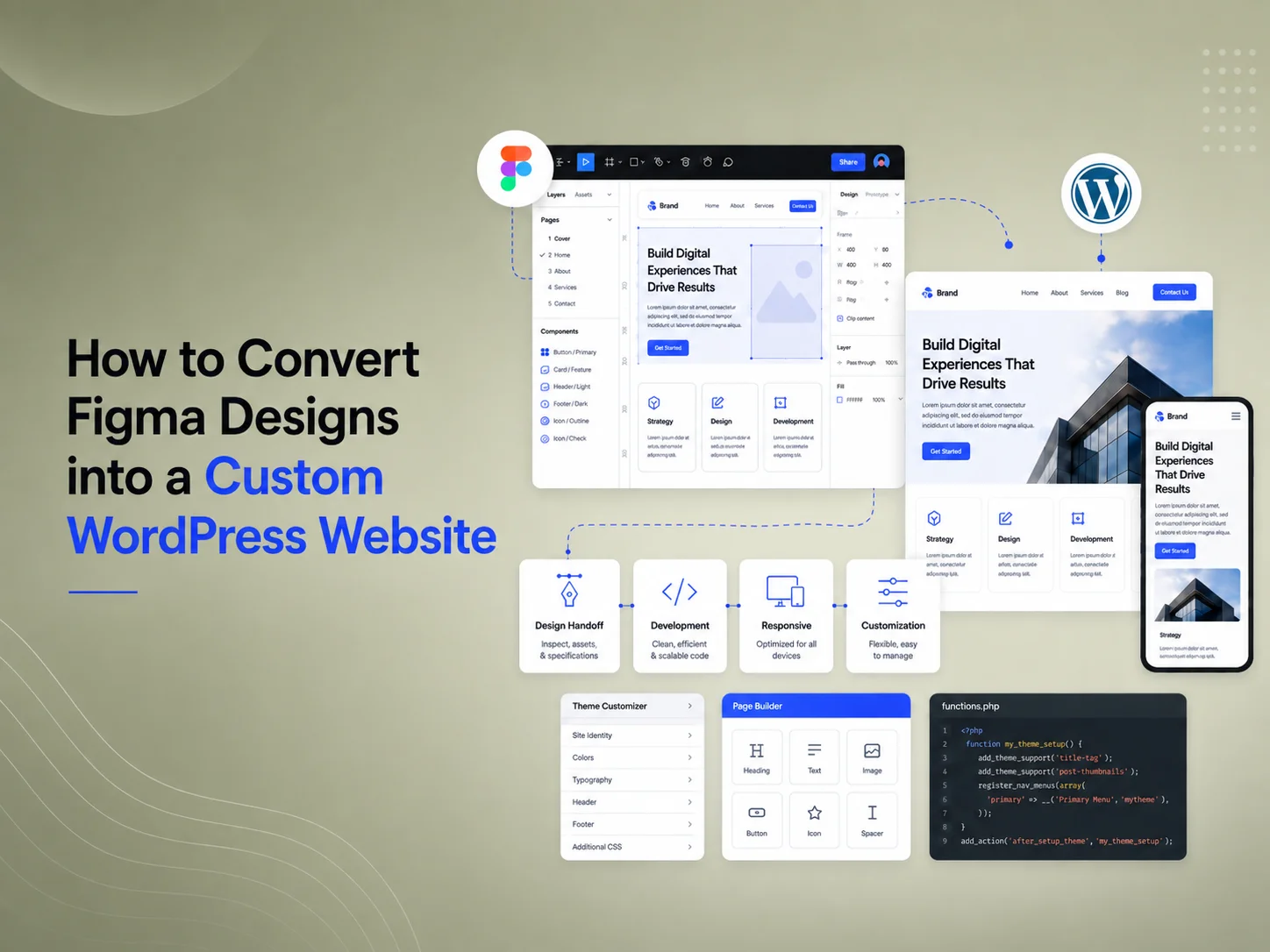
How to Convert Figma Designs into a Custom WordPress Website

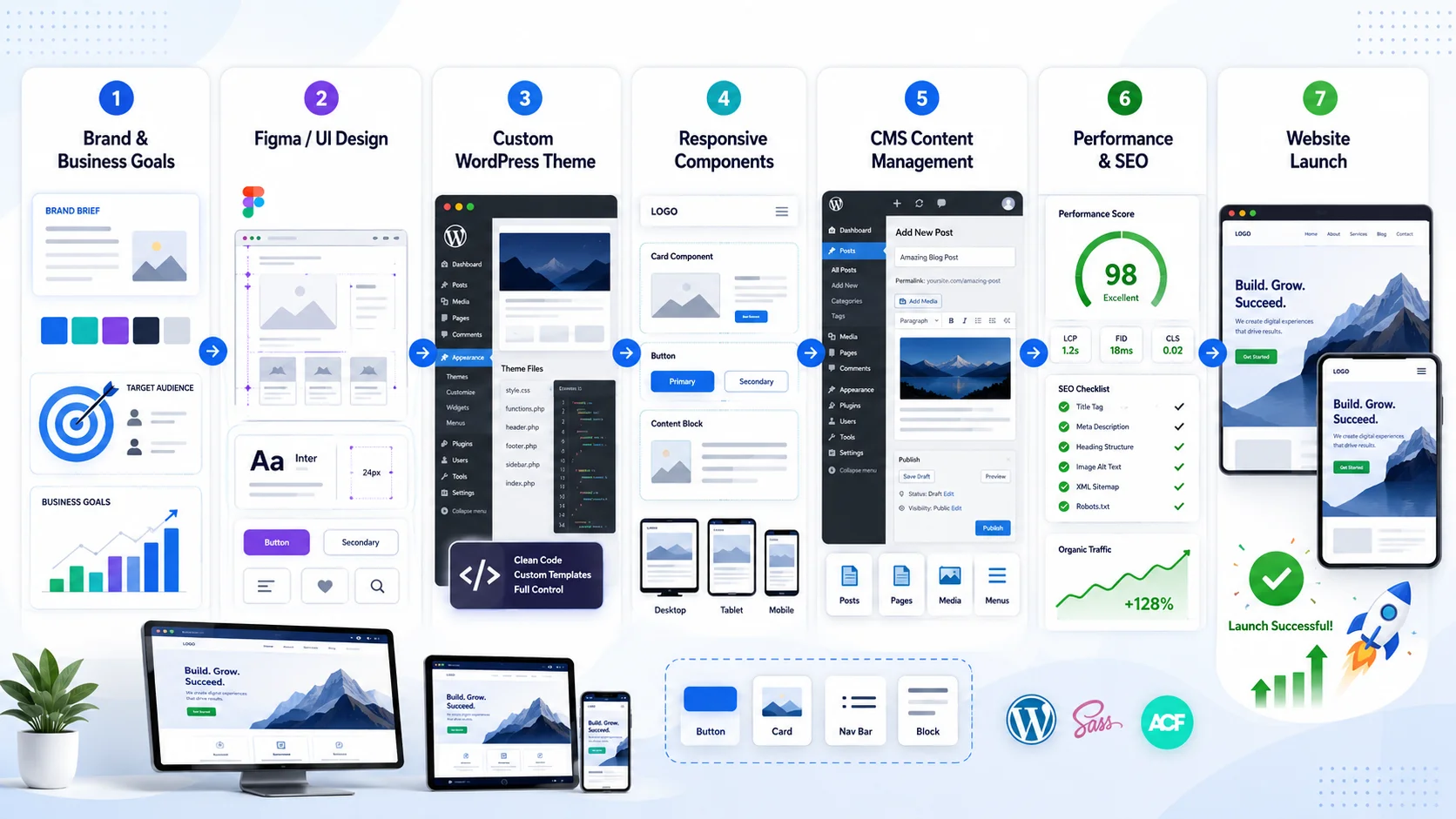
Figma is widely used to design modern websites before development begins. It allows designers to define page layouts, typography, colors, components, spacing, responsive behavior, and complete user journeys before developers start writing code.

Converting a Figma design into a custom WordPress website means turning those visual layouts into a responsive, editable, and maintainable website rather than simply recreating static screens. The final WordPress implementation needs to preserve the design while also supporting content management, performance, accessibility, SEO structure, and future updates.

A good Figma-to-WordPress workflow therefore requires collaboration between design and development. Developers need to understand which elements are reusable, which content should be editable, how layouts should respond across different devices, and which functionality needs custom WordPress development.

Start by Reviewing the Figma Design Before Development

Before converting individual pages, developers should review the complete design system. This includes typography, color styles, spacing patterns, buttons, cards, form controls, navigation, containers, grids, and other reusable components.

If each page is developed independently without identifying these patterns, the WordPress theme can quickly become inconsistent and difficult to maintain. Reusable design elements should be converted into reusable frontend components rather than rewriting similar code for every page.

The developer should also identify missing states. A Figma file may show the desktop homepage but not explain how the navigation behaves on mobile. Forms may show a normal state but not validation errors. Product cards may be designed with short titles without showing what happens when content becomes longer.

These questions are easier to resolve before development than after the complete site has already been built.

A successful Figma-to-WordPress project does not copy pixels blindly. It translates the design into a flexible system that remains visually consistent when real content, different screen sizes, and future website updates are introduced.

Build the Design as a Responsive System

Figma designs are often prepared at several common screen sizes, but real visitors use thousands of different viewport dimensions. The website therefore needs to respond smoothly between the supplied designs rather than changing only at a few exact widths.

Developers should determine how containers resize, when columns stack, how typography scales, and how spacing changes across desktop, tablet, and mobile layouts. Navigation, image positioning, buttons, tables, forms, and interactive elements may require specific responsive behavior.

The objective is to preserve the design intent rather than force every desktop measurement onto smaller screens. A two-column section may become vertically stacked on mobile, while a large decorative illustration may move or disappear if it interferes with readability.

Touch interaction also needs consideration. Buttons, dropdowns, sliders, filters, and other interactive elements should remain comfortable to use on smartphones rather than simply becoming smaller versions of their desktop equivalents.

Decide Which Content Should Be Editable in WordPress

A custom WordPress website should allow business teams to manage the content they regularly change without editing code. Developers should identify which parts of the Figma design need to become dynamic WordPress fields.

Page titles, descriptions, images, service cards, testimonials, team members, calls to action, FAQs, portfolio projects, blog content, and other recurring information can often be managed through the WordPress editor, custom fields, custom post types, or reusable content structures.

The goal is to provide flexibility without making every visual detail editable. If every margin, color, and font size becomes an individual setting, the website may become difficult for non-technical users to manage and the original design system can gradually become inconsistent.

  • Use reusable sections for repeated design patterns
  • Make frequently changing business content editable
  • Use custom post types for structured content where appropriate
  • Keep visual design rules controlled by the theme
  • Avoid hardcoding content that marketing teams need to update
  • Avoid unnecessary settings that make the backend confusing

Develop a Custom WordPress Theme Around the Design

For projects that require strong design accuracy and long-term maintainability, a custom WordPress theme can provide greater control than trying to force a highly specific Figma design into a generic prebuilt theme.

The theme can include the design system, responsive layout, templates, reusable components, navigation, blog structure, custom post types, and other presentation logic required by the project.

Important business functionality should generally remain separate from presentation where practical. If the website requires API integrations, complex forms, custom calculations, or another feature that should continue working after a future redesign, that logic may be more appropriate in a custom plugin rather than being tightly connected to the theme.

This separation makes the website easier to maintain because the visual design can evolve without unnecessarily affecting critical business processes.

Convert Your Figma Design to WordPress

Maintain Visual Accuracy Without Creating Fragile Code

Clients naturally expect the finished WordPress website to match the approved Figma design closely. Typography, colors, spacing, alignment, images, borders, responsive behavior, and interactive states should all reflect the intended design.

However, pixel-level accuracy should not lead to fragile CSS or excessive hardcoded positioning. Real website content changes. A heading may become longer, a testimonial may contain an extra sentence, or a translated version of the website may require significantly more space.

Layouts should therefore be developed to handle realistic content variation. Flexbox, CSS Grid, reusable spacing rules, responsive typography, and structured components can preserve the visual design while keeping the site stable when content changes.

This becomes particularly important for WordPress websites because administrators may continue adding pages and content long after the original development project is complete.

Optimize Performance During Development

A visually accurate implementation should also load efficiently. Large Figma assets should not simply be exported at maximum resolution and placed directly onto the website.

Images should be exported in suitable formats and sizes, while decorative graphics should be optimized appropriately. Fonts should be implemented carefully, and unnecessary animation or JavaScript should be avoided when it does not provide meaningful value.

Custom development also gives the team an opportunity to avoid loading large theme frameworks or page-builder functionality that the website does not actually use. Reusable components can be built around the exact requirements of the approved design.

Performance should be checked across important pages and devices during development rather than treated as a final task after the entire website has been completed.

Do Not Forget SEO and Accessibility

A Figma file primarily communicates visual design, but the finished WordPress website also needs proper HTML structure. Headings, navigation, links, buttons, forms, images, and other interface elements should use suitable semantic markup.

Page headings should follow a logical structure rather than being selected only because a particular font size matches the design. Images should allow appropriate alternative text, forms should have usable labels, and interactive elements should remain understandable through keyboard navigation where relevant.

Color contrast also needs to be reviewed during development. A combination that looks subtle and attractive inside a design tool may not provide enough contrast for comfortable reading on real screens.

SEO-related requirements such as page titles, metadata, canonical URLs, structured internal links, responsive layouts, and optimized loading should also be incorporated into the implementation rather than added as an afterthought.

Test the Website Against Figma Before Launch

Quality assurance should compare the live implementation with the approved designs while also testing behavior that static designs cannot demonstrate.

Developers should review important pages across desktop, tablet, and mobile sizes and check typography, spacing, image cropping, alignment, responsive transitions, navigation, forms, sliders, and interactive elements.

Real content should also be tested. Very short and very long headings, large menus, different image proportions, empty content areas, and form errors can reveal layout problems that are not visible in idealized design mockups.

Cross-browser testing is useful as well because rendering and interactive behavior can differ slightly between Chrome, Firefox, Safari, and other browsers.

Build the Website for Future Content, Not Only the Original Screens

The strongest Figma-to-WordPress implementations continue working after the original development team leaves. New blog posts can be published, services can be added, testimonials can change, and marketing teams can create new content without breaking the visual system.

This requires a balance between design accuracy and flexibility. The frontend should reflect the approved Figma design, while the WordPress backend should make everyday content management practical for the business.

Encoder IT Limited provides Figma-to-WordPress development, custom WordPress theme development, responsive frontend development, custom plugins, WooCommerce development, API integration, and ongoing WordPress maintenance.

Converting Figma into WordPress is not simply a design-to-code exercise. It requires transforming a static design system into a responsive, editable, optimized, and maintainable website. When reusable components, WordPress content management, performance, accessibility, and responsive behavior are planned together, the final website can remain faithful to the design while still being practical for long-term business use.

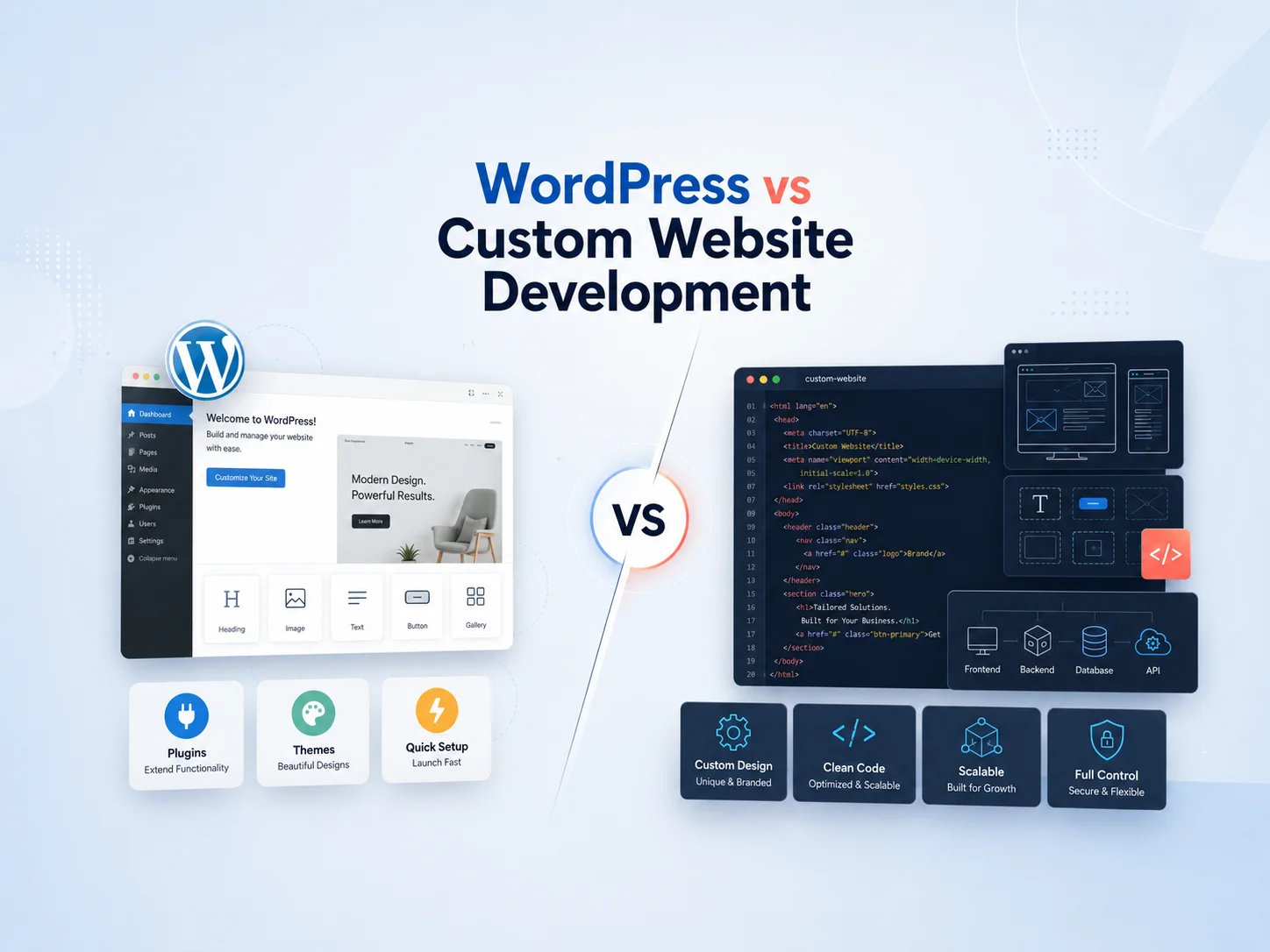
WordPress vs Custom Website Development

Choosing between WordPress and custom website development is an important decision when planning a new business website. Both approaches can produce professional, responsive, high-performing websites, but they differ in development flexibility, content management, maintenance, cost, and how easily specialized functionality can be introduced.

WordPress provides an established content management system with themes, plugins, user management, blogging tools, and a large development ecosystem. Custom website development gives developers greater freedom to design the frontend, backend, database, and functionality around specific business requirements without depending on a predefined CMS structure.

The right choice depends on what the website needs to accomplish. A service company focused on marketing, SEO, content publishing, and lead generation may benefit greatly from WordPress. A business requiring highly specialized workflows, application-like functionality, or unusual system architecture may need a more custom solution.

WordPress Provides a Flexible Content Management Foundation

WordPress is particularly useful when businesses need to manage website content regularly. Administrators can create pages, publish blog posts, upload media, manage menus, and update website information through a familiar dashboard without editing source code.

A custom WordPress theme can provide a distinctive design while still using WordPress for content management. Businesses are not limited to ready-made templates; developers can build the frontend specifically around a Figma design, brand guidelines, or custom UI/UX requirements.

Plugins can also extend the platform with functionality such as forms, SEO tools, multilingual content, memberships, e-commerce, marketing integrations, and many other common website features.

This combination makes WordPress a practical option for corporate websites, service businesses, blogs, news platforms, portfolios, content-heavy websites, and WooCommerce stores.

Area WordPress Development Custom Website Development
Content Management Built-in CMS with editor and administration tools CMS functionality must be built or integrated if required
Development Speed Often faster for standard business websites Usually requires more development from the beginning
Customization Highly customizable through themes, plugins, and custom code Maximum control over architecture and functionality
Common Features Many available through existing WordPress tools Developed specifically for project requirements
Maintenance Core, themes, plugins, and custom code require maintenance Custom application dependencies and infrastructure require maintenance
Best Fit Marketing, content, business, publishing, and e-commerce websites Highly specialized websites and application-like platforms

Custom Website Development Gives Greater Architectural Control

Custom website development usually means building the website around a specific technical architecture rather than using WordPress as the main platform. Developers may use technologies such as React, Next.js, Laravel, Node.js, or other frameworks depending on the project.

This approach can provide greater control when the website needs unusual functionality or behaves more like a web application. Complex customer portals, advanced dashboards, marketplaces, specialized booking systems, interactive platforms, or tightly integrated business workflows may benefit from a custom architecture.

Developers can decide exactly how authentication, databases, APIs, caching, frontend rendering, user permissions, and other technical components should work.

The tradeoff is that functionality WordPress already provides may need to be developed or integrated separately. Content editing, media management, user administration, SEO controls, and other CMS features do not automatically appear simply because a custom framework is being used.

WordPress Can Still Support Significant Custom Development

One common misconception is that choosing WordPress means being limited to a prebuilt theme and a collection of plugins. WordPress can also serve as the foundation for highly customized websites.

A development team can create a completely custom theme, custom post types, custom fields, WordPress REST API endpoints, custom plugins, WooCommerce functionality, external API integrations, and specialized administrative tools.

This makes the decision less binary than it initially appears. A business may use WordPress for content management while developing the design and important functionality completely from scratch.

For many projects, this approach provides a useful balance: the business receives a familiar CMS while developers retain considerable control over the customer-facing experience.

Consider the Website’s Main Business Purpose

If the website primarily needs to attract visitors, explain services, publish content, generate leads, and support SEO, WordPress is often a practical choice. Marketing teams can manage content without relying on developers for every update.

WordPress can also work well when the website includes e-commerce through WooCommerce, custom enquiry workflows, integrations with CRM platforms, booking functionality, or other common business requirements.

Custom development becomes more attractive as the project moves away from a traditional website and toward a software platform. If users need complex accounts, dashboards, permissions, workflows, real-time features, or large amounts of interactive data, a custom web application architecture may provide a cleaner foundation.

The distinction should therefore be based on functionality rather than branding. A company can have a completely unique, professionally designed WordPress website, just as a custom-coded website can still be visually simple.

Discuss the Right Website Approach for Your Business

Cost Depends on How Much Custom Functionality You Need

WordPress can reduce development effort because many foundational capabilities already exist. Content management, media handling, users, pages, posts, navigation, and many common integrations do not need to be developed from zero.

This can make WordPress more cost-effective for business websites where those existing capabilities match the project requirements.

A completely custom website may require more frontend and backend development, particularly when the business also needs an administration system for managing content. However, custom development can be worthwhile when the business would otherwise spend significant time forcing unique requirements into a platform that was not designed for them.

Businesses should compare the complete project rather than only the initial development quote. Hosting, premium plugins, maintenance, future features, integrations, developer support, and internal content-management requirements can all influence long-term cost.

Performance Depends More on Implementation Than the Platform Name

WordPress is sometimes described as inherently slow, while custom development is assumed to be automatically faster. In practice, performance depends heavily on how the website is built.

A WordPress website with an efficient custom theme, optimized images, appropriate caching, reliable hosting, and carefully selected plugins can perform very well. Problems usually appear when websites accumulate heavy page builders, unnecessary plugins, oversized media, poorly optimized scripts, or inefficient custom code.

A custom website can also become slow if it loads excessive JavaScript, performs inefficient database queries, uses poorly designed APIs, or depends on large third-party resources.

Businesses should therefore evaluate the planned architecture, code quality, hosting, caching strategy, and frontend performance rather than assuming one platform automatically guarantees better speed.

Maintenance Is Different, Not Optional

WordPress websites require regular updates to WordPress core, themes, plugins, and custom integrations. Businesses should maintain backups, test important updates, monitor security, and remove software that is no longer required.

A custom-developed website removes some WordPress-specific maintenance but introduces other responsibilities. Frameworks, libraries, servers, dependencies, APIs, databases, and custom application code still need security updates and ongoing support.

Neither option eliminates maintenance. The difference is where that maintenance occurs and which technical skills are required to manage it.

Which Option Should Your Business Choose?

WordPress is usually a strong choice when content management is important and the project fits reasonably well within a business website, publishing, marketing, or e-commerce model. Custom WordPress development can provide a unique design and specialized functionality without sacrificing the convenience of an established CMS.

Fully custom development may be more appropriate when the project has extensive application logic, highly specialized workflows, unusual architecture requirements, or functionality that would require WordPress to be modified far beyond its natural role.

A third option is to combine approaches. WordPress can operate as a content backend while a separate custom frontend or application handles presentation and advanced functionality. The best architecture depends on the specific project rather than following one development approach for every business.

Encoder IT Limited provides custom WordPress development as well as fully custom website and web application development. Our services can include custom WordPress themes and plugins, WooCommerce development, React and Next.js frontends, Laravel and Node.js development, API integrations, performance optimization, and ongoing website maintenance.

The best choice between WordPress and custom website development is the one that matches your business requirements without introducing unnecessary complexity. WordPress provides an efficient and flexible foundation for many business websites, while custom development offers greater architectural freedom when specialized functionality becomes the central requirement.

Custom WordPress Plugin Development: When Do You Need It?

WordPress provides thousands of plugins for forms, SEO, e-commerce, memberships, security, marketing, payments, and many other common website requirements. For many businesses, using an established plugin is faster and more cost-effective than building functionality from scratch.

However, there are situations where existing plugins do not match the business process, require too many workarounds, or introduce unnecessary functionality. In these cases, custom WordPress plugin development can provide a cleaner way to add features specifically designed around the website and its users.

The purpose of a custom plugin is not simply to create something unique. It should solve a real requirement that cannot be handled efficiently through WordPress core, a reliable existing plugin, or a small amount of configuration.

When Existing Plugins No Longer Fit the Requirement

An existing plugin is usually worth considering first when it already provides most of the required functionality. Mature plugins can reduce development time and may already include updates, documentation, integrations, and testing across many WordPress environments.

The problem begins when the business needs to install several plugins and additional code just to create one workflow. One plugin may handle forms, another may synchronize data, another may change user permissions, and custom snippets may be added to connect everything together.

This can make the website harder to maintain because several independent components must continue working together after future updates. A custom plugin may provide a more structured solution when the workflow is important enough to justify dedicated development.

For example, a business may need a quote-management system where customers submit project details, employees review requests, managers approve pricing, customers receive notifications, and accepted quotes automatically create related records. Trying to reproduce that exact process with several generic plugins may eventually become more complicated than developing the workflow directly.

Custom plugin development makes the most sense when the business has an important workflow that generic plugins can only approximate through repeated workarounds, duplicated functionality, or excessive manual administration.

Business-Specific Workflows Are a Strong Reason for Custom Development

Every organization operates differently. Two companies may both use WordPress but require completely different processes for customers, employees, payments, approvals, or internal administration.

A custom plugin can turn those requirements into structured WordPress functionality. It may introduce custom database tables, post types, user roles, administrative pages, scheduled processes, API endpoints, notifications, or other components depending on the project.

Common custom plugin use cases include:

  • Custom booking or reservation workflows
  • Customer or employee portals
  • Advanced quotation and approval systems
  • WooCommerce pricing and order rules
  • Subscription or membership workflows
  • CRM or ERP synchronization
  • Custom reports and administration dashboards
  • Automated notifications and scheduled processes
  • Payment gateway or shipping integrations
  • Industry-specific calculators and business logic

The key is that these features are tied directly to how the organization works. The plugin becomes part of the business process rather than simply adding another visual element to the website.

Custom Plugins Are Useful for Third-Party API Integration

WordPress websites increasingly need to communicate with external systems. Businesses may use a CRM, accounting platform, inventory system, payment gateway, shipping provider, booking platform, email service, or custom internal software alongside WordPress.

A custom plugin can provide a dedicated integration layer between WordPress and these systems. It can manage authentication, API requests, webhooks, data synchronization, error handling, scheduled jobs, and administrative settings without mixing important integration logic into the website theme.

For example, a WooCommerce store might need to send completed orders to an external warehouse system and receive shipment updates later. The plugin could handle the synchronization, record failures, retry unsuccessful requests, and update order information when tracking data becomes available.

This approach also makes future redesigns easier because the integration remains independent of the visual theme.

WooCommerce Often Benefits From Purpose-Built Plugins

WooCommerce can be customized extensively, but growing stores often develop requirements that go beyond standard settings. A business may need customer-specific pricing, unusual product configuration, custom checkout rules, special commissions, marketplace workflows, advanced order statuses, or internal fulfillment processes.

Existing WooCommerce extensions can handle many common needs, but forcing an unusual business model into a generic extension can create unnecessary complexity.

A custom WooCommerce plugin can implement the exact rules the business requires while using WooCommerce’s existing product, customer, order, payment, and inventory systems where appropriate.

This is usually better than modifying WooCommerce core files or placing critical commerce logic inside a theme. Core modifications can be overwritten during updates, while theme-based business logic becomes unnecessarily connected to the website’s visual design.

Discuss Your Custom WordPress Plugin

When You Probably Do Not Need a Custom Plugin

Custom development is not automatically the better choice. If a reputable plugin already solves the requirement cleanly, rebuilding the same functionality can increase cost and ongoing maintenance without providing meaningful benefit.

A simple contact form, basic SEO controls, standard backup functionality, common caching requirements, or familiar e-commerce features often have established solutions available.

Businesses should compare the cost of customization with the actual value it provides. Developing a plugin for a process that happens rarely and can be managed easily through an existing tool may not be a good investment.

The decision should also consider future support. Custom code needs testing, updates, documentation, and maintenance as WordPress, PHP, WooCommerce, and connected APIs evolve.

Keep Important Business Logic Outside the Theme

One of the strongest architectural reasons for using a plugin is separation between design and functionality. Themes should primarily control how the website looks, while plugins are better suited for functionality that should continue working even if the website is redesigned.

Suppose a website contains customer accounts, custom reports, API synchronization, and automated invoice processing. If all of this logic is placed directly inside the theme, changing to a new theme can become unnecessarily risky.

Moving the business logic into a custom plugin makes the website easier to maintain. The frontend can evolve while the underlying workflow continues operating independently.

This separation also helps developers organize code more clearly, particularly when a feature contains its own permissions, database structures, scheduled events, REST API endpoints, or administration screens.

Security and Maintainability Matter as Much as Functionality

A custom plugin should follow the same security principles expected from professional WordPress development. User input should be validated and sanitized appropriately, output should be escaped, and sensitive actions should verify that the user has the required permissions.

Administrative and frontend requests may also require nonce protection where appropriate, while API credentials and other secrets should be handled securely rather than exposed unnecessarily in browser-side code.

Developers should avoid changing WordPress core files because those changes can be overwritten by updates. The plugin should instead use WordPress hooks, APIs, and supported extension points whenever possible.

Maintainability matters because a custom plugin may remain in use for many years. Clear structure, documentation, reusable code, error logging, and controlled database changes can make future updates much easier.

How to Decide Whether Custom Plugin Development Is Worth It

Start by documenting the exact problem. Identify what employees or customers currently need to do, which steps are manual, which systems are involved, and why available WordPress plugins do not solve the requirement effectively.

If an existing plugin covers most of the workflow with only minor configuration, it may remain the better option. If achieving the requirement requires several extensions, repeated manual work, complicated code snippets, or compromises to an important business process, custom development becomes easier to justify.

Businesses should also consider how frequently the functionality is used. Automating a workflow performed hundreds of times every month can provide much greater value than customizing a rarely used administrative task.

Encoder IT Limited develops custom WordPress and WooCommerce plugins for business workflows, third-party API integrations, payment systems, customer portals, administration tools, automation, reporting, and specialized e-commerce functionality.

A custom WordPress plugin is most valuable when it solves a real business requirement cleanly and becomes easier to maintain than a collection of workarounds. The goal should not be to replace every existing plugin with custom code, but to develop purpose-built functionality when the business needs greater control, deeper integration, or workflows that standard WordPress solutions cannot support effectively.

Custom WordPress Theme Development for Modern Businesses

A modern business website needs more than a professional appearance. It should communicate the brand clearly, load efficiently, work across different devices, support search visibility, and allow the internal team to manage content without creating inconsistent layouts.

Custom WordPress theme development gives businesses greater control over these areas by building the website around specific design and functionality requirements instead of adapting the company to the limitations of a generic prebuilt theme.

A custom theme can be developed from an original UI/UX design, Figma file, existing brand system, or complete website redesign. The goal is to create a WordPress website that looks distinctive while remaining responsive, editable, maintainable, and suitable for long-term business use.

Why Businesses Choose a Custom WordPress Theme

Prebuilt WordPress themes can be useful when a business needs to launch quickly and has relatively standard requirements. They often include many layouts, configuration options, and components intended to serve different industries.

The disadvantage is that businesses may end up adapting their content and branding around the theme instead of designing the website around their customers. A company may also load functionality, styles, scripts, and page components that it never actually uses.

Custom theme development starts with the opposite approach. Developers build the templates and components required for the specific website. Navigation, service sections, landing pages, blog layouts, case studies, forms, calls to action, and other areas can be designed around the company’s actual content and conversion goals.

This can create a more consistent brand experience while reducing the need for repeated design workarounds.

WordPress-development-banner-3

A Custom Theme Gives You More Control Over UI/UX

Business websites often need specific visual hierarchy and user journeys. A service company may want visitors to move from a landing page into service information and then toward a consultation request. A software company may need product pages, integrations, pricing, case studies, and conversion-focused landing pages.

With a custom theme, these journeys can be designed deliberately rather than assembled from whichever layouts happen to be available in a multipurpose theme.

Typography, spacing, buttons, cards, forms, navigation, colors, containers, and responsive rules can follow one design system throughout the website. Reusable components help maintain consistency as new pages are introduced later.

Responsive behavior can also be planned properly. Desktop layouts do not simply need to shrink on mobile. Columns may stack differently, navigation may change, interactive areas need touch-friendly controls, and content priorities may shift on smaller screens.

Keep Content Editable Without Giving Up Design Control

A custom WordPress theme should not require a developer every time the business needs to update a heading, testimonial, service, image, or call to action.

Frequently changing content can be managed through WordPress blocks, custom fields, reusable sections, custom post types, or other structured content-management approaches. Marketing teams can then update information while the theme controls the underlying visual presentation.

This balance is important. Making every font size, margin, color, and layout position individually editable may sound flexible, but it can eventually produce inconsistent pages. A strong custom theme gives editors control over content while protecting the design system.

  • Reusable page sections and components
  • Editable service and landing-page content
  • Custom post types for structured information
  • Flexible blog and resource templates
  • Consistent calls to action
  • Responsive image and media handling
  • Controlled typography, spacing, and branding

Custom Themes Can Be Built With Performance in Mind

Performance problems often appear when WordPress websites rely on large multipurpose themes, excessive plugins, page-builder extensions, oversized images, and scripts that load even when a page does not use them.

A custom theme can be developed around the functionality the website actually needs. This can reduce unnecessary frontend assets and provide developers with greater control over CSS, JavaScript, images, fonts, and templates.

That does not mean a custom theme is automatically fast. Poorly written custom code can still create performance problems. Images need optimization, scripts should be loaded efficiently, caching should be configured appropriately, and database queries should remain controlled.

The advantage is that developers can make these decisions specifically for the project rather than working around a large collection of generic theme functionality.

Build a Custom WordPress Website

SEO Should Be Supported by the Theme Structure

A visually impressive website still needs a strong technical foundation for search engines and visitors. Custom theme development allows developers to create semantic page structures with logical headings, navigation, internal linking, and appropriate HTML elements.

Templates can also be designed so important content appears naturally within the page rather than being hidden inside complicated visual structures. Blog posts, service pages, case studies, and other content types can each have layouts appropriate to their purpose.

Performance and mobile responsiveness also contribute to the overall quality of the website experience. Search optimization should therefore be considered alongside frontend development rather than treated as a separate task after launch.

SEO plugins can still be used for metadata and other publishing controls, while the custom theme is responsible for rendering the website cleanly and consistently.

Separate Theme Design From Important Business Functionality

A WordPress theme should primarily control presentation. Critical business logic such as payment workflows, CRM synchronization, advanced calculators, customer portals, or specialized API integrations may be better implemented through custom plugins.

This separation becomes valuable when the website is redesigned in the future. If all important functionality lives inside the theme, replacing that theme can affect business processes that have nothing to do with visual design.

For example, a custom plugin may handle data synchronization with a CRM while the theme determines how lead forms and customer-facing content appear. The business can later redesign the website without rebuilding the integration.

A well-structured WordPress project therefore uses the theme and plugins for different responsibilities while allowing them to work together where necessary.

Custom Theme Development Can Reduce Long-Term Design Workarounds

Generic themes often begin conveniently but may become harder to adapt as business requirements grow. Teams may add custom CSS, child-theme modifications, additional plugins, and page-specific overrides to achieve layouts the original theme was not designed for.

Over time, these workarounds can make updates and troubleshooting more difficult. A custom theme provides an opportunity to build the required layouts correctly from the beginning and maintain one consistent component system.

This is particularly useful for businesses that expect to publish new landing pages, services, case studies, blog content, or campaigns regularly. Reusable components can speed up future page creation without allowing each new page to become visually unrelated to the rest of the site.

When Is a Custom WordPress Theme Worth It?

A custom theme is usually worth considering when branding, design accuracy, performance, content flexibility, or long-term maintainability are important to the business.

It can be especially useful when the company already has a Figma design, needs a distinctive digital identity, has outgrown a generic theme, or wants more control over how marketing pages and conversion journeys are built.

A prebuilt theme may still be the more practical choice for a small website with a limited budget and simple requirements. Custom development should provide meaningful business value rather than being selected only because it sounds more advanced.

Encoder IT Limited develops custom WordPress themes for business websites, service companies, e-commerce stores, and content-driven platforms. Our work can include Figma-to-WordPress development, custom Gutenberg components, responsive frontend development, custom plugins, WooCommerce customization, API integrations, performance optimization, and ongoing maintenance.

A custom WordPress theme gives modern businesses greater control over how their brand, content, and customer journey are presented online. When the theme is built with reusable components, responsive design, performance, SEO structure, and practical content management in mind, WordPress can provide both the flexibility marketing teams need and the technical foundation developers need for long-term growth.

Why Choose WordPress for Your Business Website?

Choosing the right platform is one of the most important decisions when building a business website. The platform affects how easily your team can update content, how much customization is possible, how the website can grow, and how much ongoing development and maintenance may be required.

WordPress is a strong choice for many business websites because it combines flexible content management with extensive development possibilities. It can support a simple service website, a content-heavy corporate platform, a multilingual site, a membership website, or an online store through WooCommerce.

However, the main reason to choose WordPress is not simply its popularity. Its value comes from giving businesses a practical way to manage content while still allowing developers to create custom designs, functionality, integrations, and scalable website structures.

WordPress Makes Website Content Easier to Manage

Business websites change continuously. Services evolve, employees join the company, case studies are added, landing pages are created, and new articles are published for marketing and SEO.

WordPress provides a content management system that allows authorized employees to make many of these updates through an administrative dashboard rather than editing website code.

Pages, blog posts, images, menus, categories, and other content can be managed from one place. Custom development can extend this further with structured areas for services, projects, testimonials, team members, locations, FAQs, or other information specific to the business.

This can reduce dependency on developers for routine content changes while still allowing the technical team to control the overall website structure and design.

You Are Not Limited to Ready-Made WordPress Themes

Some businesses associate WordPress with generic templates that make many websites look similar. While ready-made themes are available, WordPress can also be used as the foundation for a completely custom-designed website.

A custom WordPress theme can be developed from Figma, existing brand guidelines, or a new UI/UX design. Developers can control typography, spacing, navigation, responsive layouts, service sections, calls to action, blog templates, and other visual elements.

This gives businesses the convenience of WordPress content management without requiring the public website to look like a standard template.

Custom themes can also be structured around reusable components. Marketing teams can create new pages using approved content sections while the theme preserves consistent branding and layout rules across the website.

WordPress Works Well for Content Marketing and SEO

Businesses that rely on search visibility often need to publish useful content regularly. WordPress was built with publishing at its core, making it well suited to blogs, guides, case studies, news, resources, landing pages, and other content-driven strategies.

Content can be organized through categories, tags, custom post types, internal links, and structured page templates. SEO tools can provide editors with controls for metadata and other optimization settings, while developers can build the theme with clean HTML structure, responsive layouts, and performance in mind.

WordPress also makes it easier for marketing teams to continue publishing after the initial website launch. This is important because SEO is not usually a one-time development task; businesses often need to keep improving existing pages and publishing new relevant content.

WordPress Can Grow Beyond a Basic Business Website

A business may initially need only a homepage, service pages, company information, blog content, and a contact form. Over time, the website may require more advanced functionality.

WordPress can be extended through established plugins or custom development depending on the requirement.

  • WooCommerce online stores
  • Customer enquiry and quotation systems
  • Booking and appointment functionality
  • Membership and subscription features
  • Multilingual websites
  • CRM and marketing integrations
  • Payment gateway integration
  • Custom customer portals
  • Third-party API integrations
  • Custom reporting and administrative tools

Existing plugins can be useful for common functionality, while custom plugins can be developed when the business has specialized workflows that generic solutions cannot support effectively.

The key is to extend WordPress carefully rather than installing a large number of overlapping plugins for every new requirement.

Build Your Business Website With WordPress

WordPress Gives Businesses Control and Flexibility

With a properly managed WordPress installation, businesses have considerable control over their website’s content, design, custom code, and integrations. The site can be moved between suitable hosting providers, redesigned through a new theme, or extended with custom functionality as requirements change.

This flexibility can be particularly useful for businesses that do not want their entire website strategy tied to a rigid website builder with limited development options.

Developers can work directly with WordPress themes, plugins, databases, REST APIs, custom post types, user roles, and other platform features. This allows WordPress to support projects ranging from straightforward marketing sites to more customized business platforms.

At the same time, businesses should avoid unnecessary customization. If WordPress already provides a reliable way to handle a requirement, rebuilding it from scratch may increase development and maintenance without creating additional value.

WordPress Can Be Cost-Effective for Many Business Websites

Building every part of a content management system from the beginning would require significant development. WordPress already provides administration, content publishing, user management, media handling, and many other foundational capabilities.

This allows development resources to focus more heavily on the parts that make the business website unique, such as branding, UI/UX, custom templates, integrations, conversion journeys, and specialized functionality.

The total cost still depends on the project. A professionally designed custom WordPress website with advanced integrations will require more investment than installing a simple prebuilt theme.

Businesses should also include hosting, maintenance, premium software where required, security, backups, and future development in long-term planning rather than considering only the initial website build.

Performance and Security Depend on How WordPress Is Built

WordPress itself does not automatically guarantee a fast or secure website. Implementation and ongoing maintenance have a major impact on both.

A site with oversized images, unnecessary plugins, a heavy theme, excessive third-party scripts, and poor hosting can become slow. A carefully developed WordPress website with efficient templates, optimized media, appropriate caching, and controlled dependencies can provide a much better experience.

Security requires similar attention. WordPress core, themes, and plugins should remain updated, administrator access should be controlled, backups should be maintained, and unused software should be removed.

Custom code and integrations should follow secure development practices, particularly when handling user information, payments, API credentials, or protected administrative functionality.

When WordPress May Not Be the Right Choice

WordPress is versatile, but it is not automatically the best platform for every digital product. If the main requirement is a complex software application with highly specialized workflows, extensive real-time functionality, advanced multi-tenant architecture, or application logic that has little connection to content publishing, a custom web application may provide a more appropriate foundation.

A SaaS platform, complex internal operations system, or specialized marketplace may be better served by technologies designed specifically around application development.

In some cases, businesses can also combine approaches. WordPress may handle the public marketing website and blog while a separate web application provides the secure customer or employee platform.

The technology should be chosen around the business requirement rather than using WordPress simply because it is familiar.

A Strong Choice for Many Modern Business Websites

Encoder IT Limited develops custom WordPress websites for service businesses, corporate organizations, e-commerce stores, and content-driven platforms. Our work can include custom theme and plugin development, Figma-to-WordPress conversion, WooCommerce, API integrations, performance optimization, security improvements, and ongoing maintenance.

WordPress remains a practical choice for businesses that need a website that is easy to manage, flexible to customize, strong for content publishing, and capable of expanding as requirements change. When it is developed with a clean custom design, appropriate plugins, good performance practices, and ongoing maintenance, WordPress can provide a strong foundation for a professional business website without adding unnecessary technical complexity.