A business mobile app should do more than reproduce information from a website. It should make important customer or employee actions faster, easier, and more convenient from a smartphone. The exact feature set will depend on the business, but some capabilities consistently provide value across e-commerce apps, booking platforms, customer portals, service businesses, SaaS products, and internal business applications.
The most useful features are not necessarily the most advanced ones. A successful app usually combines simple navigation, secure user access, reliable performance, communication tools, and functionality that supports the main reason people installed the application in the first place.
Simple Navigation and a Clear Mobile Experience
Users should be able to understand the application quickly. Important areas such as products, services, bookings, orders, account settings, support, or dashboards should be easy to reach without moving through several unnecessary screens.
Mobile interfaces also need to be designed specifically for touch interaction. Buttons should be easy to tap, text should remain readable, forms should avoid unnecessary fields, and the most important actions should receive the strongest visual emphasis. A visually impressive application can still perform poorly if customers struggle to complete basic tasks.
Search and filtering become particularly important when an app contains many products, services, documents, or records. Helping users reach the right information quickly can have a greater impact than adding several secondary features.
User Accounts, Personalization, and Secure Access
Many business apps need user accounts so customers can manage information across multiple sessions and devices. Depending on the product, accounts may store addresses, order history, appointments, saved items, subscriptions, preferences, documents, or other personalized information.
Registration and login should remain simple while still providing appropriate security. Features such as password recovery, biometric login, multi-factor authentication, or social authentication may be useful depending on the sensitivity of the application.
Personalization can make the app more useful after login. Instead of showing every user the same information, businesses can display relevant orders, recommendations, upcoming appointments, account activity, or frequently used features. However, personalization should be based on a clear benefit rather than unnecessary collection of customer data.
Features That Keep Users Connected to the Business
One of the strongest advantages of a mobile app is the ability to maintain direct communication with users. Push notifications can provide order updates, appointment reminders, new messages, payment alerts, service changes, or other timely information without requiring customers to repeatedly check the app.
Notifications need to be useful and controlled carefully. Sending too many promotional messages can cause users to disable notifications or uninstall the application. Businesses should give customers appropriate control over which notifications they receive whenever possible.
Customer support should also be easy to access. Depending on the business, this might include live chat, an AI assistant, support tickets, FAQs, contact forms, or direct communication with a support team. Customers should not have to leave the application and search elsewhere when they need help.
- Push notifications and important alerts
- Search and filtering
- Customer accounts and profile management
- Secure authentication
- In-app customer support
- Payments or booking functionality where relevant
- Order, request, or activity tracking
- Analytics and error monitoring
Payments, Bookings, and Core Business Actions
The most important feature of a business mobile app is usually the action that directly connects the customer with the service. For an e-commerce business, that may be purchasing products. For a healthcare or service company, it may be booking appointments. A SaaS product may focus on completing tasks, reviewing data, or managing subscriptions.
These core workflows should receive the most development and testing attention. A checkout process should be clear, a booking flow should show availability accurately, and users should receive confirmation when an important action is completed. Payment status, subscription access, inventory, and other critical business information should be validated through the backend rather than trusting information stored only in the mobile application.
The app may also benefit from mobile-specific capabilities such as camera access for document uploads, GPS for delivery or field services, biometric authentication, QR or barcode scanning, and file sharing. These features should be included when they make an existing business process easier—not simply because smartphones provide access to them.
Request a Quote
Users may not see performance and security as menu options, but both have a major influence on whether they continue using an app. Screens should load quickly, API requests should be efficient, and the application should respond clearly when the internet connection is weak or an external service is temporarily unavailable.
Security needs to protect authentication, customer information, payments, API communication, and local device data. Sensitive credentials should not be exposed inside the application, and the backend should verify that each user has permission to access the requested information or action.
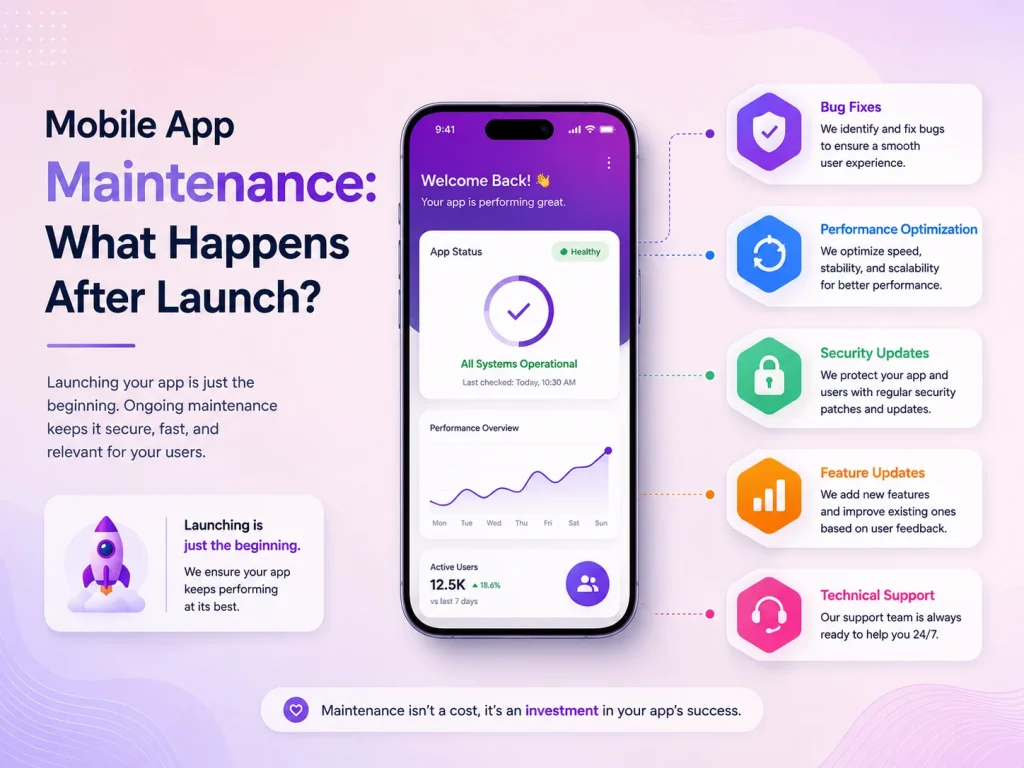
Analytics, crash reporting, and error monitoring are also valuable business features because they help development teams understand how the app performs after launch. Businesses can identify frequently used features, discover where customers experience problems, and prioritize future improvements using real usage information.
Build Around Your Business, Not a Generic Feature List
No business mobile app needs every feature available. A restaurant, marketplace, healthcare platform, field-service company, and SaaS business will have very different priorities. The best approach is to identify the actions users perform most frequently and make those processes exceptionally easy.
Encoder IT Limited develops custom mobile applications for businesses using technologies such as Flutter, React Native, native Android, and native iOS. Our work can include mobile UI/UX design, backend APIs, payments, push notifications, customer portals, third-party integrations, authentication, and ongoing application maintenance.
A strong business mobile app combines useful functionality with simplicity. Clear navigation, secure accounts, communication features, reliable core workflows, good performance, and ongoing monitoring provide a much stronger foundation than adding a large number of features that customers rarely use.