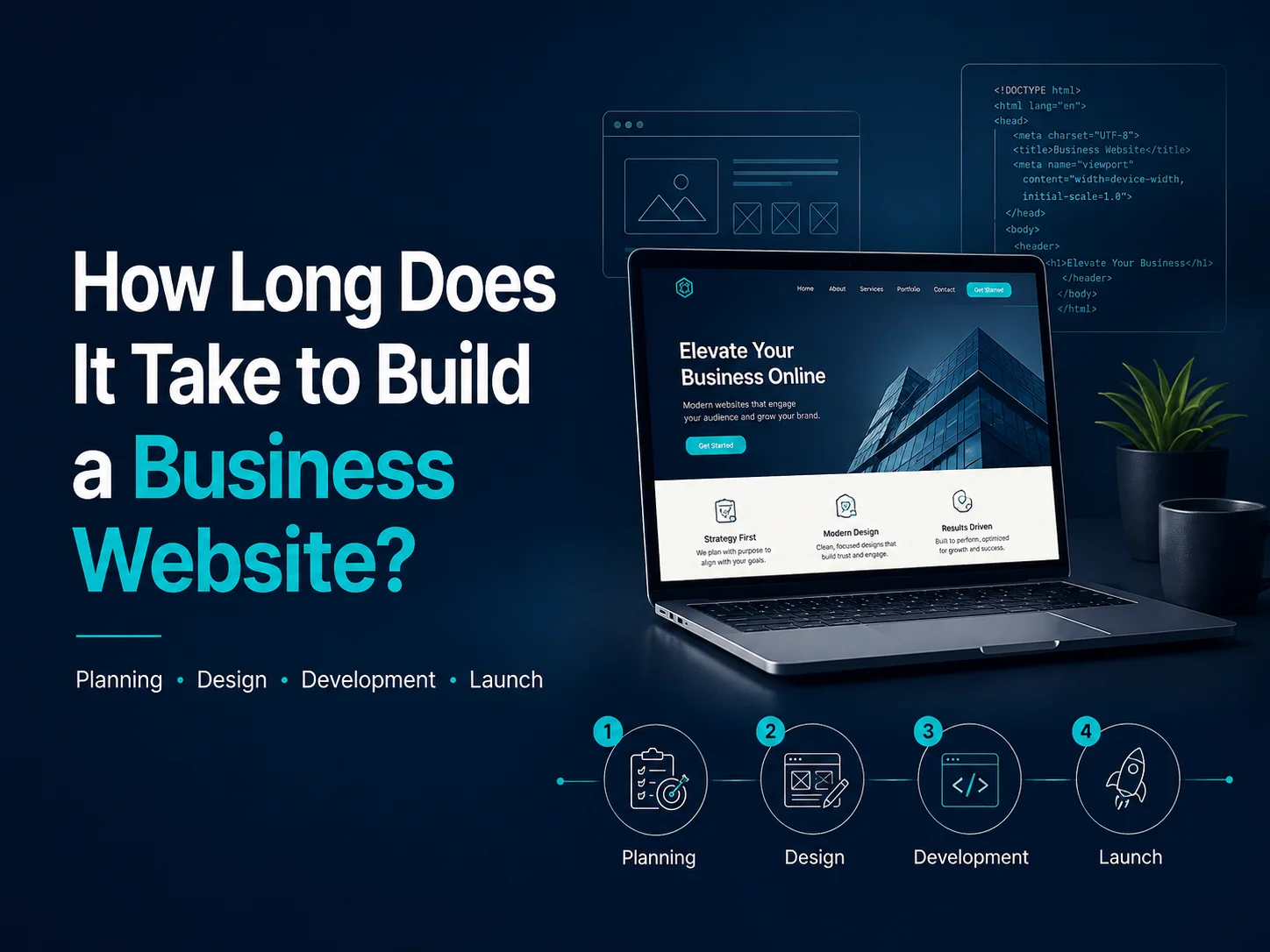
How Long Does It Take to Build a Business Website?

Building a business website can take anywhere from a few weeks to several months depending on the size of the project, design requirements, functionality, content, integrations, and how quickly decisions are made during development.

A simple company website with a small number of pages may be completed relatively quickly. A custom business website with detailed UI/UX design, multiple service pages, advanced forms, integrations, multilingual content, e-commerce, customer accounts, or custom functionality naturally requires more time.

The most accurate way to estimate a website project is not simply by counting pages. The complete process includes planning, content preparation, design, development, testing, feedback, launch preparation, and sometimes migration from an existing website.

Typical Business Website Development Timelines

For general planning, a small business website with straightforward requirements may take around 3–6 weeks. This could include a homepage, company information, several service pages, a contact page, responsive design, and a content-management system such as WordPress.

A more customized business website may take approximately 6–12 weeks. These projects often include custom UI/UX design, larger content structures, animations, advanced forms, third-party integrations, multiple page templates, or more detailed responsive behavior.

Projects involving e-commerce, customer portals, booking systems, memberships, custom dashboards, complex APIs, or other business functionality can require 3–6 months or longer. In these cases, the website is functioning partly as business software rather than simply as an online company profile.

Website Type Typical Scope Planning Timeline
Small Business Website Standard pages, responsive design, forms, CMS 3–6 weeks
Custom Business Website Custom UI/UX, multiple page types, integrations 6–12 weeks
E-commerce Website Products, checkout, payments, shipping, customer accounts 2–4 months
Advanced Custom Platform Dashboards, APIs, portals, multiple roles, custom workflows 3–6+ months

These are broad planning ranges rather than guaranteed timelines. Two websites with ten pages can require very different amounts of work if one uses a simple layout while the other includes custom animations, complex forms, dynamic data, and third-party systems.

Planning and Content Can Affect the Schedule More Than Expected

Many website projects begin with discovery and planning. The team needs to understand the business, target customers, services, page structure, required functionality, competitor landscape, and actions visitors should take.

Content preparation can also become a major part of the timeline. If text, images, product information, case studies, team profiles, or service descriptions are not ready, development may move forward while final pages remain incomplete.

Businesses can reduce delays by preparing key content early and identifying who will approve design and development decisions. When feedback comes from several people without a clear approval process, even a relatively small project can take much longer than expected.

Custom Design Takes Longer but Gives More Control

A template-based website can usually be launched faster because much of the visual structure already exists. Developers mainly configure the template, replace content, adjust branding, and add the required functionality.

Custom website design takes more time because wireframes, page layouts, typography, colors, responsive behavior, and reusable components are created around the business rather than adapted from an existing theme.

This additional planning can be valuable when the website plays an important role in sales or brand positioning. It also helps avoid situations where the business later needs to heavily modify a template that was never designed around its requirements.

Plan Your Website Timeline

Development Time Depends Heavily on Functionality

Standard business pages are relatively straightforward to build, but custom features add development and testing time. A basic contact form may take little effort, while a booking system needs availability rules, confirmations, notifications, backend management, and error handling.

The same applies to e-commerce. Building product pages is only one part of the work. Checkout, payment gateways, customer accounts, shipping, taxes, inventory, order management, emails, and store administration all need to function correctly together.

Integrations also influence the schedule. Connecting the website to a CRM, ERP, email marketing platform, payment provider, accounting system, or custom API may require additional development and testing, particularly when information needs to move in both directions.

  • Custom forms and lead workflows
  • Online booking systems
  • E-commerce and payment processing
  • Customer or employee portals
  • CRM and third-party API integrations
  • Multilingual functionality
  • Memberships and user roles
  • Custom dashboards or business tools

Testing and Launch Should Not Be Rushed

Once development is substantially complete, the website should be tested across desktop, tablet, and mobile devices. Forms, navigation, buttons, links, responsive layouts, integrations, checkout flows, and important user journeys all need to be reviewed.

Performance should also be checked before launch. Images may need optimization, unnecessary scripts can be removed, caching can be configured, and technical issues affecting loading speed should be addressed.

If the project replaces an existing website, launch may also involve content migration, URL redirects, analytics configuration, domain settings, backups, and final SEO checks. These tasks are easy to underestimate but are important for a smooth transition.

How to Keep a Website Project Moving Efficiently

Fast development does not usually come from skipping important stages. It comes from reducing uncertainty. Clear requirements, approved page structures, ready content, timely feedback, and a defined first-launch scope can prevent unnecessary redesign and rework.

It can also help to launch in phases. A business may begin with its most important services and lead-generation pages, then introduce additional resources, integrations, or advanced functionality after the core site is live.

Encoder IT Limited provides business website design and development services including UI/UX design, WordPress development, custom websites, e-commerce development, API integrations, performance optimization, and ongoing maintenance.

There is no single answer to how long a business website takes to build. A small professional site may require only several weeks, while a more advanced digital platform may require several months. The most reliable timeline comes from defining the website’s real requirements first and then planning design, development, content, testing, and launch around that scope.
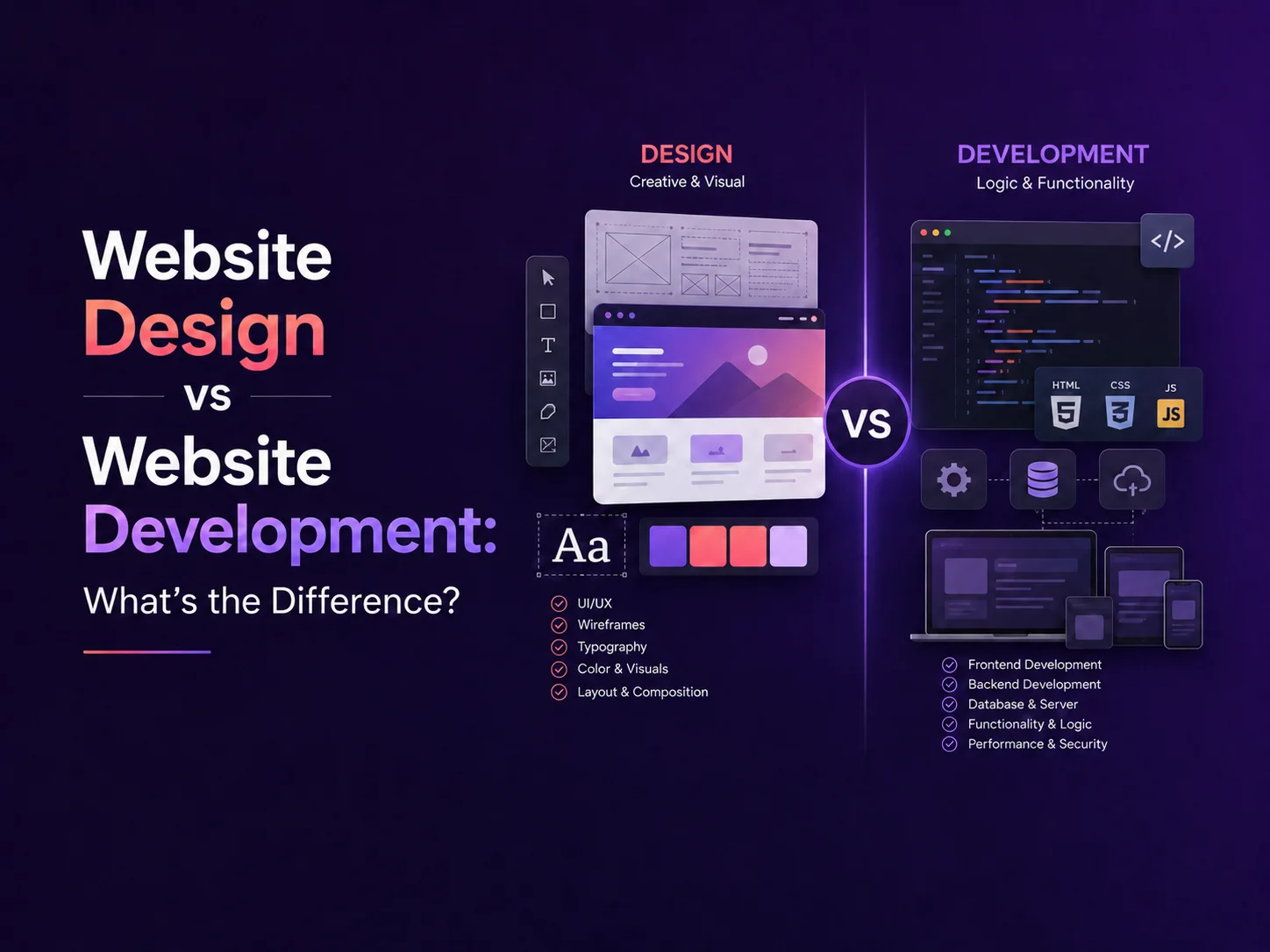
Website Design vs Website Development: What’s the Difference?

Website design and website development are closely connected, which is why the terms are often used interchangeably. However, they describe different parts of the process of creating a professional website.

Website design focuses mainly on how the website looks, feels, and guides users through information. Website development focuses on turning that design into a functional website that works correctly across browsers, devices, content-management systems, APIs, databases, and other technical systems.

A successful business website normally needs both. Strong design without reliable development can produce an attractive website that performs poorly, while technically sound development without thoughtful design can result in a website that is difficult for customers to understand or use.

What Does Website Design Include?

Website design begins with understanding the audience, business goals, content, and actions visitors should take. Designers plan how pages are structured and how users move from one section to another before concentrating on colors and visual details.

This can include creating wireframes for the homepage, service pages, product pages, landing pages, contact forms, dashboards, or other important screens. Wireframes help establish hierarchy and user flow before the final visual interface is created.

UI design then defines elements such as typography, colors, buttons, spacing, imagery, cards, forms, navigation, icons, and responsive layouts. UX design looks more broadly at whether users can understand the interface and complete important actions efficiently.

For example, a service business may want visitors to request a quote. The designer needs to decide how prominently services should appear, where supporting information belongs, when the call to action should appear, and how the enquiry process can remain simple on both desktop and mobile devices.

Area Website Design Website Development
Main Focus User experience and visual presentation Functionality and technical implementation
Typical Work Layouts, typography, colors, navigation and user flows Frontend code, CMS, backend, APIs and integrations
Common Output Wireframes, prototypes and final UI designs A working, tested website
Primary Goal Make the website clear and easy to use Make the website function reliably

What Does Website Development Include?

Website development begins when the approved design is turned into a working digital product. Frontend developers build the parts users see and interact with, including navigation, responsive layouts, forms, animations, buttons, sliders, and other interface components.

Development also ensures that the website behaves correctly across different screen sizes and browsers. A design created for a desktop screen needs to adapt naturally to smartphones and tablets rather than simply shrinking everything.

Many business websites also require functionality behind the visible interface. This may include WordPress or another CMS, customer accounts, databases, payment gateways, booking systems, product management, subscriptions, email services, third-party APIs, or administrative dashboards.

A company website with mostly informational pages may need relatively straightforward development. An e-commerce store, customer portal, marketplace, or SaaS platform can require substantially more backend engineering because the website is also performing business operations.

Why Design and Development Need to Work Together

Design decisions can affect development complexity, and technical requirements can influence what should be designed. If designers and developers work separately without understanding each other’s requirements, problems often appear later.

For example, a designer might create an advanced filtering interface for an e-commerce store. The development team then needs to determine how product data will be structured, how filters will communicate with the backend, how results will update, and how performance will remain acceptable when thousands of products are available.

Similarly, developers may know that a website needs multiple customer roles, dynamic content, or third-party integrations. Designers need this information early so the interface includes appropriate account states, error messages, loading states, and permission-specific screens.

The strongest process usually treats design and development as connected stages rather than completely separate projects.

Plan Your Website Project

Do You Need a Designer, a Developer, or Both?

If you already have a complete design and simply need it implemented, a website developer may be enough. This is common when a company has finished Figma designs that need to be converted into WordPress, React, Next.js, or another development environment.

If the website works technically but looks outdated or customers struggle to navigate it, UI/UX design may be the first priority. The new design can then be implemented on top of the existing system if the technical foundation is still suitable.

For a completely new business website, redesign, e-commerce project, or custom platform, businesses usually benefit from both disciplines. The designer defines the experience while the development team builds the system required to support it.

  • Design only: useful when the technical platform already exists but the interface needs improvement.
  • Development only: suitable when complete designs and clear functionality requirements are already available.
  • Design + development: generally best for new websites and major redesign projects.

What Matters Most for a Business Website?

Customers do not normally think about whether a problem comes from design or development. They notice whether the website is easy to understand, fast, responsive, professional, and reliable.

A strong design should make services and information clear, while strong development should ensure pages load properly, forms work, integrations remain reliable, and the experience is consistent across devices. Search visibility, accessibility, performance, content quality, security, and maintenance also contribute to the overall result.

Encoder IT Limited provides both website design and website development services, allowing UI/UX designers and developers to work together throughout a project. Our work includes custom business websites, WordPress development, e-commerce solutions, responsive frontend development, API integrations, and custom web applications.

Website design determines how people experience your website; website development makes that experience work. Businesses usually achieve the strongest result when both are planned around the same goals rather than treating appearance and functionality as separate concerns.

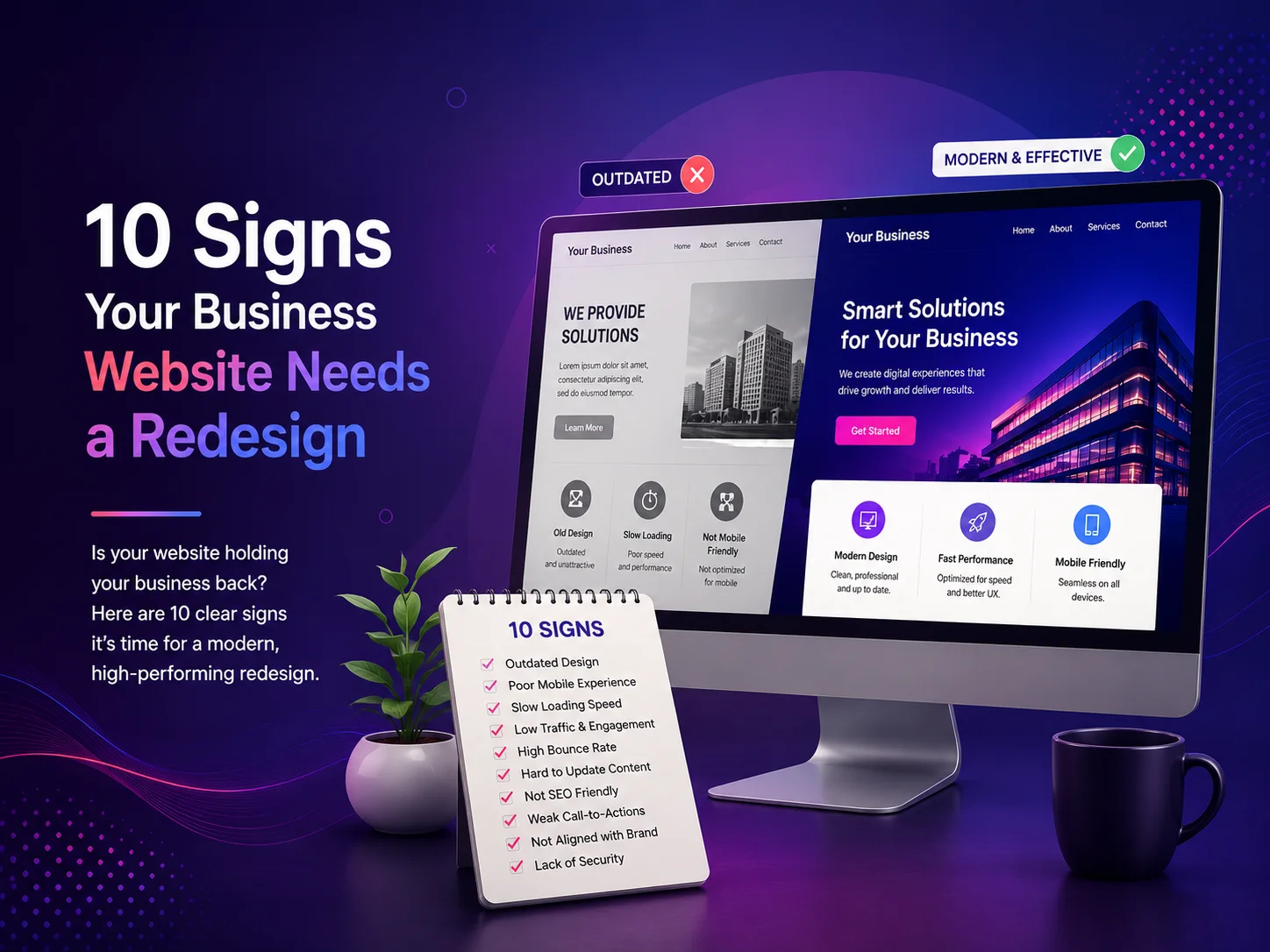
10 Signs Your Business Website Needs a Redesign

Your website may have looked modern when it was first launched, but design standards, user expectations, mobile devices, search behavior, and your own business can change significantly over time. A website that is technically still working may no longer represent your company effectively or help visitors become customers.

A redesign does not always mean replacing everything. Sometimes the right solution is improving the design and user experience while keeping useful content and functionality. In other situations, an outdated structure, technology, or content-management system may make a larger rebuild more practical.

10 Signs It May Be Time to Redesign Your Website

  1. 1. Your Website Looks Outdated

    Visual design strongly influences a visitor’s first impression. Old typography, crowded layouts, dated graphics, inconsistent colors, or an interface that looks several years behind competitors can make an established company appear less professional than it actually is.

    A redesign can modernize the visual identity while making important services, calls to action, and business information easier to understand.

  2. 2. The Mobile Experience Is Difficult to Use

    If visitors need to zoom, scroll sideways, struggle with small buttons, or navigate menus designed primarily for desktop computers, the website needs attention. Responsive design should adapt content naturally across smartphones, tablets, laptops, and larger screens.

    Mobile usability is especially important for businesses receiving enquiries, bookings, purchases, or calls directly from website visitors.

  3. 3. Pages Load Too Slowly

    Visitors expect websites to respond quickly. Large images, unnecessary scripts, heavy plugins, old themes, poor hosting configurations, or inefficient code can gradually make a website slower.

    A redesign provides an opportunity to review the technical foundation instead of repeatedly applying small fixes to an increasingly complicated website.

  4. 4. Visitors Are Not Taking the Actions You Want

    A business website should guide people toward clear next steps, whether that means requesting a quote, booking a consultation, purchasing a product, calling the company, or submitting an enquiry.

    If traffic is reaching the website but very few visitors are converting, the problem may involve confusing navigation, weak calls to action, unclear messaging, poor page structure, or unnecessary friction in forms and checkout processes.

  5. 5. Your Business Has Changed but the Website Has Not

    Companies evolve. You may introduce new services, enter new markets, change positioning, update branding, or begin serving different types of customers. If the website still describes the business as it existed several years ago, visitors may receive the wrong impression.

    A redesign can reorganize the website around current priorities instead of continuing to add new pages to an outdated structure.

  6. 6. Navigation Has Become Complicated

    Websites often become harder to navigate as new pages are added over time. Menus grow longer, similar services appear in different locations, and visitors may no longer know where to begin.

    Good website navigation should make the most important information easy to find. A redesign allows the information architecture to be reviewed so pages can be grouped logically around what customers are actually looking for.

  7. 7. Updating Content Is Difficult

    Your team should not need a developer for every small text or image update. An outdated theme, poorly configured content-management system, or heavily customized page builder can make routine website management unnecessarily difficult.

    Redesigning the website with reusable components and a cleaner CMS structure can make ongoing content updates faster while keeping the design consistent.

  8. 8. The Website No Longer Builds Enough Trust

    Potential customers often visit a website before speaking with a business. If they see broken pages, inconsistent branding, old copyright information, outdated team details, low-quality images, or unclear service descriptions, trust can fall before the conversation even begins.

    Professional design, clear messaging, useful case studies, testimonials, accurate contact information, and consistent presentation can help visitors feel more confident about the company behind the website.

  9. 9. Your Website Is Difficult to Expand

    A website may begin as a simple company site and later need e-commerce, customer portals, booking systems, multilingual content, CRM integrations, automation, or other business functionality.

    If every new feature creates technical conflicts or requires complicated workarounds, the existing architecture may have reached its practical limit. Redesigning around future requirements can provide a cleaner foundation for growth.

  10. 10. Competitors Provide a Much Better Online Experience

    Competitor websites should not be copied, but they can reveal how expectations in your industry are changing. If competing businesses make services easier to understand, provide better mobile experiences, load faster, and guide visitors more clearly toward conversion, your website may be losing opportunities before customers ever contact you.

    A redesign should focus on improving your own customer journey and communicating what makes your business different rather than simply following visual trends.

A Redesign Should Solve Problems, Not Just Change Colors

One of the biggest mistakes businesses make is treating a website redesign as a purely visual project. Changing colors, fonts, and images can make the site look newer, but it will not solve problems caused by confusing navigation, weak content, poor performance, complicated forms, or an unsuitable technical structure.

A strong redesign should begin with an audit of the current website. Review which pages receive traffic, where users leave, which calls to action generate enquiries, how the site performs on mobile devices, and what functionality the business expects to need in the future.

Some content may deserve to remain because it performs well or answers important customer questions. Other pages may need to be combined, rewritten, redirected, or removed. The goal is to improve the complete website experience without losing valuable content unnecessarily.

Plan Your Website Redesign

When Should You Redesign Instead of Making Small Improvements?

If the problems are limited to a few pages, performance settings, or visual elements, targeted improvements may be enough. A full redesign becomes more valuable when several problems exist together—for example, the design feels old, mobile navigation is poor, content is difficult to manage, and the website cannot support new business requirements.

Encoder IT Limited provides website redesign, custom website development, WordPress development, e-commerce development, UI/UX design, performance optimization, and custom web solutions for businesses that need to modernize their online presence.

Your website should evolve with your business. If it no longer represents your brand accurately, creates friction for mobile users, loads slowly, or fails to guide visitors toward meaningful actions, a redesign may be more than a visual improvement—it can become an opportunity to create a stronger foundation for future growth.

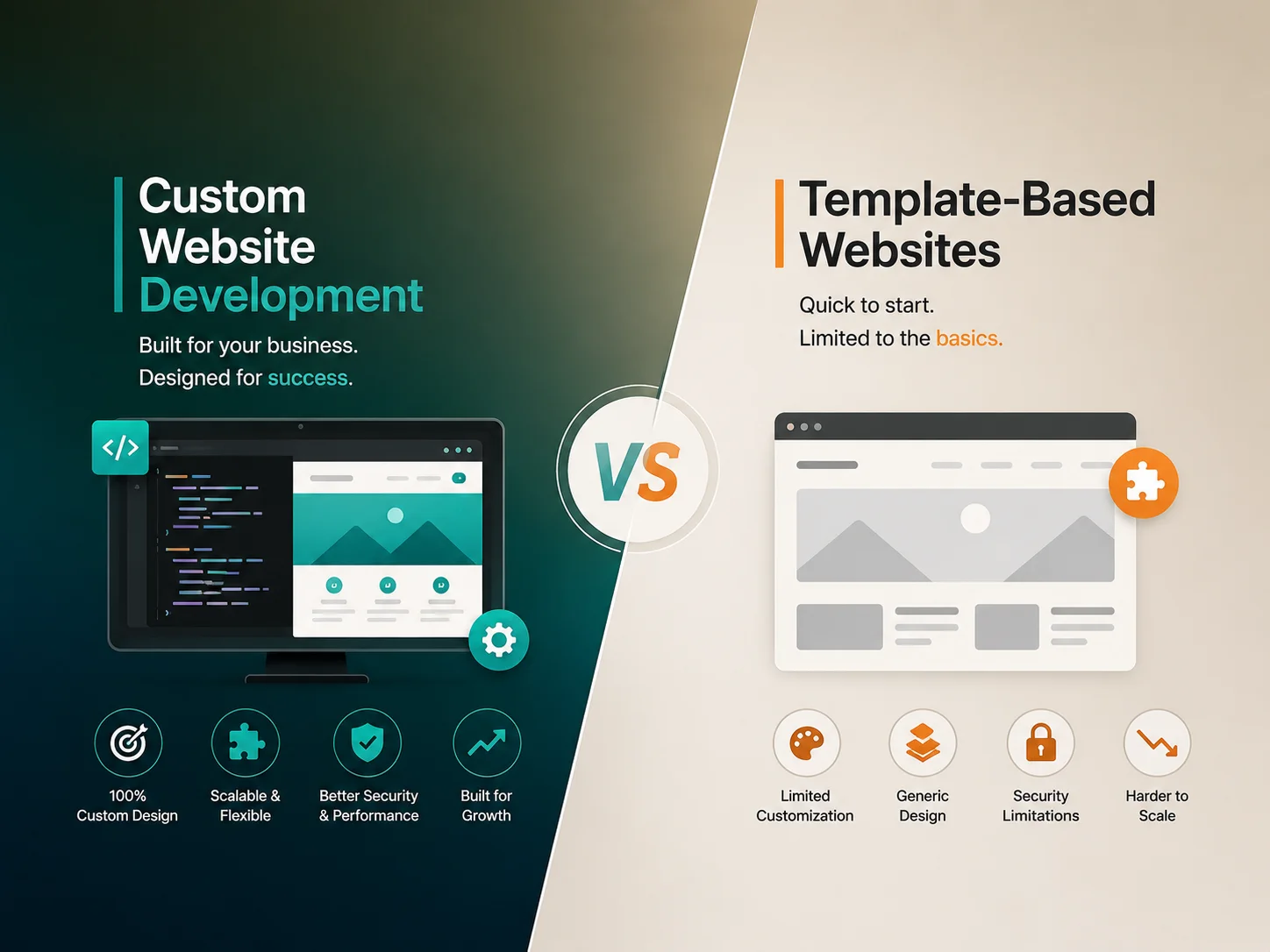
Custom Website Development vs Template-Based Websites

When businesses plan a new website, one of the first decisions is whether to use a ready-made template or invest in custom website development. Both approaches can produce professional websites, but they are built for different needs, budgets, timelines, and long-term goals.

A template-based website can be a practical solution when the project is relatively simple and the business needs to launch quickly. Custom development becomes more valuable when the website needs a unique design, specialized functionality, deeper integrations, or room to grow beyond the limitations of an existing theme.

How Template-Based Websites Work

A template-based website starts with a pre-designed theme or layout. Instead of designing every page and component from the beginning, the development team adapts an existing structure by changing colors, fonts, images, content, and selected sections.

This approach is common with platforms such as WordPress, Shopify, and other website builders. It can significantly reduce the amount of initial design and development work, which is why template websites are often suitable for small businesses, portfolios, landing pages, blogs, and straightforward company websites.

The main limitation is that the website needs to work within a structure originally created for many different businesses. Heavy customization may eventually require overriding the template, adding multiple plugins, or changing code that was not designed around the specific project.

What Makes Custom Website Development Different?

Custom website development starts with the actual business requirements. The structure, page layouts, user journeys, components, and functionality can be designed specifically around the company’s brand, customers, services, and objectives.

This does not necessarily mean every line of code must be written from zero. Developers can still use established frameworks, content-management systems, and reusable libraries. The difference is that the final website architecture and experience are built around the project rather than forcing the project into a predefined template.

A custom website may include unique service flows, customer dashboards, advanced forms, booking systems, product configurators, API integrations, membership features, custom search, multilingual workflows, or other functionality that would be difficult to manage cleanly through a generic theme.

Area Template-Based Website Custom Website
Initial Cost Usually lower Usually higher
Launch Speed Generally faster Requires more planning and development
Design Flexibility Limited by the template Designed around the brand and users
Custom Features Often dependent on plugins or extensions Can be developed around specific requirements
Scalability Suitable for simpler growth Better suited to complex future requirements
Maintenance Can be simple until heavy customization is added Depends on the quality of the custom architecture

Cost Should Be Considered Together With Long-Term Value

A template website normally has a lower initial development cost because much of the design and functionality already exists. For a small business that mainly needs pages for services, company information, contact details, and a blog, this may be all that is required.

Problems can appear when a template website gradually becomes something it was never designed to support. A business may install multiple plugins to create custom workflows, modify theme files heavily, and add workarounds for features that do not fit the original structure. Over time, these changes can make updates, troubleshooting, and performance optimization more difficult.

Custom development costs more at the beginning because additional time is spent on requirements, UI/UX design, development, testing, and architecture. That investment can make sense when the website plays an important role in generating revenue or supporting business operations.

The right comparison is therefore not simply “Which option is cheaper?” It is whether the website needs enough customization to justify building a stronger foundation from the beginning.

Performance, SEO, and User Experience

Both custom and template-based websites can perform well in search engines and provide a good user experience. The development approach alone does not guarantee SEO rankings, fast loading, or conversions.

However, templates often include components, scripts, styles, or features that a particular website does not actually use. If these are poorly managed, they can add unnecessary weight. Custom development gives developers greater control over what is included, which can make it easier to build around specific performance goals.

User experience can also be more flexible with a custom approach. Navigation, page hierarchy, calls to action, forms, and content can be designed around the customer’s journey rather than around the sections available in a theme.

For template projects, careful theme selection is important. A clean, maintained template with only the necessary functionality can be much better than an overly complicated theme containing dozens of unused features.

When a Template Website Is the Better Choice

Custom development is not necessary for every business. A template-based website can be the smarter option when requirements are straightforward, the budget is limited, the launch timeline is short, and the business does not need unusual functionality.

  • Small company websites with standard pages
  • Personal or professional portfolios
  • Simple blogs and content websites
  • Early-stage businesses validating an idea
  • Campaign or promotional landing pages

In these situations, investing heavily in functionality that the business may never need can be unnecessary. A well-configured template can provide a professional result while keeping the initial project focused.

When Custom Development Is Worth the Investment

Custom development becomes more attractive when the website is expected to support important business processes or provide an experience competitors cannot easily reproduce with the same theme.

This may include businesses that need customer portals, complex e-commerce functionality, custom booking workflows, advanced integrations, multiple user roles, personalized dashboards, business automation, or a distinctive user experience.

It can also make sense when an existing template website has reached the point where every new feature requires another workaround. In that situation, continuing to customize the old structure may become more expensive than rebuilding the most important parts properly.

Encoder IT Limited develops both customized CMS websites and fully custom web solutions. Depending on the project, we can work with WordPress, WooCommerce, Shopify, or custom technologies such as Laravel, React, and Next.js.

Choose the Right Website Approach

The best option depends on what the website needs to do today and what the business expects from it in the future. Template websites provide speed and affordability for straightforward requirements, while custom development provides greater flexibility and control when the website needs to become a more important part of the business.

Instead of choosing based only on initial price, consider functionality, design flexibility, integrations, maintenance, scalability, and how closely the website needs to support your actual business processes.

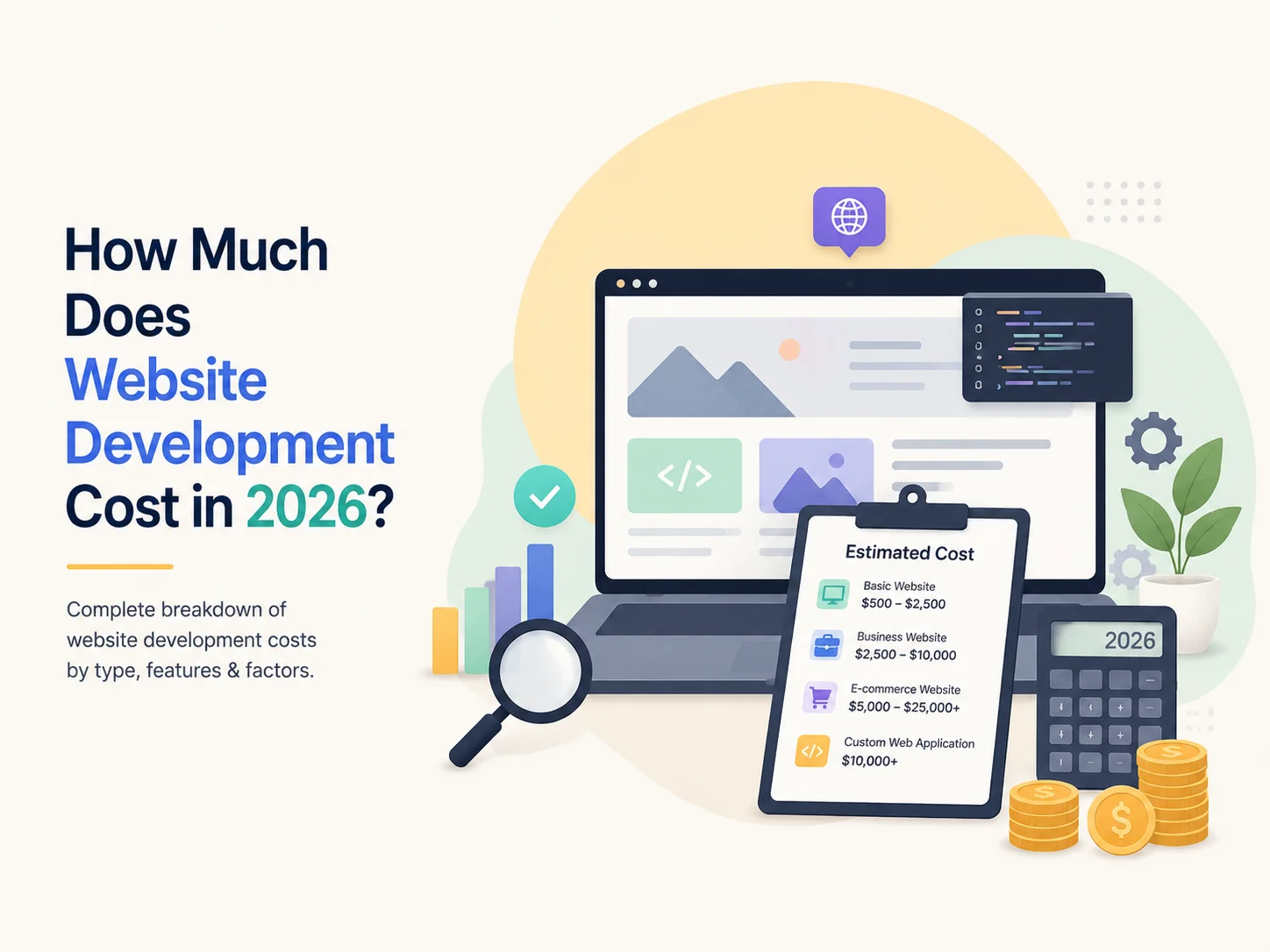
How Much Does Website Development Cost in 2026?

One of the first questions businesses ask before starting a new website is, “How much does website development cost in 2026?” There is no single price because a five-page company website, a custom e-commerce store, and a large business platform require very different levels of design, development, testing, and integration.

A professional website can cost anywhere from a relatively small budget for a straightforward business site to tens of thousands of dollars or more for a highly customized platform. The final price depends on what the website needs to achieve, how much functionality is required, whether the design is custom, and how much work is needed behind the visible pages.

Typical Website Development Cost in 2026

For early budgeting, businesses can think about website costs in broad categories rather than expecting one universal price. Current industry pricing varies considerably between freelancers, offshore teams, specialized agencies, and larger development companies.

Website Type Typical Requirements Planning Range
Basic Business Website Small number of pages, responsive design, contact forms and standard content $1,000–$5,000+
Professional Custom Website Custom UI/UX, CMS, multiple page types, integrations and advanced functionality $5,000–$15,000+
E-commerce Website Products, payments, checkout, customer accounts, shipping and store management $5,000–$25,000+
Advanced Custom Platform Portals, dashboards, complex APIs, automation, multiple user roles or custom business logic $15,000–$50,000+

These are planning ranges rather than fixed prices. A small business using an existing WordPress structure and established components may spend less, while a website with completely custom functionality, extensive integrations, large amounts of content, or specialized business workflows can cost considerably more.

The development team’s location and experience also influence pricing. Current Clutch data shows many web-development agencies listed around $25–$49 per hour, although rates can be significantly higher for specialized teams and particular markets.

What Makes a Website More Expensive?

Design is one major factor. A website built from a lightly customized template generally requires less work than one designed from the beginning around a company’s brand, content, customers, and conversion goals. Custom UI/UX work may include wireframes, responsive layouts, reusable components, interactive elements, and separate designs for important page types.

The amount of functionality often has an even greater impact. A contact form is relatively simple, but functionality such as customer accounts, subscriptions, booking systems, payment processing, product filters, dashboards, memberships, multilingual content, or custom search requires additional development and testing.

Integrations can also increase the budget. A business website may need to connect with a CRM, ERP, accounting platform, payment gateway, email marketing system, shipping service, inventory platform, third-party API, or internal company software. The more systems that need to exchange information reliably, the more backend work is usually involved.

Content size matters too. A ten-page company website is very different from a platform containing hundreds of products, locations, services, articles, or landing pages. Content migration, redirects, image optimization, CMS configuration, and quality checks can become significant parts of a redesign project.

WordPress, E-commerce, or Fully Custom Development?

The technology used should match the website rather than being chosen only by price. WordPress can be an efficient solution for many company websites, blogs, service businesses, and content-heavy platforms because it provides an established content-management system while still allowing extensive customization.

WooCommerce or Shopify can provide a strong foundation for many online stores. The budget then depends on product structure, custom design, checkout requirements, shipping, payment methods, integrations, and whether standard platform functionality is enough. BigCommerce’s current 2026 cost guidance, for example, places small-to-mid-sized custom e-commerce builds with integrations and light backend development around $5,000–$25,000.

Fully custom development becomes more appropriate when the website behaves more like business software than a traditional marketing site. Customer portals, SaaS platforms, complex marketplaces, advanced dashboards, unique workflows, and specialized integrations may require technologies such as Laravel, Node.js, React, or Next.js rather than relying entirely on an off-the-shelf CMS.

The cheapest platform at the beginning is therefore not always the most economical long-term choice. Businesses should consider how easily the website can be updated, maintained, integrated, and expanded as requirements grow.

Request a Quote

Do Not Budget Only for the Initial Website Build

A website continues to create costs after launch. Domain registration, hosting, backups, security, premium software, maintenance, content updates, monitoring, and ongoing development may all become part of the operating budget.

E-commerce websites may also have payment-processing charges, application subscriptions, shipping integrations, or platform fees. High-traffic websites can require more capable hosting and infrastructure than a small company site.

Maintenance is particularly important for business-critical websites. CMS software, plugins, frameworks, integrations, and server environments change over time. Regular updates and testing can help prevent a website that worked well at launch from gradually developing security, compatibility, or performance problems.

How to Get a More Accurate Website Development Estimate

The easiest way to improve pricing accuracy is to define the project before requesting quotes. Businesses should identify the main pages, required functionality, integrations, user roles, design expectations, content needs, and examples of important workflows.

It is also useful to separate essential launch requirements from features that could be introduced later. This can prevent an initial project from becoming unnecessarily large while still allowing the website architecture to support future growth.

When comparing quotes, check what is actually included. One proposal may cover only development, while another includes UI/UX design, responsive implementation, CMS configuration, testing, deployment, performance optimization, and post-launch support. Comparing only the final price can therefore be misleading.

Encoder IT Limited provides website design and development services for businesses requiring professional company websites, custom WordPress development, WooCommerce and e-commerce solutions, custom web applications, API integrations, and ongoing website maintenance.

Website development cost in 2026 ultimately depends on the value and complexity of the website being built. A simple business presence and a platform responsible for sales or daily operations should not have the same budget. The best approach is to define what the website needs to accomplish first, then invest in the design and technology required to support those goals reliably.