Native vs Cross-Platform Mobile App Development

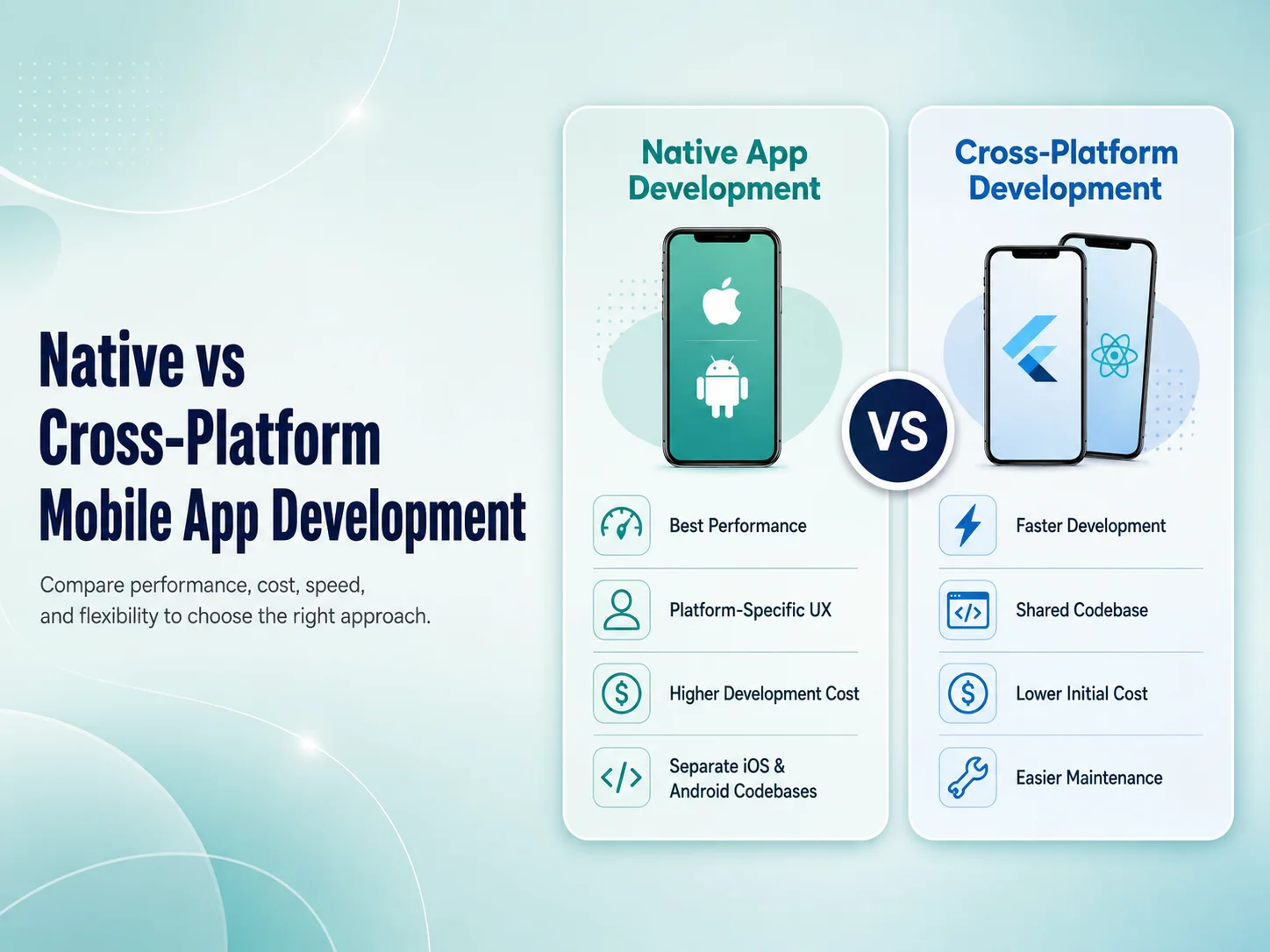
One of the most important technical decisions in a mobile app project is whether to build the application using native development or a cross-platform framework. Both approaches can produce high-quality Android and iOS applications, but they differ in development process, codebase, performance, platform access, maintenance, and cost.

There is no universal winner. The right choice depends on what the app needs to do, how quickly it needs to launch, the available budget, required device features, expected performance, and how the product will be maintained over time.

What Is Native Mobile App Development?

Native development means building an application specifically for each operating system using technologies designed for that platform. Android applications are commonly developed with Kotlin, while iOS applications are commonly developed with Swift.

Because each app is built directly for its platform, developers can work closely with Android and iOS APIs, interface components, hardware capabilities, and operating-system features. This makes native development especially suitable for applications that require deep device integration, highly specialized functionality, or extensive platform-specific behavior.

The tradeoff is that Android and iOS usually require separate development work. Features, fixes, and updates may need to be implemented in two codebases, which can increase development effort and long-term maintenance for businesses supporting both platforms.

How Cross-Platform Development Is Different

Cross-platform development allows teams to build Android and iOS applications while sharing much of the same codebase. Technologies such as Flutter and React Native are widely used for this approach.

Instead of developing every common feature twice, developers can reuse application logic, components, API integrations, authentication flows, and many user-interface elements across platforms. This can make cross-platform development particularly attractive for startups, SaaS products, e-commerce apps, customer portals, booking platforms, and many business applications.

Cross-platform does not mean the app is simply a website inside a mobile wrapper. Modern frameworks can create full mobile applications with access to cameras, notifications, location services, biometrics, files, payments, and other device capabilities. Platform-specific code can also be added when a particular feature requires it.

Performance, User Experience, and Device Features

Native development generally provides the most direct access to each mobile platform. For applications involving advanced graphics, complex animations, intensive background processing, specialized Bluetooth hardware, advanced camera functionality, or unusual device integrations, that direct access can be valuable.

For many normal business applications, however, cross-platform performance can be more than sufficient. Product catalogs, dashboards, booking systems, marketplaces, customer accounts, payment flows, notifications, and API-driven applications can often be developed effectively with Flutter or React Native.

User experience depends on more than the framework. Poor architecture, slow backend APIs, oversized assets, unnecessary network requests, or weak UI/UX design can make either a native or cross-platform application feel slow. A well-built cross-platform application can provide a much better experience than a poorly implemented native one.

The best technology is not simply the one that promises the highest performance or the lowest development cost. It is the approach that supports the application’s real features, user experience, maintenance needs, budget, and long-term business goals with the least unnecessary complexity.

Development Cost and Time

Cross-platform development can reduce duplicated work when a business wants to launch on both Android and iOS. One development team can work on much of the shared application while still making platform-specific adjustments where necessary. This can reduce development time and simplify future updates.

Native development may require separate Android and iOS implementation, testing, and maintenance. For a product with substantial platform-specific functionality, that additional effort may be justified. For a relatively standard business application, maintaining two separate implementations may provide limited additional value.

The initial development price should not be the only consideration. Businesses should also think about future feature development, bug fixes, operating-system updates, dependency maintenance, testing, and how easily new developers can work with the codebase.

Discuss the Right Approach for Your App

When Native Development May Be the Better Choice

Native development becomes more attractive when the application relies heavily on functionality that is specific to Android or iOS, requires maximum control over platform behavior, or depends on advanced hardware integrations.

It can also make sense when Android and iOS versions are expected to provide significantly different experiences or when an organization already has established native development teams and infrastructure.

Examples may include highly specialized media applications, advanced hardware-control systems, certain high-performance applications, or products where immediate access to the newest platform-specific APIs is especially important.

When Cross-Platform Development Makes More Sense

For many businesses, cross-platform development offers a practical balance between development speed, cost, user experience, and maintainability. It is often a strong option when the Android and iOS versions share the same core features and business workflows.

  • E-commerce and marketplace applications
  • SaaS and business management apps
  • Customer and employee portals
  • Booking and service applications
  • Subscription-based products
  • Apps connected primarily to backend APIs

Businesses can launch on both major platforms while maintaining a more unified development process. If a specific feature later requires native functionality, developers can usually integrate platform-specific code without rebuilding the entire product.

Choosing Between Native and Cross-Platform

Before making the decision, consider the application’s most demanding features. Does it need specialized hardware? Are Android and iOS expected to behave differently? Is fast development across both platforms important? How frequently will the app receive updates? What development resources are available for long-term maintenance?

If the application is primarily driven by APIs, forms, customer accounts, payments, dashboards, content, and standard mobile features, cross-platform development may provide an efficient solution. If it requires unusually deep platform integration or highly specialized performance, native development may provide greater control.

Encoder IT Limited develops mobile applications using Flutter, React Native, native Android, and native iOS technologies. We evaluate the requirements of each product before recommending a development approach rather than applying the same technology to every project.

Native and cross-platform development are both capable approaches. The important decision is not which one is generally “better,” but which one fits the particular application. Choosing based on real requirements can reduce unnecessary development work while creating a stronger technical foundation for the product’s future growth.
Flutter vs React Native: Which Is Better for Your App?

Flutter and React Native are two popular choices for businesses that want to build Android and iOS applications without maintaining two completely separate mobile codebases. Both can be used for customer apps, e-commerce platforms, SaaS products, marketplaces, booking systems, employee applications, and many other types of mobile software.

The question is not simply whether Flutter or React Native is technically better. The more useful question is which framework fits your app, development team, existing technology, design requirements, and long-term maintenance plans better. Both approaches have strengths, and choosing correctly can make future development significantly easier.

Flutter and React Native Take Different Approaches

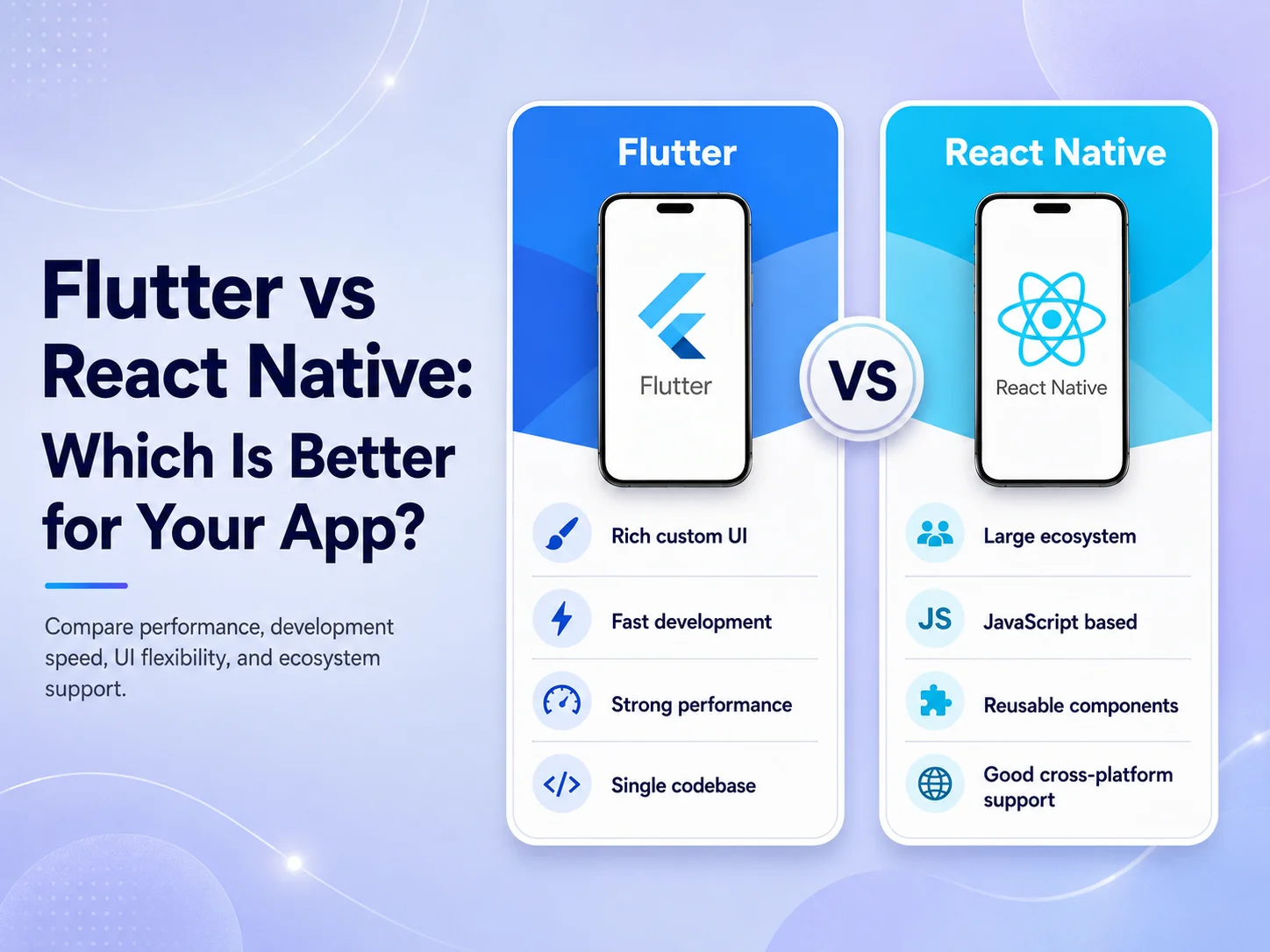
Flutter is an open-source framework designed for building multi-platform applications from a shared codebase. Flutter applications are developed using Dart, and the framework provides its own extensive widget system for building application interfaces. This gives development teams strong control over how screens, components, animations, and interactions appear across platforms.

React Native takes a different approach. It uses React and JavaScript or TypeScript concepts to build mobile applications for platforms such as Android and iOS. This can be particularly attractive to companies that already use React for websites or web applications because part of the development knowledge and programming ecosystem may already be familiar to the team.

Both frameworks can also communicate with platform-specific Android and iOS functionality when an application needs something beyond the standard cross-platform layer. This means choosing cross-platform development does not necessarily prevent a team from using native functionality for a specialized feature.

Which One Gives You the Better User Experience?

For normal business applications, both Flutter and React Native can provide polished mobile experiences when the application is designed and developed correctly. Framework choice alone does not determine whether an app feels fast or professional.

Flutter can be especially attractive when a product requires a highly consistent custom interface across Android and iOS. Its widget-based approach gives developers extensive control over the visual experience, which can be useful for applications with custom components, branded interfaces, dashboards, or more complex animations.

React Native can be a strong option when a business wants an application that fits naturally into a React-based technology environment. Development teams with strong React and TypeScript experience may find it easier to share knowledge, coding patterns, and some development practices between web and mobile projects.

Performance also depends heavily on factors outside the framework. Backend response times, API design, image optimization, database queries, unnecessary network requests, application architecture, and poor state management can make either type of application feel slow. A well-designed architecture usually matters more than choosing a framework based only on performance claims.

Development Time, Team Skills, and Maintenance

One of the main reasons businesses choose either Flutter or React Native is the ability to support Android and iOS while sharing a significant amount of development work. Instead of implementing the same business workflow independently for each operating system, much of the application can be developed and maintained together.

The team’s existing skills can make a major difference. A company with experienced React developers may naturally lean toward React Native because the programming model is more familiar. A team already experienced with Dart and Flutter may deliver a Flutter application more efficiently and maintain it more confidently.

The wider product architecture should also influence the choice. If the mobile app is part of a larger React or Next.js ecosystem, React Native may align well with the team’s existing knowledge. If the business wants strong visual consistency and intends to use Flutter across several supported platforms, Flutter may be attractive.

Neither framework completely removes platform-specific work. Payments, notifications, maps, cameras, Bluetooth devices, authentication SDKs, background processes, or specialized hardware can sometimes require additional Android or iOS configuration. Development estimates should therefore consider the actual features rather than assuming that a shared codebase automatically makes every app simple.

When Flutter or React Native May Make More Sense

Flutter may be a good fit when the application needs a strongly customized and consistent interface, the development team is comfortable with Dart, or the product strategy benefits from Flutter’s broader multi-platform capabilities.

React Native may be a good fit when the organization already has strong React or TypeScript expertise, wants closer alignment between its web and mobile development teams, or prefers to remain within the wider React ecosystem.

  • Choose based on your team: existing experience can significantly affect development efficiency and maintainability.
  • Choose based on features: review payments, maps, notifications, hardware access, real-time functionality, and other integrations before deciding.
  • Choose based on the product: a standard business app and a highly specialized mobile product may need different approaches.
  • Think beyond launch: consider who will maintain, update, test, and extend the application over the next several years.

For many business applications, there may not be one technical requirement that clearly forces the decision in either direction. In those situations, team expertise, architecture, maintenance, and development workflow often become more important factors.

Request a Quote

So, Which Is Better for Your App?

If you are building a typical e-commerce app, booking system, customer portal, SaaS mobile application, marketplace, or internal business app, both Flutter and React Native can be strong choices. Choosing one only because it appears to be more popular can be less useful than evaluating the actual requirements of the product.

Before deciding, identify the most technically demanding parts of the app. Consider whether you need extensive device integration, highly customized interfaces, existing React compatibility, specialized SDKs, complex animations, or future support beyond Android and iOS. Then compare those requirements with the skills of the team that will build and maintain the application.

Encoder IT Limited develops cross-platform mobile applications using both Flutter and React Native, along with native Android and iOS solutions when a project requires them. We evaluate the product requirements, backend architecture, integrations, UI/UX, and long-term development needs before recommending a technology.

Flutter and React Native are both capable of powering serious mobile products. The better choice is the one that allows your team to build the required features reliably, maintain the application efficiently, and continue developing the product as your business grows.

How to Build a Mobile App for Your Business

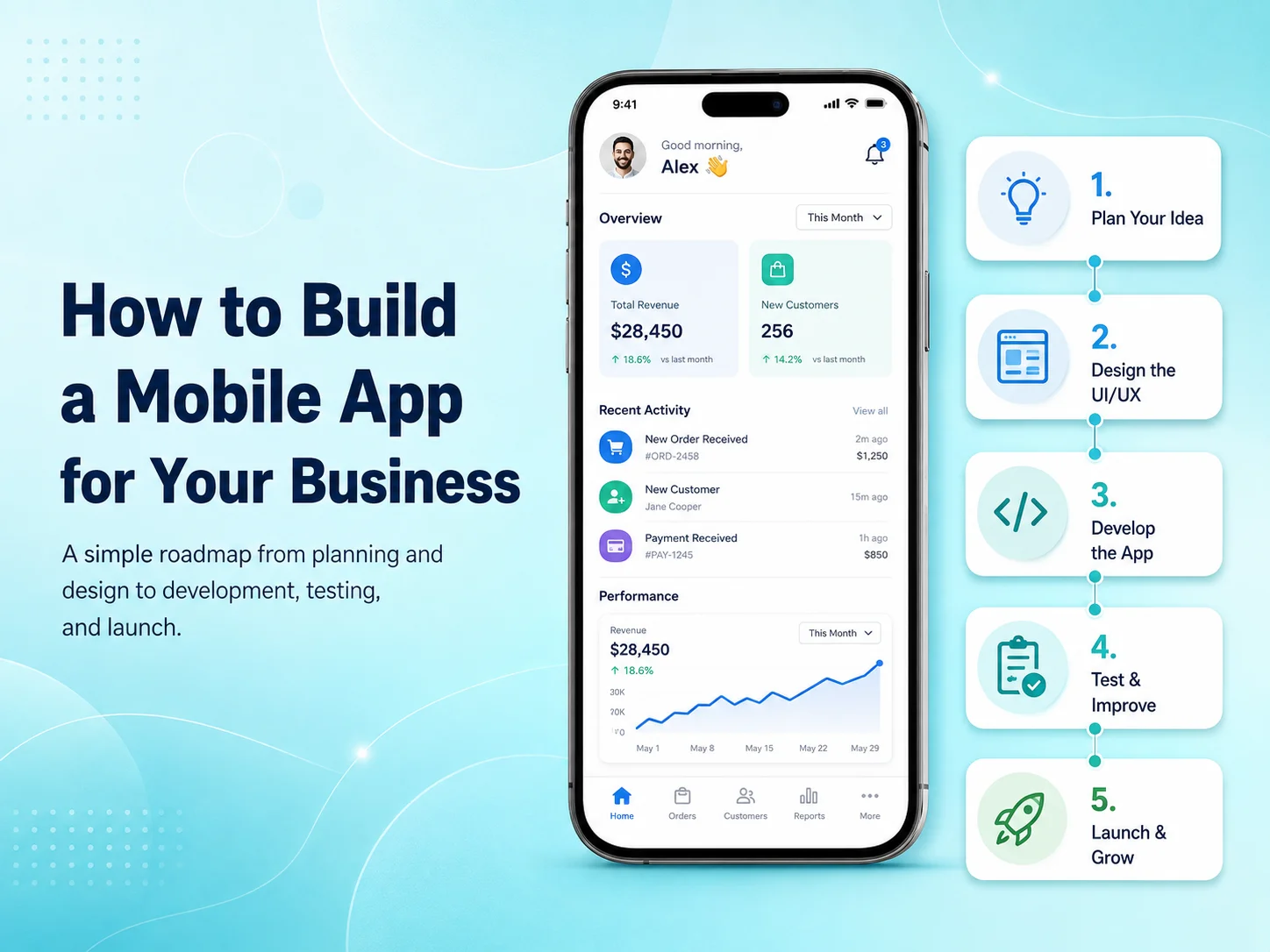
Building a mobile app for your business can create a faster and more convenient way for customers, employees, or partners to interact with your services. A mobile application can support sales, bookings, customer accounts, payments, communication, internal workflows, or other business processes that are difficult to manage efficiently through a website alone.

The most important step is not choosing a programming language or designing screens. It is first understanding why your business needs a mobile app, who will use it, and what problem the application should solve. Clear answers to these questions make every later decision—from design and features to development technology and budget—much easier.

Define What the App Needs to Achieve

Start by identifying the main purpose of the application. An e-commerce business may want customers to browse products, place orders, receive notifications, and track deliveries. A service company may need appointment booking, payments, customer profiles, and reminders. An internal business app could focus on employee attendance, tasks, reports, inventory, or approvals.

Once the main goal is clear, define the users who will interact with the app. Some applications have only customers, while others include administrators, employees, vendors, drivers, managers, or multiple user roles. Each type of user may need different screens, permissions, and workflows.

It is also useful to separate essential features from future ideas. Trying to build every possible feature in the first version can increase cost and delay launch. A focused first release can solve the core problem well and provide real customer feedback before the business invests in additional functionality.

Turn Business Requirements Into a Mobile Experience

After the core requirements are understood, the next step is planning how users will move through the application. Important flows might include registration, login, browsing, searching, booking, checkout, payment, account management, notifications, or customer support.

Wireframes can be created before detailed visual design to show where information, buttons, forms, and navigation will appear. This helps identify complicated workflows before development begins. For example, if booking a service requires six screens when it could be completed in three, simplifying it during planning is much easier than changing it after coding is complete.

The UI/UX design should then be created specifically for mobile users. A mobile app should not feel like a desktop website compressed into a smaller screen. Buttons need comfortable touch areas, important actions should be easy to reach, forms should remain simple, and navigation should be predictable.

Businesses should also think about features that make an app more valuable than simply using a mobile website. Push notifications, camera access, GPS, biometric authentication, document uploads, QR scanning, or offline functionality can be useful when they directly improve the customer or employee experience.

Choose the Right Development Approach

The technical approach should be selected after the requirements are clear. Businesses can choose native Android and iOS development or cross-platform frameworks such as Flutter and React Native.

Cross-platform development can be efficient when Android and iOS versions share the same core features. A significant portion of the code can be maintained together, which can reduce duplicated development and make future updates easier. Native development may make more sense when the application requires specialized platform features, advanced hardware integration, or extensive Android- or iOS-specific behavior.

The mobile interface is only part of the system. Many business apps also require a backend, APIs, database, authentication, user permissions, file storage, payment processing, notifications, and an administrative dashboard. These components should be planned together so the app does not depend on an unstable or poorly structured backend.

  • User registration and secure login
  • Customer or employee profiles
  • Backend APIs and database
  • Payments or subscriptions where required
  • Push notifications
  • Role-based permissions
  • Third-party integrations
  • Admin or management dashboard

Not every application needs all of these features. A useful feature list should come from business requirements rather than from copying functionality found in other apps.

Develop and Test the App in Manageable Stages

For larger applications, development is usually easier to manage when divided into smaller milestones. Authentication and core account functionality might be completed first, followed by products or services, payments, notifications, reporting, and other modules.

Testing should happen throughout development. Developers need to check not only whether buttons and screens work but also whether the complete business process works correctly. A payment flow, for example, may involve the mobile screen, payment provider, backend validation, database records, confirmation messages, and notifications.

The application should also be tested on different Android and iOS devices, screen sizes, operating-system versions, and network conditions. Real users may experience slow internet, failed API requests, interrupted payments, or denied device permissions, so the app needs to handle these situations clearly rather than showing blank screens or technical errors.

Security and performance should be reviewed before launch as well. Sensitive information should be protected, permissions should be validated on the backend, API communication should be secure, and important screens should load efficiently.

Launch the First Version and Learn From Real Users

Once the app has been tested, it can be prepared for distribution through Google Play and the Apple App Store. This involves production builds, application icons, screenshots, store descriptions, privacy information, and other release requirements.

However, launch should not be treated as the end of the project. The first release gives the business something that planning documents cannot provide: real user behavior. Analytics, reviews, customer support requests, crash reports, and direct feedback can show which features work well and where improvements are needed.

Instead of immediately adding a large number of new features, businesses can use this information to improve important workflows first. A small change to registration, checkout, search, or booking may sometimes have more impact than a completely new module.

Plan for Growth From the Beginning

A business mobile app may start with a relatively simple feature set and later expand into a much larger platform. New requirements might include subscriptions, customer messaging, loyalty programs, AI functionality, advanced reporting, additional user roles, or integrations with CRM and accounting systems.

Planning for growth does not mean building all of these features immediately. It means creating a technical foundation that can support them when they become necessary. Clean APIs, structured databases, reusable components, secure authentication, and maintainable code can significantly reduce future development problems.

Encoder IT Limited helps businesses plan, design, develop, and maintain custom mobile applications. Our services include Flutter and React Native development, native Android and iOS applications, mobile UI/UX design, backend APIs, payment integrations, third-party services, testing, deployment, and ongoing support.

Start Your Mobile App Project

Building a successful business mobile app is less about adding as many features as possible and more about solving the right problem with a reliable product. Start with clear business goals, design around real users, choose technology based on actual requirements, and launch a focused version that can continue improving over time.

How Much Does Mobile App Development Cost in 2026?

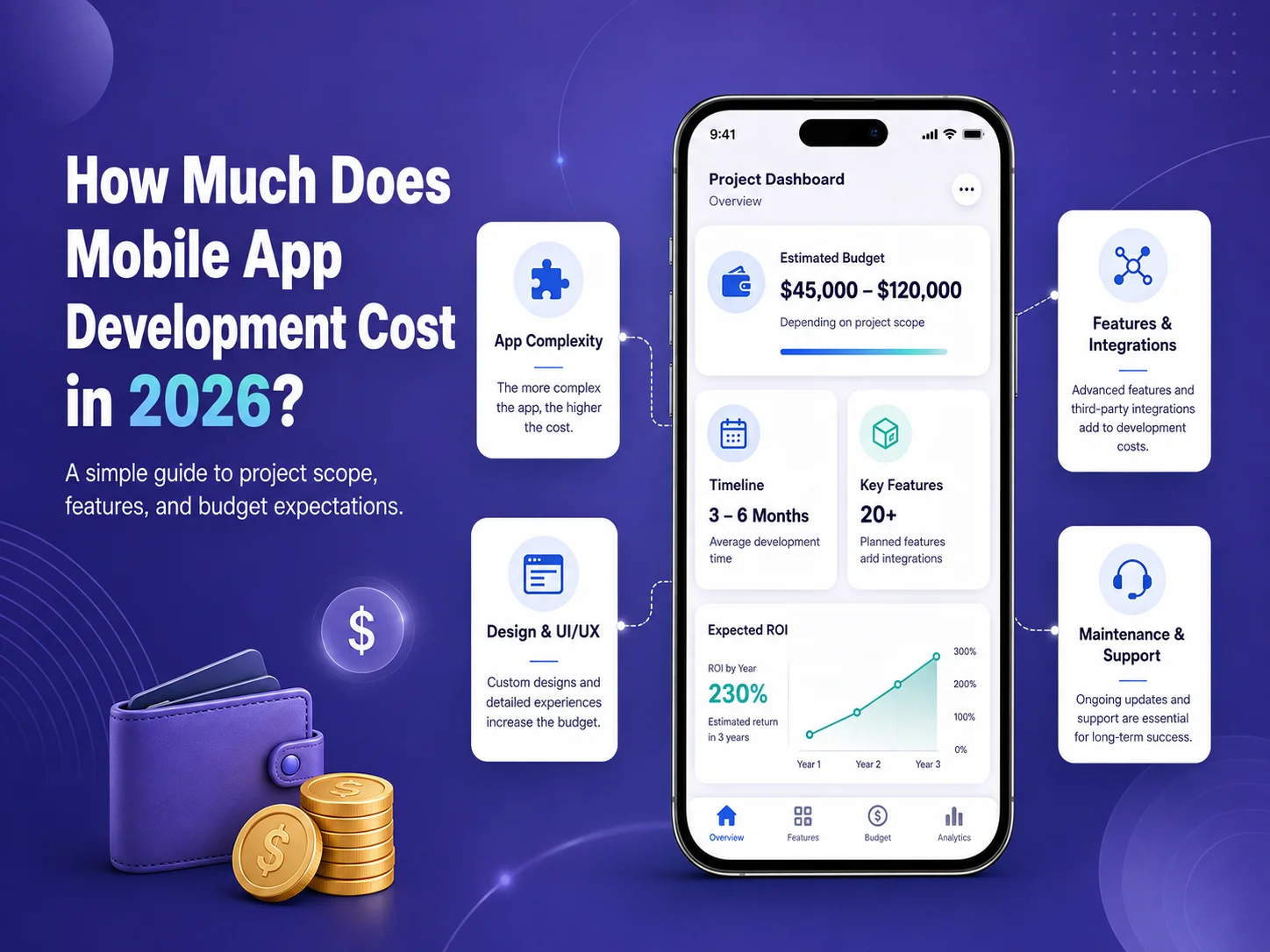
How much does it cost to build a mobile app in 2026? The answer can range from a relatively modest budget for a focused MVP to hundreds of thousands of dollars for a large marketplace, SaaS platform, healthcare system, or enterprise application.

The price depends much more on what the app needs to do than on the number of screens it contains. User accounts, payments, subscriptions, real-time communication, maps, AI features, admin dashboards, backend APIs, third-party integrations, security requirements, and multiple user roles can all significantly change the amount of development work required.

Typical Mobile App Development Costs in 2026

Published industry estimates vary because development companies work in different countries, at different hourly rates, and on very different types of applications. Instead of treating one number as the standard price of an app, businesses should use broad ranges for early budgeting and request a project-specific estimate once the requirements are clear.

App Type Typical Scope Planning Range
Simple App / MVP Basic accounts, content, forms, limited APIs and straightforward workflows $10,000–$30,000+
Medium Business App Payments, notifications, dashboards, bookings, APIs and customer accounts $30,000–$100,000+
Advanced App Marketplace features, real-time functions, multiple roles, complex backend or AI $100,000–$250,000+
Enterprise Platform Large-scale architecture, advanced security, extensive integrations and complex workflows $250,000–$500,000+

These figures should be treated as planning ranges rather than fixed prices. A focused application built by an experienced offshore team may cost considerably less than the same project developed by a large agency in a high-cost market. At the same time, a seemingly simple app can become expensive if it requires a complicated backend, specialized compliance, or numerous external systems.

What Actually Determines the Cost?

Features and business logic usually have the greatest impact. A basic login screen is relatively straightforward, but a complete authentication system may also include email verification, password recovery, social login, biometric access, multi-factor authentication, session management, permissions, and administrative controls.

The same is true for payments. Adding a button that says “Pay” is only the visible part. A production payment workflow may require payment-provider integration, backend verification, transaction records, failed-payment handling, refunds, subscriptions, notifications, and administrative reporting.

Backend requirements can therefore account for a large part of the project. Many business apps need APIs, databases, admin dashboards, file storage, notifications, reporting, user roles, and integrations with existing systems such as CRM, ERP, accounting, or e-commerce platforms.

UI/UX design also affects the budget. A small application using a straightforward design system requires less work than a large consumer product with extensive custom interactions, animations, onboarding, dashboards, and multiple user experiences.

Does Building for Android and iOS Cost More?

Building separate native applications for Android and iOS can require more development and maintenance because each platform has its own implementation. Native development can still be the right decision when an app needs specialized hardware access, advanced platform-specific behavior, or unusually demanding performance.

For many business applications, technologies such as Flutter and React Native can reduce duplicated work by allowing Android and iOS to share much of the same codebase. This can make cross-platform development attractive for e-commerce apps, booking platforms, customer portals, marketplaces, SaaS applications, and internal business systems.

However, cross-platform development does not remove the cost of backend development, UI/UX design, testing, integrations, security, or project management. It mainly helps reduce the amount of mobile code that needs to be implemented independently for each platform.

Features That Can Increase Your App Budget Quickly

Some requirements naturally involve more development, testing, and infrastructure than standard application features. Businesses should identify these early so they do not receive a low initial estimate followed by major scope increases during development.

  • Real-time chat, calling, or live tracking
  • Payment processing and subscriptions
  • Multiple user roles and complex permissions
  • GPS, maps, routes, and location tracking
  • AI chatbots, document processing, or intelligent search
  • Advanced dashboards and reporting
  • Marketplace buyer and seller workflows
  • Offline synchronization
  • Third-party business system integrations
  • Specialized security or regulatory requirements

For example, an app with customer and administrator accounts is very different from a marketplace with customers, vendors, delivery partners, administrators, payments, commissions, refunds, messaging, reviews, and order tracking. Both may be described simply as a “mobile app,” but their development budgets will be very different.

Estimate Your Mobile App Project

Do Not Forget the Costs After Launch

The initial development budget is not the complete lifetime cost of a mobile application. After launch, businesses may need hosting, monitoring, bug fixes, security updates, operating-system compatibility work, third-party service fees, app improvements, and new feature development.

Applications that rely on cloud infrastructure, SMS, email, maps, AI APIs, video services, payment providers, or other external platforms may also have usage-based costs. Those services should be identified during planning so the business understands both development cost and ongoing operating cost.

Maintenance needs vary significantly. A simple application with limited traffic may require occasional updates, while an app processing payments or supporting thousands of active users may require continuous monitoring and more regular development.

How to Keep Mobile App Development Costs Under Control

The best way to reduce costs is usually to control scope rather than reduce development quality. Start by defining the problem the app needs to solve and identify the features required for the first usable version. Features that are valuable but not essential can be moved into later phases.

A clear specification and approved UI/UX design can also prevent expensive changes after development has started. Businesses should clarify user roles, integrations, payment flows, dashboards, and important business rules before those systems are implemented.

It is also useful to request a feature-based estimate instead of receiving only one total price. This makes it easier to understand which modules consume the largest portion of the budget and which features could be postponed if necessary.

Encoder IT Limited develops custom mobile applications for startups and businesses using Flutter, React Native, native Android, and native iOS technologies. Our work can include product planning, UI/UX design, backend APIs, payments, subscriptions, third-party integrations, testing, deployment, and ongoing maintenance.

There is no meaningful fixed price for “a mobile app” in 2026. A realistic estimate comes from understanding the users, features, platforms, backend, integrations, design, security, and expected scale of the product. Businesses that define those requirements before development begins are much more likely to receive an accurate budget and avoid expensive scope changes later.