
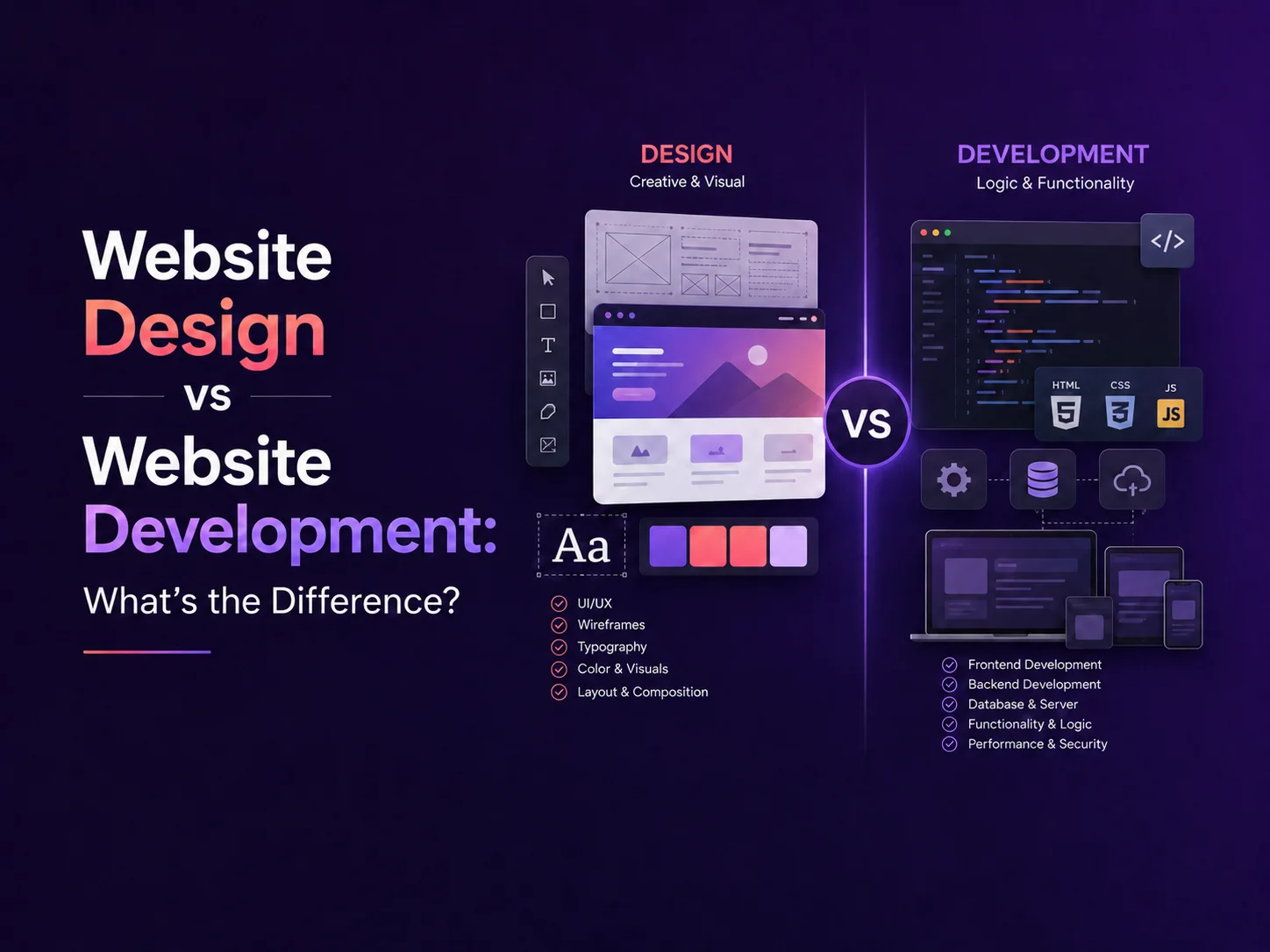
Website Design vs Website Development: What’s the Difference?

Website design and website development are closely connected, which is why the terms are often used interchangeably. However, they describe different parts of the process of creating a professional website.

Website design focuses mainly on how the website looks, feels, and guides users through information. Website development focuses on turning that design into a functional website that works correctly across browsers, devices, content-management systems, APIs, databases, and other technical systems.

A successful business website normally needs both. Strong design without reliable development can produce an attractive website that performs poorly, while technically sound development without thoughtful design can result in a website that is difficult for customers to understand or use.

What Does Website Design Include?

Website design begins with understanding the audience, business goals, content, and actions visitors should take. Designers plan how pages are structured and how users move from one section to another before concentrating on colors and visual details.

This can include creating wireframes for the homepage, service pages, product pages, landing pages, contact forms, dashboards, or other important screens. Wireframes help establish hierarchy and user flow before the final visual interface is created.

UI design then defines elements such as typography, colors, buttons, spacing, imagery, cards, forms, navigation, icons, and responsive layouts. UX design looks more broadly at whether users can understand the interface and complete important actions efficiently.

For example, a service business may want visitors to request a quote. The designer needs to decide how prominently services should appear, where supporting information belongs, when the call to action should appear, and how the enquiry process can remain simple on both desktop and mobile devices.

Area Website Design Website Development
Main Focus User experience and visual presentation Functionality and technical implementation
Typical Work Layouts, typography, colors, navigation and user flows Frontend code, CMS, backend, APIs and integrations
Common Output Wireframes, prototypes and final UI designs A working, tested website
Primary Goal Make the website clear and easy to use Make the website function reliably

What Does Website Development Include?

Website development begins when the approved design is turned into a working digital product. Frontend developers build the parts users see and interact with, including navigation, responsive layouts, forms, animations, buttons, sliders, and other interface components.

Development also ensures that the website behaves correctly across different screen sizes and browsers. A design created for a desktop screen needs to adapt naturally to smartphones and tablets rather than simply shrinking everything.

Many business websites also require functionality behind the visible interface. This may include WordPress or another CMS, customer accounts, databases, payment gateways, booking systems, product management, subscriptions, email services, third-party APIs, or administrative dashboards.

A company website with mostly informational pages may need relatively straightforward development. An e-commerce store, customer portal, marketplace, or SaaS platform can require substantially more backend engineering because the website is also performing business operations.

Why Design and Development Need to Work Together

Design decisions can affect development complexity, and technical requirements can influence what should be designed. If designers and developers work separately without understanding each other’s requirements, problems often appear later.

For example, a designer might create an advanced filtering interface for an e-commerce store. The development team then needs to determine how product data will be structured, how filters will communicate with the backend, how results will update, and how performance will remain acceptable when thousands of products are available.

Similarly, developers may know that a website needs multiple customer roles, dynamic content, or third-party integrations. Designers need this information early so the interface includes appropriate account states, error messages, loading states, and permission-specific screens.

The strongest process usually treats design and development as connected stages rather than completely separate projects.

Plan Your Website Project

Do You Need a Designer, a Developer, or Both?

If you already have a complete design and simply need it implemented, a website developer may be enough. This is common when a company has finished Figma designs that need to be converted into WordPress, React, Next.js, or another development environment.

If the website works technically but looks outdated or customers struggle to navigate it, UI/UX design may be the first priority. The new design can then be implemented on top of the existing system if the technical foundation is still suitable.

For a completely new business website, redesign, e-commerce project, or custom platform, businesses usually benefit from both disciplines. The designer defines the experience while the development team builds the system required to support it.

  • Design only: useful when the technical platform already exists but the interface needs improvement.
  • Development only: suitable when complete designs and clear functionality requirements are already available.
  • Design + development: generally best for new websites and major redesign projects.

What Matters Most for a Business Website?

Customers do not normally think about whether a problem comes from design or development. They notice whether the website is easy to understand, fast, responsive, professional, and reliable.

A strong design should make services and information clear, while strong development should ensure pages load properly, forms work, integrations remain reliable, and the experience is consistent across devices. Search visibility, accessibility, performance, content quality, security, and maintenance also contribute to the overall result.

Encoder IT Limited provides both website design and website development services, allowing UI/UX designers and developers to work together throughout a project. Our work includes custom business websites, WordPress development, e-commerce solutions, responsive frontend development, API integrations, and custom web applications.

Website design determines how people experience your website; website development makes that experience work. Businesses usually achieve the strongest result when both are planned around the same goals rather than treating appearance and functionality as separate concerns.
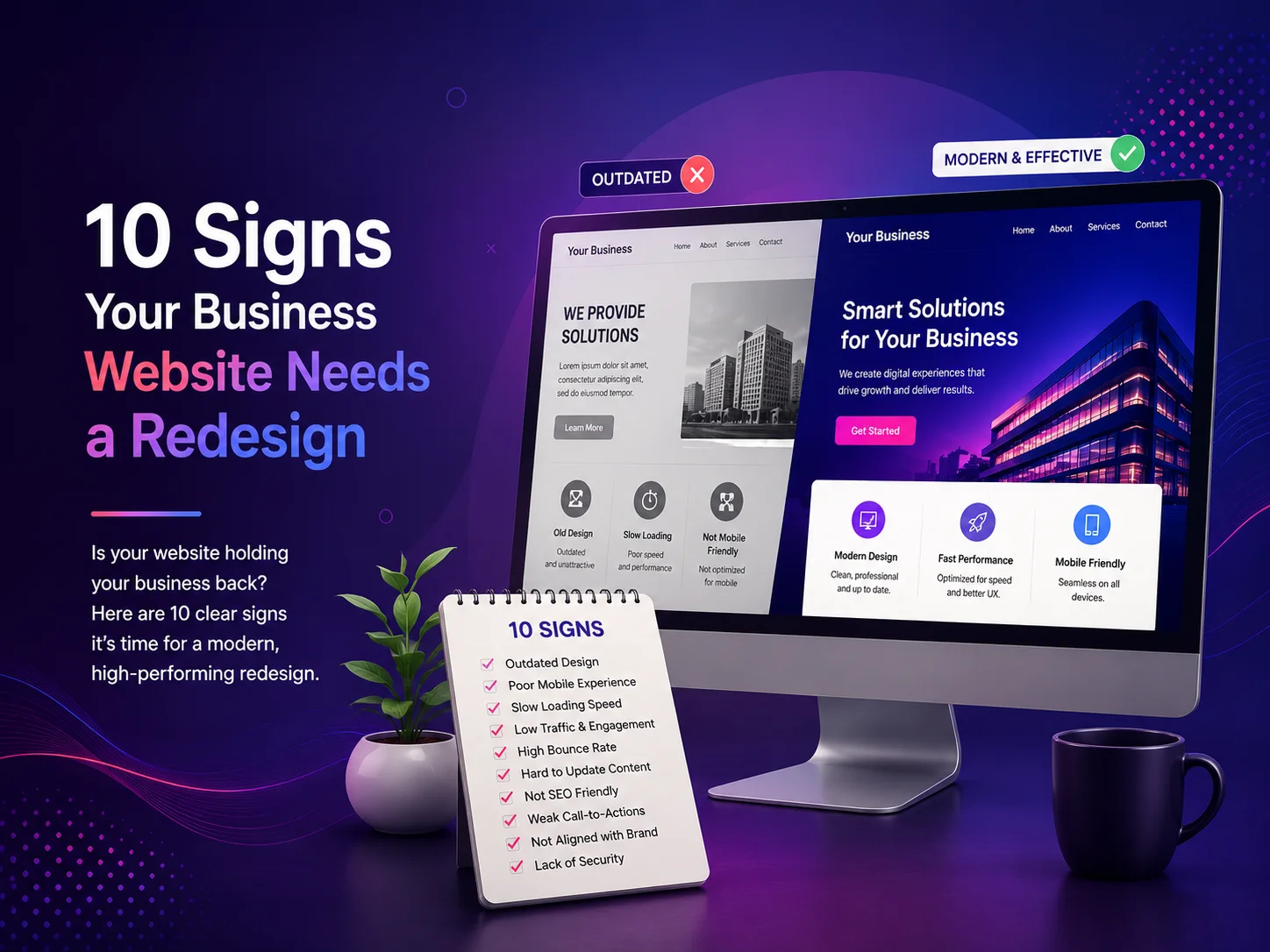
10 Signs Your Business Website Needs a Redesign

Your website may have looked modern when it was first launched, but design standards, user expectations, mobile devices, search behavior, and your own business can change significantly over time. A website that is technically still working may no longer represent your company effectively or help visitors become customers.

A redesign does not always mean replacing everything. Sometimes the right solution is improving the design and user experience while keeping useful content and functionality. In other situations, an outdated structure, technology, or content-management system may make a larger rebuild more practical.

10 Signs It May Be Time to Redesign Your Website

  1. 1. Your Website Looks Outdated

    Visual design strongly influences a visitor’s first impression. Old typography, crowded layouts, dated graphics, inconsistent colors, or an interface that looks several years behind competitors can make an established company appear less professional than it actually is.

    A redesign can modernize the visual identity while making important services, calls to action, and business information easier to understand.

  2. 2. The Mobile Experience Is Difficult to Use

    If visitors need to zoom, scroll sideways, struggle with small buttons, or navigate menus designed primarily for desktop computers, the website needs attention. Responsive design should adapt content naturally across smartphones, tablets, laptops, and larger screens.

    Mobile usability is especially important for businesses receiving enquiries, bookings, purchases, or calls directly from website visitors.

  3. 3. Pages Load Too Slowly

    Visitors expect websites to respond quickly. Large images, unnecessary scripts, heavy plugins, old themes, poor hosting configurations, or inefficient code can gradually make a website slower.

    A redesign provides an opportunity to review the technical foundation instead of repeatedly applying small fixes to an increasingly complicated website.

  4. 4. Visitors Are Not Taking the Actions You Want

    A business website should guide people toward clear next steps, whether that means requesting a quote, booking a consultation, purchasing a product, calling the company, or submitting an enquiry.

    If traffic is reaching the website but very few visitors are converting, the problem may involve confusing navigation, weak calls to action, unclear messaging, poor page structure, or unnecessary friction in forms and checkout processes.

  5. 5. Your Business Has Changed but the Website Has Not

    Companies evolve. You may introduce new services, enter new markets, change positioning, update branding, or begin serving different types of customers. If the website still describes the business as it existed several years ago, visitors may receive the wrong impression.

    A redesign can reorganize the website around current priorities instead of continuing to add new pages to an outdated structure.

  6. 6. Navigation Has Become Complicated

    Websites often become harder to navigate as new pages are added over time. Menus grow longer, similar services appear in different locations, and visitors may no longer know where to begin.

    Good website navigation should make the most important information easy to find. A redesign allows the information architecture to be reviewed so pages can be grouped logically around what customers are actually looking for.

  7. 7. Updating Content Is Difficult

    Your team should not need a developer for every small text or image update. An outdated theme, poorly configured content-management system, or heavily customized page builder can make routine website management unnecessarily difficult.

    Redesigning the website with reusable components and a cleaner CMS structure can make ongoing content updates faster while keeping the design consistent.

  8. 8. The Website No Longer Builds Enough Trust

    Potential customers often visit a website before speaking with a business. If they see broken pages, inconsistent branding, old copyright information, outdated team details, low-quality images, or unclear service descriptions, trust can fall before the conversation even begins.

    Professional design, clear messaging, useful case studies, testimonials, accurate contact information, and consistent presentation can help visitors feel more confident about the company behind the website.

  9. 9. Your Website Is Difficult to Expand

    A website may begin as a simple company site and later need e-commerce, customer portals, booking systems, multilingual content, CRM integrations, automation, or other business functionality.

    If every new feature creates technical conflicts or requires complicated workarounds, the existing architecture may have reached its practical limit. Redesigning around future requirements can provide a cleaner foundation for growth.

  10. 10. Competitors Provide a Much Better Online Experience

    Competitor websites should not be copied, but they can reveal how expectations in your industry are changing. If competing businesses make services easier to understand, provide better mobile experiences, load faster, and guide visitors more clearly toward conversion, your website may be losing opportunities before customers ever contact you.

    A redesign should focus on improving your own customer journey and communicating what makes your business different rather than simply following visual trends.

A Redesign Should Solve Problems, Not Just Change Colors

One of the biggest mistakes businesses make is treating a website redesign as a purely visual project. Changing colors, fonts, and images can make the site look newer, but it will not solve problems caused by confusing navigation, weak content, poor performance, complicated forms, or an unsuitable technical structure.

A strong redesign should begin with an audit of the current website. Review which pages receive traffic, where users leave, which calls to action generate enquiries, how the site performs on mobile devices, and what functionality the business expects to need in the future.

Some content may deserve to remain because it performs well or answers important customer questions. Other pages may need to be combined, rewritten, redirected, or removed. The goal is to improve the complete website experience without losing valuable content unnecessarily.

Plan Your Website Redesign

When Should You Redesign Instead of Making Small Improvements?

If the problems are limited to a few pages, performance settings, or visual elements, targeted improvements may be enough. A full redesign becomes more valuable when several problems exist together—for example, the design feels old, mobile navigation is poor, content is difficult to manage, and the website cannot support new business requirements.

Encoder IT Limited provides website redesign, custom website development, WordPress development, e-commerce development, UI/UX design, performance optimization, and custom web solutions for businesses that need to modernize their online presence.

Your website should evolve with your business. If it no longer represents your brand accurately, creates friction for mobile users, loads slowly, or fails to guide visitors toward meaningful actions, a redesign may be more than a visual improvement—it can become an opportunity to create a stronger foundation for future growth.