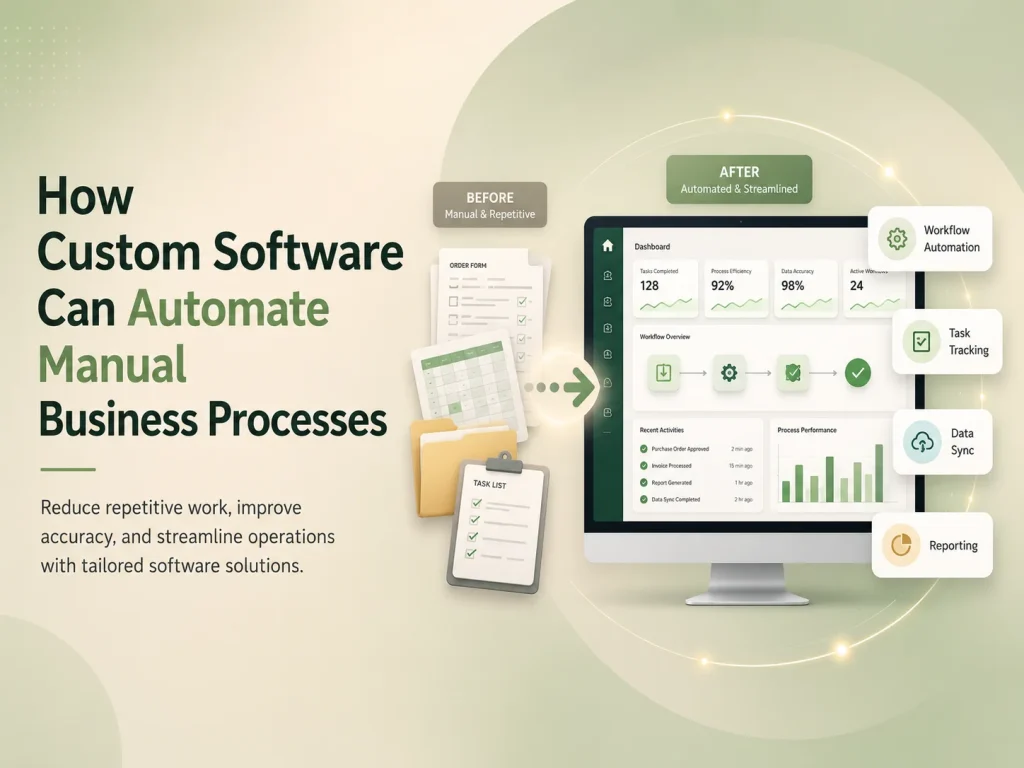
Many businesses still depend on manual processes that require employees to copy information between spreadsheets, send repetitive emails, update multiple systems, prepare reports by hand, or repeatedly check whether a task has been completed. These processes may work when the business is small, but they often become slower and more difficult to manage as customers, employees, transactions, and operational requirements increase.
Custom software can automate manual business processes by connecting data, rules, approvals, notifications, and everyday tasks within one organized workflow. Instead of employees performing the same administrative steps repeatedly, software can handle predictable actions automatically while allowing people to focus on decisions, customer service, and work that requires human judgment.
Start by Identifying Repetitive Business Workflows
Automation is most useful when it solves a specific operational problem. Businesses should begin by looking for tasks that happen frequently, follow predictable steps, consume employee time, or create errors when information is entered manually.
For example, a company may receive customer enquiries through a website and then manually copy each request into a spreadsheet, assign it to an employee, send a confirmation email, create a follow-up reminder, and update the status later. Custom software can connect these activities so that a new enquiry automatically creates a record, assigns responsibility according to business rules, sends the appropriate notification, and tracks the request until it is completed.
Other common opportunities include employee onboarding, approvals, invoice processing, inventory updates, appointment scheduling, document management, customer support, recurring tasks, reporting, and internal requests.
Connect People, Data, and Business Rules in One Workflow
Manual processes often become difficult because information is spread across several places. Customer details may be stored in one system, invoices in another, tasks in spreadsheets, and important approvals inside email conversations.
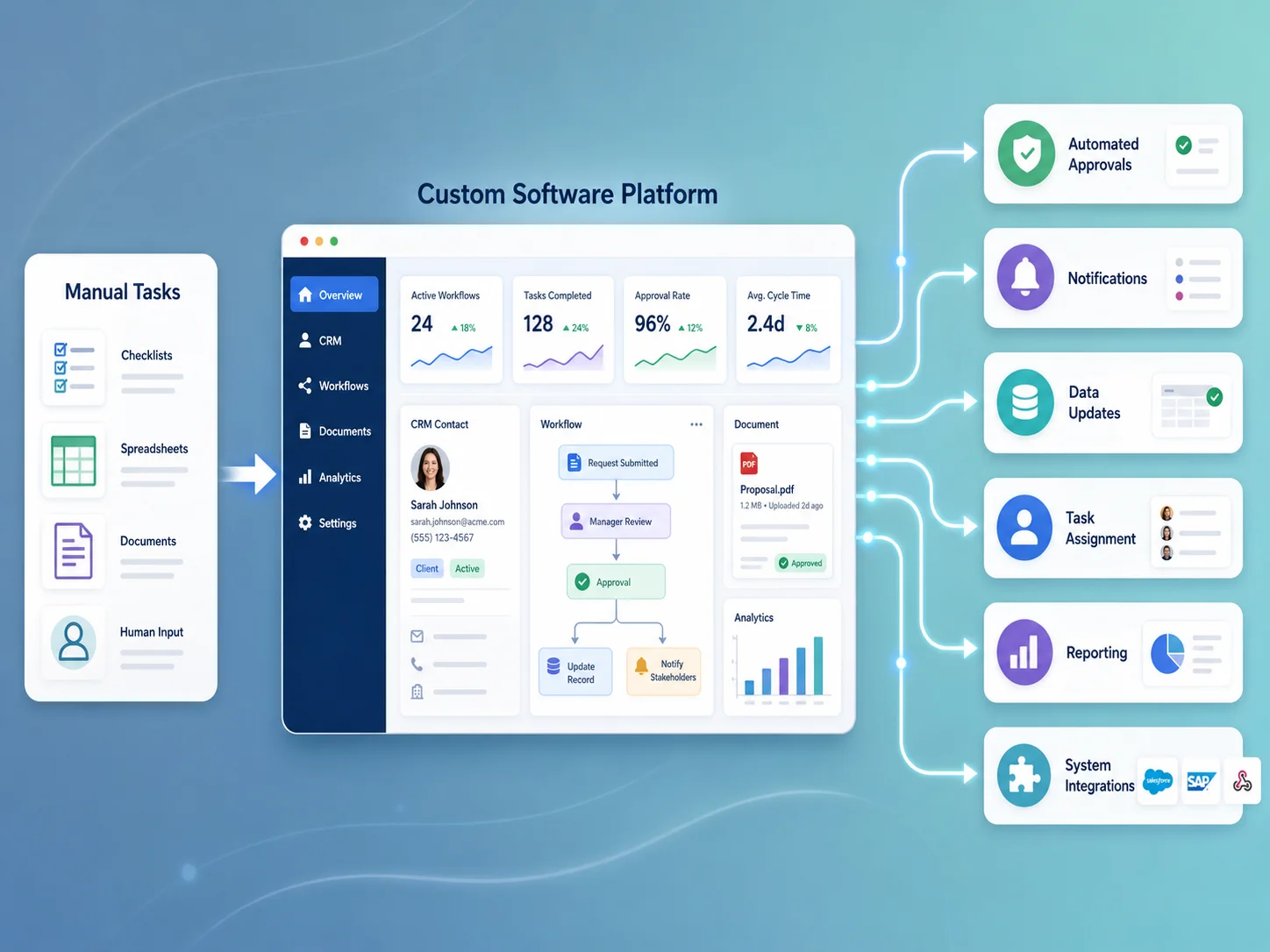
A custom web application can bring these workflows together. Employees can work from a central dashboard while the software handles data movement behind the scenes. Information entered once can be reused throughout the process instead of being manually copied between different departments.
Business rules can also be built directly into the workflow. A purchase request above a certain amount might require manager approval. A support ticket with a high priority can be assigned automatically to a specific team. An invoice can move to the finance department only after the related work is approved.
This makes the process more consistent because employees do not need to remember every rule individually. The software can guide each request through the appropriate steps while keeping an audit trail of actions, approvals, and status changes.
Examples of Business Processes That Can Be Automated
The right automation depends on the organization, but many businesses have similar areas where custom software can reduce repetitive administration.
- Lead capture, assignment, and sales follow-up
- Employee onboarding and document collection
- Approval requests and management workflows
- Recurring task creation and reminders
- Invoice and payment status tracking
- Inventory and order updates
- Appointment and resource scheduling
- Customer support ticket management
- Document generation and approval
- Automated reports and management dashboards
A custom system can also coordinate several processes at once. When a customer purchases a service, for example, the software might create the customer account, generate the relevant project, assign tasks to employees, send confirmation messages, create billing records, and schedule future reminders automatically.
The objective is not to remove people from every workflow. Some decisions require experience, context, or approval. Good automation handles predictable administrative work while directing exceptions and important decisions to the appropriate person.
Integrations Can Remove Duplicate Data Entry
Custom software becomes particularly valuable when it connects with the tools a company already uses. APIs can allow a web application to exchange information with payment gateways, accounting software, CRM systems, e-commerce platforms, email services, communication tools, inventory systems, and other business applications.
For example, when a payment succeeds, the software can automatically update the invoice, change the customer status, notify the appropriate department, and include the transaction in a management report. Employees no longer need to confirm the same payment manually across several systems.
Integrations should include proper validation and error handling. External services can occasionally fail or become temporarily unavailable, so automation should record unsuccessful actions and provide administrators with enough information to resolve them. Reliable automation should reduce manual work without hiding problems when something goes wrong.
Automate Your Business Processes
Automation Can Improve Visibility as Well as Efficiency
One major benefit of custom business software is that management can see what is happening across the workflow. Instead of requesting updates from several employees or combining multiple spreadsheets, dashboards can display current workloads, pending approvals, overdue tasks, customer statuses, financial information, and other important operational metrics.
Notifications can alert users when action is required rather than expecting them to constantly check the system. Employees might receive reminders when a deadline approaches, managers can be notified when an approval is waiting, and customers can automatically receive updates when the status of their request changes.
This visibility can also help businesses identify bottlenecks. If requests regularly remain in one stage for several days, management can investigate why. If a large percentage of support tickets involve the same issue, the company can improve that part of the service instead of repeatedly handling the same problem manually.
Custom Automation Should Grow With the Business
Businesses should avoid trying to automate every process at once. A more practical approach is to begin with workflows that consume significant time or create frequent mistakes, then expand the system as the value becomes clear.
A scalable custom application can gradually add new departments, workflows, user roles, reports, integrations, and automation rules without forcing the business to replace the entire system. This is particularly useful for organizations whose operational processes are too specialized for generic software.
Encoder IT Limited develops custom web applications and SaaS platforms for businesses that need workflow automation, dashboards, customer portals, internal management systems, API integrations, role-based access, reporting, and other purpose-built software solutions.
Custom software creates the most value when it removes repeated administrative work without making the business process harder to understand. By connecting data, employees, approvals, notifications, and external systems in one structured workflow, businesses can operate more consistently, reduce unnecessary manual effort, and create a stronger foundation for future growth.